N7201A652E.pdf - 第137页
NPM- TT2 EJM1EE-MB-02 O-04 Unloc king the ma gazine door 1 1 2-4-3 3 3 1 Close the magazine door + T o lock again (The magazin e door is locked) + 2 T o unlock Operating procedure 2-4-3 Prepara- tions before produc- tion…
NPM-TT2 EJM1EE-MB-02O-04
Preparation of the tray
feeder 3
1
2
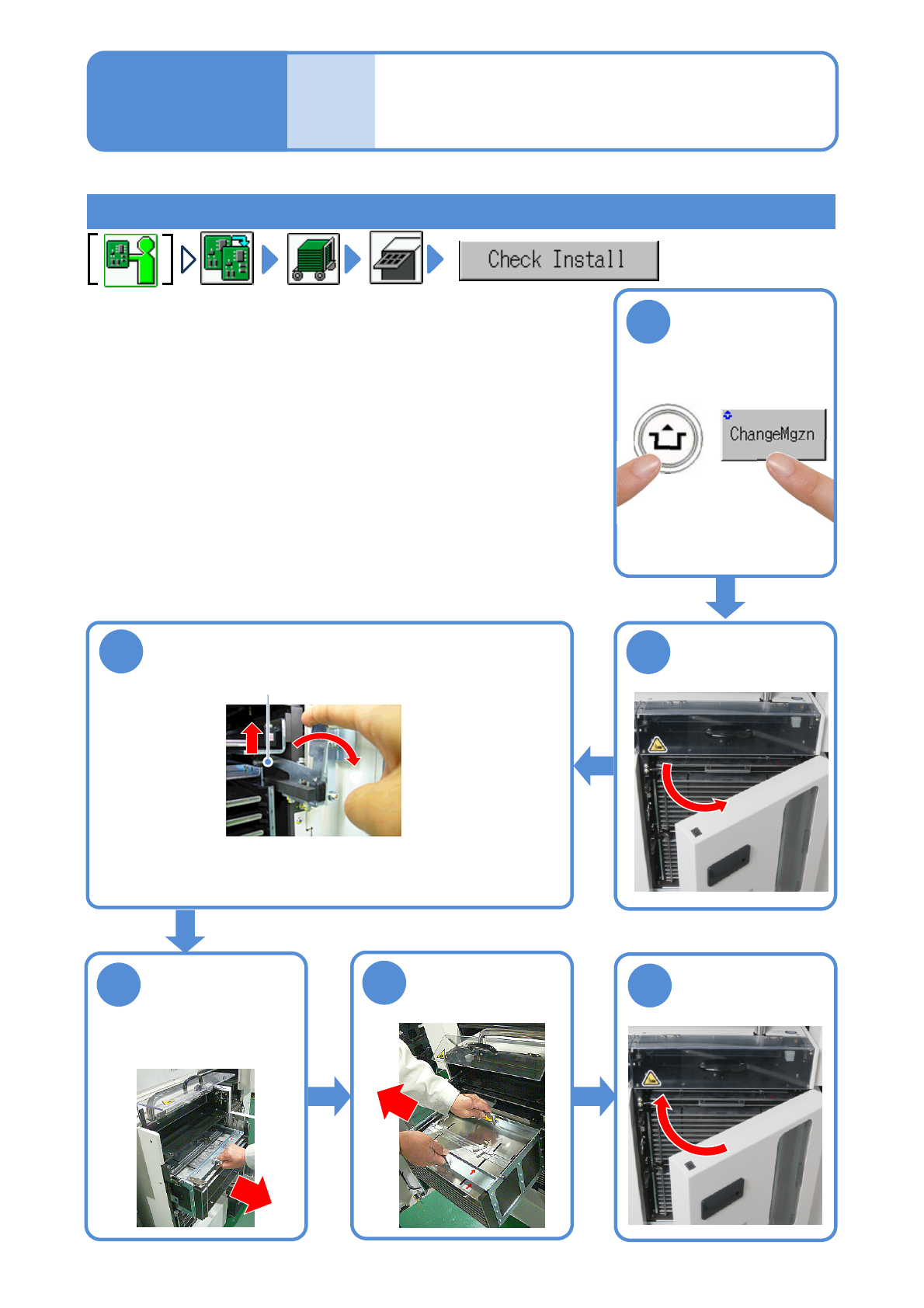
Removing the magazine from the tray feeder
2-4-2-5
4
3
Raise the stopper and pull the magazine out
until the magazine handle comes out
Release the clamp lever
after pulling it until the clamp
release lever is disengaged.
Lift up the front
handle and draw
out the magazine
until you can see
the other handle
Stopper
Hold both handles
and remove the
magazine
5
6
Operating procedure
2-4-2
Prepara-
tions
before
produc-
tion
ACTIVATION
NPM-TT2 EJM1EE-MB-02O-04
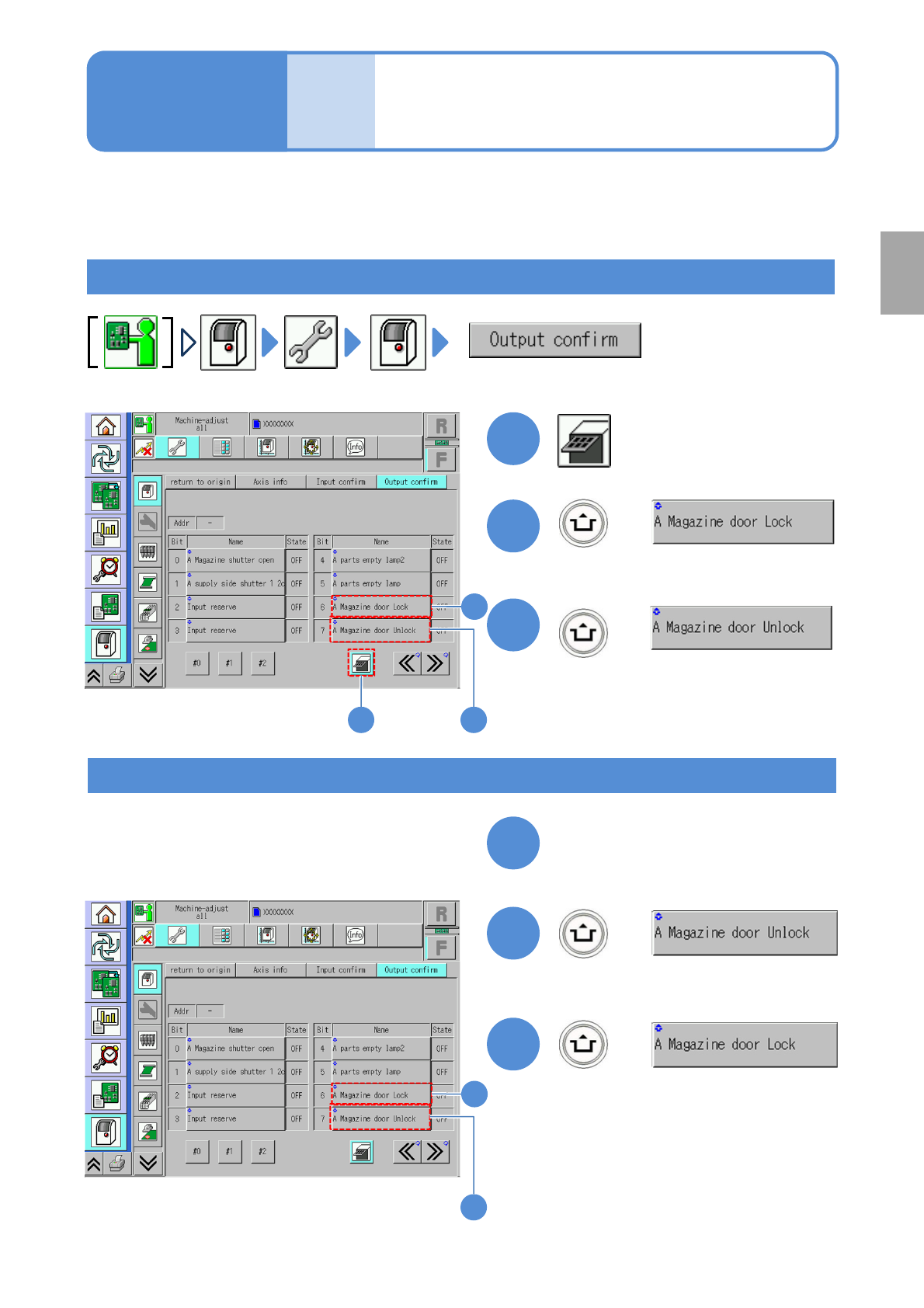
Unlocking the
magazine door
1
1
2-4-3
3
3
1
Close the magazine door
+
To lock again
(The magazine door is locked)
+
2
To unlock
Operating procedure
2-4-3
Prepara-
tions
before
produc-
tion
+
(The magazine door is unlocked and
opens)
3
2
2
(Status is OFF)
+
(Status is ON)
(Status is OFF)
(Status is ON)
2
3
Preparation
In the case that you are not in the normal operation mode
1)
because of a tray feeder error, the following
operations help you unlock and open the door.
1) ‘Removing the magazine from the tray feeder’ ( →P.2-4-2-
5)
NPM-TT2 EJM1EE-MB-02O-04
Checking the feeder
attachment condition 1
(intelligent feeder)
Operating procedure
2-4-4
Prepara-
tions
before
produc-
tion
2-4-4-1
1
1
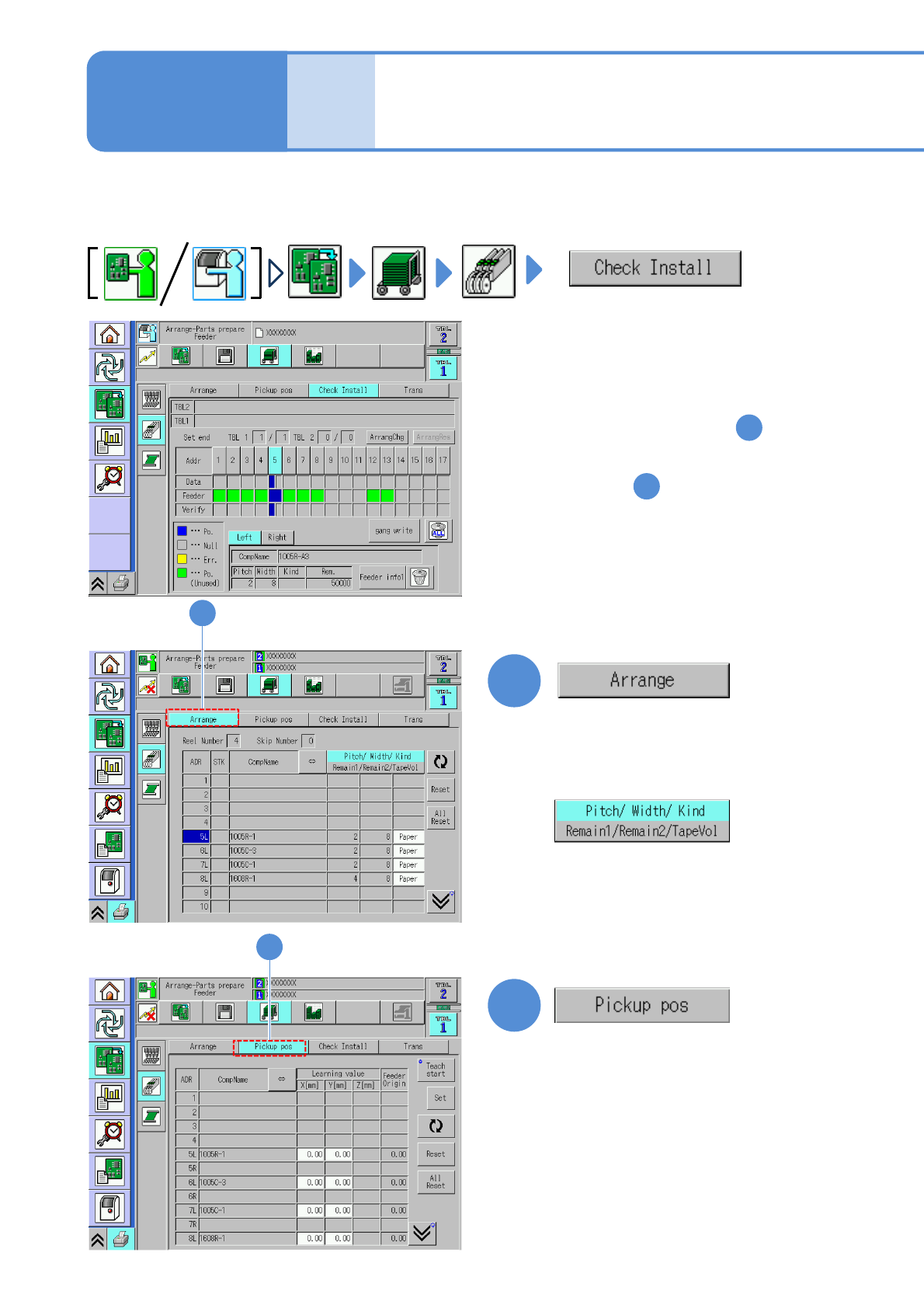
Check whether the production materials that have been mounted to the feeder table are in
conformance to the corresponding data.
●Replacing the intelligent feeder (→P.2-4-1)
2
●Check components and the feeder
type and then reconfigure the
feeder settings.
2
●If they are not in conformance with
each other To the step
2
1
●Check whether the feeder being
actually installed is in conformance
to the stock data.
●To confirm the pickup positions
To step
●The correction values obtained
using the pickup position learning
during production can be checked
on a per-feeder address basis.
(→P.2-4-4
-5 ‘Pickup pos. screen’)
(The display changes)
(→P.2-4-4
-4 ‘Arrangement screen’)