N7201A652E.pdf - 第139页
NPM- TT2 EJM1EE-MB -02O-04 Preparatio n 2-4-4 -2 C E F G H D A C F G H E D B A Check Install screen Color Feeder condition Blue Feeder that exists in prod uction data Green Feeder that doe s not exist in production data …
NPM-TT2 EJM1EE-MB-02O-04
Checking the feeder
attachment condition 1
(intelligent feeder)
Operating procedure
2-4-4
Prepara-
tions
before
produc-
tion
2-4-4-1
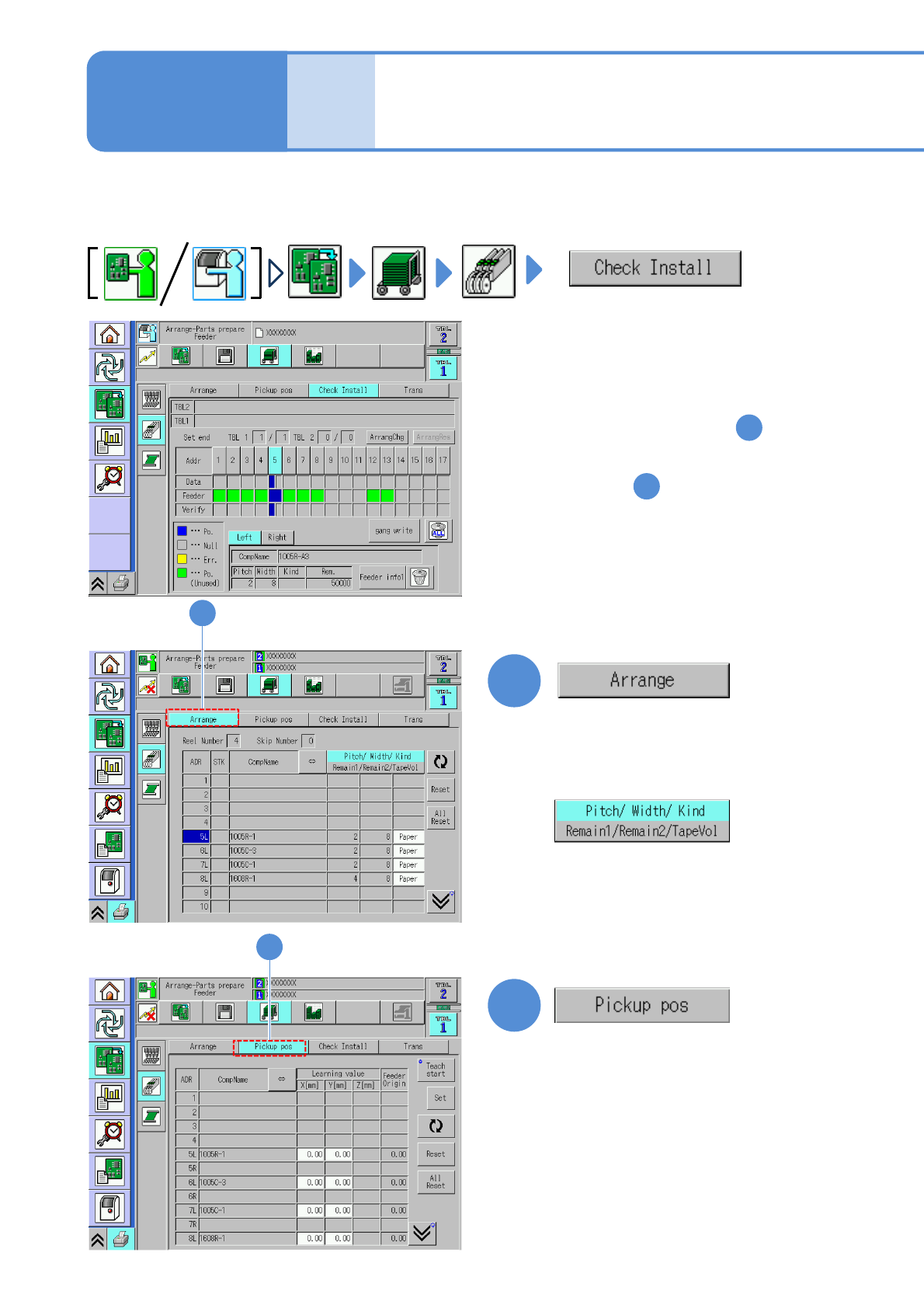
1
1
Check whether the production materials that have been mounted to the feeder table are in
conformance to the corresponding data.
●Replacing the intelligent feeder (→P.2-4-1)
2
●Check components and the feeder
type and then reconfigure the
feeder settings.
2
●If they are not in conformance with
each other To the step
2
1
●Check whether the feeder being
actually installed is in conformance
to the stock data.
●To confirm the pickup positions
To step
●The correction values obtained
using the pickup position learning
during production can be checked
on a per-feeder address basis.
(→P.2-4-4
-5 ‘Pickup pos. screen’)
(The display changes)
(→P.2-4-4
-4 ‘Arrangement screen’)
NPM-TT2 EJM1EE-MB-02O-04
Preparation
2-4-4-2
C
E
F
G
H
D
A
C F G HED
BA
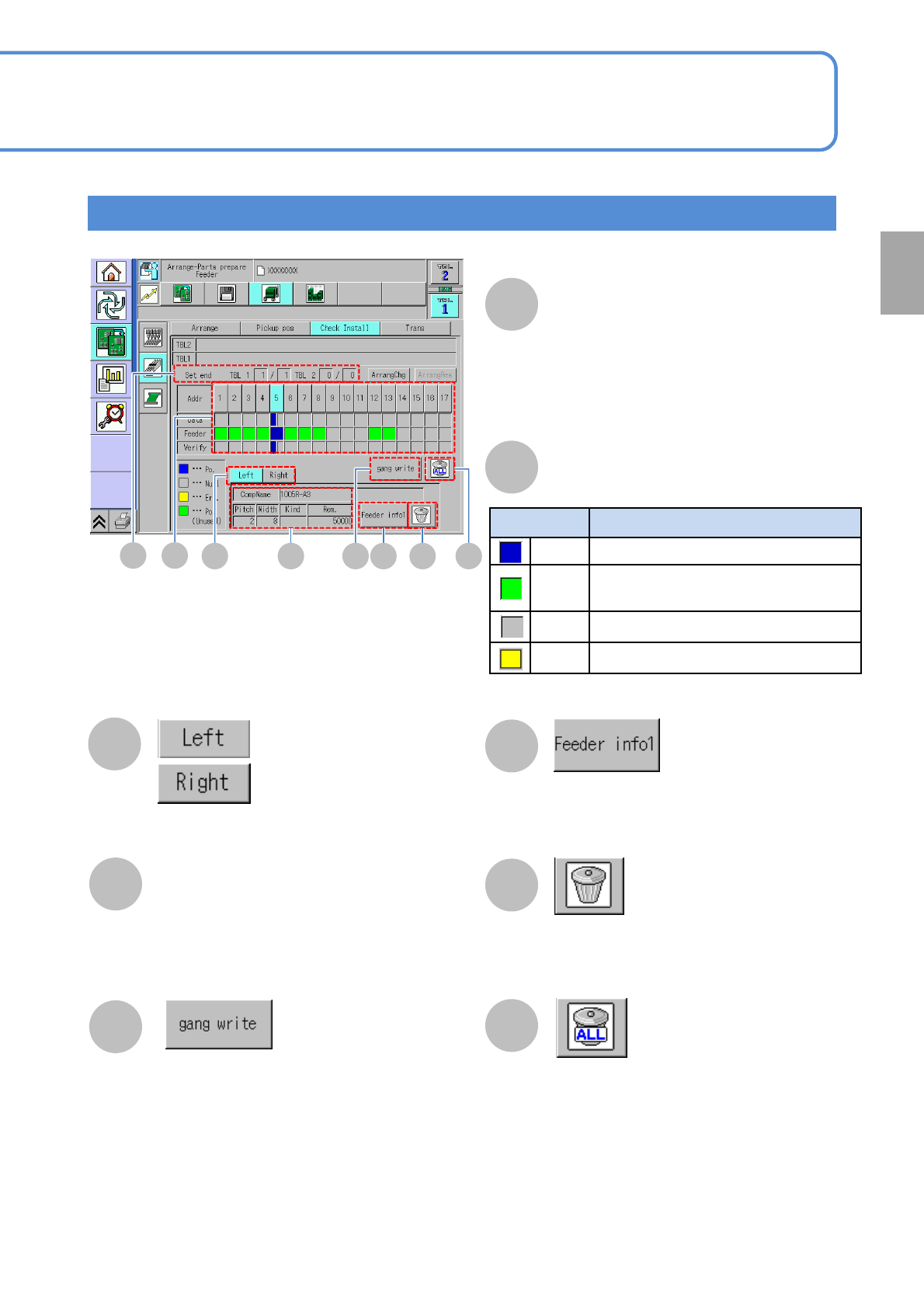
Check Install screen
Color Feeder condition
Blue Feeder that exists in production data
Green
Feeder that does not exist in
production data
Gray
No feeder exists
Yellow
Error
B
Feeder condition
Component on the left side
of the feeder is displayed
Component on the right side
of the feeder is displayed
Collectively writes production data-based
component information on the feeders
Resets component information written on the
feeder in the address you have selected
Resets component information written on all
feeders
Component Name
Overall number of feeders that have already
been installed
●Those feeders not to be used in
production are not included in the count.
Set end
Pitch: Tape feed pitch
Rem.: The quantity of remaining components
Width: Tape width
Kind: Tape type
(Paper / Emboss)
Displays the feeder info details screen
(→P.2-4-4
-3 ‘Details window screen of feeder
information’)
●Use with double tape / thin type single
feeders
●Displayed only when “ the feeder
parts collation” as an option is set to
ON
(→P.5-1-1)
NPM-TT2 EJM1EE-MB-02O-04
Checking the feeder
attachment condition 2
(intelligent feeder)
Operating procedure
2-4-4
Prepara-
tions
before
produc-
tion
2-4-4-3
A C D
A
B
C
D
B
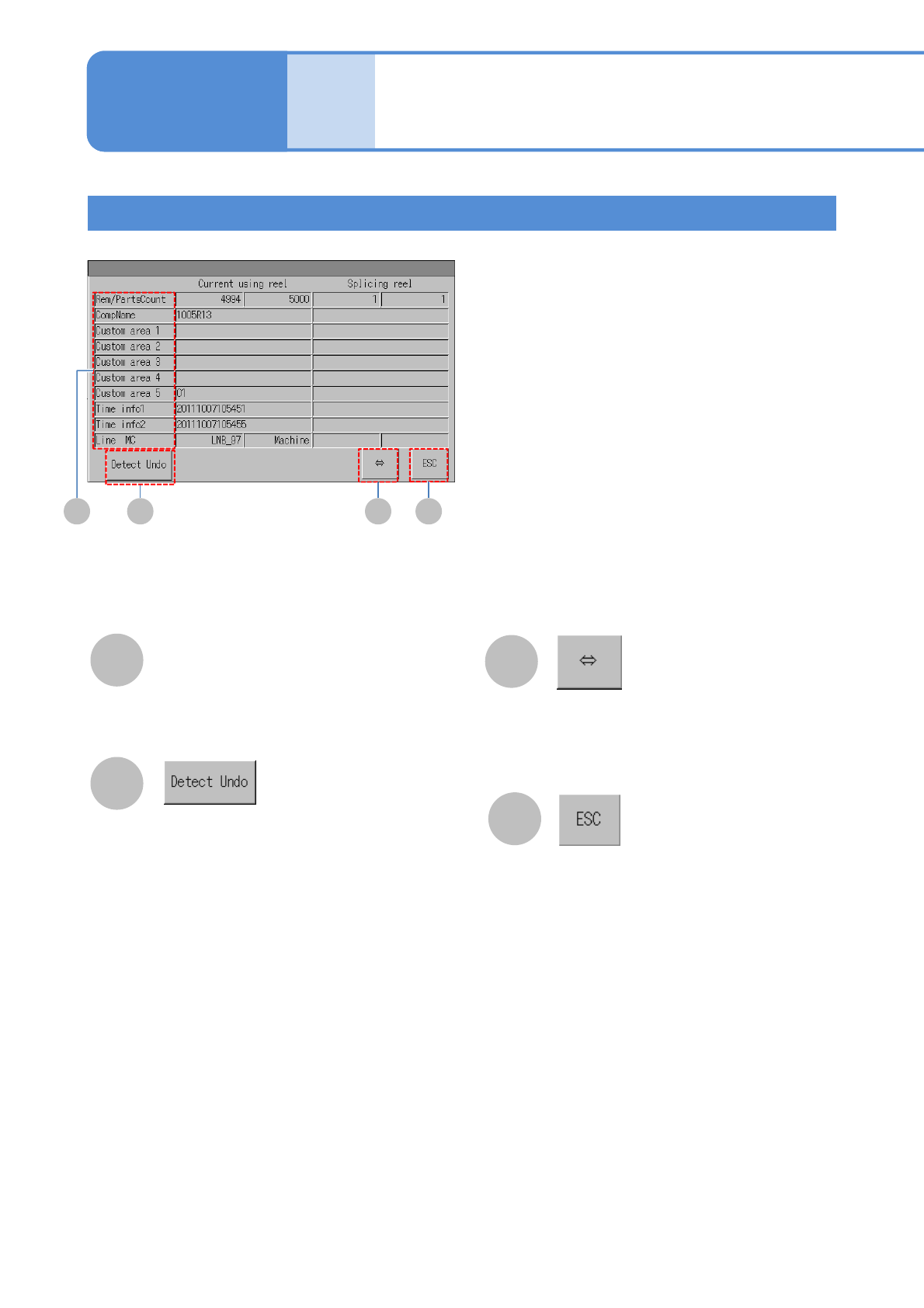
Details window screen of feeder information
Displays the portion of feeder
information that is currently not being
shown because its name is too long to
be shown
Restores feeder information to the state
that the feeder information was in before
the tape moved (pre-tape move condition)
●Used when you want to restore feeder
information containing splicing part data
that has been updated upon mis-
detection of a splice joint
Detailed feeder information
Closes the screen
●Displayed only when substituted parts
can be used for the feeder