N7201A652E.pdf - 第165页
NPM- TT2 EJM1EE-MB -02O-04 2 1 1 2 Select a pattern ● Multiple patterns are selectable. 3 3 ● Deselec ted by pressing the button again. E F C D I 2-5-6 -2 A E F G B C D I J H PatternPiece The total number of patterns. Sk…
NPM-TT2 EJM1EE-MB-02O-04
2
1
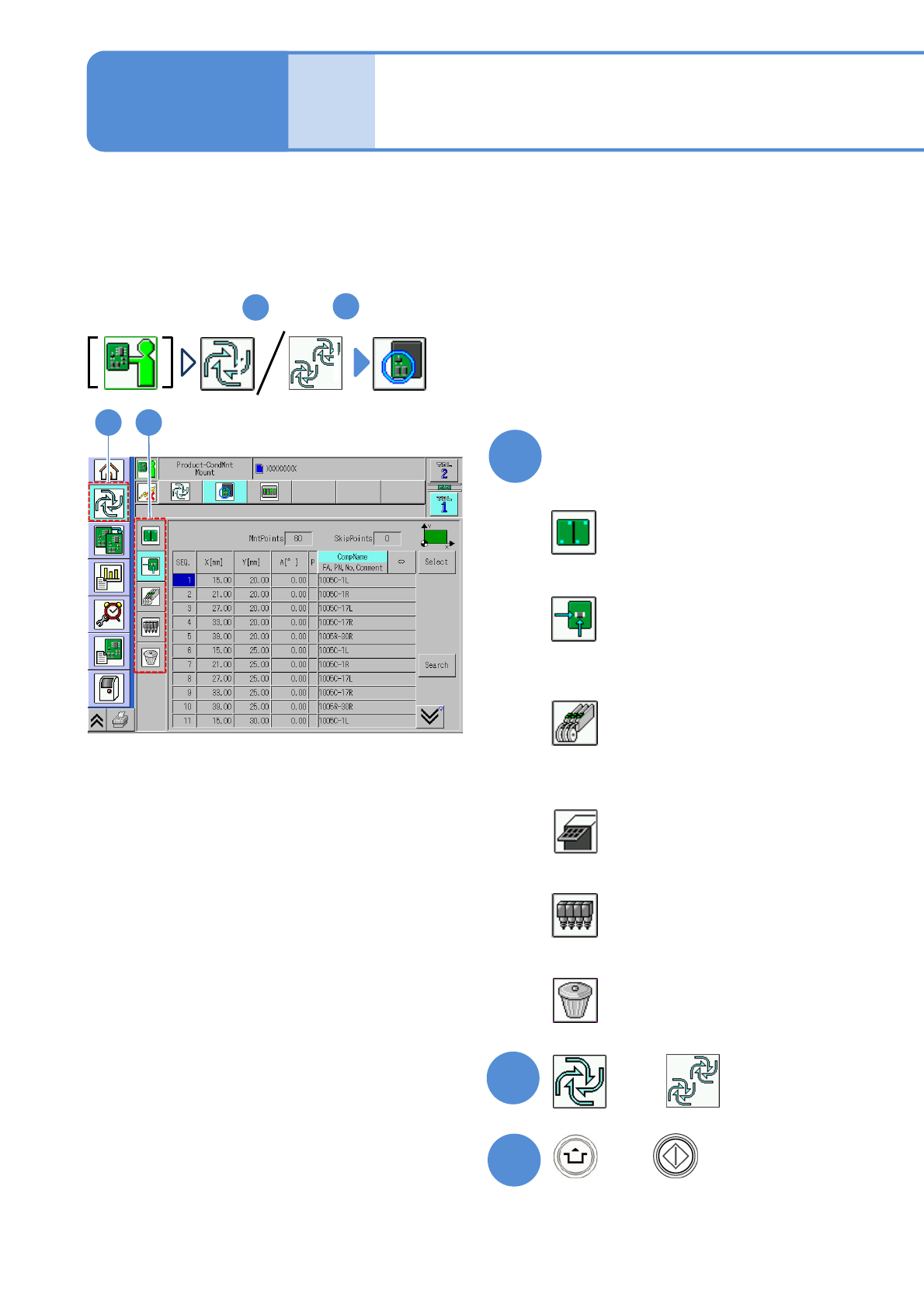
Specify a target for placement
1
3
(Production starts under the specified
conditions)
■To specify by the pattern
■To specify by the placement point
■To specify by the component
(intelligent feeder)
■To specify by the component
(tray feeder)
■To specify by the head
■To cancel selection
(→P.2-5-6-2)
(→P.2-5-6
-3)
(→P.2-5-6
-4)
(→P.2-5-6
-5)
(→P.2-5-6
-6)
(→P.2-5-6
-6)
2-5-6-1
2
Individu-
al
prepara-
tion
Placement specification 1
(conditional placement)
Operating procedure
2-5-6
or
Preparation: do steps through in P.3-1-1-1,P.3-1-1-2.
1
4
A target for placement is specified for production in the unit of patterns or placement points.
Before starting production, using a particular component or block, run a trial to check the placement condition.
For a placement check based on conditional placement, perform the following steps.
For dual conveyor, you can set it per lane by changing the lane.
Inspection head-equipped equipment does not support solder and component inspections during the conditional
placement process.
+
NPM-TT2 EJM1EE-MB-02O-04
2
1
1 2
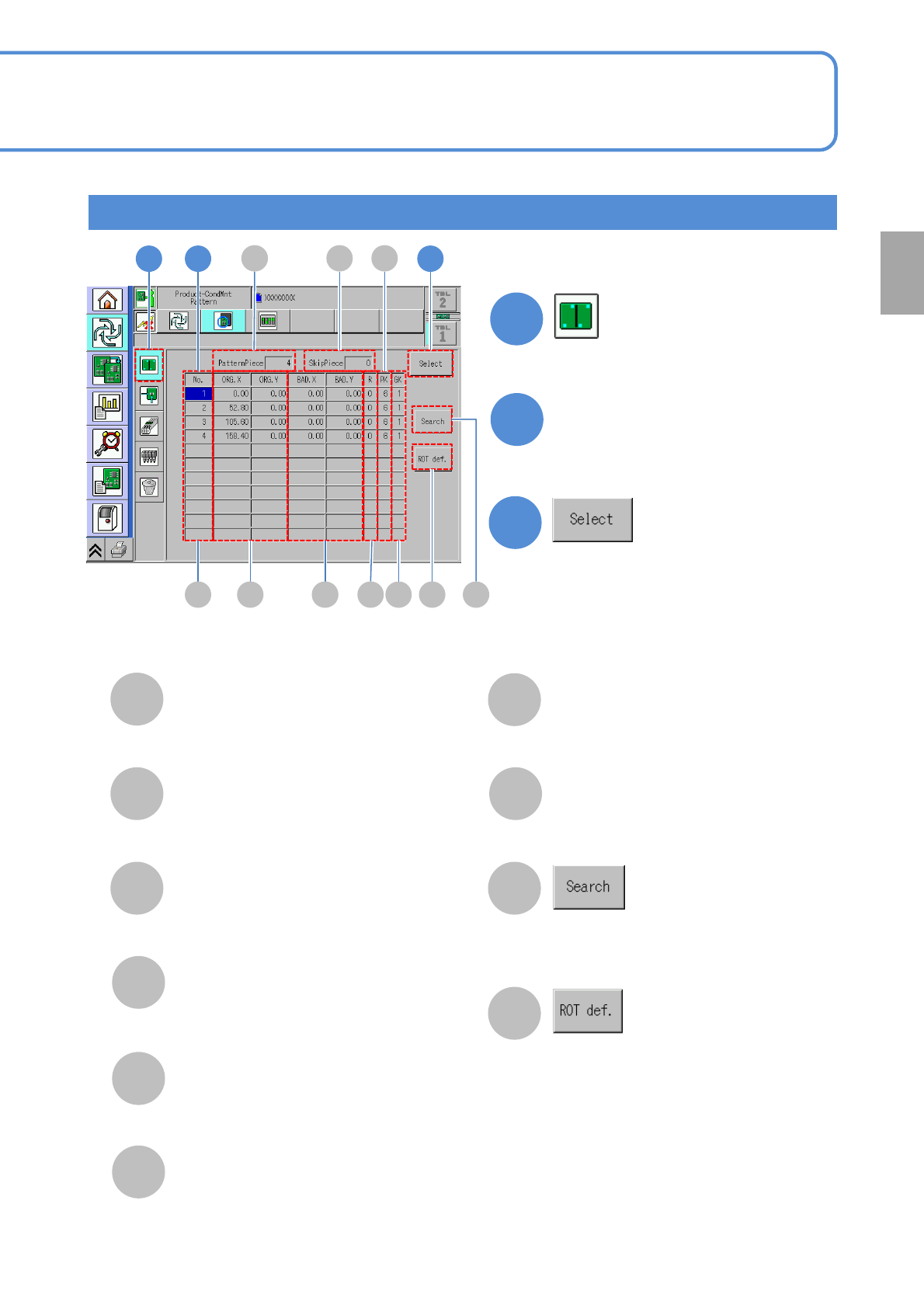
Select a pattern
●Multiple patterns are selectable.
3
3
●Deselected by pressing the button
again.
E FC D I
2-5-6-2
A
E
F
G
B
C
D
I
J
H
PatternPiece
The total number of patterns.
SkipPiece
The total number of specified
patterns to be skipped.
No.
The pattern ID number.
ORG.X/ORG.Y
The X/Y coordinates of the origin
pattern.
BAD.X/BAD.Y
The X/Y coordinates of bad patterns.
R
The pattern developing angle
number.
PK
The pattern number.
H
Run search by entering a pattern
number with the numeric keypad.
Displays the ROT definition window.
GK
The group number.
Specify by the pattern
J
A GB
Preparation
NPM-TT2 EJM1EE-MB-02O-04
1
1
A
E
F
G
I
B
C D
2
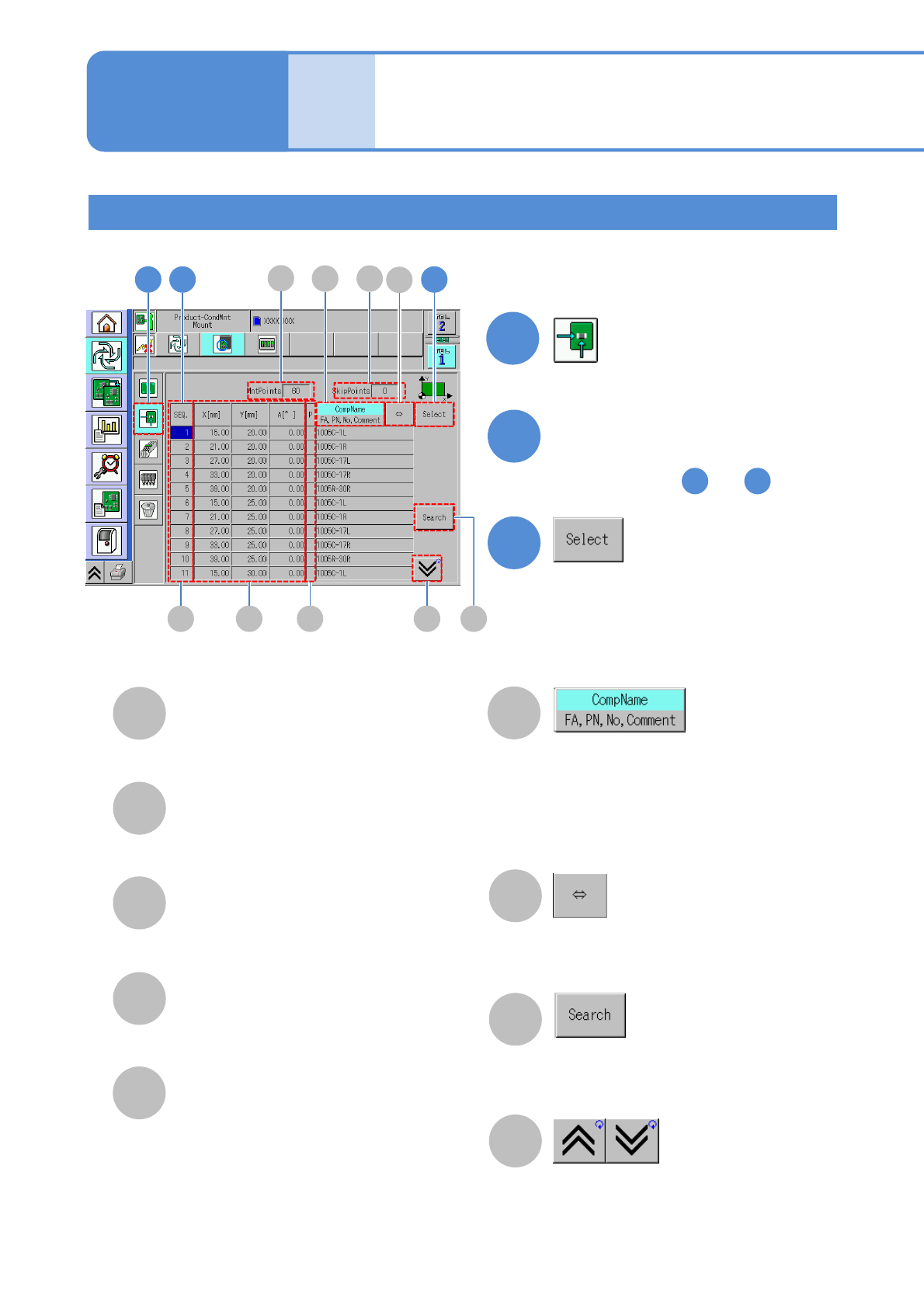
Select a placement point
●You can select multiple points by
repeating steps and .
3
●Deselected by pressing the button
again.
2 3
2-5-6-3
A
B
C
D
E
F
G
I
H
P: Priorities among placement
points
Blank : Standard
H : High priority
L : Low priority
Changes display
・Component name
・FA: Feeder address
・PN: Pattern No.
・No: Sequence No.
・Comment
Scrolls and displays component
names/FA, PN, No. and comments if
they are too long to be shown.
You can search for a placement
point by entering the sequence No.
with the numerical keypad.
Displays the previous or next table.
H
X[mm]/Y[mm]/A[°]
Coordinates of placement
points and placement angles.
SEQ
The sequence No. of a placement point.
SkipPoints
Total number of specified
placement points to be skipped.
MntPoints
A total of placement points.
Individu-
al
prepara-
tion
Placement specification 2
(conditional placement)
Specifying by the placement point
2 3
Operating procedure
2-5-6