N7201A652E.pdf - 第167页
NPM- TT2 EJM1EE-MB -02O-04 2 1 1 2 Select a pattern A E F G B C D I H 3 K L J 2-5-6 -4 A B C H I J G K L 3 Specifying by the component (intelligent feeder) D E F ● You can select multiple points by repeating steps and . …
NPM-TT2 EJM1EE-MB-02O-04
1
1
A
E
F
G
I
B
C D
2
Select a placement point
●You can select multiple points by
repeating steps and .
3
●Deselected by pressing the button
again.
2 3
2-5-6-3
A
B
C
D
E
F
G
I
H
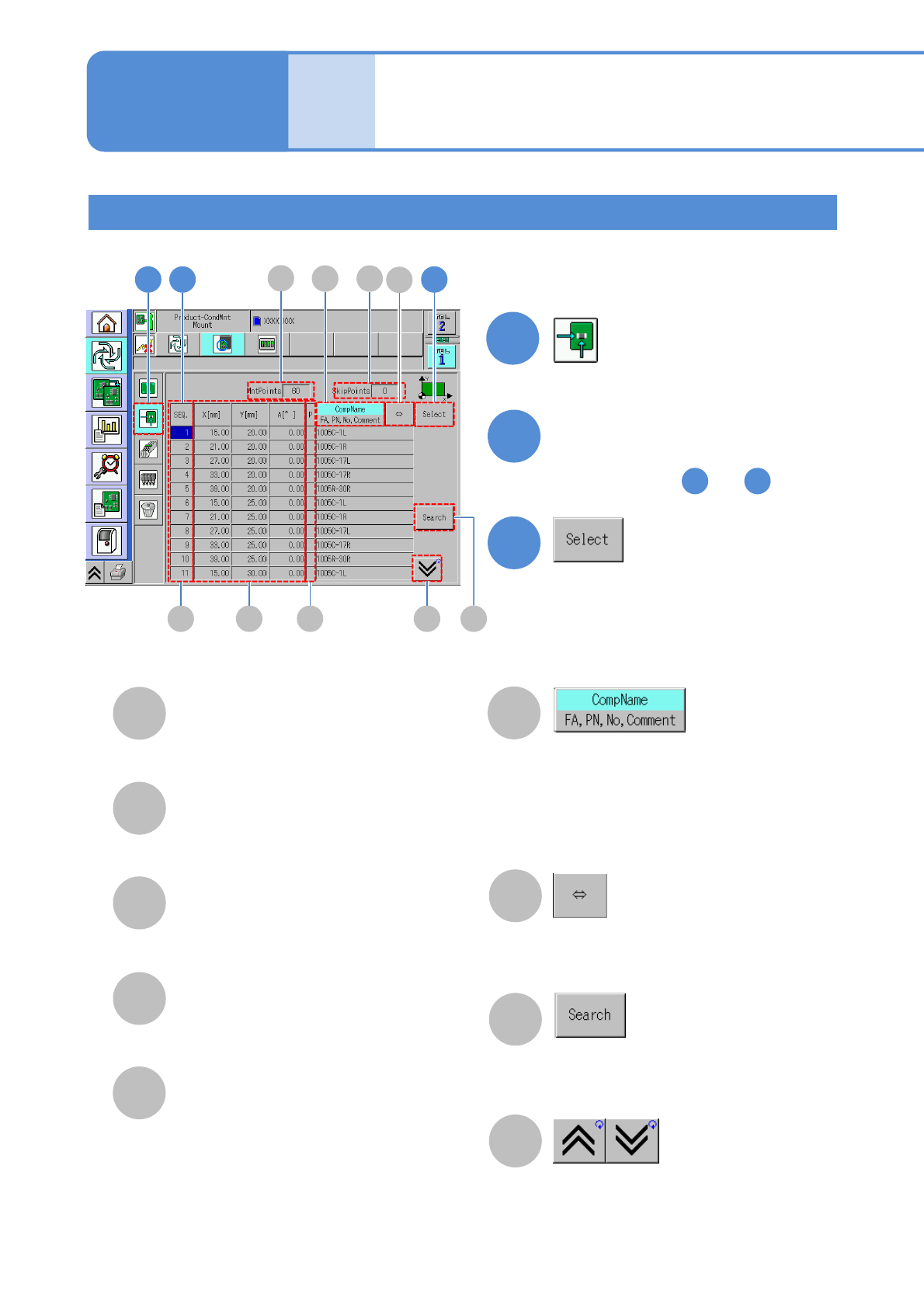
P: Priorities among placement
points
Blank : Standard
H : High priority
L : Low priority
Changes display
・Component name
・FA: Feeder address
・PN: Pattern No.
・No: Sequence No.
・Comment
Scrolls and displays component
names/FA, PN, No. and comments if
they are too long to be shown.
You can search for a placement
point by entering the sequence No.
with the numerical keypad.
Displays the previous or next table.
H
X[mm]/Y[mm]/A[°]
Coordinates of placement
points and placement angles.
SEQ
The sequence No. of a placement point.
SkipPoints
Total number of specified
placement points to be skipped.
MntPoints
A total of placement points.
Individu-
al
prepara-
tion
Placement specification 2
(conditional placement)
Specifying by the placement point
2 3
Operating procedure
2-5-6
NPM-TT2 EJM1EE-MB-02O-04
2
1
1 2
Select a pattern
A
E
F
G
B
C
D
I
H
3K
L
J
2-5-6-4
A
B
C
H
I
J
G
K
L
3
Specifying by the component (intelligent feeder)
D
E
F
●You can select multiple points by
repeating steps and .
2 3
●Deselected by pressing the button
again.
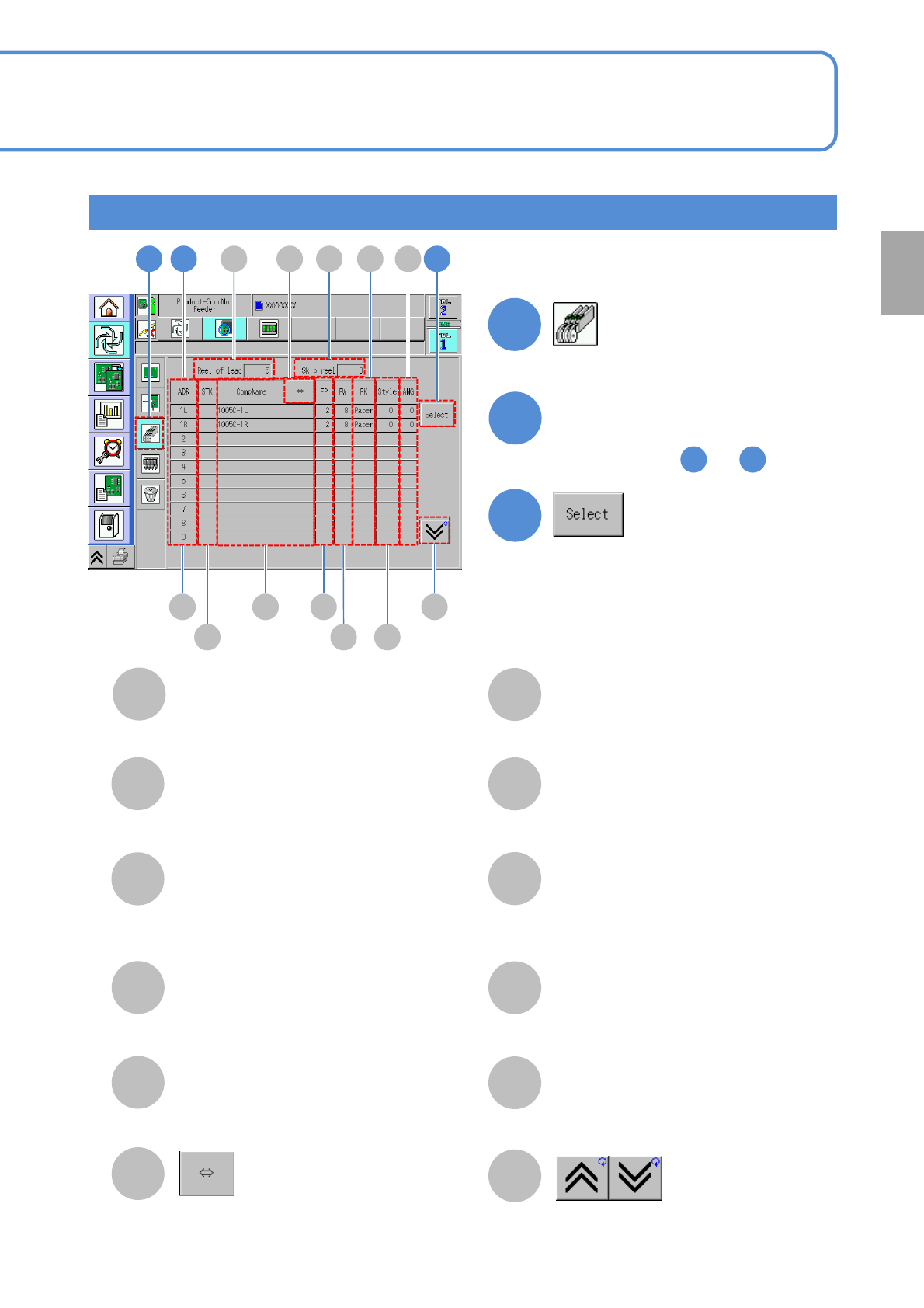
Reel of lead
The number of feeders arranged.
Skip reel
The number of specified feeders to be
skipped.
ADR
The number of the slot on which feeders
are placed and the address of the feeder
on which components are placed.
STK
Component ID No.
(When any stock component is available)
CompName
Scrolls and displays a long
component name.
FP
Feed of the feeder.
FW
Feeder width.
RK
Tape type. (paper or embossed)
Displays the previous or next table.
Style
Component supply angle.
ANG
Component pickup angle.
Preparation
NPM-TT2 EJM1EE-MB-02O-04
Specifying by the component (tray feeder)
1
1
A
E F
G
J
B
C
D
2
Select a placement point
2 3
F
H
I
2-5-6-5
A
B
C
F
G
H
I
J
3
Individu-
al
prepara-
tion
Placement specification 3
(conditional placement)
D
E
●You can select multiple points by
repeating steps and .
2
3
●Deselected by pressing the button
again.
Operating procedure
2-5-6
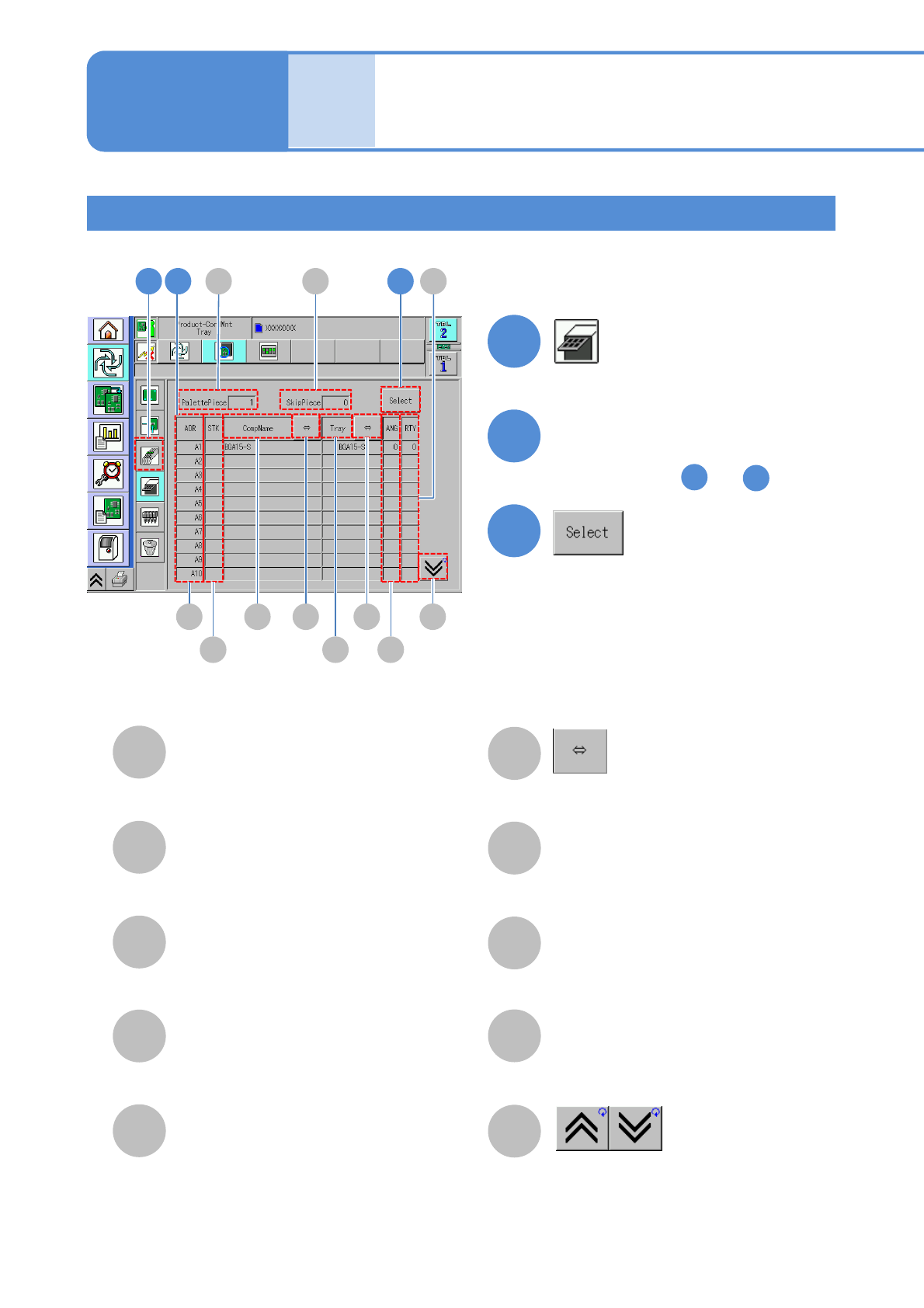
PalletPiece
Total number of trays registered in the
selected table.
SkipPiece
Total number of specified pallet to be
skipped.
ADR
Tray address No.
STK
Component ID number.
(When any stock component is available)
CompName
ANG
Component pickup angle.
RTY
The frequency of retries.
Displays the previous or next table.
Tray
Scrolls and displays a long component name.