N7201A652E.pdf - 第185页
3 Production
NPM-TT2 EJM1EE-MB-02O-04
2-8
Operating procedure
2-8
Preparation in
independent mode
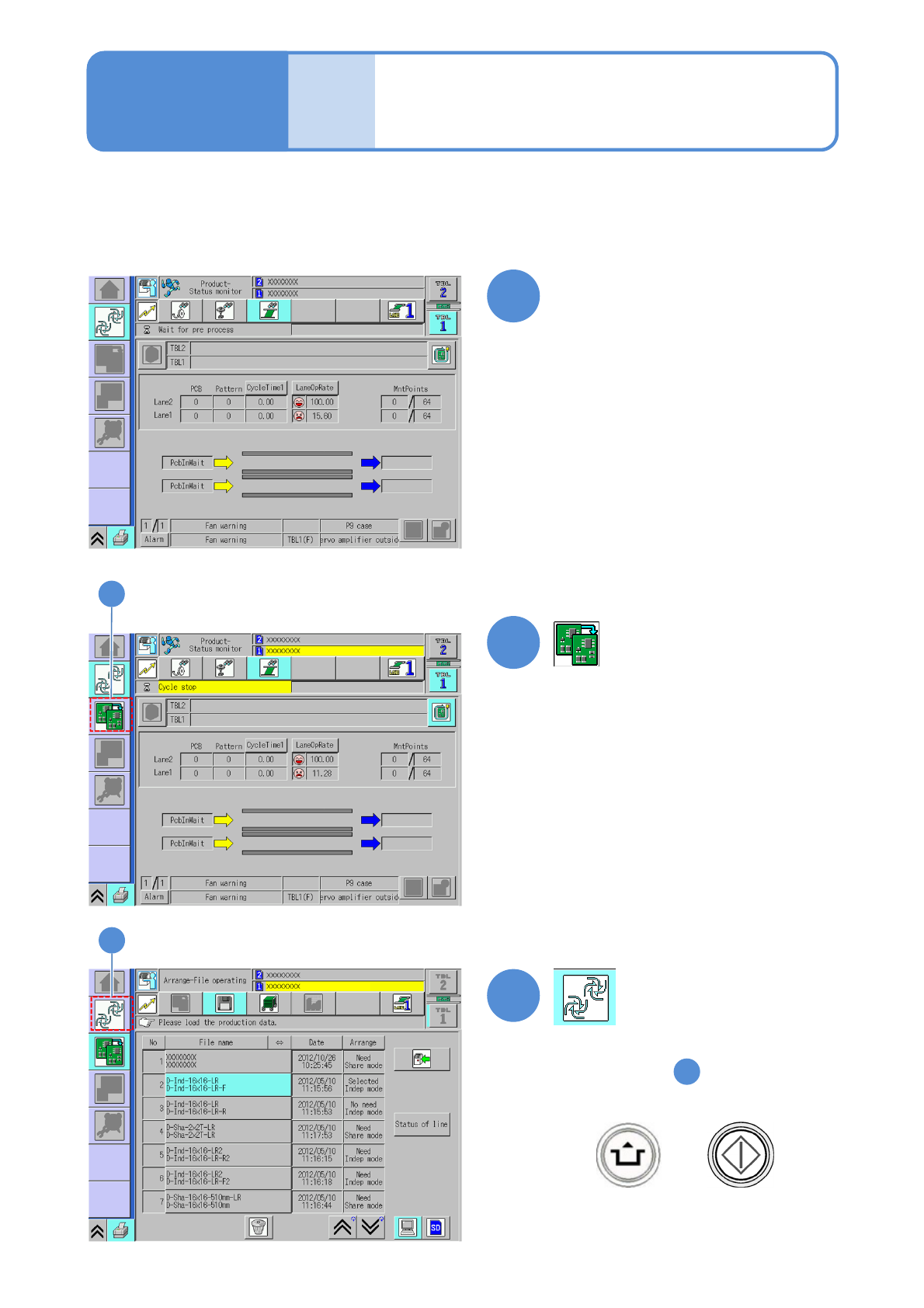
You can prepare for the lane during production in the independent mode.
1
2
●The lane under cycle stop is
displayed in yellow color.
2
3
3
(→P.2-3-2 to P.2-5-5)
(→3-1-1)
(→P.3-1-2)
1
Select a lane on the screen in
production and perform cycle stop
●Displays step screen.
●When you resume production
+

3 Production
NPM-TT2 EJM1EE-MB-03O-02
Produc-
tion
Production start 1
Starting production
3-1-1-1
Operating procedure
3-1-1
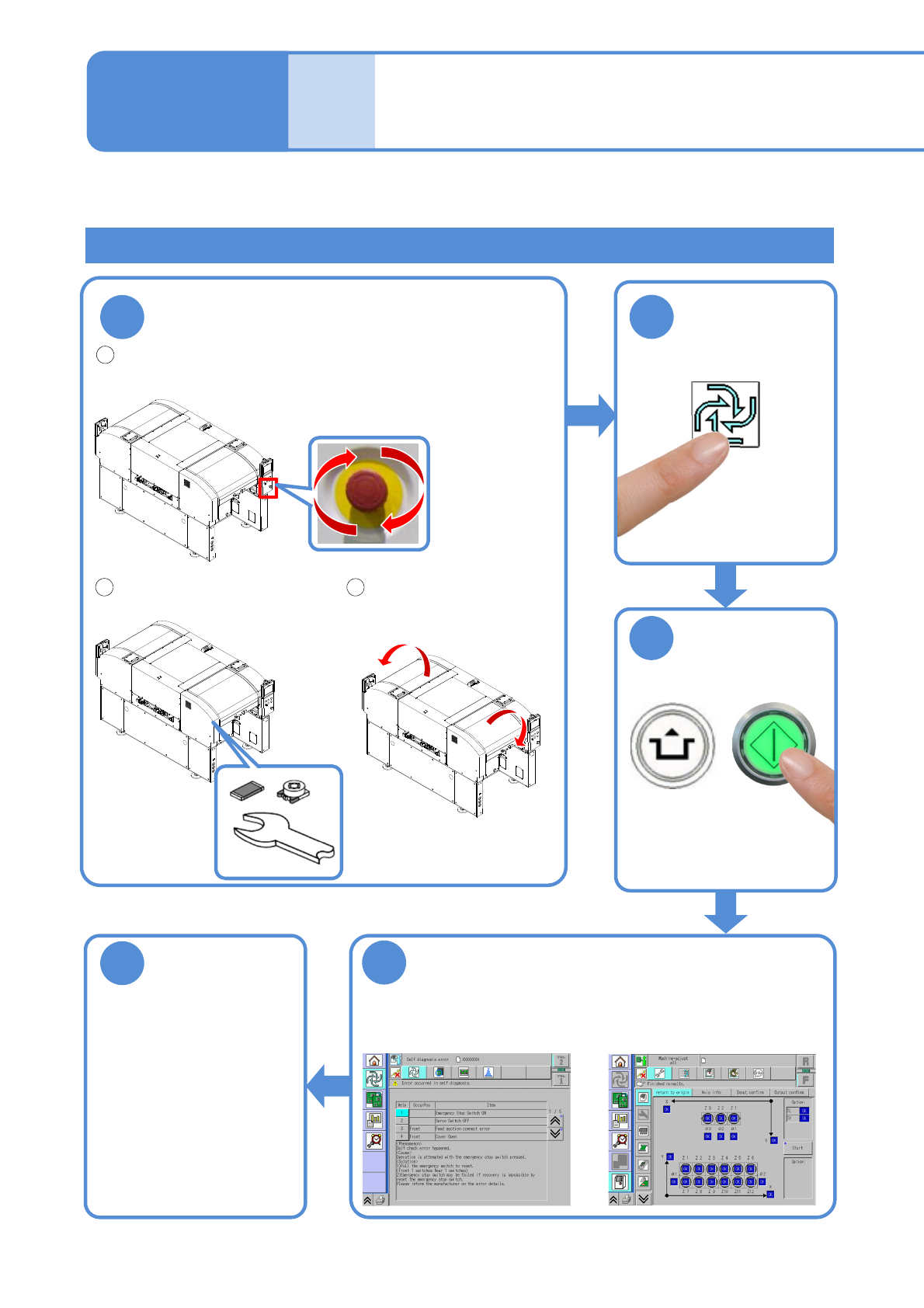
Describes how to start production. It is the operator’s daily task.
Check that the emergency stop switch is released.
●To release, make sure that danger or
abnormality is removed, and then turn the
switch to the right.
1
Check before operation
Check that there is no foreign
matter on the conveyor or the
feeder table.
5
Self-diagnosis is conducted
4
■For abnormal case
Abnormal items are displayed .
(→P.3-1-1
-2)
■For normal case
Origin return is carried out.
Check that the front and
rear safety covers are
closed.
2
3
Start production
START
1
2
3
Production
start
■For alternate mode
For independent mode
(→P.3-1-1
-2)
ACTIVATION