N7201A652E.pdf - 第193页
NPM- TT2 EJM1EE-MB-03 O-02 3-1-4 Production Produc- tion Placement mode Operating procedure 3-1-4 Feature ■ Alternate mode ● The head moves alternatively and performs production. ● Each head prod uces PCB on the front an…
NPM-TT2 EJM1EE-MB-03O-02
Produc-
tion
Operating procedure
3-1-3
3-1-3
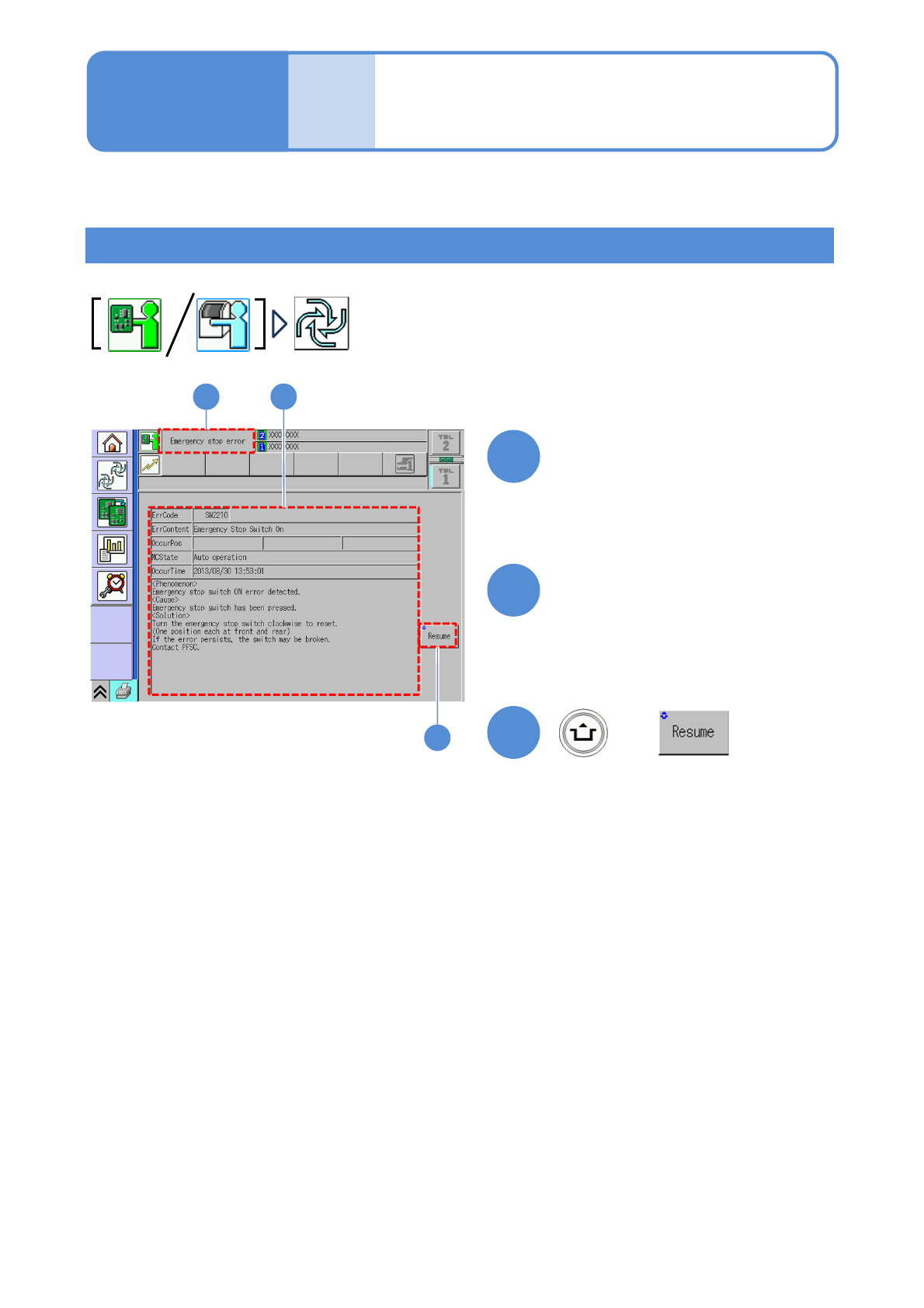
Resume production after error stop
This section describes how to resume production in the case of error occurrence.
●The error stop screen is displayed during production.
1
1
+
2
3
2
Confirm error information and
help and take measures
3
(Production resumes for the lane
enabled production)
After error occurrence, the
error stop screen is displayed
Error stop and resume
NPM-TT2 EJM1EE-MB-03O-02
3-1-4
Production
Produc-
tion
Placement mode
Operating procedure
3-1-4
Feature
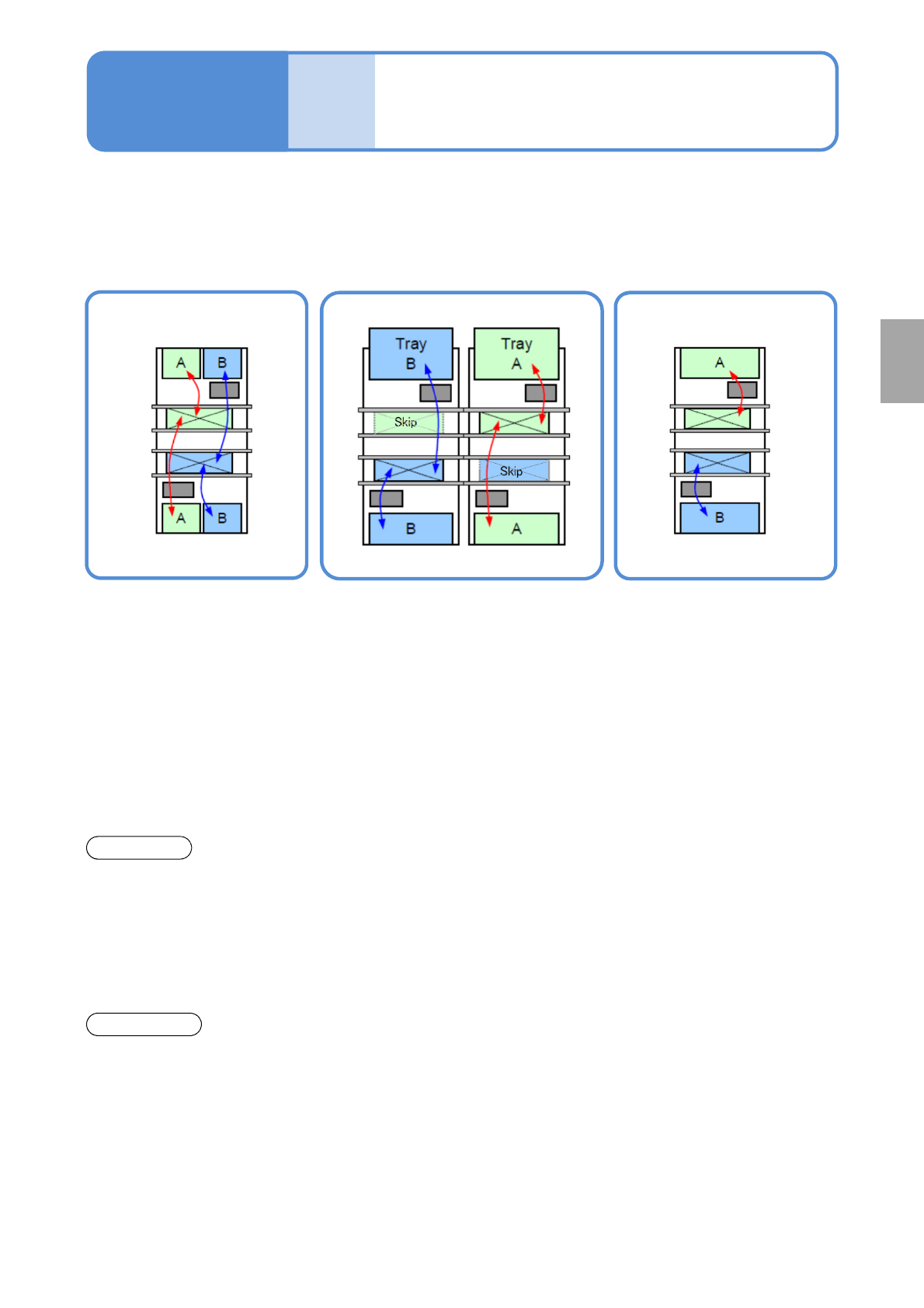
■Alternate mode
●The head moves
alternatively and performs
production.
●Each head produces PCB
on the front and rear lane.
●The head moves
alternatively and after
production of the target
lane completes, it
produces PCB on the other
lane.
■Alternate front (rear) mode ■Independent mode
●Using the front and rear heads,
only PCBs on the front (rear) lane
are produced, and PCBs on the
rear (front) lane are passed through.
●Each head independently
carries out production for
PCBs on each head.
Front head: Front lane
production
Rear head: Rear lane
production
●It minimizes the PCB
transfer loss.
●Production start and stop are
applicable per lane.
●Production start and stop
is applicable per lane.
●It improves productivity
because the head does not
need to wait for head
alternative motion (waiting
for motion of the other
head.
Changeover
●You need to stop the
machine to carry out
changeover for each lane.
●Changeover (changing the
production data or the feeder cart,
or replacing the tray magazine) is
applicable for the suspended lane
while PCBs are passed through.
●Changeover (changing the
production data or
replacing the feeder cart
or the tray magazine) is
applicable for the
suspended lane during
one-side production.
*1)Head standby may arise depending on the PCB size.
*1)
If machine specification is dual lane mode, you can select from the following modes for production.
NPM-TT2 EJM1EE-MB-03O-02
Produc-
tion
informa-
tion
How to check the screen in
production when stationary
1
How to check the screen in production 1
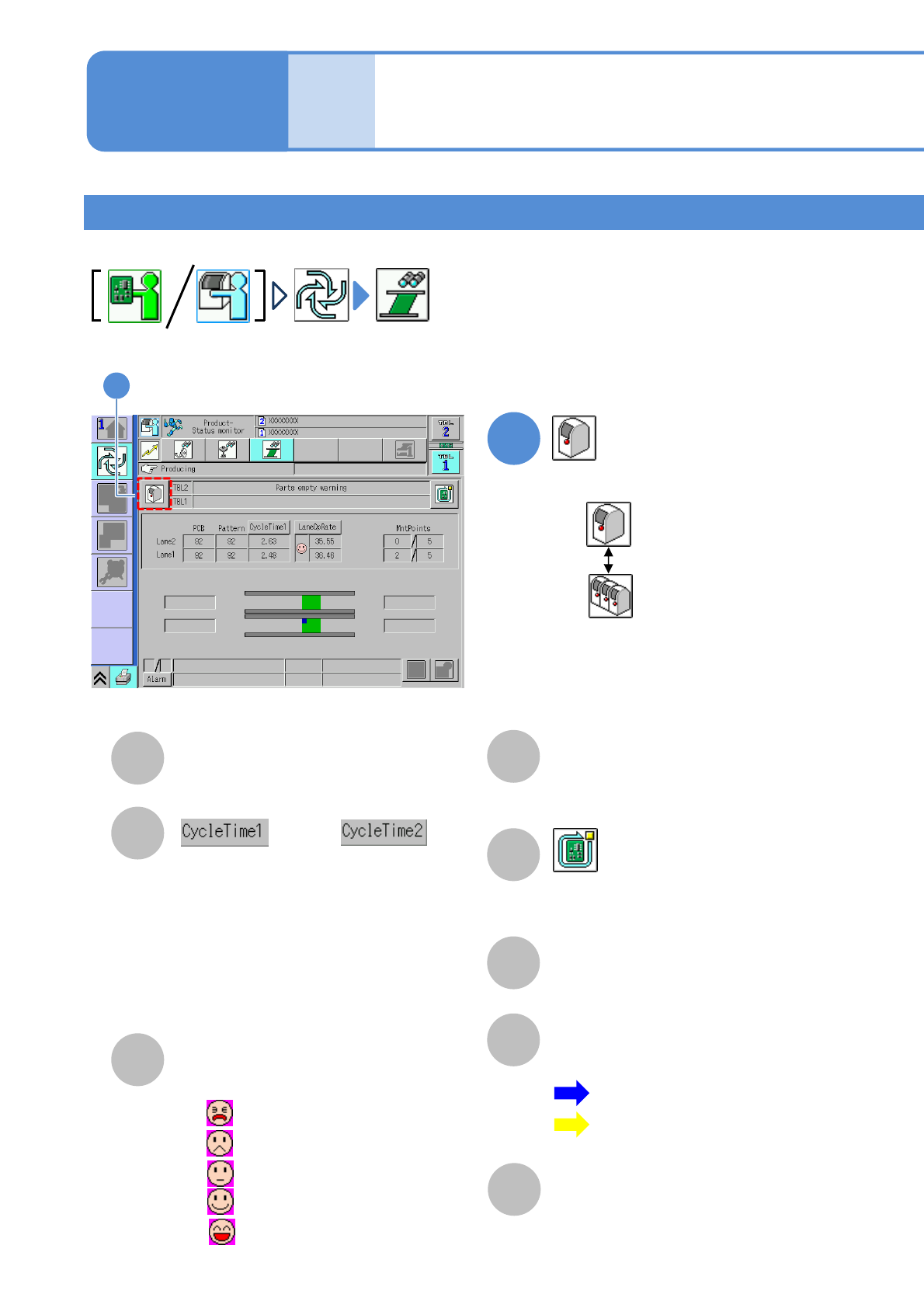
●Displays production information and operation status during production.
Operating procedure
3-2-1
3-2-1-1
A
E
B
C
D
F
PCB
The number of produced PCBs/patterns.
Switches the display of time required to
produce a PCB. (Display changes every
time you pressed)
●Cycle time 1
Time from when clamping is completed
before placement until clamping is
released after placement.
●Cycle time 2
Placement time including transfer time.
Rate
Operating rate of the machine.
(Changeable by action parameter)
MntPoints
The number of components that
have been placed/total placement
points.
Stop production after the produced
current PCB. (→P.3-1-2)
Component empty / Component
empty warning
Component empty occurrence condition.
G
Transfer Status
The transfer status and current
position of PCBs are displayed.
H
Warning
Errors and warnings on the
machine are displayed.
or
:Blue…Action status
:Yellow…Standby
Waiting for loading
Waiting for unloading
: 0% to 20% or less
: 20% to 40% or less
: 40% to 60% or less
: 60% to 80% or less
: 80% up to 100%
●
●
●
●
●
1
Choose either by machine or by line
: By machine
: By line
1
■Placement head (alternate mode)