N7201A652E.pdf - 第197页
NPM- TT2 EJM1EE-MB -03O-02 3-2-1 -4 Production
NPM-TT2 EJM1EE-MB-03O-02
Produc-
tion
informa-
tion
How to check the screen in
production when stationary
2
How to check the screen in production 2
Operating procedure
3-2-1
3-2-1-3
O
O
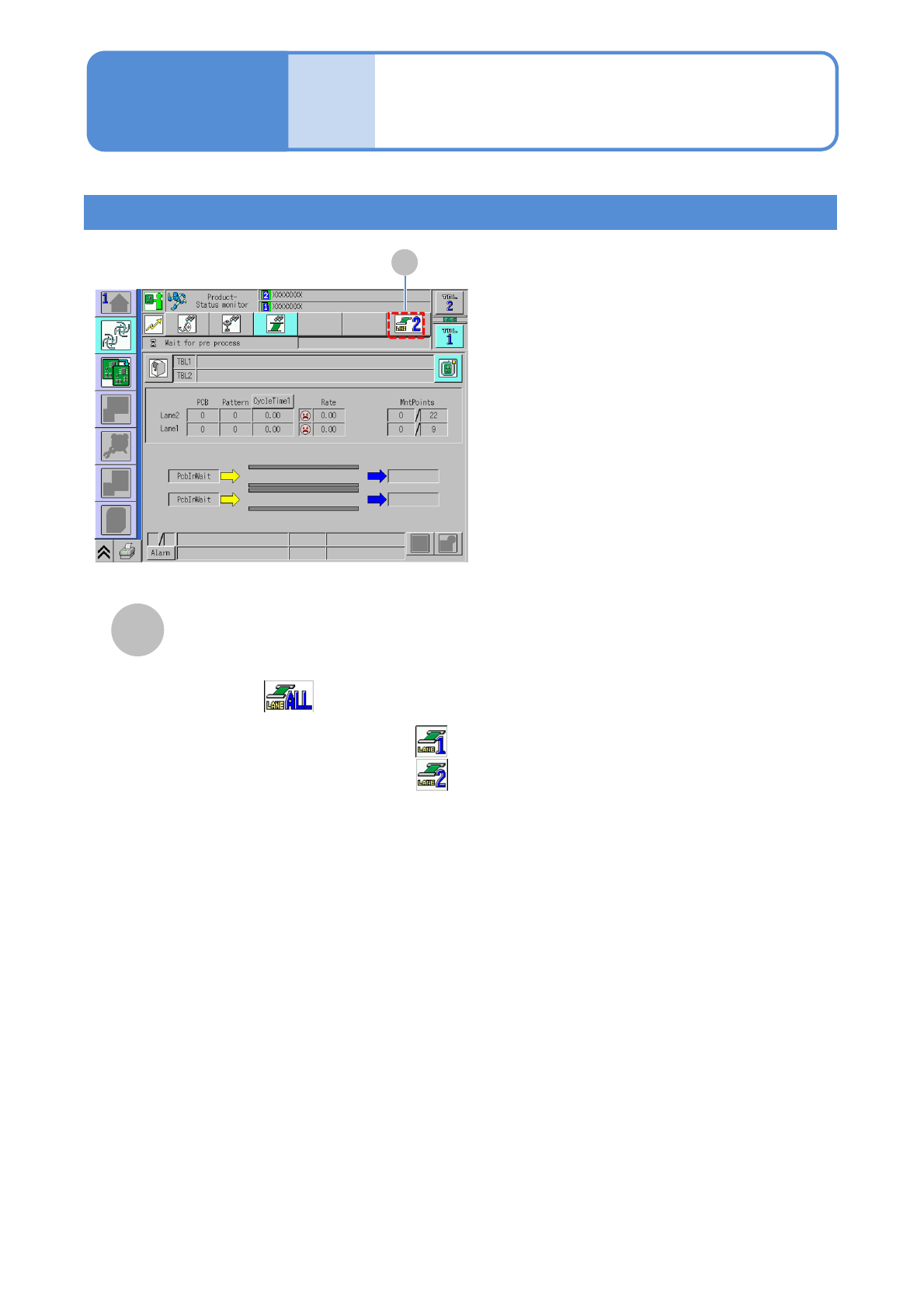
Lane selection
■Independent mode
To start production in front and
rear lanes:
To start production only in lane 1:
To start production only in lane 2:

NPM-TT2 EJM1EE-MB-03O-02
3-2-1-4
Production
NPM-TT2 EJM1EE-MB-03O-02
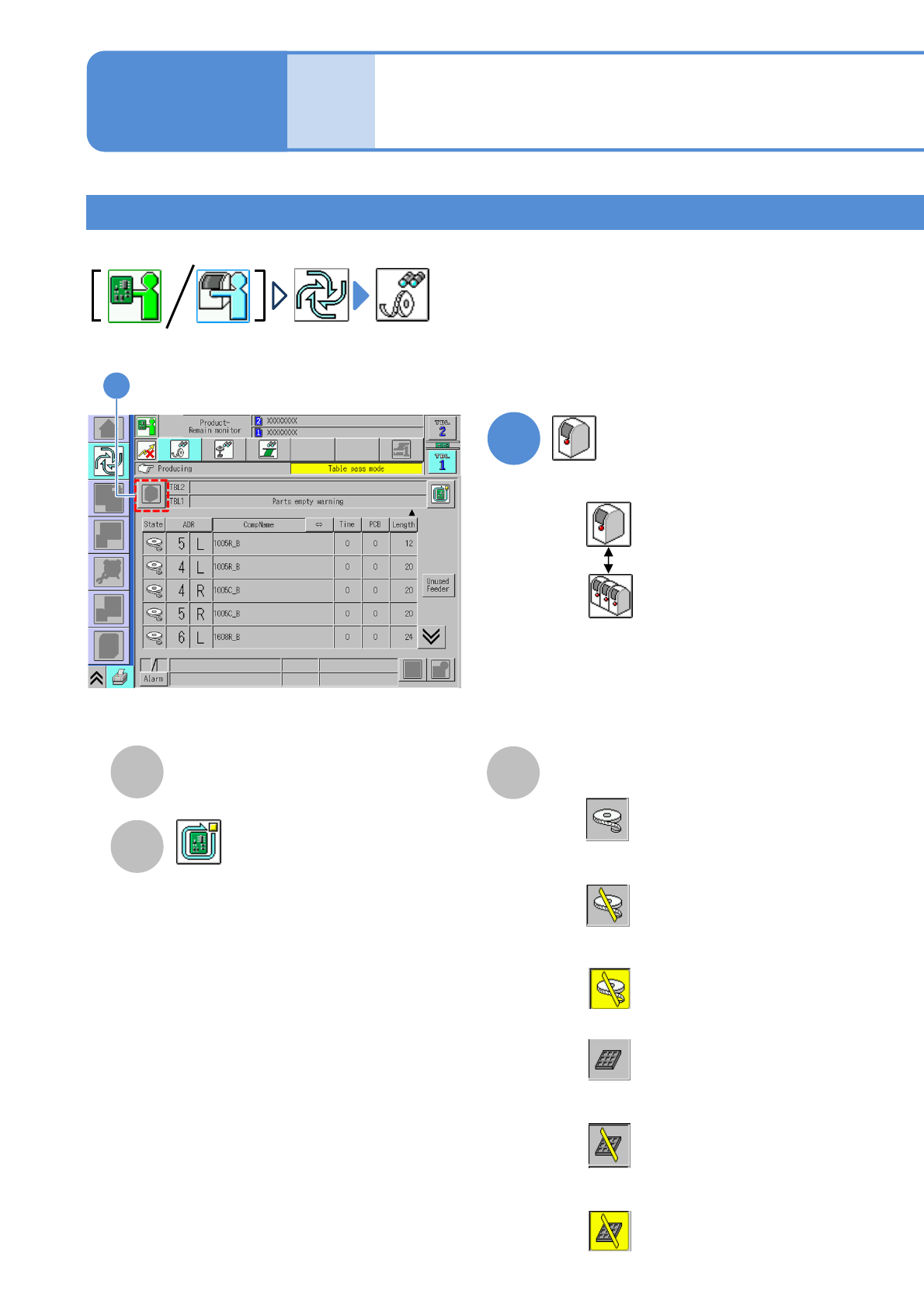
Remaining components
You can check remaining components per machine or line during production.
1
Operating procedure
3-2-1
3-2-1-5
Produc-
tion
informa-
tion
Choose either by machine or by line
: By machine
: By line
A
B
TBL (table)
Table to be referred.
Stop production after producing the
current PCB. (→P.3-1-2)
How to check the screen in
production when stationary
3
1
C
Status
■When the feeder is out of components
■When the feeder is out of components
but components are in stock
■When the feeder is out of components
and components are also out of stock
■When the tray is out of components
■When the tray is out of components but
components are in stock
■When the tray is out of components and
components are also out of stock
Feeder: White
BG color: Grey
Feeder: White
BG color: Grey, Slash: Yellow
Feeder: White
BG color: Yellow, Slash: Yellow
Tray color: Grey
BG color: Grey
Tray color: Grey
BG color: Grey, Slash: Yellow
Tray color: Grey
BG color: Yellow , Slash: Yellow