N7201A652E.pdf - 第212页
NPM- TT2 EJM1EE-MB-03 O-02 3-2-3 -3 Produc- tion informa- tion Operating procedure 3-2-3 F eeder pic kup inf or ma tion 2 4 Deletes the image. Go to the previous/next image. Returns to the previous screen. Select 5 6 Con…
NPM-TT2 EJM1EE-MB-03O-02
3-2-3-2
A
B
C
D
E
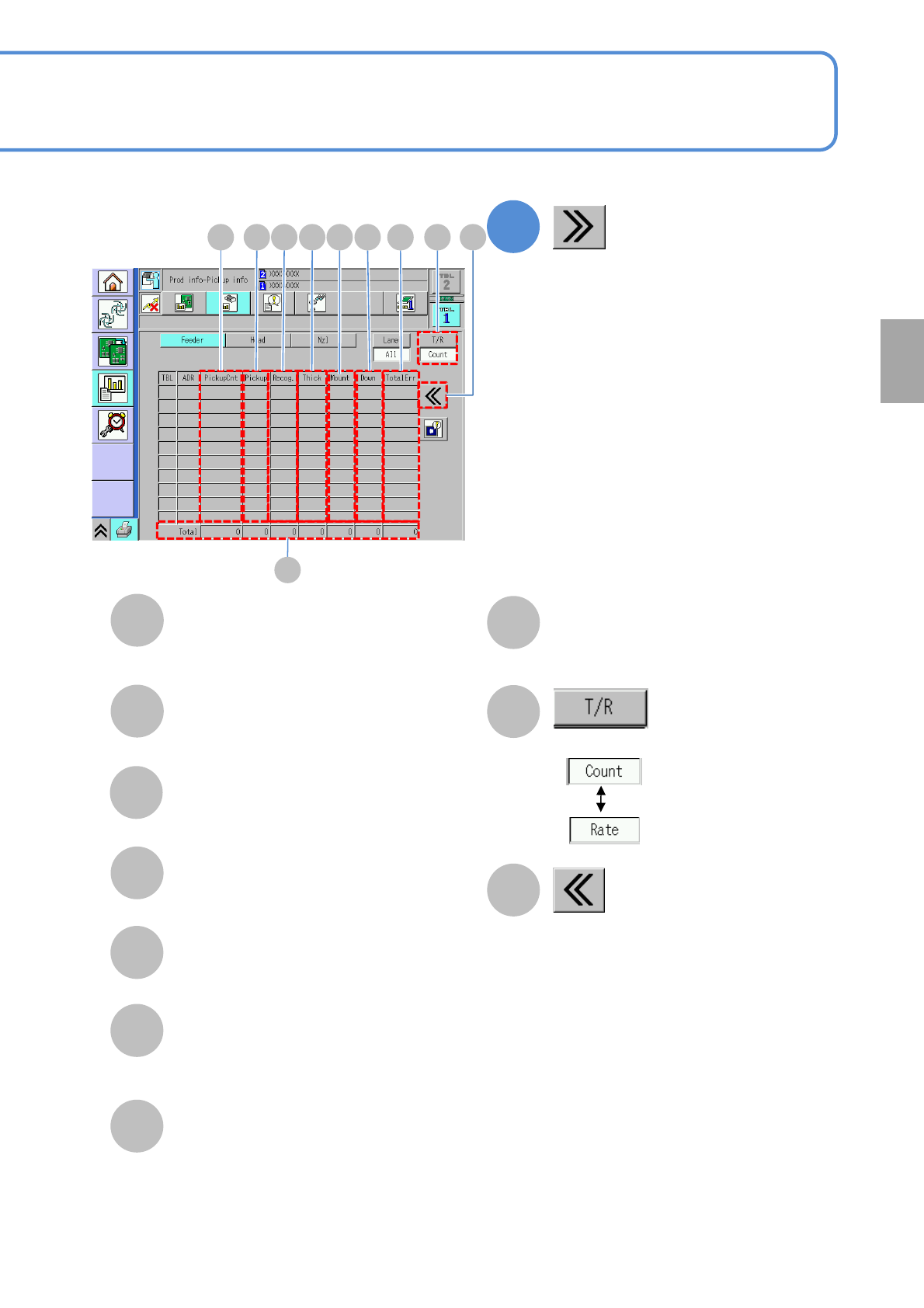
Choose the display type.
Thick
The number/rate of component
thickness errors.
Mount
The number/rate of mounting errors.
G
I
H
Returns to the previous screen.
J
Down
The number/rate of component drop
errors.
F
1
(Error detailed information is displayed)
TotalErr
The number/rate of feeder errors.
Total
The total number/rate of pickup of all
feeders or the total number/rate of errors
for each feeder.
PickupCnt
The number/rate of pickup of feeder.
Pickup
The number/rate of pickup errors.
Recog.
The number/rate of recognition errors.
A C F GB D
H
JIE
Production
NPM-TT2 EJM1EE-MB-03O-02
3-2-3-3
Produc-
tion
informa-
tion
Operating procedure
3-2-3
Feeder pickup
information 2
4
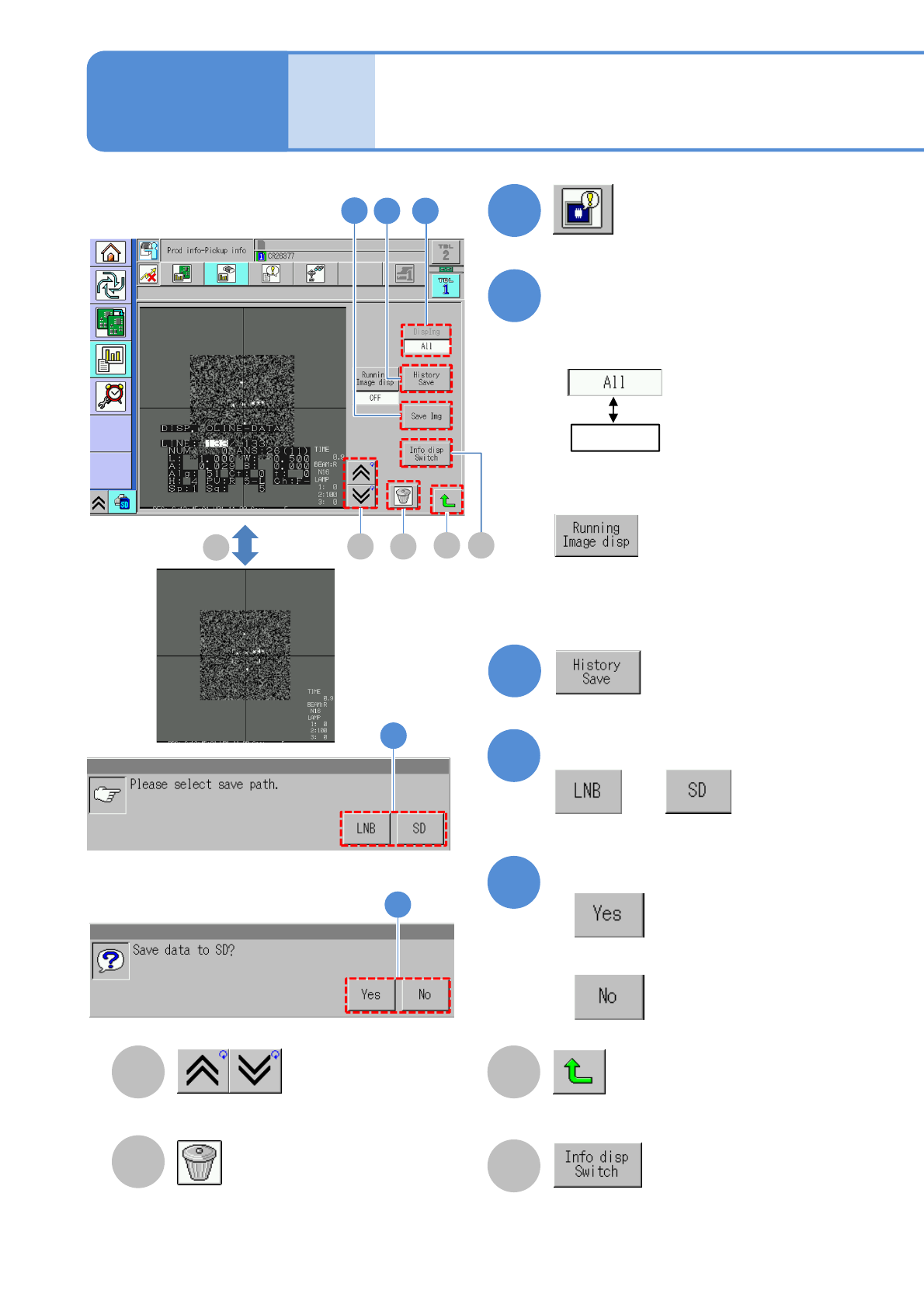
Deletes the image.
Go to the previous/next image. Returns to the previous screen.
Select
5
6
Confirm the message
or
Confirm the message
●When you do not save the data
5
6
3
:Displays all images.
: Displays the image of
the feeder address
specified on the
previous screen.
(Saves error histories)
: Displays all images.
Image display during operation
ON : Display
OFF: Non-display
2
(Recognition error image information
is displayed)
Choose an image to display
●All error images in the selected table
are displayed in reverse chronological
order.
● When a superimpose image is being
displayed, the tact time gets worse
about 5%.
B
C
A
4
7
3
D
A
B
C
D
Switches between showing and hiding
the recognition result on the recognition
screen when each time you press the
button.
D
Each time you press
NPM-TT2 EJM1EE-MB-03O-02
3-2-3-4
Production
7
■To check the data
8
(The recognition error image is displayed)
■To save the data
8
9
10
Confirm the message
or
Confirm the message
●When you do not save the data
■To cancel
8
9
10
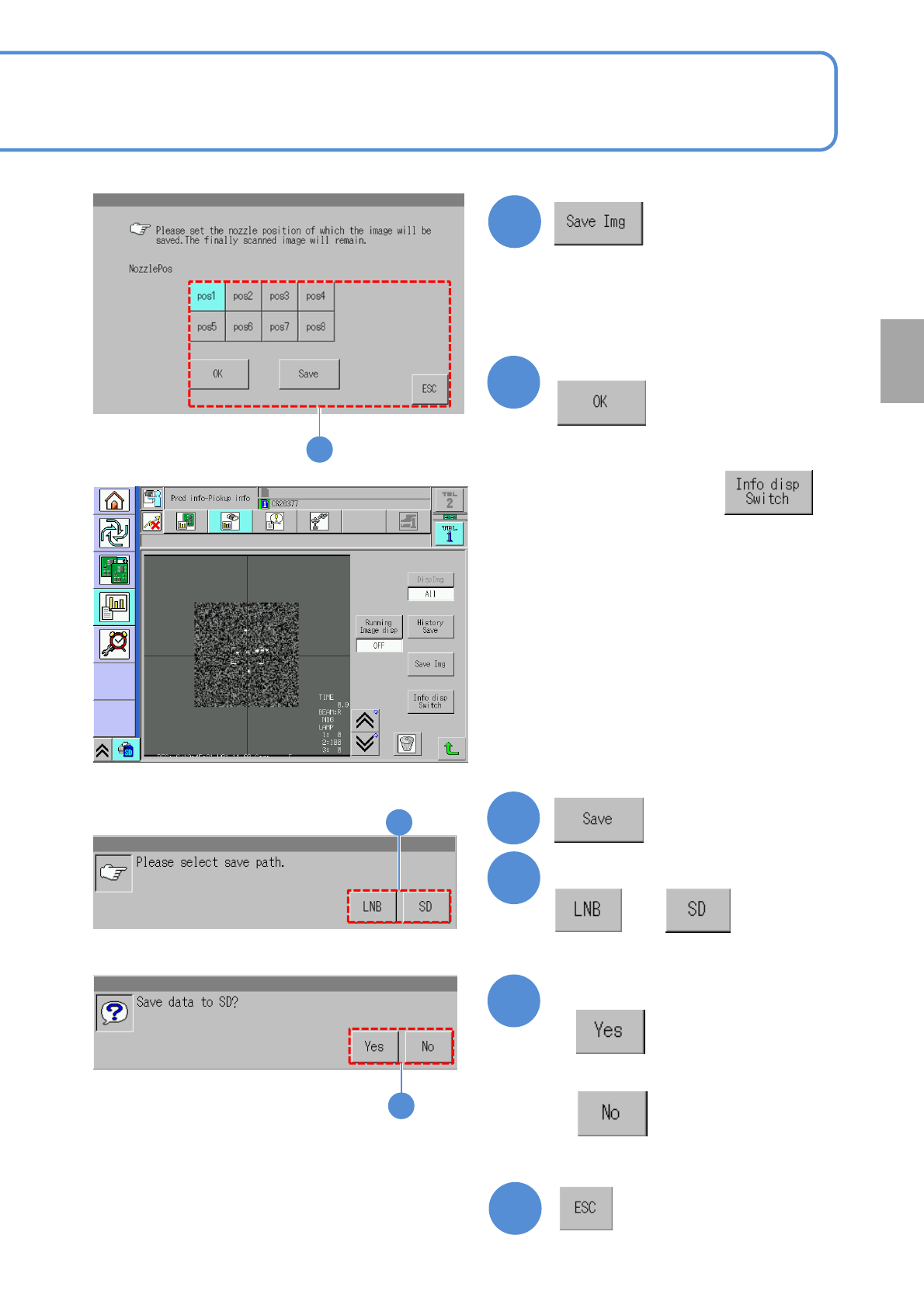
●You can check the image per nozzle
resulting in error and save the data.
Select the nozzle position
8
● If necessary, press to
hide the recognition result.