N7201A652E.pdf - 第238页
NPM- TT2 EJM1EE-MB-03 O-02 3-3-1 -1 Compo- nent supply Substitution component suppl y (intelligent feeder) Operating procedure 3-3-1 ● Operate the follo wing pro cedure under En gineer mode. ● Registering c omponents use…
NPM-TT2 EJM1EE-MB-03O-02
3-2-12-4
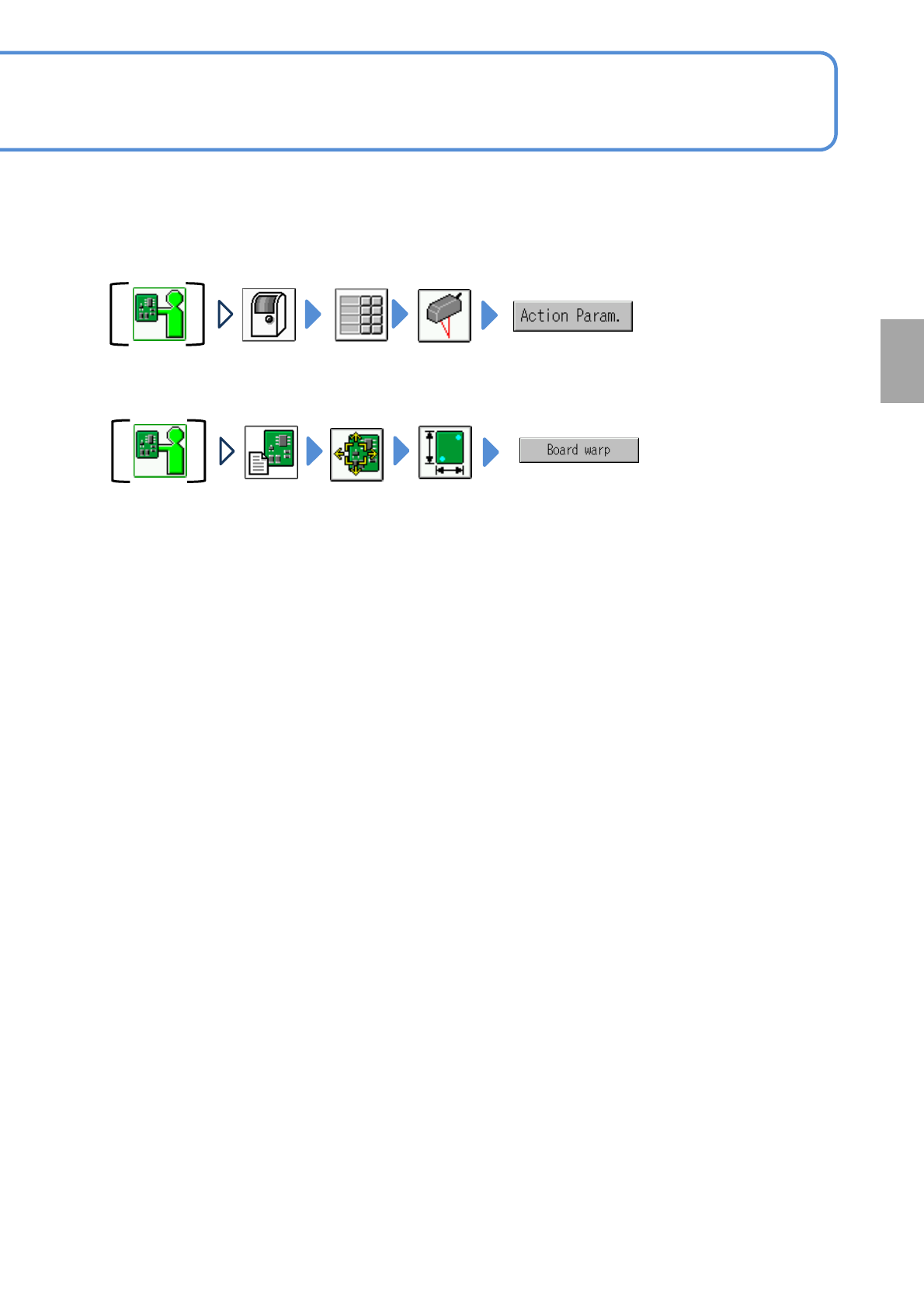
(3)Changing the PCB warpage grade tolerance
(4)Teaching PCB warpage measurement
Change the setting of the [PCB warpage grade tolerance] of the
action parameter
Perform teaching
Production
NPM-TT2 EJM1EE-MB-03O-02
3-3-1-1
Compo-
nent
supply
Substitution component
supply
(intelligent feeder)
Operating procedure
3-3-1
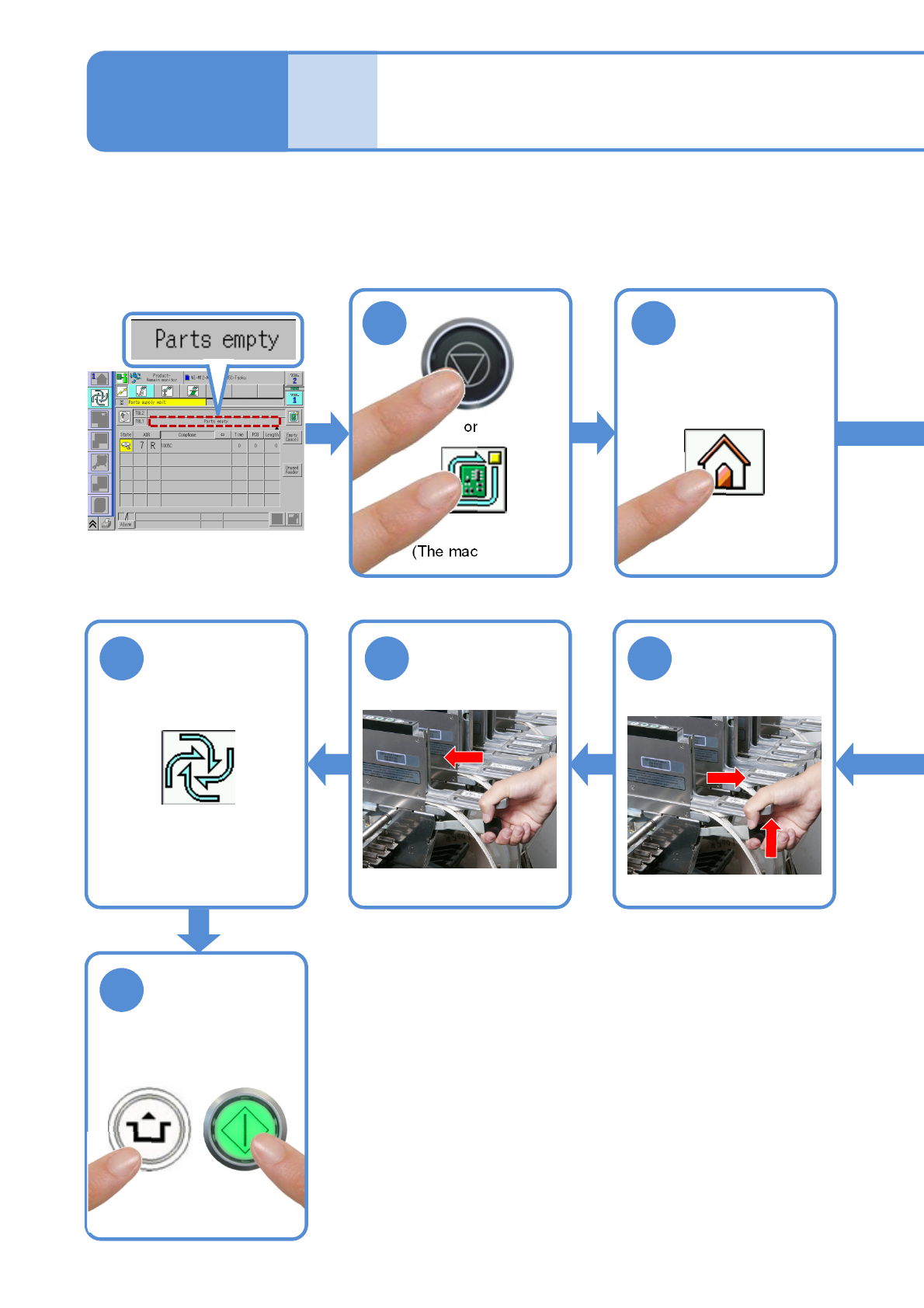
●Operate the following procedure under Engineer mode.
●Registering components used in normal production as [Master component] and components used in
substitution as [Sub component] enable you to substitute components in the case of component empty.
・How to register (→NPM-DGS Chapter.6)
(The component empty
message appears)
2
10 9 8
or
Remove the
feeder for master
components
Set the feeder for
sub components
to the same slot
Restart
production
●If you are in Operator
mode, change to
Engineer mode.
11
START
(The machine stops)
1
ACTIVATION
NPM-TT2 EJM1EE-MB-03O-02
3-3-1-2
3
4
7 6 5
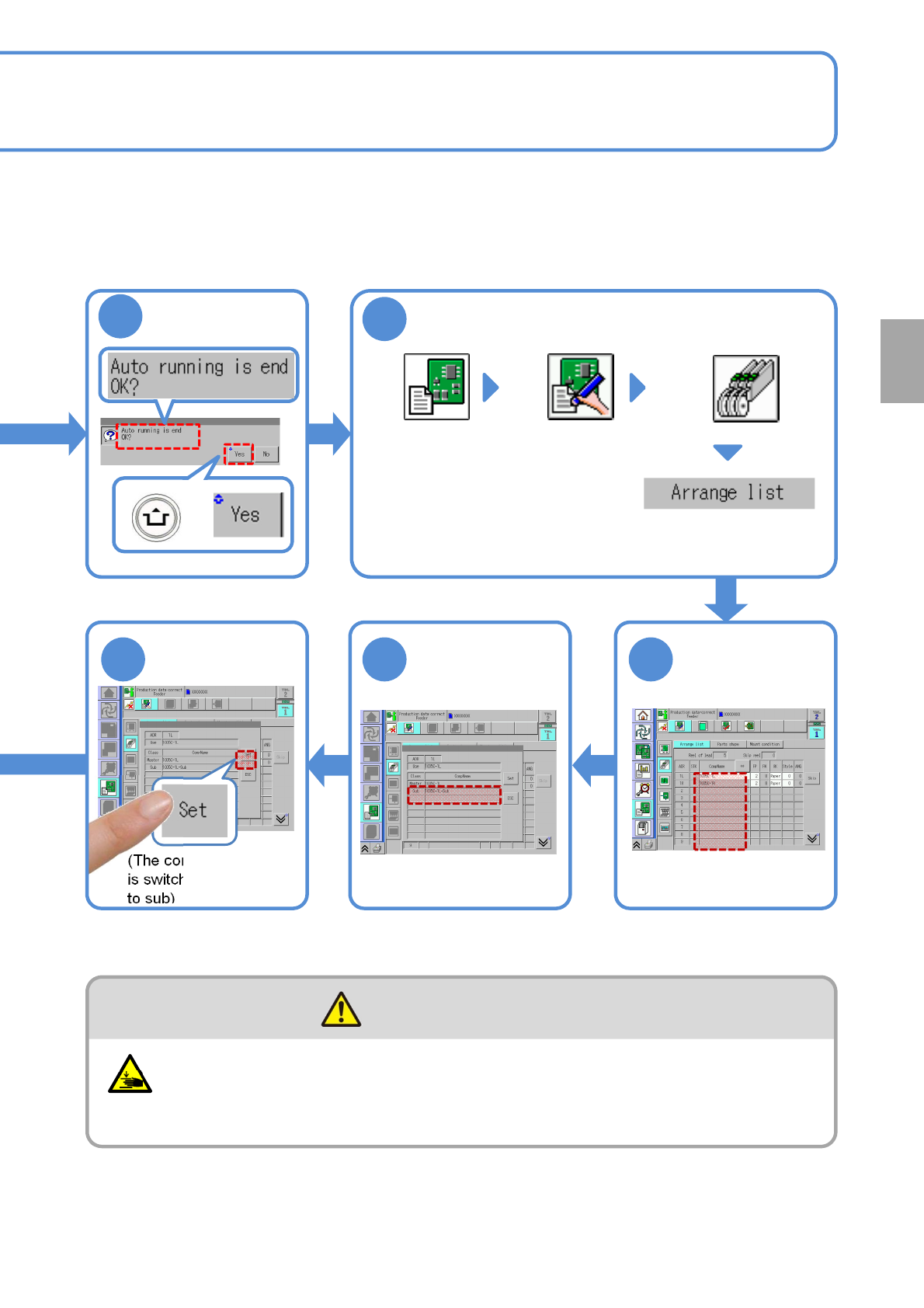
Confirm the
message
Display the data edit
screen
(Data edit)
Choose the arrangement
list from “Feeder/Tray” layer
Choose a master
component
(→P.4-1-7)
Choose a sub
component
(The component source
is switched from master
to sub)
Be careful not to get your fingers caught
(Risk of injury)
●When you attach or detach the feeder.
CAUTION
Production
+