N7201A652E.pdf - 第240页
NPM- TT2 EJM1EE-MB -03O-02 3-3-2 A feeder free arr angement function allow s the mac hine to co ntinuously produce PCB even when c omponent empty by arranging a feeder stored with the same componen ts to the given slot o…
NPM-TT2 EJM1EE-MB-03O-02
3-3-1-2
3
4
7 6 5
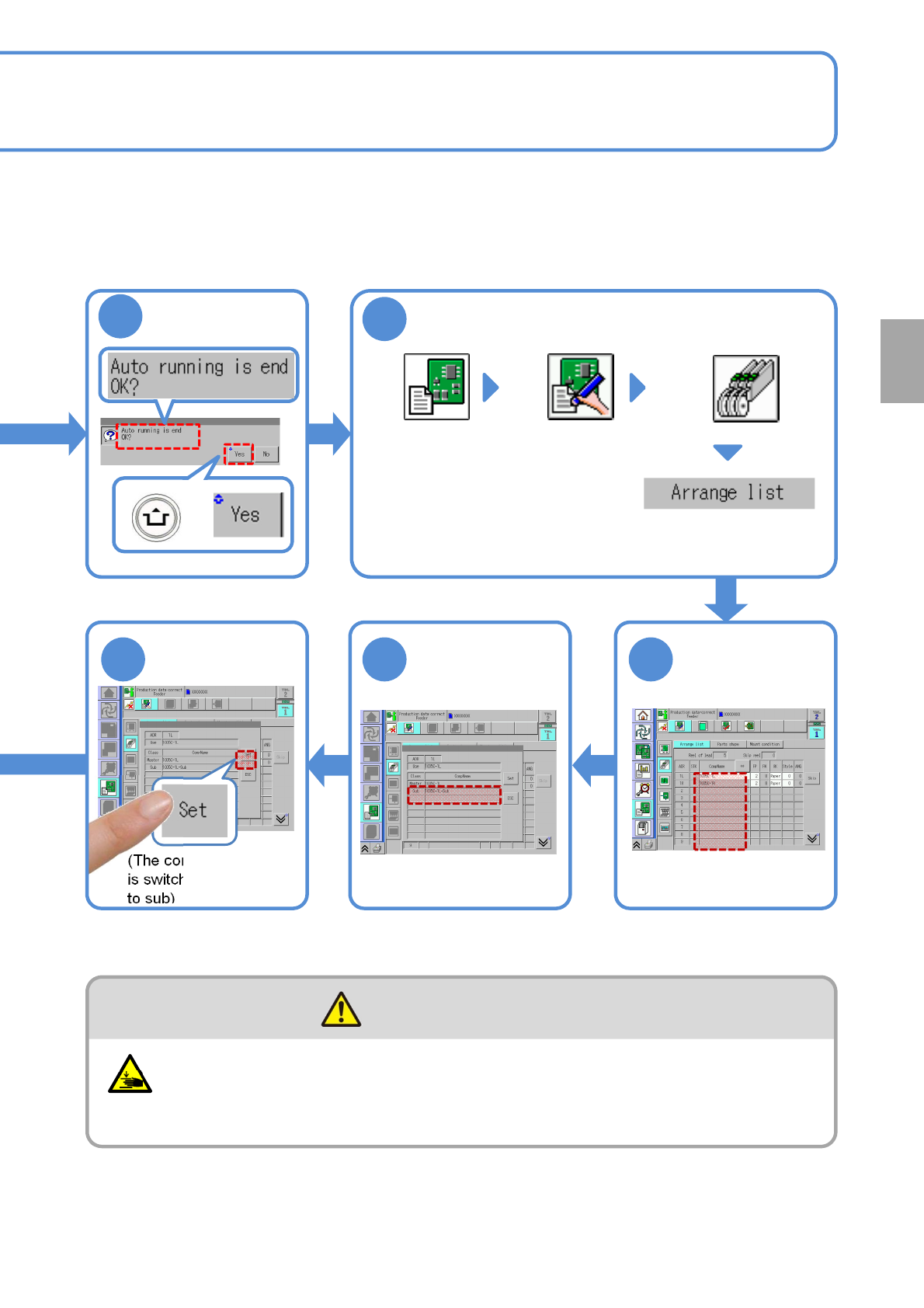
Confirm the
message
Display the data edit
screen
(Data edit)
Choose the arrangement
list from “Feeder/Tray” layer
Choose a master
component
(→P.4-1-7)
Choose a sub
component
(The component source
is switched from master
to sub)
Be careful not to get your fingers caught
(Risk of injury)
●When you attach or detach the feeder.
CAUTION
Production
+
NPM-TT2 EJM1EE-MB-03O-02
3-3-2
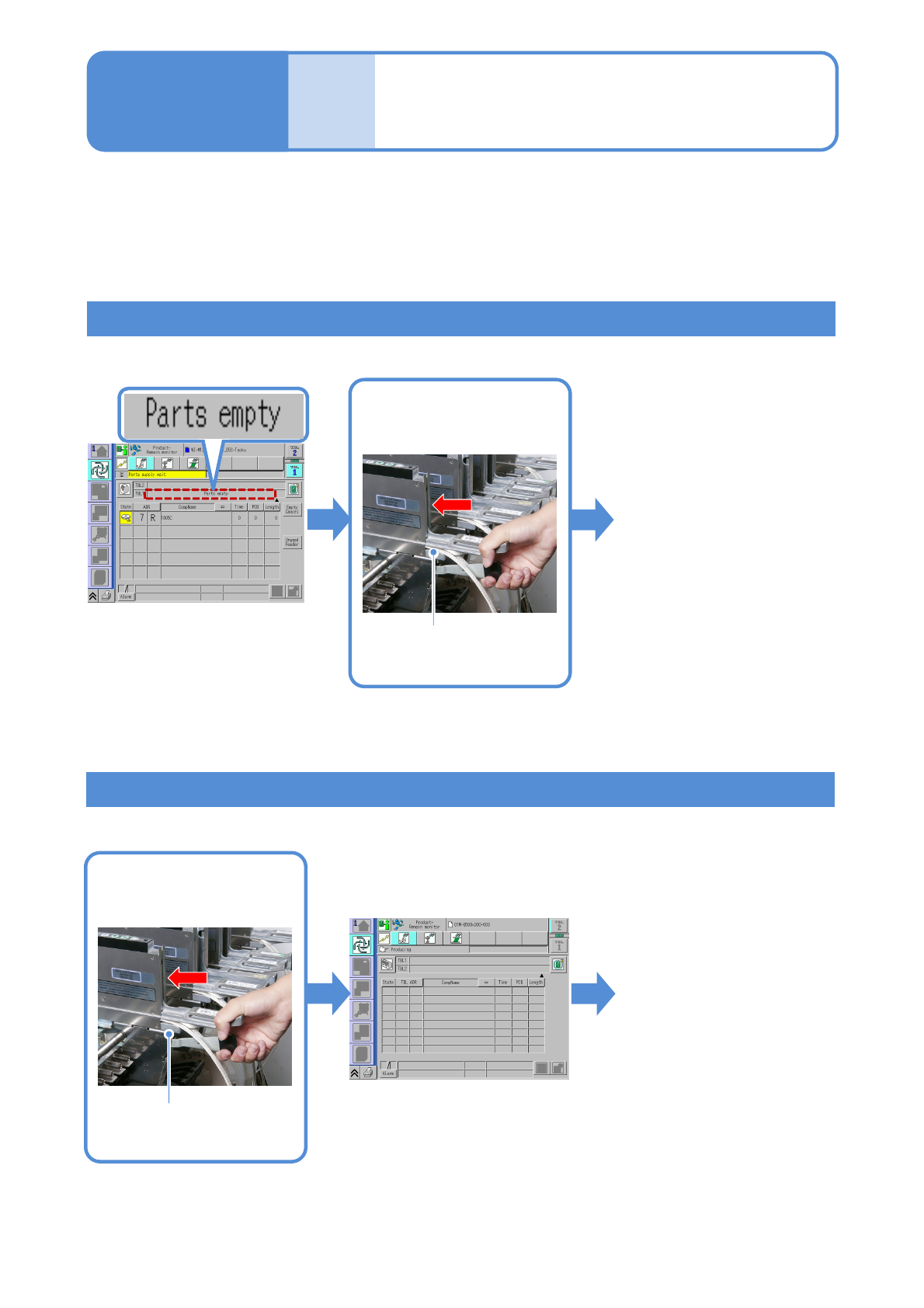
A feeder free arrangement function allows the machine to continuously produce PCB even when component
empty by arranging a feeder stored with the same components to the given slot on the table.
Preparation: ●Writes parts information. (→[Support station operating instruction] Chapter 3)
●Turn [ON] the [Feeder component verification] and [Feeder free arrangement] in
[Feeder option setting] (→P.5-1-1).
Compo-
nent
supply
Feeder free
arrangement
Operating procedure
3-3-2
Install the feeder set with
the same components to
the empty slot.
Component supply during component empty
The message
disappears and
production restarts
Component supply before component empty
Install the feeder set the
same components to the
empty slot.
Feeder placing same
component
A feeder placing same
component
The message
disappears and
production continues
NPM-TT2 EJM1EE-MB-03O-02
3-3-3
Compo-
nent
supply
31
5 4
2
6
7
8
Operating procedure
3-3-3
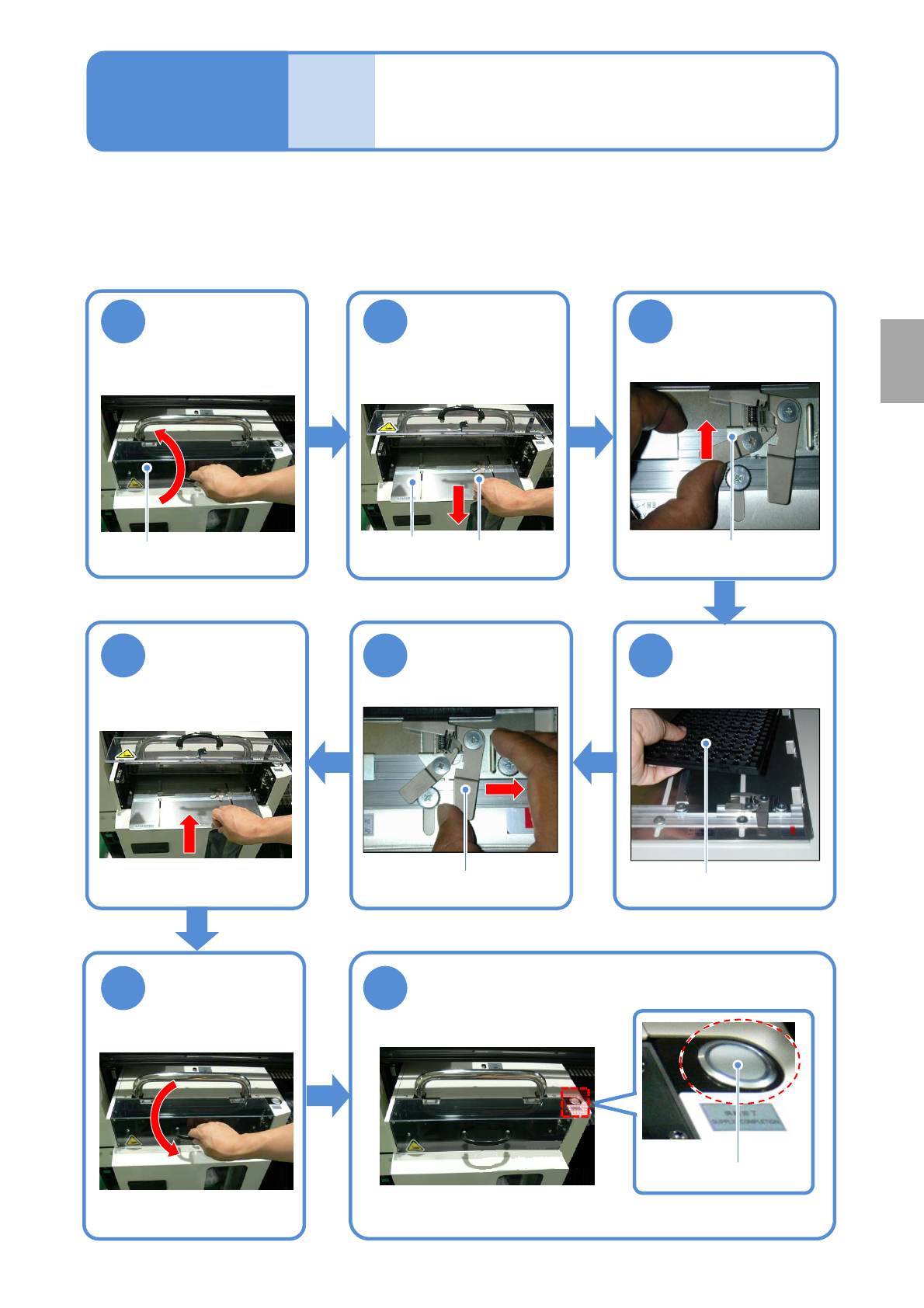
Tray replacement
(tray feeder)
Open the feeder
cover
Release the
clamp
Take out the
pallet
Replace the tray
Secure the tray
Return the pallet
back
Close the feeder
cover
Press the Feeder set
button
(The pallet moves back into the magazine)
Tray
Feeder set button
Feeder cover
Pallet
Clamp release lever
Clamp
When all components in the tray run out, replace it with the new components installed tray.
Clamp lever
Production