N7201A652E.pdf - 第260页
NPM- TT2 EJM1EE-MB -04O-03 4-1-8 -3 Data editing Component shape data edit 2 Square chip component 2 Operating procedure 4-1-8 4 Choose the desired item to confirm Confirm and edit the recogn ition option data. 5 4 ● Cho…
NPM-TT2 EJM1EE-MB-04O-03
A
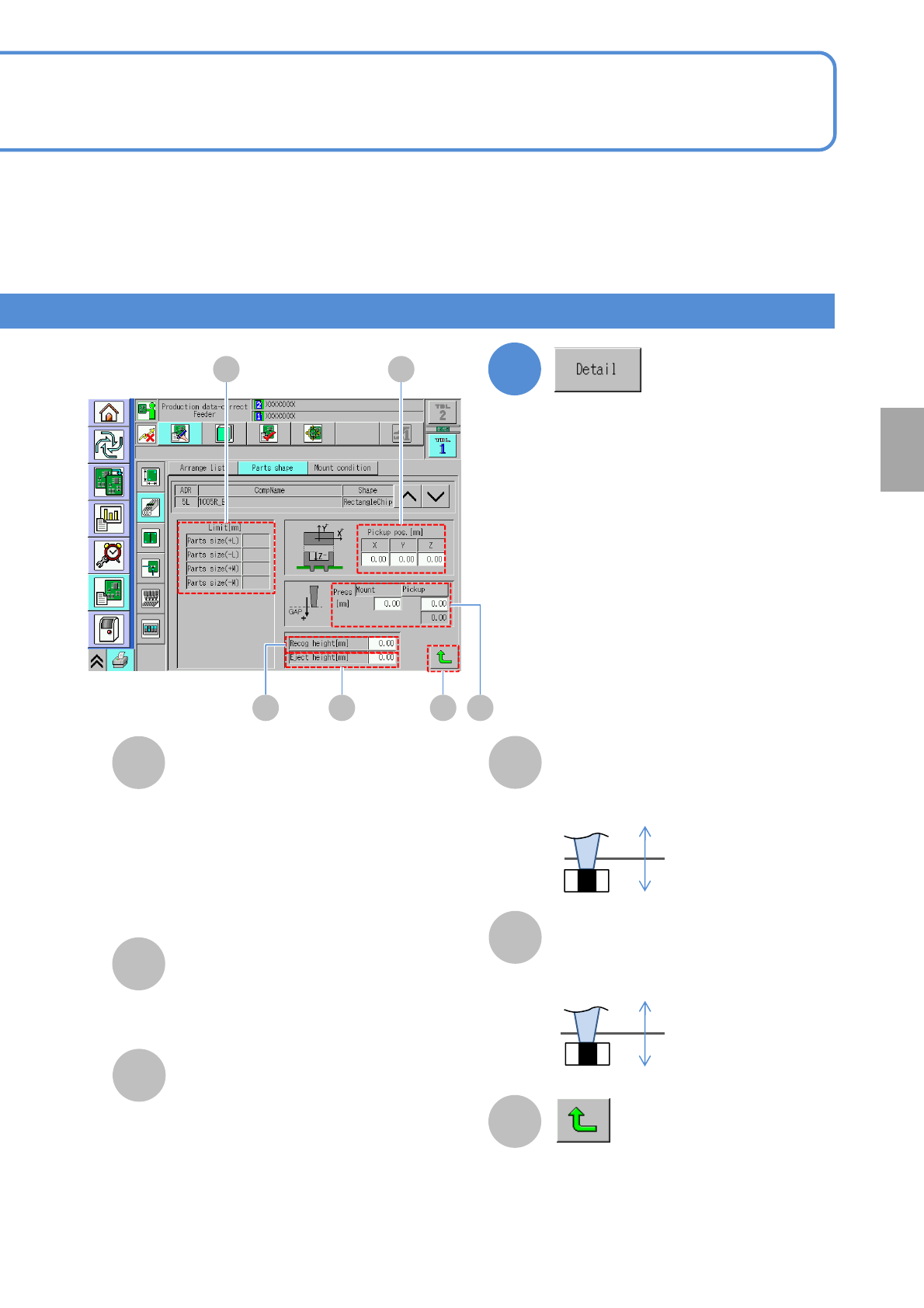
Limit
Recog height
Pickup pos.
B
D
C
E
Press
+
-
+
-
●+ L: Tolerance of a component length
in + direction.
●- L: Tolerance of a component length in
- direction.
●+ W: Tolerance of a component width
in + direction.
●- W: Tolerance of a component width in
- direction.
4-1-8-2
2
F
Returns to the previous screen.
Enter the recognition height..
Eject height
Enter the eject height.
Setting
change
A
CD E
B
F
●Mount:
The mount gap [mm]
●Pickup:
The pickup gap [mm]
(*Editable only for 3-nozzle head)
Confirm and edit the detailed data.
NPM-TT2 EJM1EE-MB-04O-03
4-1-8-3
Data
editing
Component shape data
edit 2
Square chip component 2
Operating procedure
4-1-8
4
Choose the desired item to
confirm
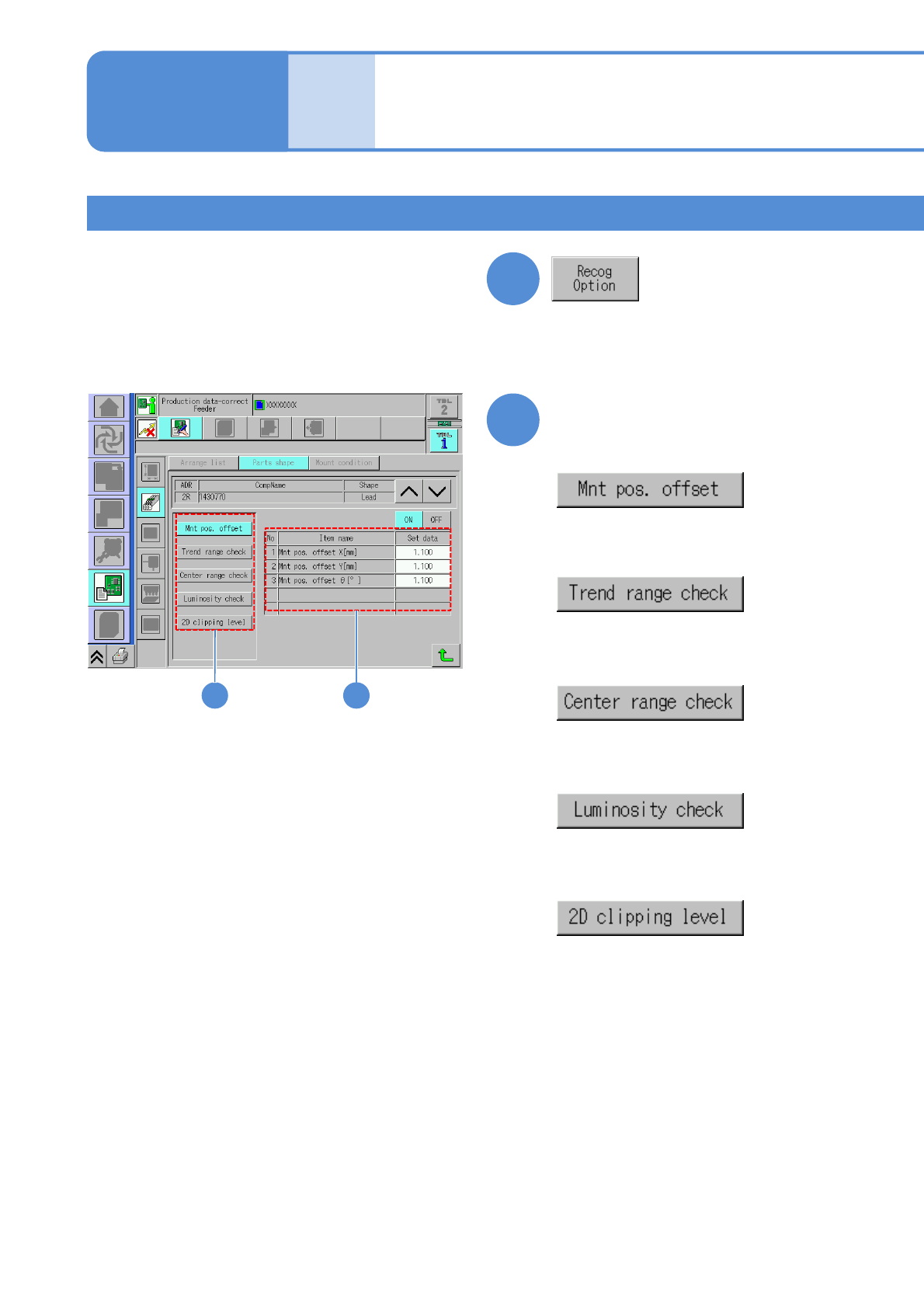
Confirm and edit the recognition option
data.
54
●Choose the Mnt pos. offset to
display the related data.
●Choose the trend range check to
display the related data.
●Choose the center range check to
display the related data.
●Choose the luminosity check to
display the related data.
●Choose the 2D clipping level to
display the related data.
3
NPM-TT2 EJM1EE-MB-04O-03
4-1-8-4
Setting
change
5
Edit the desired item
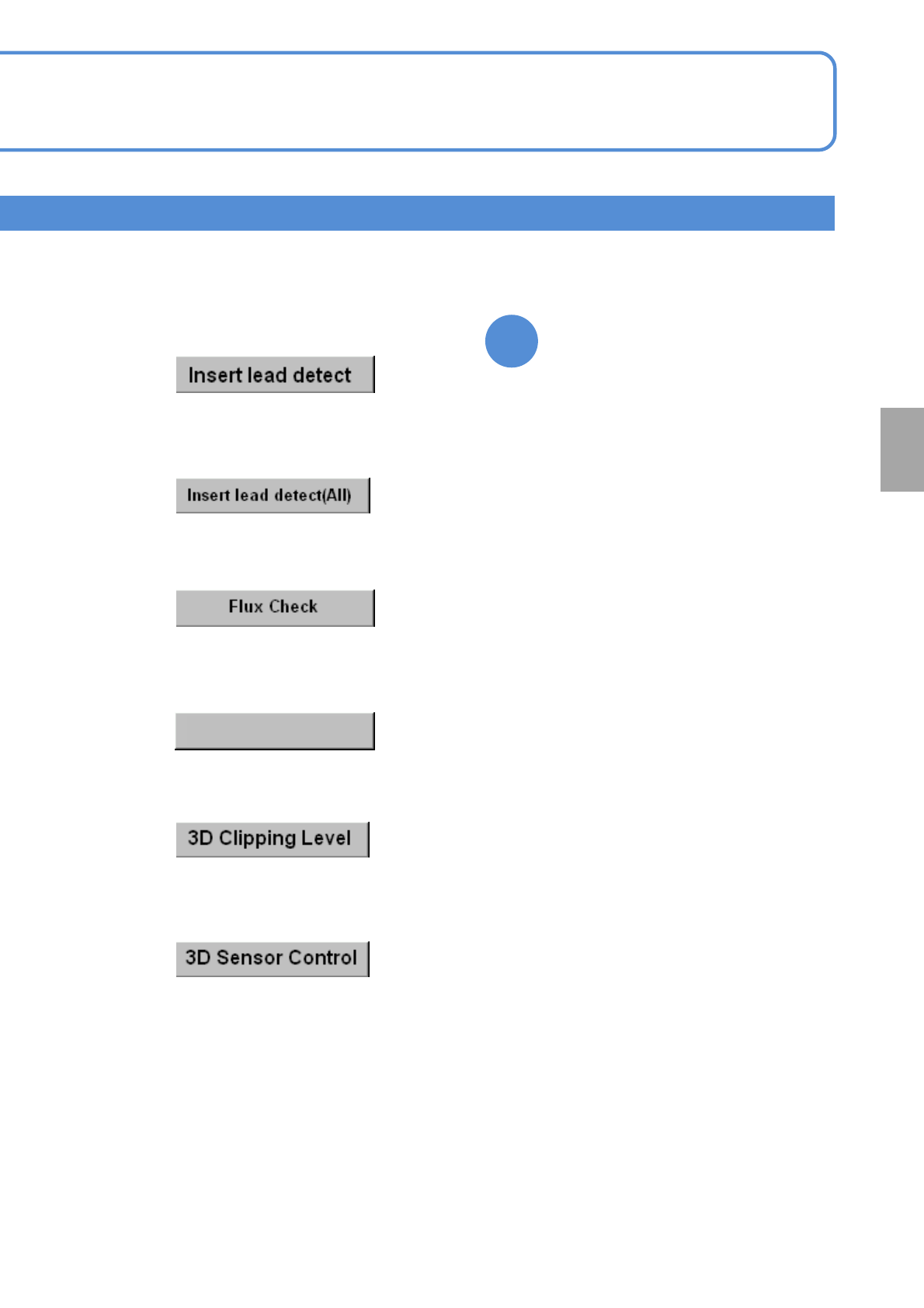
●Choose the 3D clipping level data to
display the related data.
(Only when the camera type is 3D)
●Choose the 3D sensor control data
to display the related data.
(Only when the camera type is 3D)
●Choose the insertion lead detection
to display the related data.
●Choose the insert lead detect (all) to
display the related data.
●Choose the flux check to display the
related data.
Bright Diff Check
●Choose the bright diff check to
display the related data.