N7201A652E.pdf - 第263页
NPM- TT2 EJM1EE-MB-04 O-03 2 4-1-8 -6 A CompName (→P.4-1-8 -1 ) T olerance of a component size, pickup/ mount information B (→P.4-1-8 -2 ) C D Lead width Choose a lead group. Tolerance of lead width on uppe r, right lowe…
NPM-TT2 EJM1EE-MB-04O-03
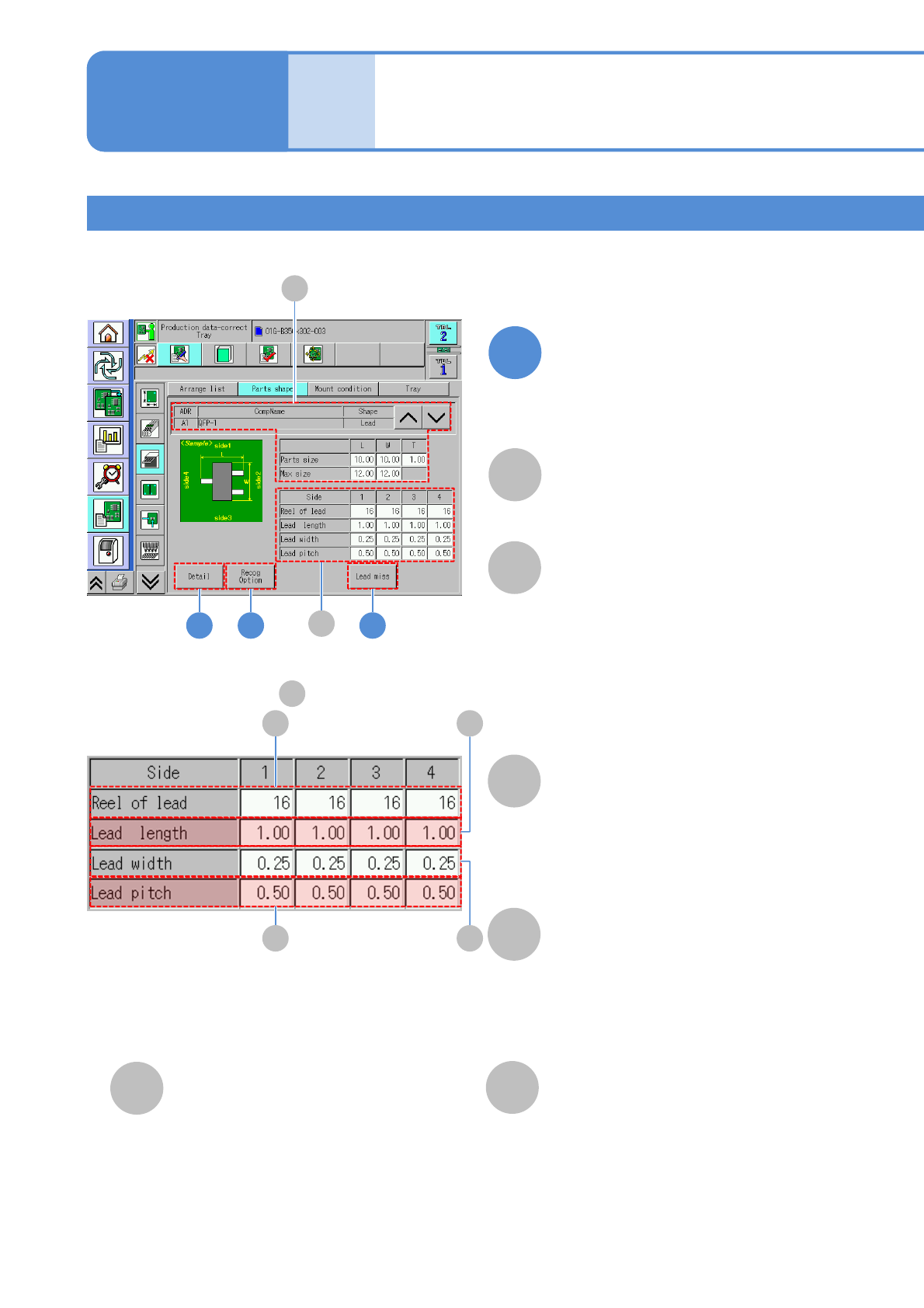
Component with leads 1
C
B
A
B
2
Lead information
1: Upper side lead count.
2: Right side lead count.
3: Lower side lead count.
4: Left side lead count.
●Unit: piece.
3
A
CompName
(→P.4-1-8-1)
Reel of lead
4
■Enlarged drawing of
B
C
F
D
E
D
1: Upper side lead length.
2: Right side lead length.
3: Lower side lead length.
4: Left side lead length.
●Unit: mm.
Lead length
E
1: Upper side lead width.
2: Right side lead width.
3: Lower side lead width.
4: Left side lead width.
●Unit: mm.
Lead width
F
1: Upper side lead pitch.
2: Right side lead pitch.
3: Lower side lead pitch.
4: Left side lead pitch.
●Unit: mm.
Lead pitch
Data
editing
Component shape data
edit 3
4-1-8-5
Edit the data of the desired
field on the screen
●Touching the screen opens the input
window.
1
Operating procedure
4-1-8
NPM-TT2 EJM1EE-MB-04O-03
2
4-1-8-6
A
CompName
(→P.4-1-8-1)
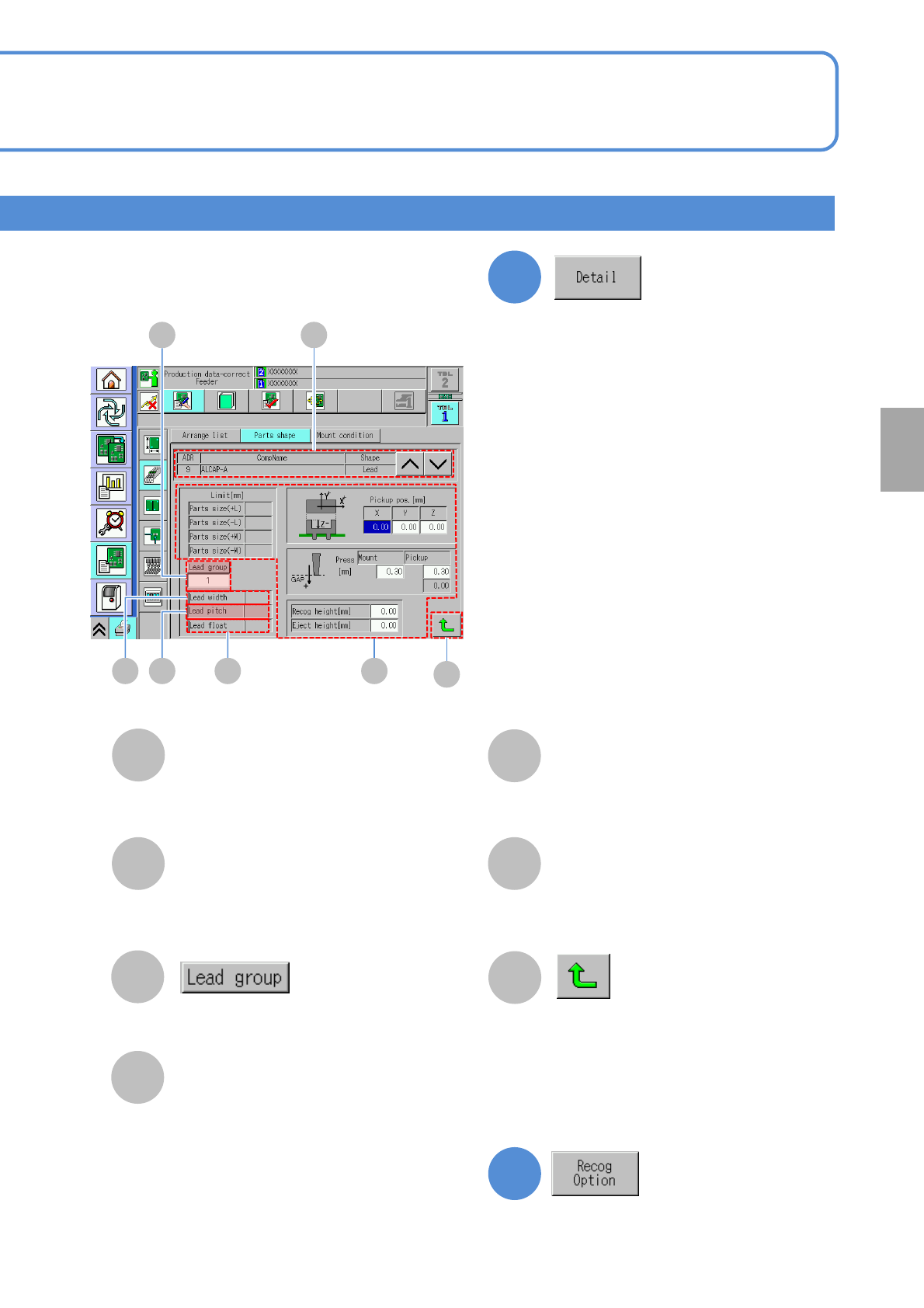
Tolerance of a component size,
pickup/ mount information
B
(→P.4-1-8-2)
C
D
Lead width
Choose a lead group.
Tolerance of lead width on upper, right
lower and left sides.
E
Lead float
F
Lead pitch
Tolerance of lead float.
Tolerance of lead pitch on upper, right
lower and left sides.
G
Returns to the previous screen.
3
Setting
change
D
C
E F
A
B
G
Confirm and edit the detailed data.
Confirm and edit the recognition option
data.
(→P.4-1-8
-3)
NPM-TT2 EJM1EE-MB-04O-03
4-1-8-7
AB
F
E
D G
C
C
A
B
CompName
Reel of lead
Side
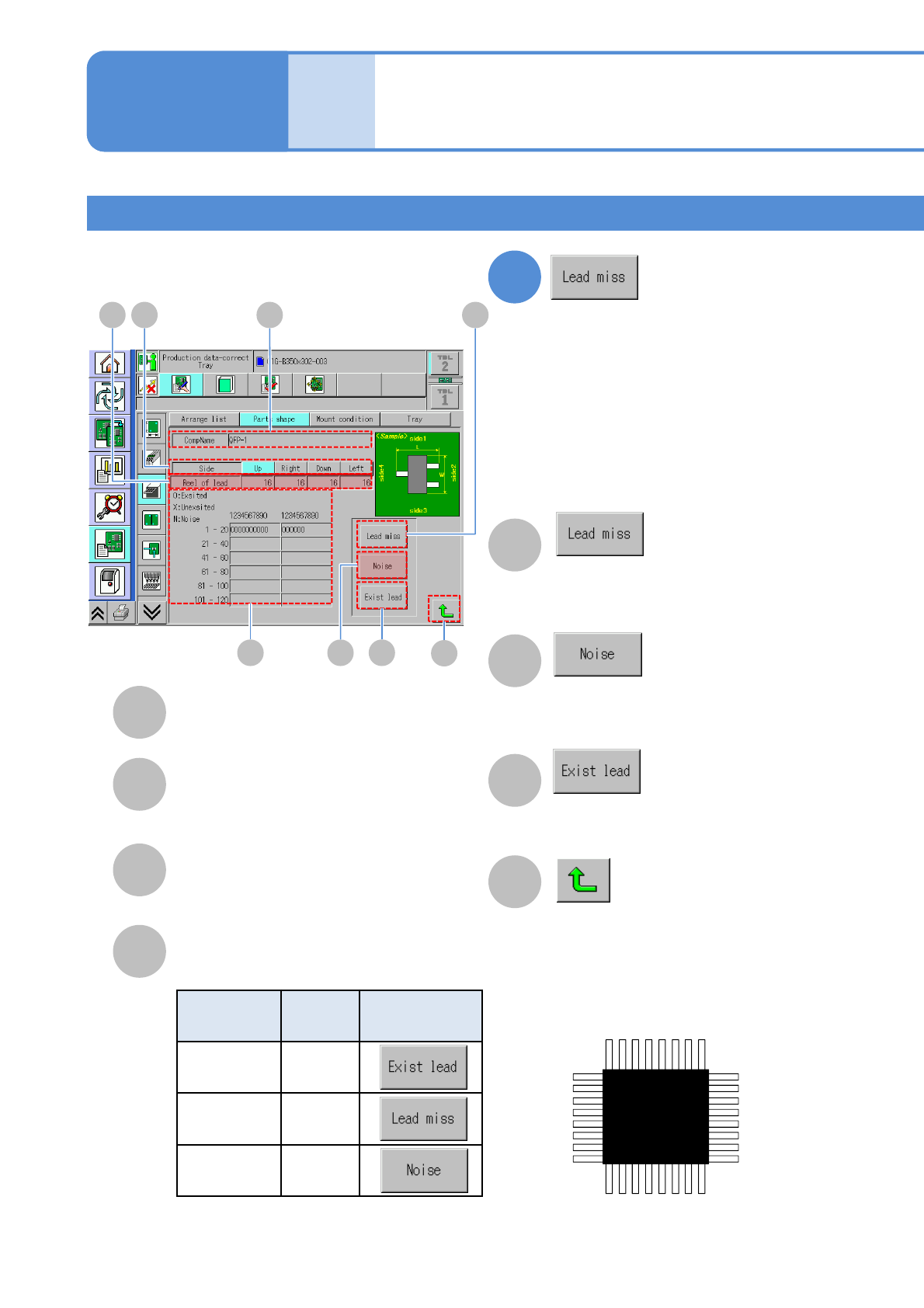
The number of leads of each side.
Choose a side to check a component.
4
D
Lead information
Lead existence of each component.
F
G
H
H
Returns to the previous screen.
Data
editing
Component shape data
edit 4
Component with leads 2
E
Displays the screen to set “Missing
lead” position.
Displays the screen to set “Noise”
position.
Displays the screen to set “Lead
existence” position.
Lead
information
Symbol Setting button
Lead
existed
○
Lead
absence
×
Noise N
Operating procedure
4-1-8
1 2 3 4 ・・・
Top side
1
2
3
4
・
・
・
・・・ 4 3 2 1
Right
side
Bottom side
1
2
3
4
・
・
・
Left
side
The lead order is clockwise direction as a
reference.
Confirm and edit the missing lead
information.