N7201A652E.pdf - 第269页
NPM- TT2 EJM1EE-MB -04O-03 4-1-8 -12 ■ Coordinate display range setting screen ■ Ball missing position setting screen ■ Ball existence position setting screen I J J Returns to the screen in . 4 I Set the coordinate displ…
NPM-TT2 EJM1EE-MB-04O-03
C
B
F
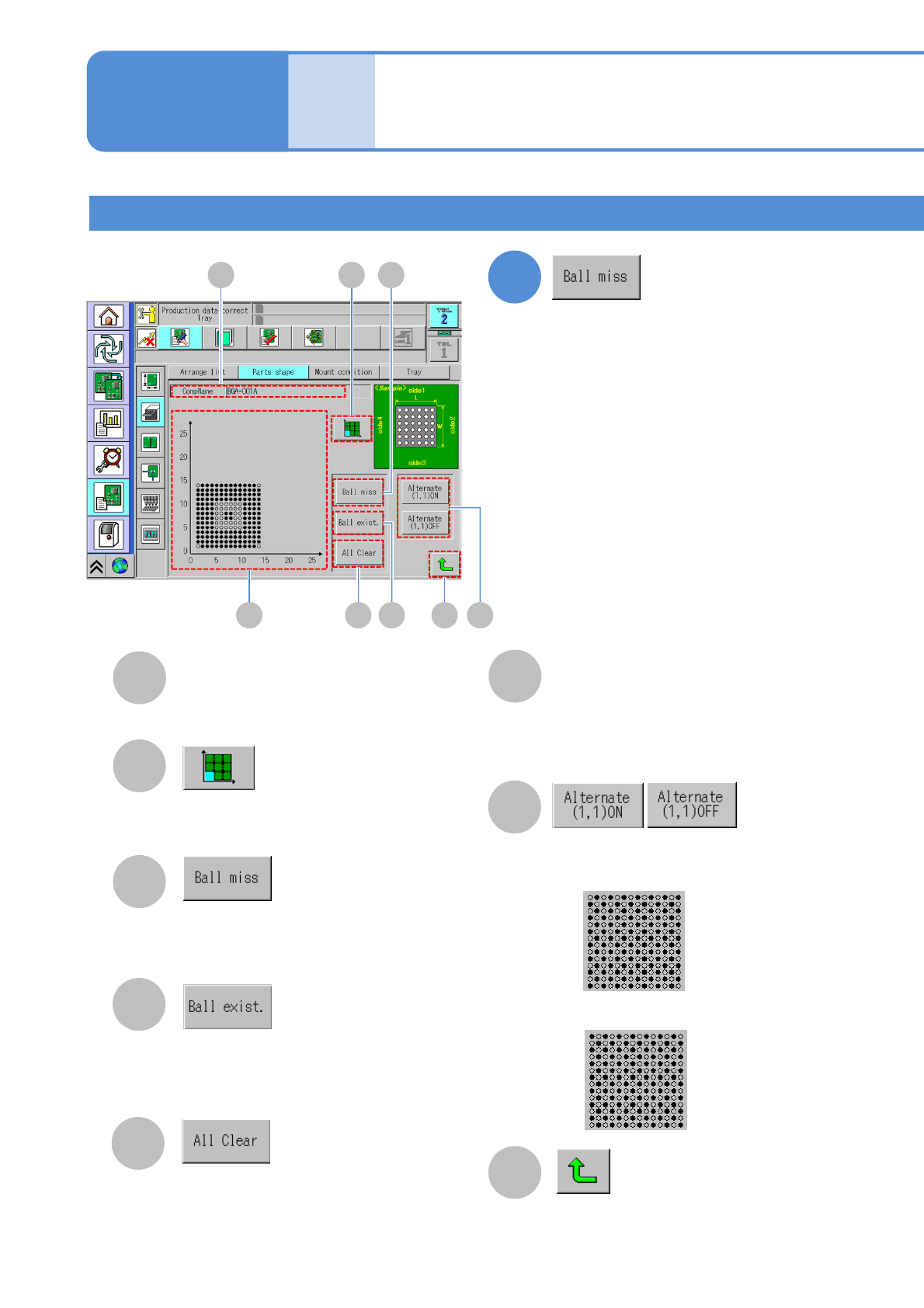
Displays the screen to set the
coordinate display area.
F
D
Restores the setting of ball mission of
the selected ball position.
E
Displays the screen to set ball
existence position.
G
D
C
E
Displays the screen to set ball missing
position.
B
Coordinate drawing
G
Component ball mission information.
●: Ball existence
○: Ball absence.
4
A
CompName
H
Returns to the previous screen.
H
A
BGA 2
4-1-8-11
Data
editing
Component shape data
edit 6
Operating procedure
4-1-8
Confirm and edit the missing ball
information.
Choose existence of selected alternate.
■Alternate ON (coordinate drawing)
■Alternate OFF (coordinate drawing)
NPM-TT2 EJM1EE-MB-04O-03
4-1-8-12
■Coordinate display range setting screen
■Ball missing position setting screen
■Ball existence position setting screen
I
J
J
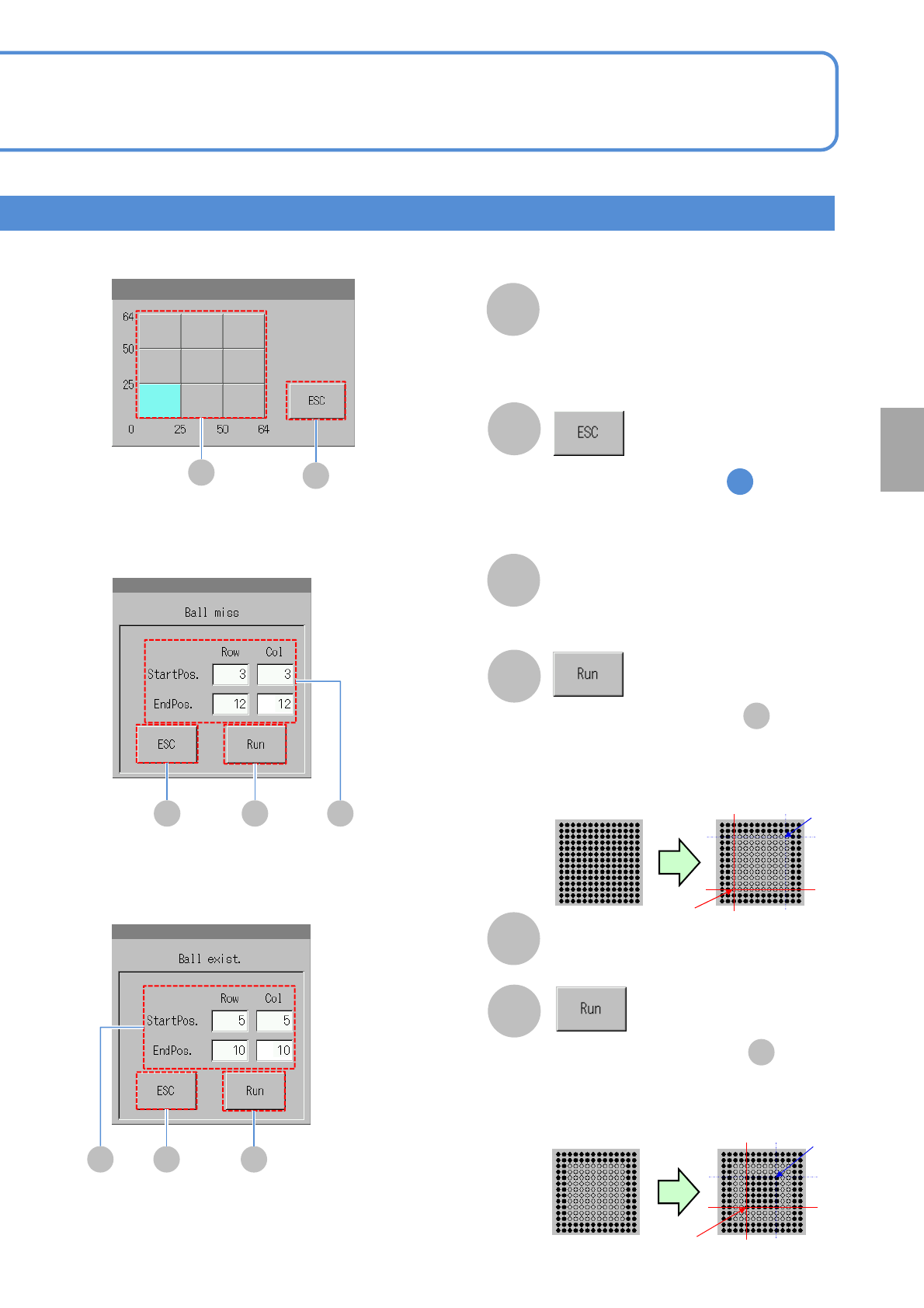
Returns to the screen in .
4
I
Set the coordinate display area
●Area displaying 625 (25x25) balls in a
cell.
LJ K
NJM
Set a start and end position to
be missing ball
K
L
Set a start and end position
to be existed ball
N
O
●[○] is shown in the table .
F
●[●] is shown in the table .
F
●Before execution
(coordinate
drawing)
●After execution
(coordinate
drawing)
(3,3)
(12,12)
(5,5)
(10,10)
●Before execution
(coordinate
drawing)
●After execution
(coordinate
drawing)
Setting
change
NPM-TT2 EJM1EE-MB-04O-03
Irregular shape 1
Data
editing
Component shape data
edit 7
A
2 3
A
CompName
(→P.4-1-8-1)
4
4-1-8-13
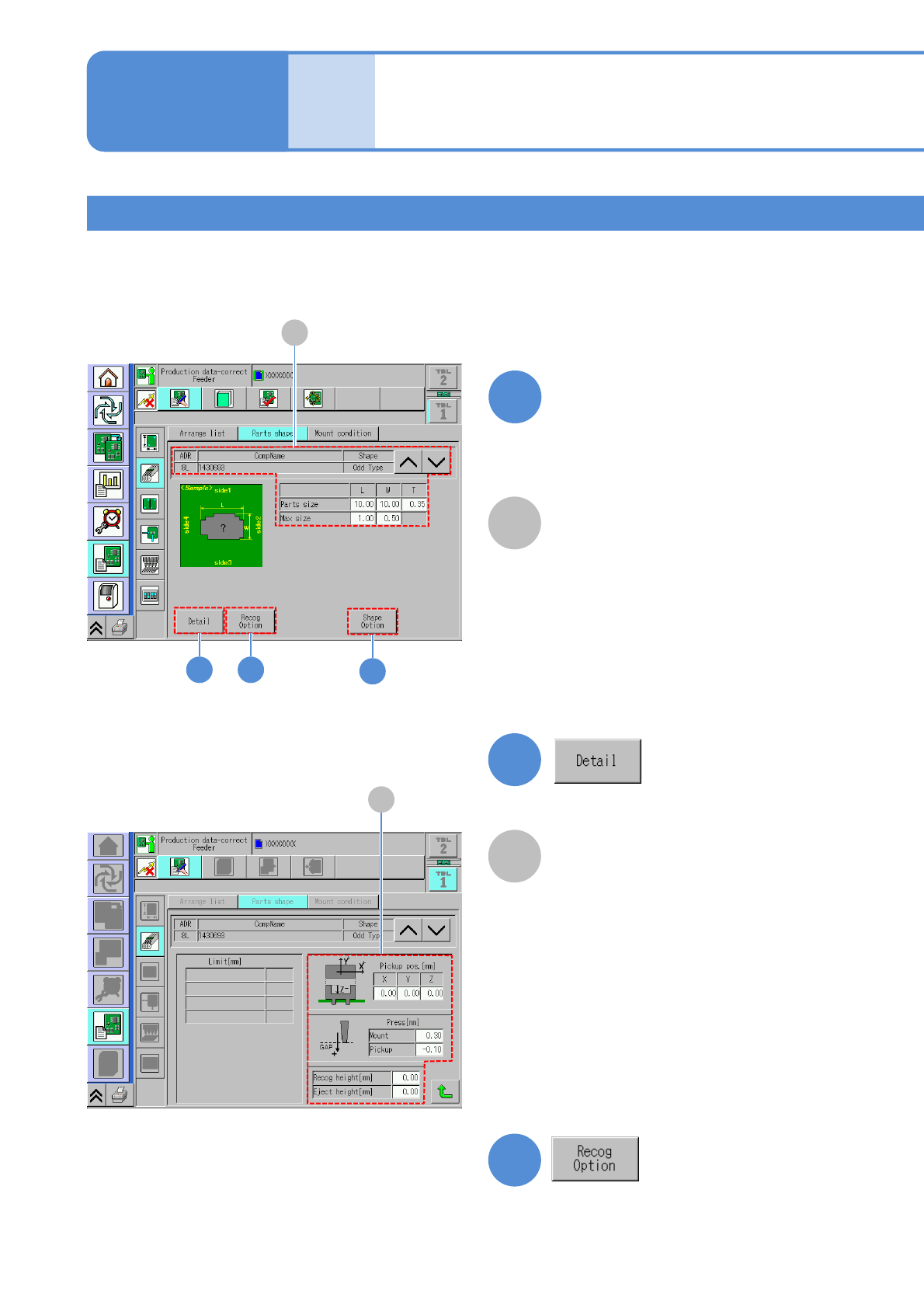
Edit the data of the desired
field on the screen
●Touching the screen opens the input
window.
1
2
3
A
A
Recognition height and
press information
(→P.4-1-8-2)
Operating procedure
4-1-8
Confirm and edit the recognition option
data.
(→P.4-1-8
-3)
Confirm and edit the detailed data.