N7201A652E.pdf - 第271页
NPM- TT2 EJM1EE-MB -04O-03 4-1-8 -14 Setting change 4 ● Displays data related to lead group information. Confirm and edit the shape option data. 5 5 6 ● Displays data related to ball group information. ● Displays data re…
NPM-TT2 EJM1EE-MB-04O-03
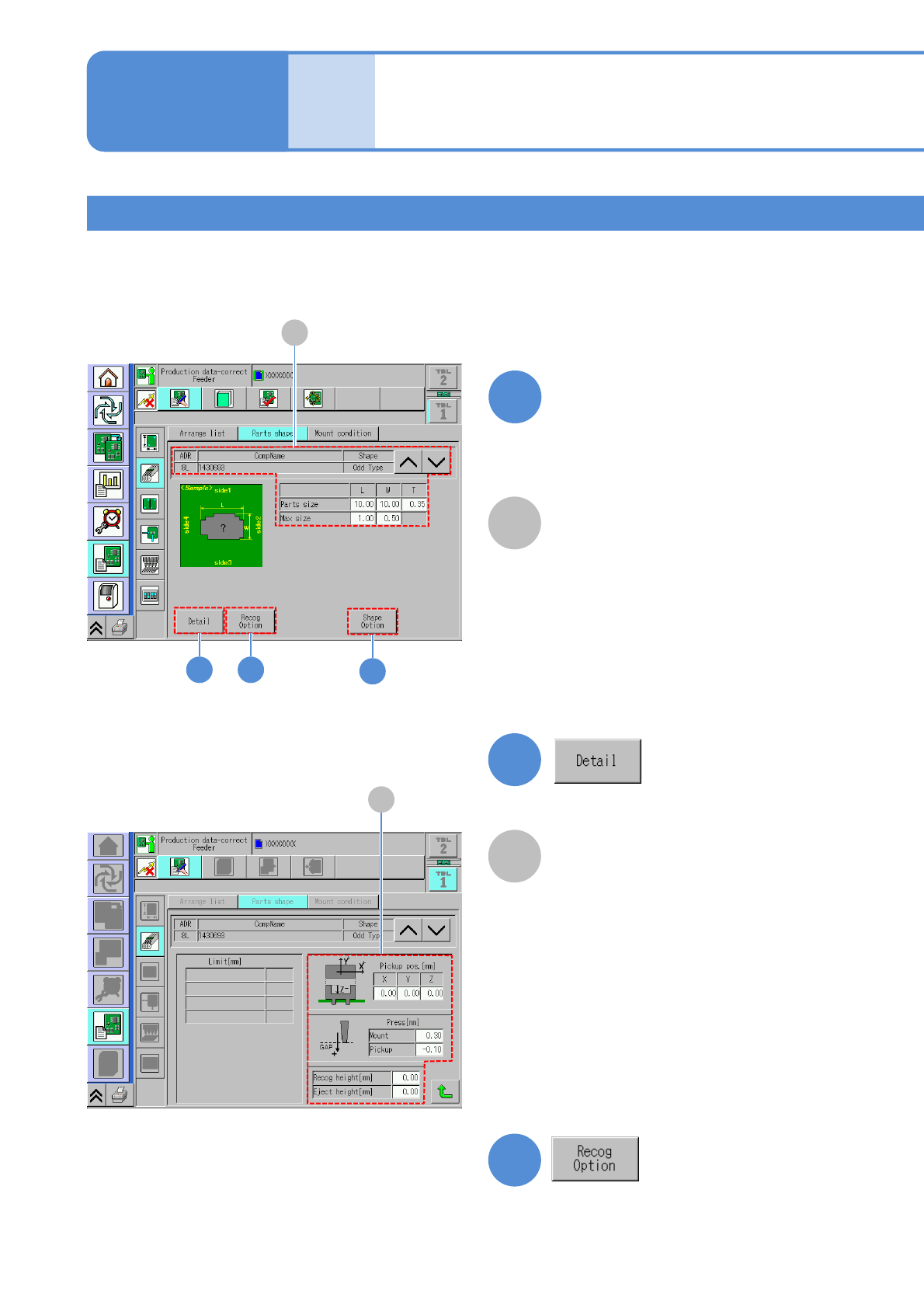
Irregular shape 1
Data
editing
Component shape data
edit 7
A
2 3
A
CompName
(→P.4-1-8-1)
4
4-1-8-13
Edit the data of the desired
field on the screen
●Touching the screen opens the input
window.
1
2
3
A
A
Recognition height and
press information
(→P.4-1-8-2)
Operating procedure
4-1-8
Confirm and edit the recognition option
data.
(→P.4-1-8
-3)
Confirm and edit the detailed data.
NPM-TT2 EJM1EE-MB-04O-03
4-1-8-14
Setting
change
4
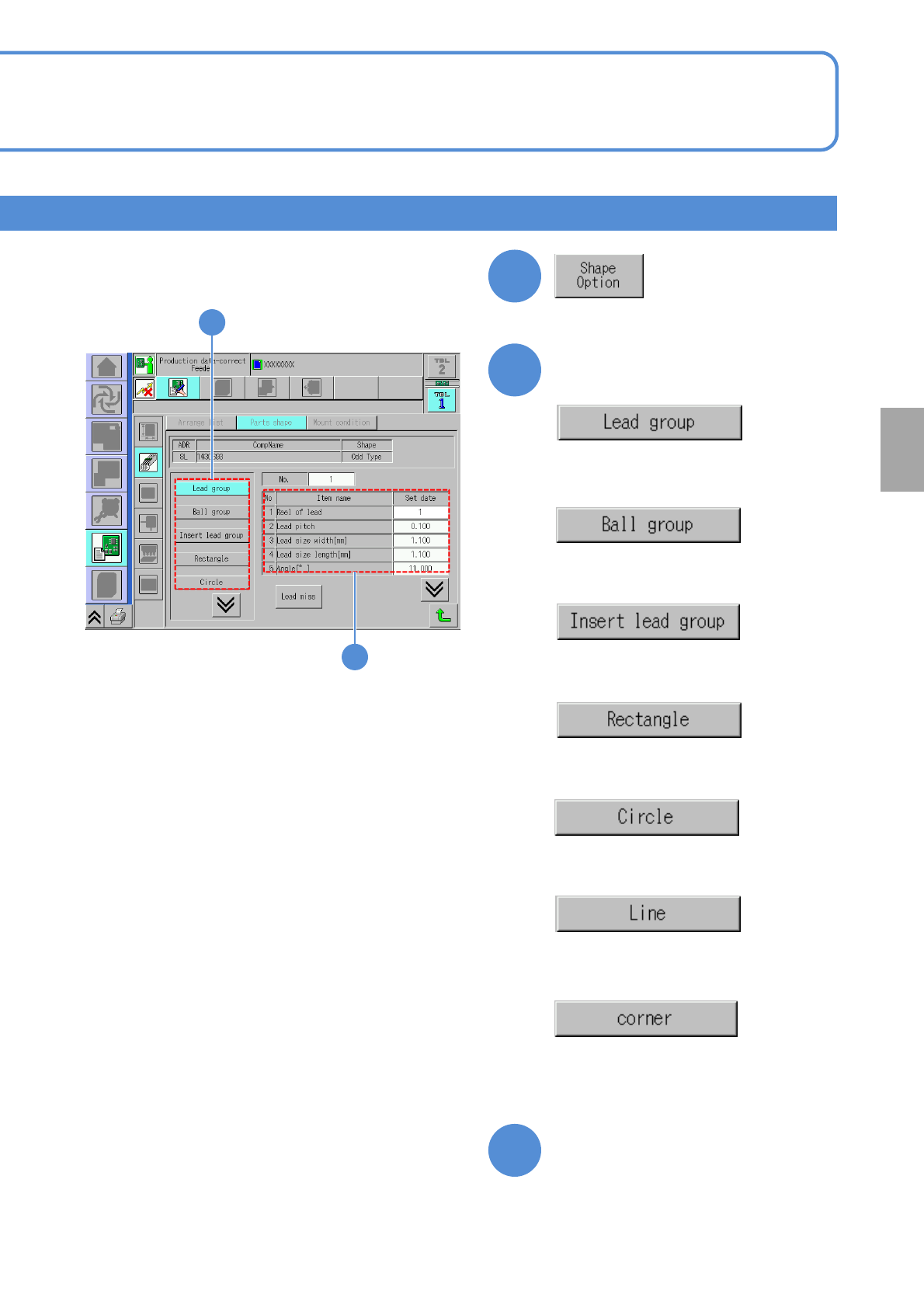
●Displays data related to lead group
information.
Confirm and edit the shape option data.
5
5
6
●Displays data related to ball group
information.
●Displays data related to insertion
lead group.
●Displays data related to rectangle
information.
●Displays data related to circle
information.
●Displays data related to line
information.
●Displays data related to corner
information.
6
Choose the desired item to
confirm
Confirm and edit the data of
the desired field
NPM-TT2 EJM1EE-MB-04O-03
Data
editing
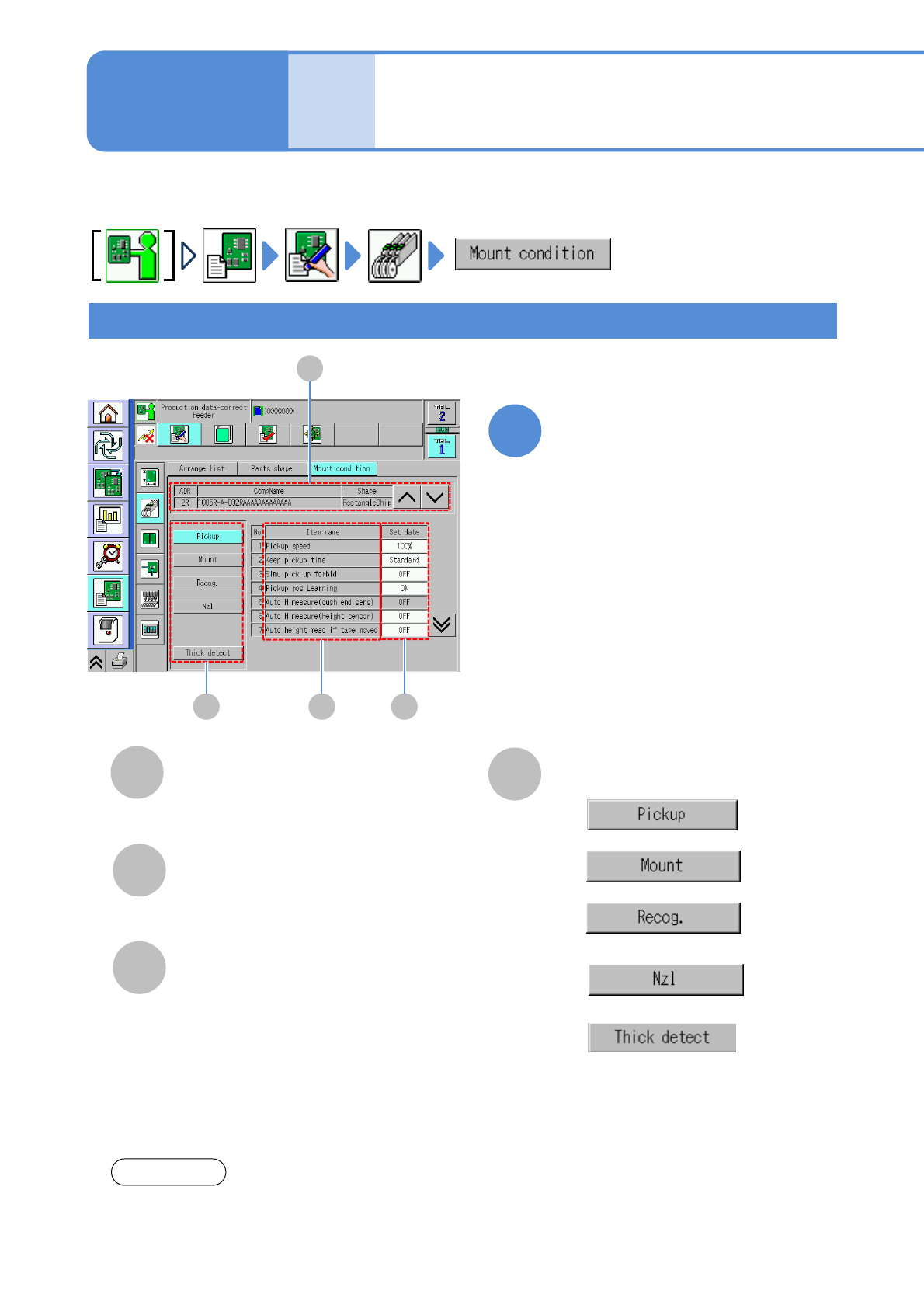
Describes how to check and edit the mount condition data for the components registered in each feeder
address.
C
B
Item name
Set data
Mount condition of each item.
Checking and editing pickup, mount, nozzle condition
Placement condition
data edit
D
Switching condition setting
●
●
●
●
Please see the Operating manual of NPM-DGS for setting of each item.
NOTICE
A
CompName
(→P.4-1-8-1)
Edit the data of the desired
field on the screen
●Touching the screen opens the input
window.
1
Operating procedure
4-1-9
D B C
A
●
This is displayed only if ‘Vertical line
camera measurement’ in the unit
setting is set to ‘ON’. (→P.5-1-1)
4-1-9-1