N7201A652E.pdf - 第272页
NPM- TT2 EJM1EE-MB -04O-03 Data editing Describes how to check and edit the mount condition data for th e components registered in each feeder address. C B Item name Set data Mount condition of each item. Checking and ed…
NPM-TT2 EJM1EE-MB-04O-03
4-1-8-14
Setting
change
4
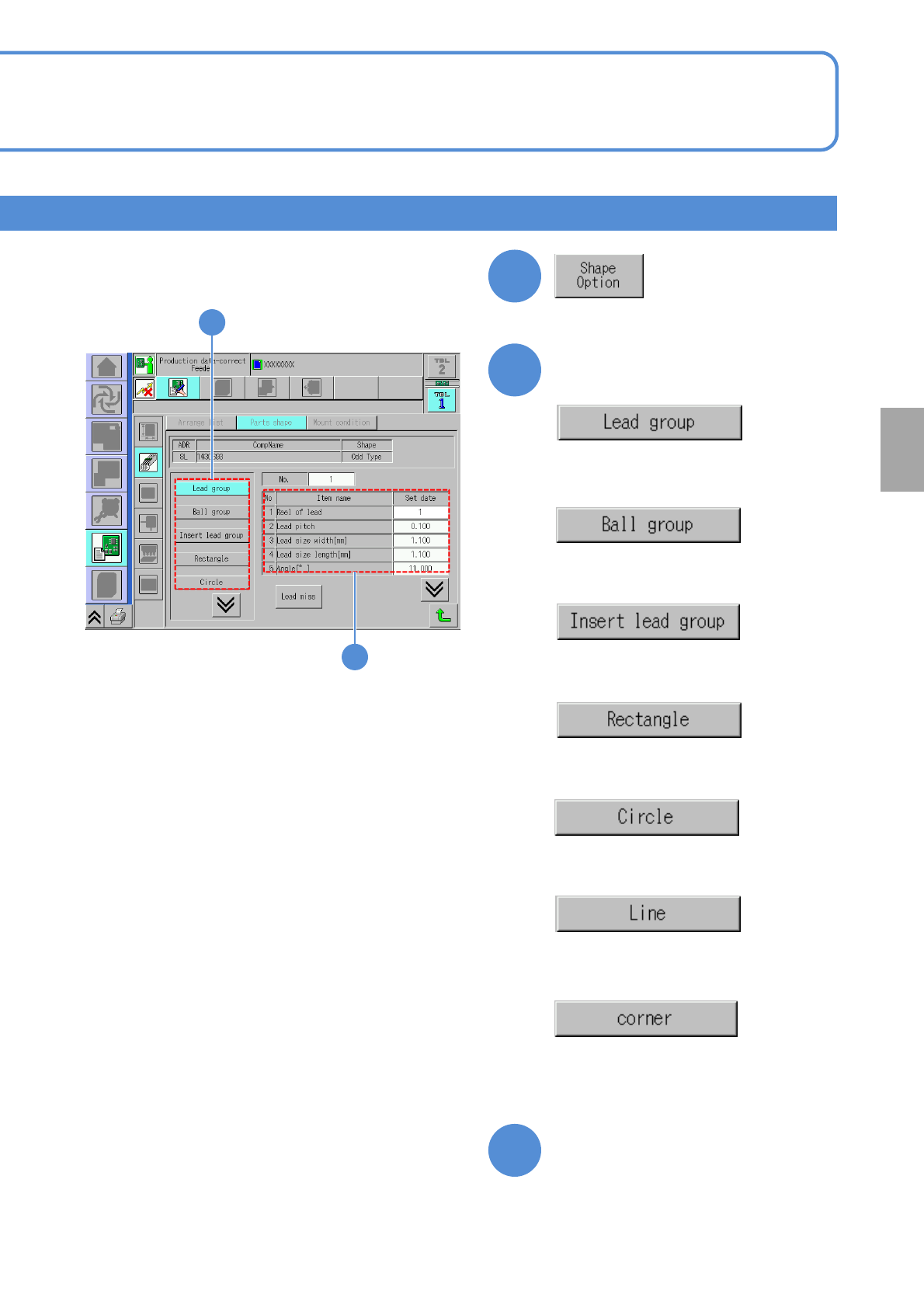
●Displays data related to lead group
information.
Confirm and edit the shape option data.
5
5
6
●Displays data related to ball group
information.
●Displays data related to insertion
lead group.
●Displays data related to rectangle
information.
●Displays data related to circle
information.
●Displays data related to line
information.
●Displays data related to corner
information.
6
Choose the desired item to
confirm
Confirm and edit the data of
the desired field
NPM-TT2 EJM1EE-MB-04O-03
Data
editing
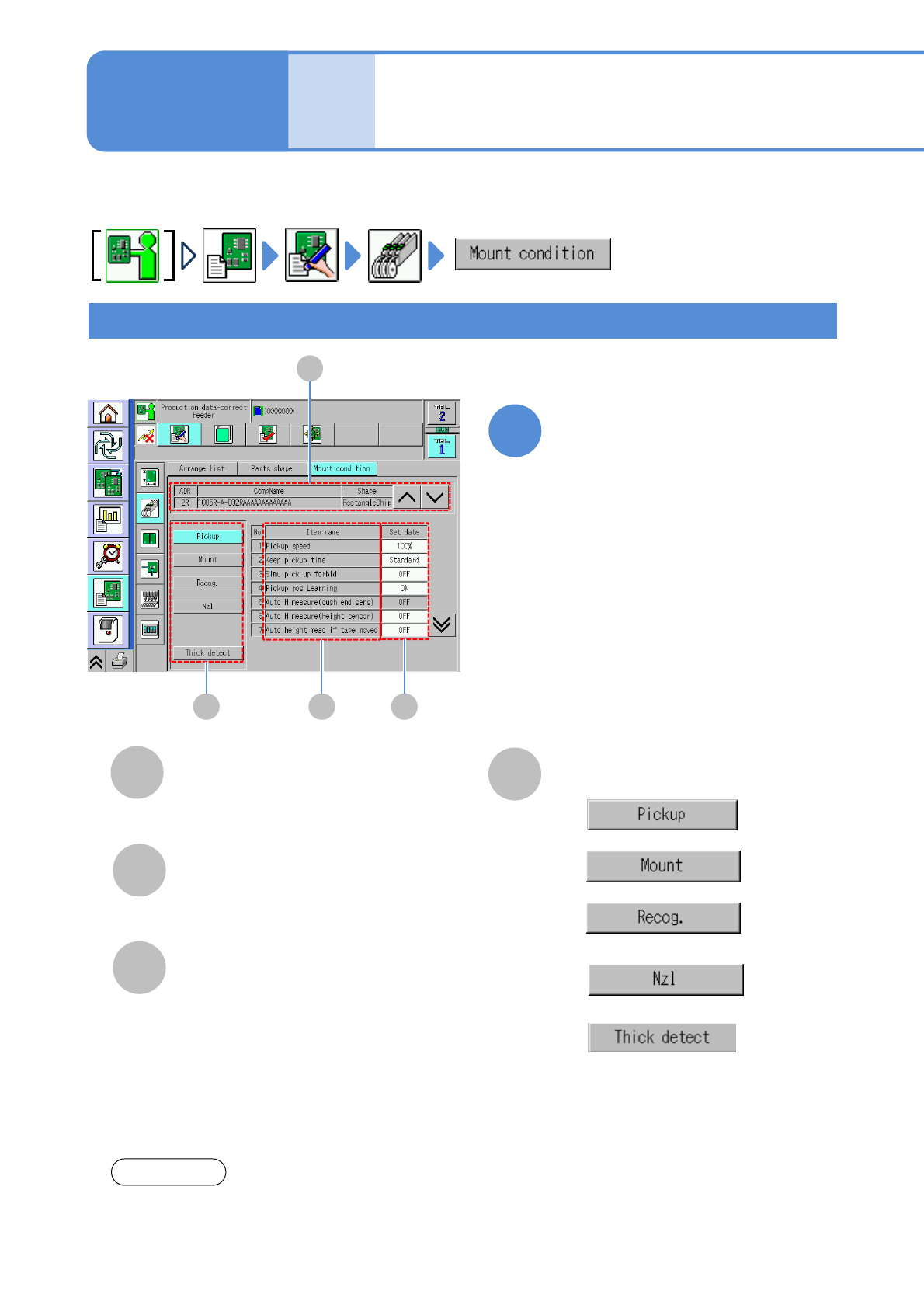
Describes how to check and edit the mount condition data for the components registered in each feeder
address.
C
B
Item name
Set data
Mount condition of each item.
Checking and editing pickup, mount, nozzle condition
Placement condition
data edit
D
Switching condition setting
●
●
●
●
Please see the Operating manual of NPM-DGS for setting of each item.
NOTICE
A
CompName
(→P.4-1-8-1)
Edit the data of the desired
field on the screen
●Touching the screen opens the input
window.
1
Operating procedure
4-1-9
D B C
A
●
This is displayed only if ‘Vertical line
camera measurement’ in the unit
setting is set to ‘ON’. (→P.5-1-1)
4-1-9-1
NPM-TT2 EJM1EE-MB-04O-03
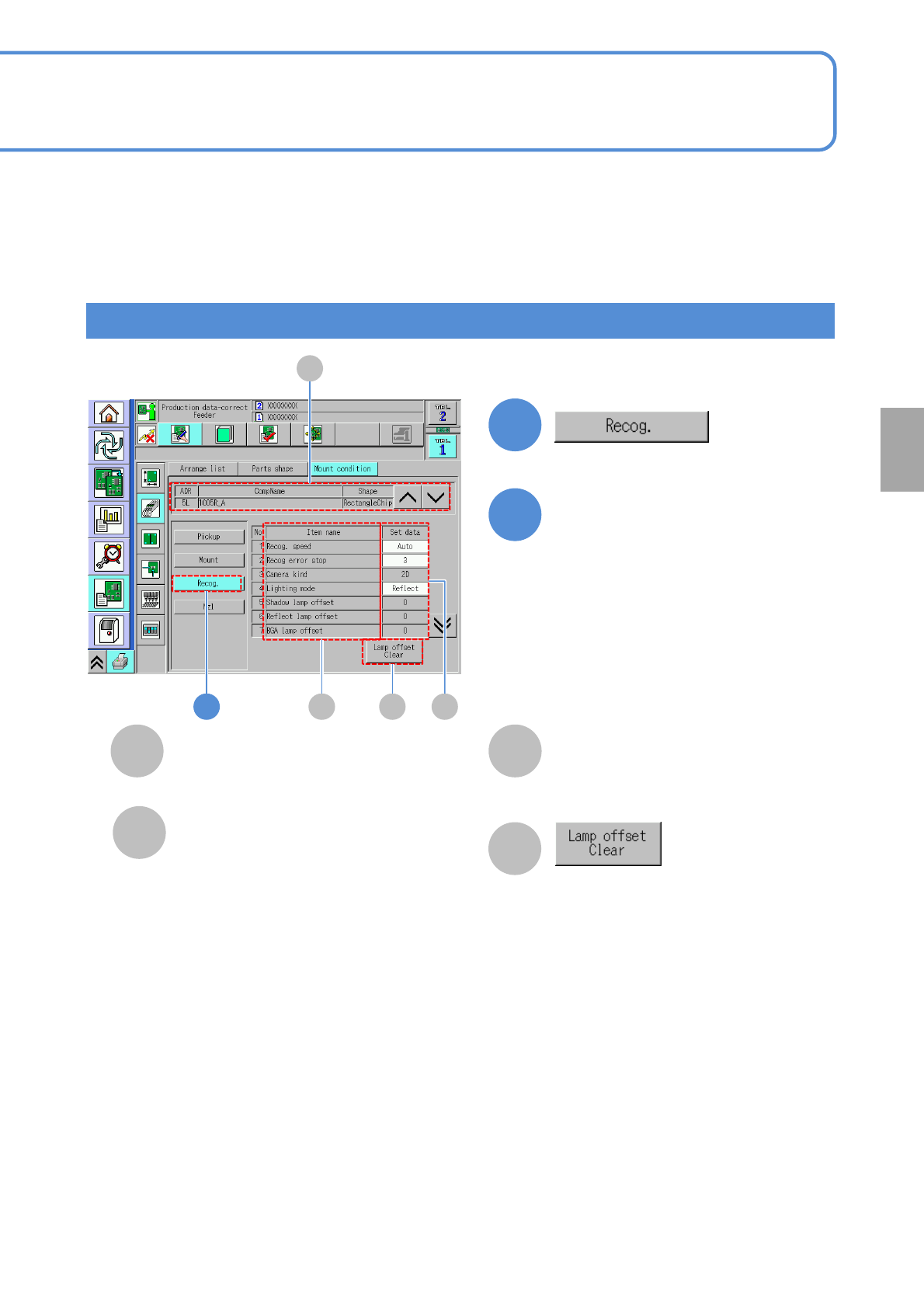
The offset data of lamp value is
initialized.
1
Checking and editing the recognition condition
4-1-9-2
C
B
Item name
Set data
Mount condition of each item.
D
A
CompName
(→P.4-1-8-1)
Edit the data of the desired
field on the screen
●Touching the screen opens the input
window.
2
Setting
change
1 B CD
A
Recog. Speed:
・(Auto / Fast / Mid / Slow)
Recog error stop:
・(1 / 3)
Camera kind:
・(2D / 3D)
Lighting mode:
・(Shadow / Reflect / BGA)
Shadow lamp offset:
・Shadow lamp offset value for component
recognition
Reflect lamp offset:
・Reflect lamp offset value for component recognition
BGA lamp offset:
・BGA lamp offset for component recognition
polarity:
・The presence / absence of component polarity
Chk adhesion around the parts:
・Picking up 2 components results in a recognition
error. Prevents an extra component from falling on a
PCB.