N7201A652E.pdf - 第279页
NPM- TT2 EJM1EE-MB -04O-03 C A B GroupCount D GK BAD.X/BAD.Y A No. B C D 4-1-12 -2 Group The total number of registe red group data. The numbe r to discriminate a pattern group. Bad mark X-/Y- coordi nates of a group. Gr…
NPM-TT2 EJM1EE-MB-04O-03
A C D
E K
B
F
I
G H J
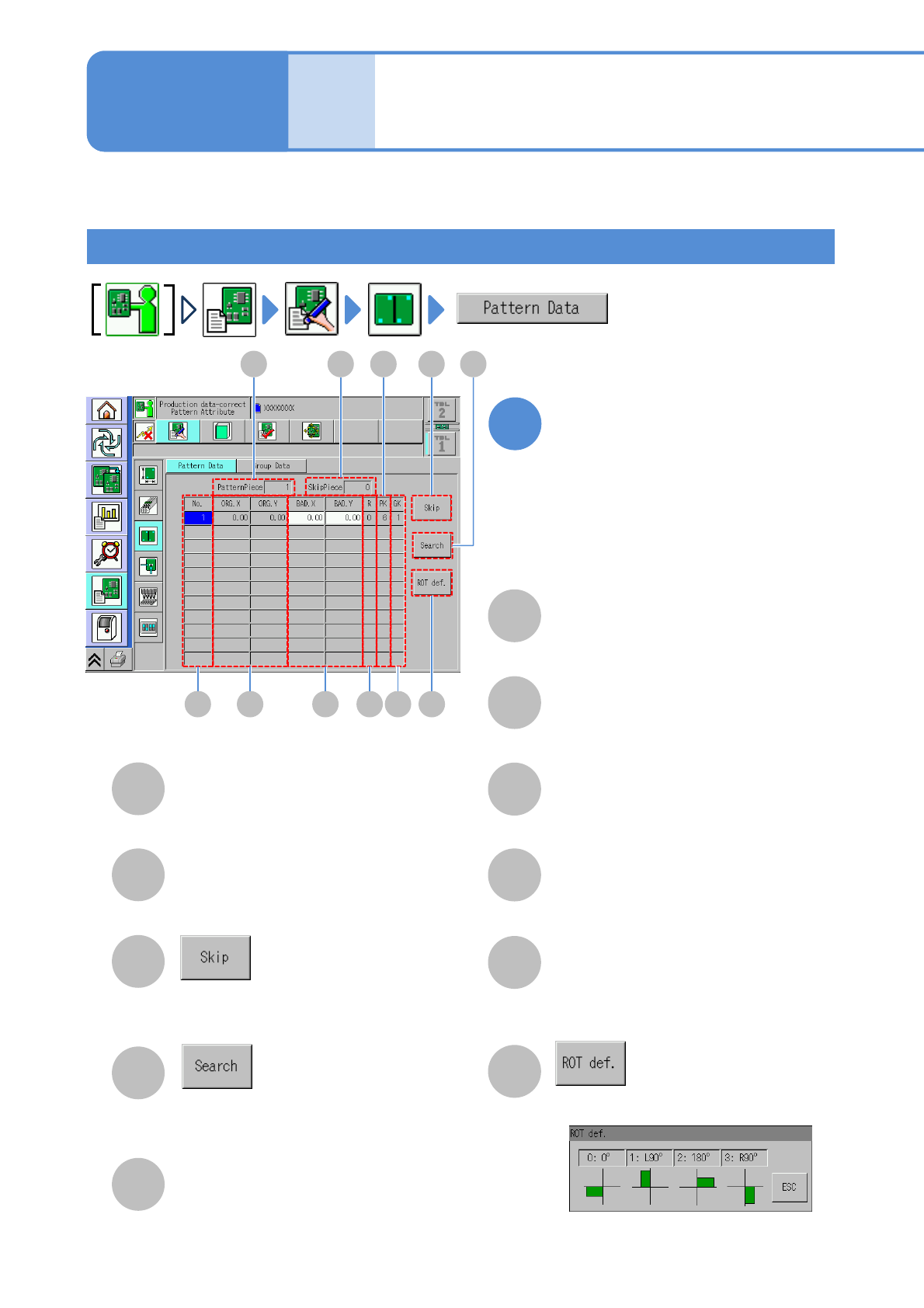
Pattern
Describes how to check and edit the pattern attribute. (→.P4-2-2)
Data
editing
Pattern attribute data
edit
A
SkipPiece
B
PatternPiece
C
D
Enter the pattern number to search the
pattern.
Set the selected pattern to the bad
pattern.
The total number of skip patterns.
The total number of registered patterns.
E
Pattern number.
No.
ORG.X/ORG.Y
F
G
BAD.X/ BAD.Y
X-/Y-coordinates of pattern origin.
Bad mark X-/Y-coordinates of a pattern.
Rotation definition number of a pattern.
(See the [Rotation definition] screen)
H
R
PK
J
The number for arranging more than
one type of pattern.
K
Displays the [Rotation definition] screen.
GK
I
The number to discriminate a pattern
group.
Edit the data of the desired
field on the screen
●Touching the screen opens the input
window.
1
Operating procedure
4-1-12
4-1-12-1
NPM-TT2 EJM1EE-MB-04O-03
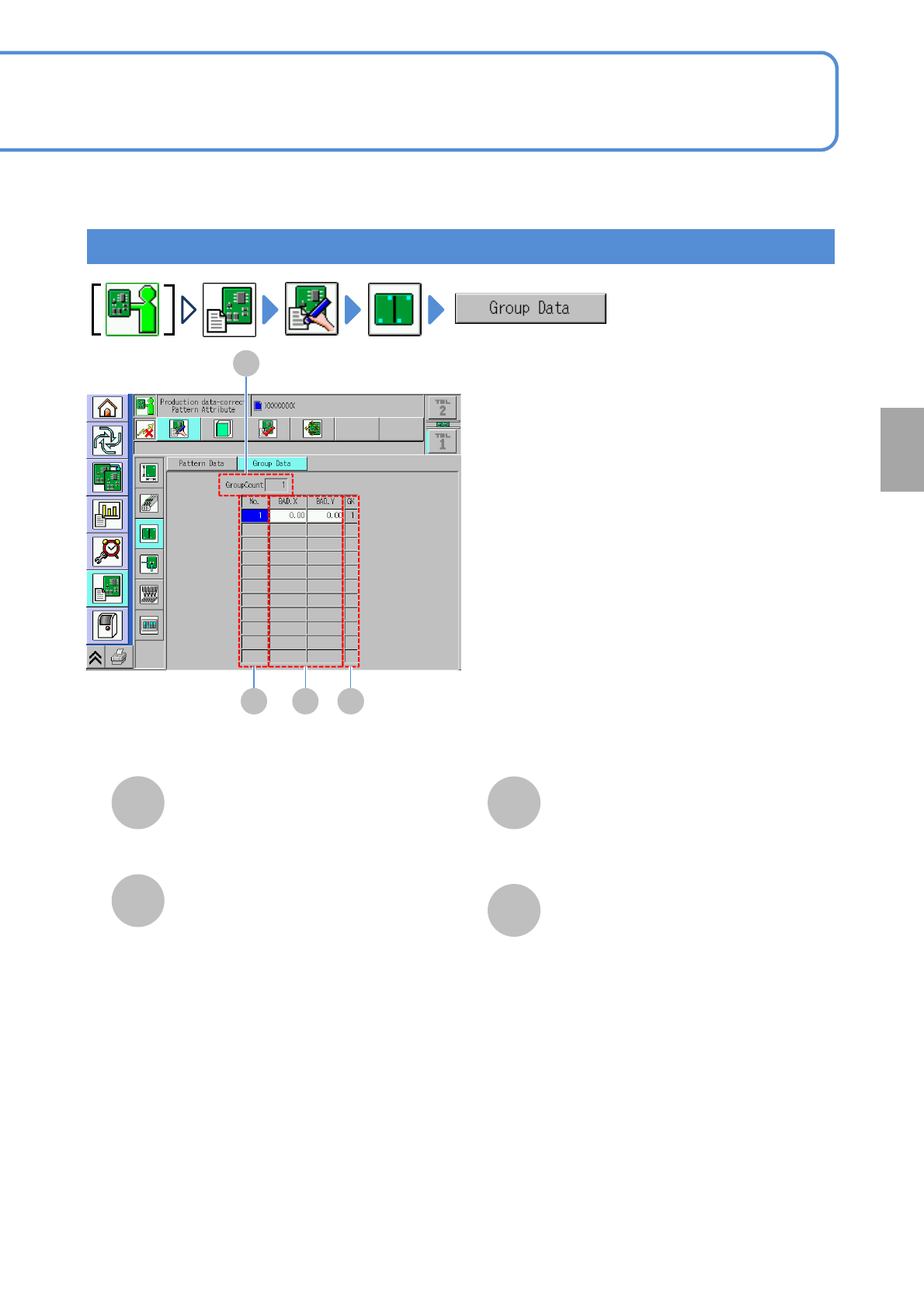
C
A
B
GroupCount
D
GK
BAD.X/BAD.Y
A
No.
B C D
4-1-12-2
Group
The total number of registered group data.
The number to discriminate a pattern
group.
Bad mark X-/Y- coordinates of a group.
Group data number.
Setting
change
NPM-TT2 EJM1EE-MB-04O-03
4-1-13-1
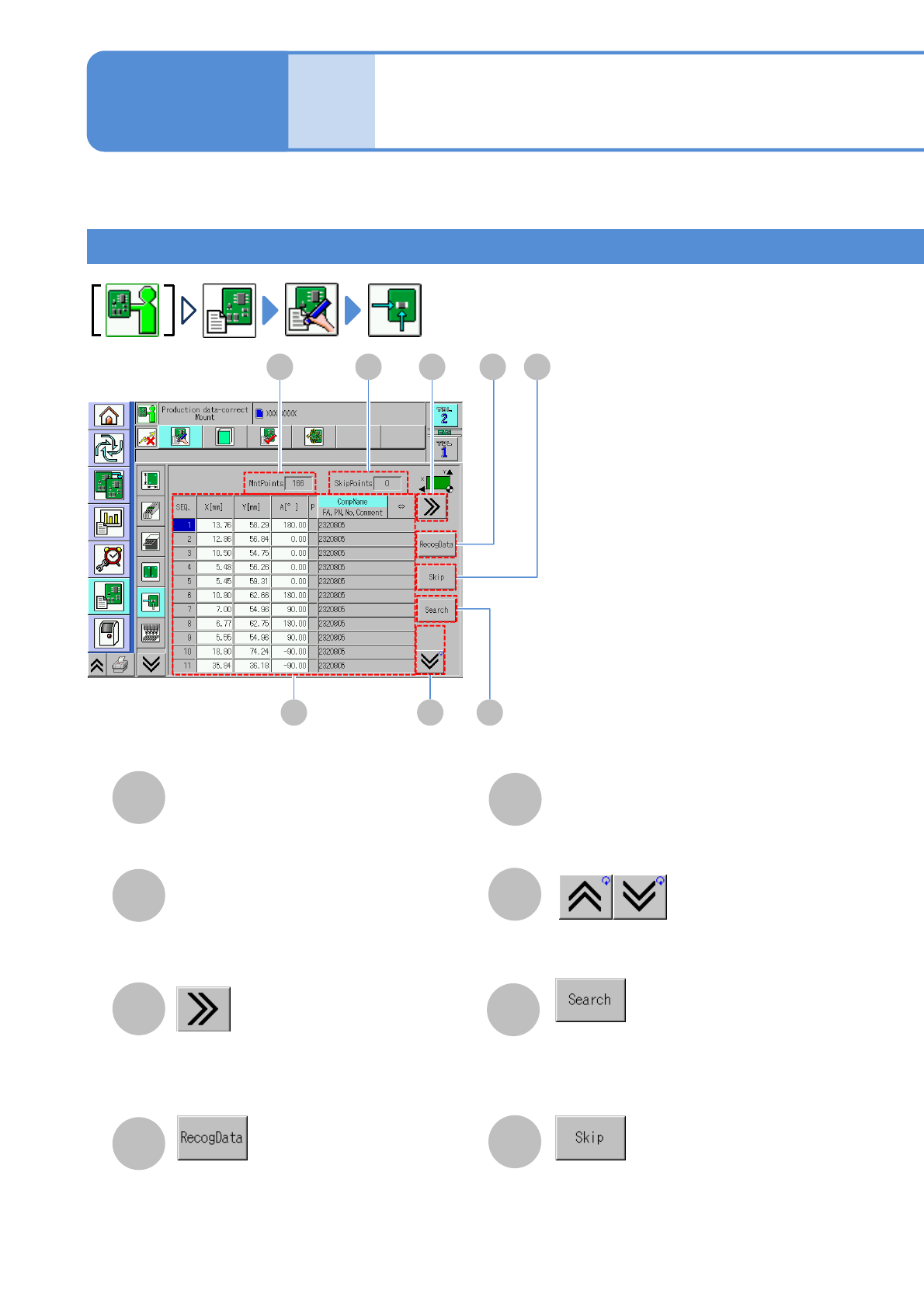
Explains about the screen to check and edit the production data.
D
E
F
A C
Production data information
(→P.4-1-13-2)
B
E
A
SkipPoints
B
MntPoints
C
Data
editing
Production data edit 1
The total number of placement points to
be specified as skip.
The total number of placement point.
G
H
GF
H
(Scrolls the table to the right.)
●This button becomes enabled when
there is recognition data of placement
points.
Shows the previous or next table.
Searches the placement point by
sequence number, coordinate or
comment.
Selecting placement point is
select/deselect to be skipped.
Screen explanation 1
Operating procedure
4-1-13
D