N7201A652E.pdf - 第284页
NPM- TT2 EJM1EE-MB -04O-03 4-1-13 -5 Describes how to check and edit the production data. 2 1 Data editing Pr oduction data edit 3 Edit the data of the desired field on the screen ● Touching the screen opens the numerica…
NPM-TT2 EJM1EE-MB-04O-03
4-1-13-4
Setting
change
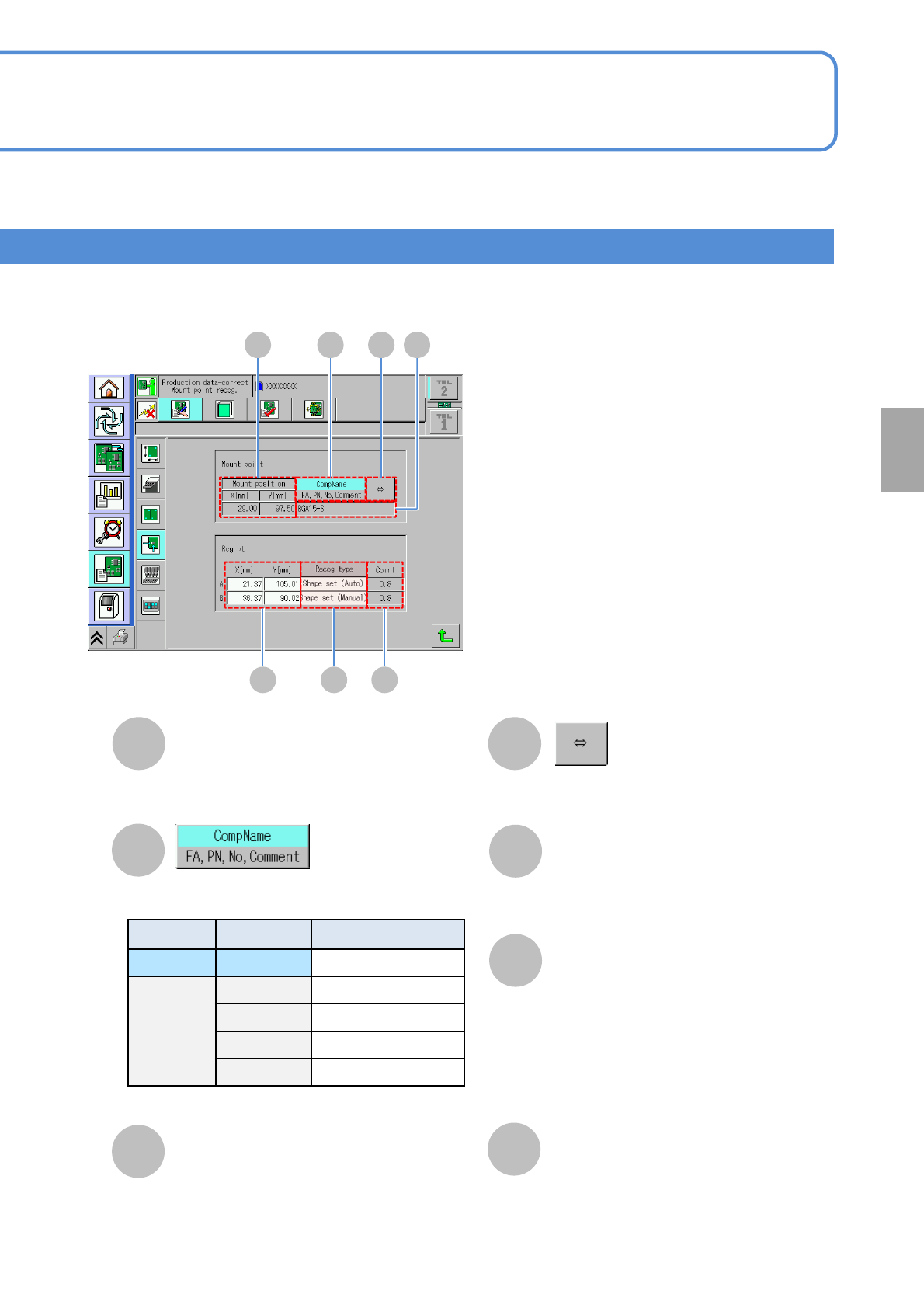
A
Mount position
E
X[mm]/Y[mm]
A B D
E F G
Recog type
F
Comment
G
C
B
CompName/FA, PN, No, Comment
D
C
Shows the rest of component name if it
is too long to show the whole name.
XY coordinate of a placement point.
Coordinates of a recognition mark.
Recognition type of a recognition mark.
Pressing the [Type] field displays the
shape setting screen of each
recognition mark.
(→P.4-1-3)
Comment on a recognition mark set in
DGS.
Displays the information of the selected
display type.
Location Symbol Name
Upper field CompName Component name
Lower field FA Feeder address
PN Pattern No
No Sequence No
Comment Comment
Choose the display type.
NPM-TT2 EJM1EE-MB-04O-03
4-1-13-5
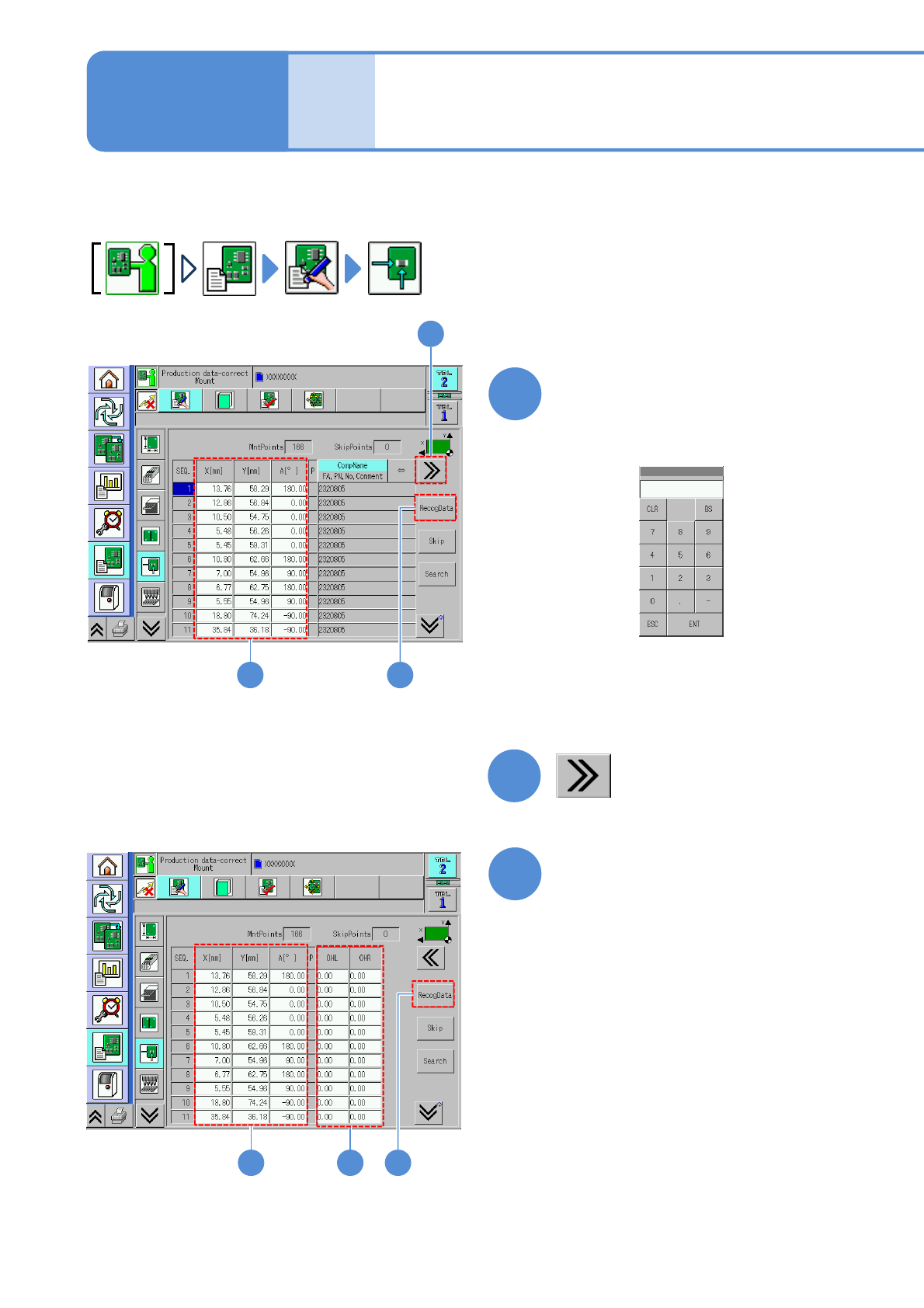
Describes how to check and edit the production data.
2
1
Data
editing
Production data edit 3
Edit the data of the desired
field on the screen
●Touching the screen opens the
numerical input window (figure below).
1
■To set the length jutting from left or
right edge of a PCB
2
31
Edit the data of the desired
field on the screen
●Touching the screen opens the
input window.
3
4
4
Operating procedure
4-1-13
NPM-TT2 EJM1EE-MB-04O-03
4-1-13-6
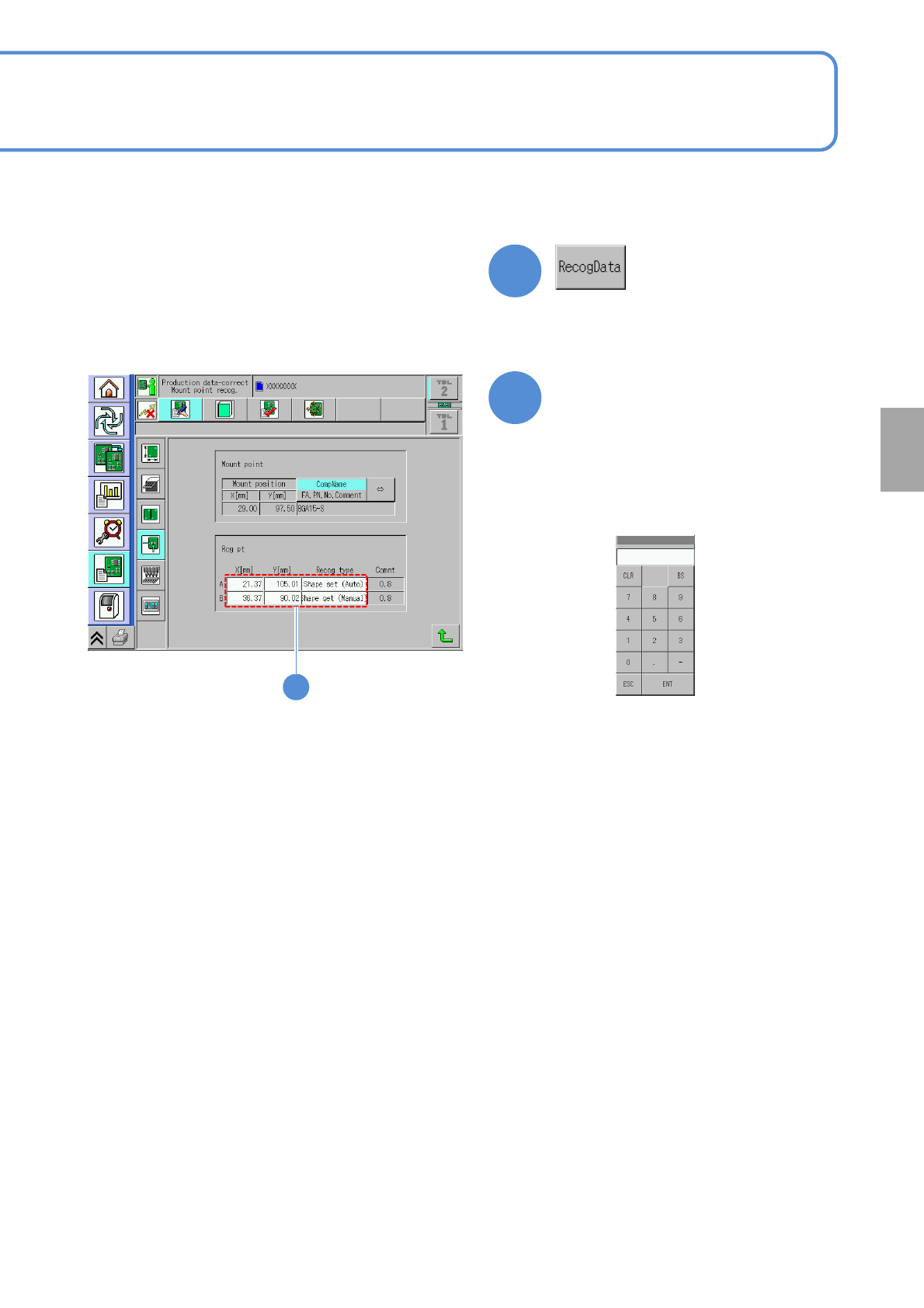
Edit the data of the desired
field on the screen
●Touching the screen opens the
input window.
5
4
●It is effective when the recognition
data of a placement point exists.
■To edit the placement point
5
■Input screen for
X[mm],Y[mm]
■Input screen for the
recognition type
(→P.4-1-3)
Setting
change