N7201A652E.pdf - 第290页
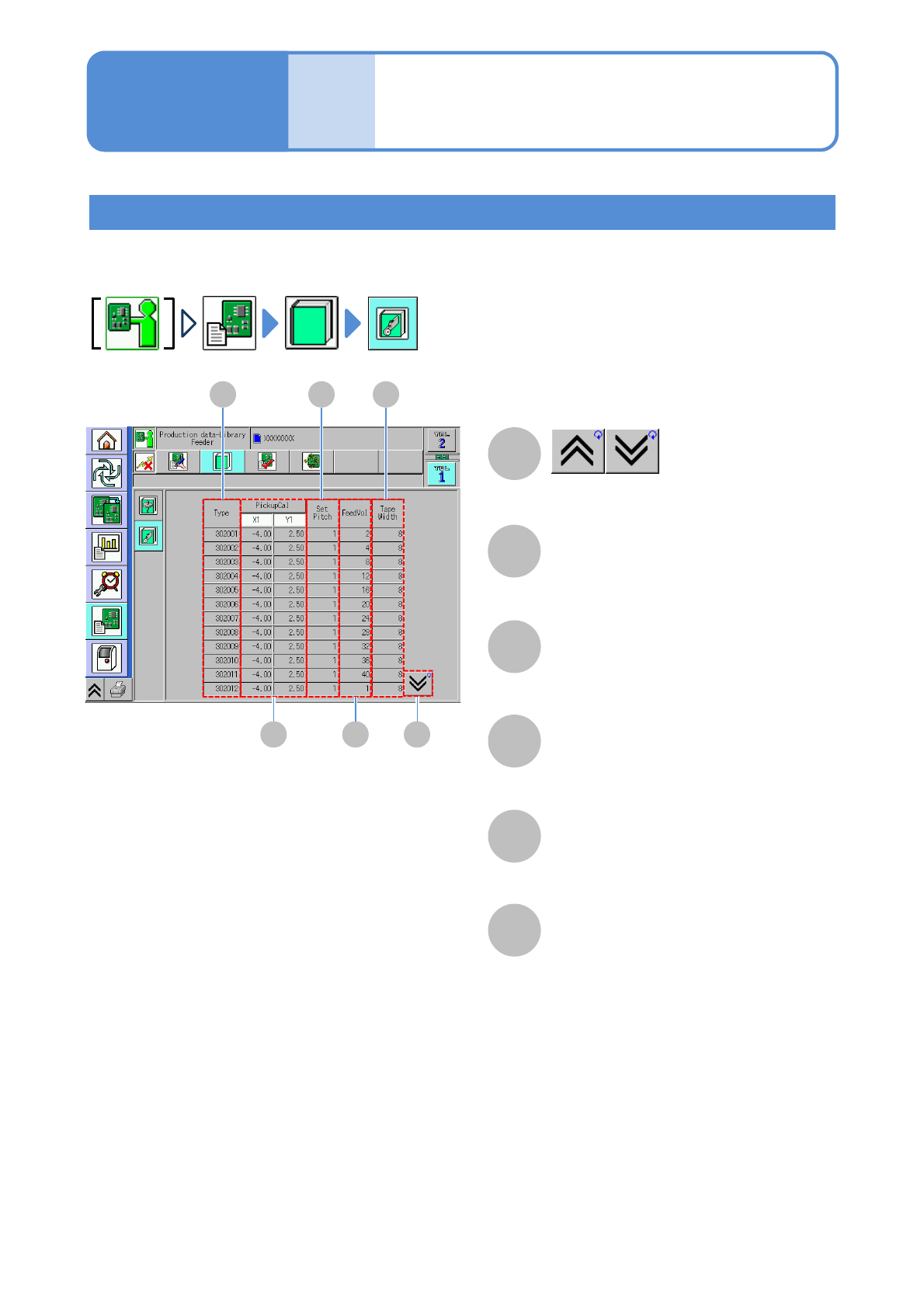
NPM- TT2 EJM1EE-MB -04O-03 Data editing Libr ar y c heck 2 B Ty p e PickupCalX/Y C Set Pitch D FeedV ol E Ta p e W i d t h F Feeder library B C D E F A A Shows the previous or next table. Offset of a feed er picku p posi…
NPM-TT2 EJM1EE-MB-04O-03
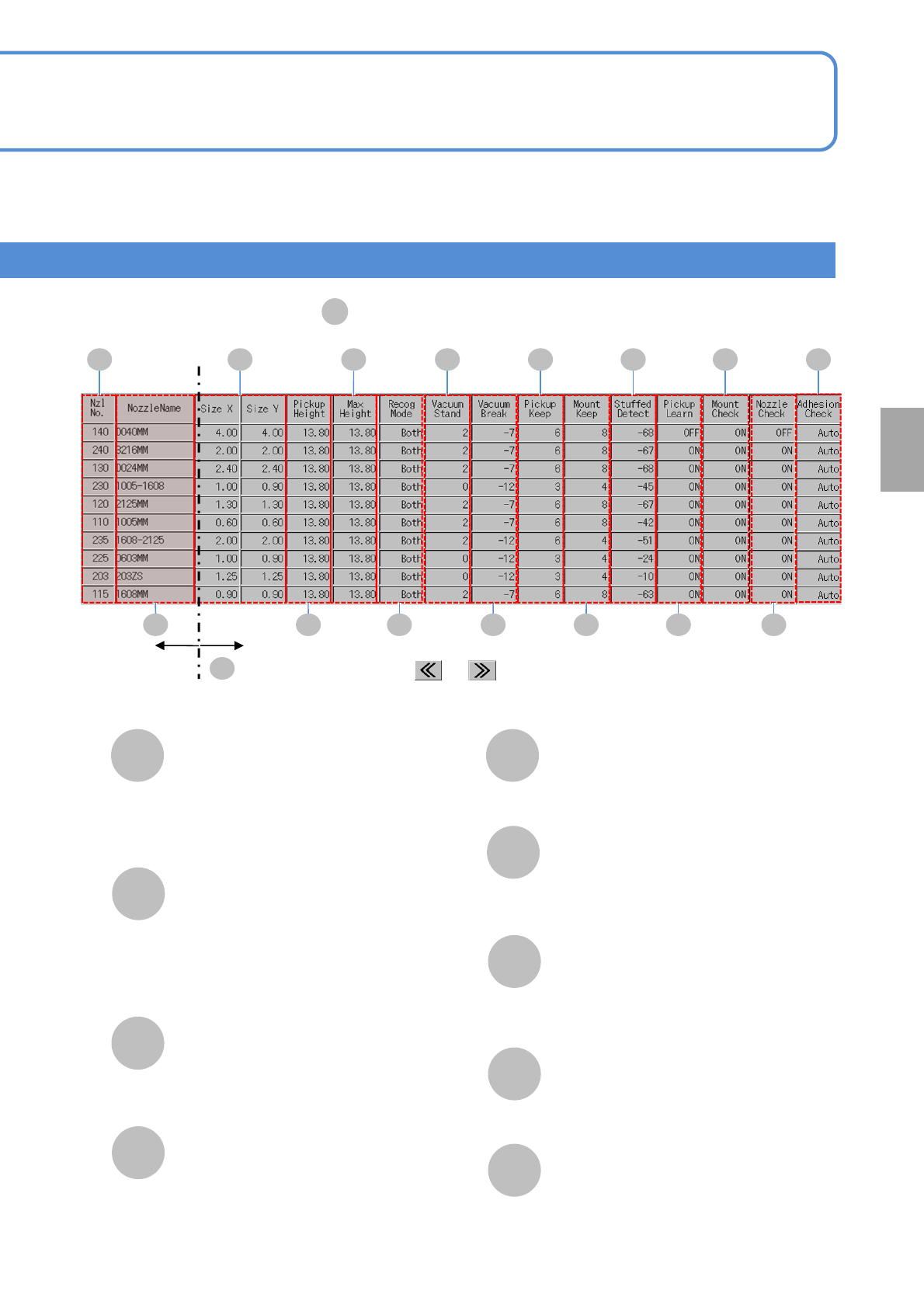
L
Pickup keep
The time to lower the placement head
while a component is picked up.
●Unit: ms.
Whether a pickup learning
function is enabled or not.
Pickup Learn
O
Mount Check
P
Nozzle Check
Q
Whether a mount check by a flow
sensor is enabled or not.
Nozzle existence.
J
Vacuum Break
The time interval from when the nozzle
has reached the mount bottom dead
point after switching the vacuum break
blow, while a component is mounted.
●Unit: ms.
Vacuum Stand
The time interval from when the nozzle
has reached the pickup bottom dead
point after switching the vacuum valve,
while a component is picked up.
●Unit: ms.
■The table of nozzle information
C
M
Mount Keep
The time to lower the placement head
while a component is mounted.
●Unit: ms.
Studded Detect
N
Judgment value of nozzle clogging
detection.
K
Setting
change
4-1-15-2
J
K
L
M
N
O
P
Fixed column
Horizontal scrolling with or
A
Q
D F H
E G I
R
Adhesion check
R
There is nozzle adhension check or not.
NPM-TT2 EJM1EE-MB-04O-03
Data
editing
Library check 2
B
Type
PickupCalX/Y
C
Set Pitch
D
FeedVol
E
Tape Width
F
Feeder library
B
C
D
E
F
A
A
Shows the previous or next table.
Offset of a feeder pickup position.
The number of slots occupied by a
feeder.
Operating procedure
4-1-15
4-1-15-3
NPM-TT2 EJM1EE-MB-04O-03
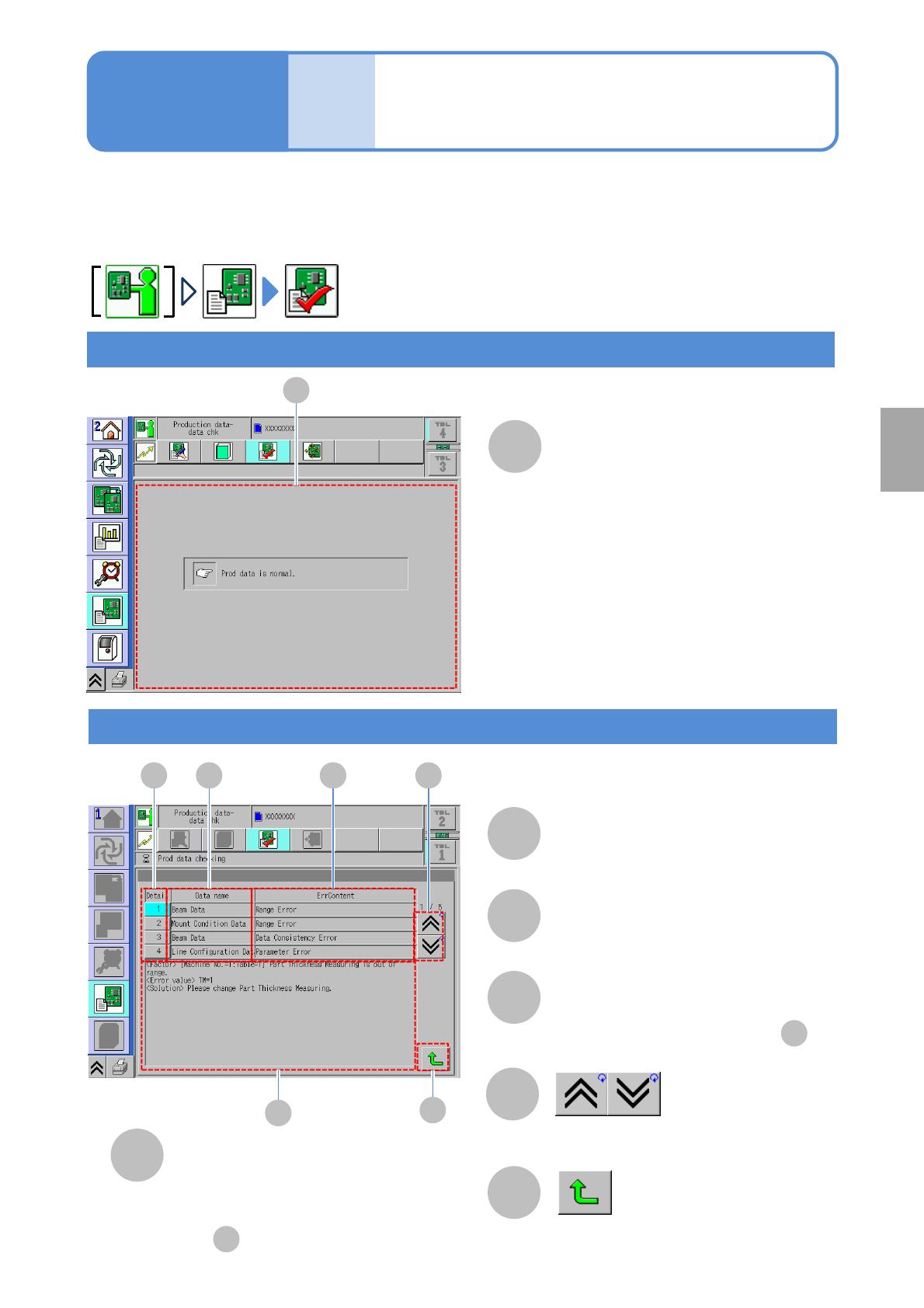
Explains how to check the production data.
●All the data, including unchangeable and hidden data, that influence production are targeted for checking.
●Depending on the settings, some data will not be checked.
Check result
A B C
D
F
E
C
A
B
Detail
D
E
Detailed information
Data name
Returns to the previous screen.
F
Error information
A
A
D
●Pressing this button shows details
in .
Data
editing
Data check
Normal
Shows the previous or next table.
Detailed of the selected error in .
A
Abnormal
Choose the error to display detail
information.
Operating procedure
4-1-16
Setting
change
4-1-16-1