N7201A652E.pdf - 第296页
NPM- TT2 EJM1EE-MB -04O-03 Produc- tion data teaching PCB recognition Production data is corrected by recognizing marks set on the pr int pattern s of a board and calcu lating the difference in prin t pattern position be…
NPM-TT2 EJM1EE-MB-04O-03
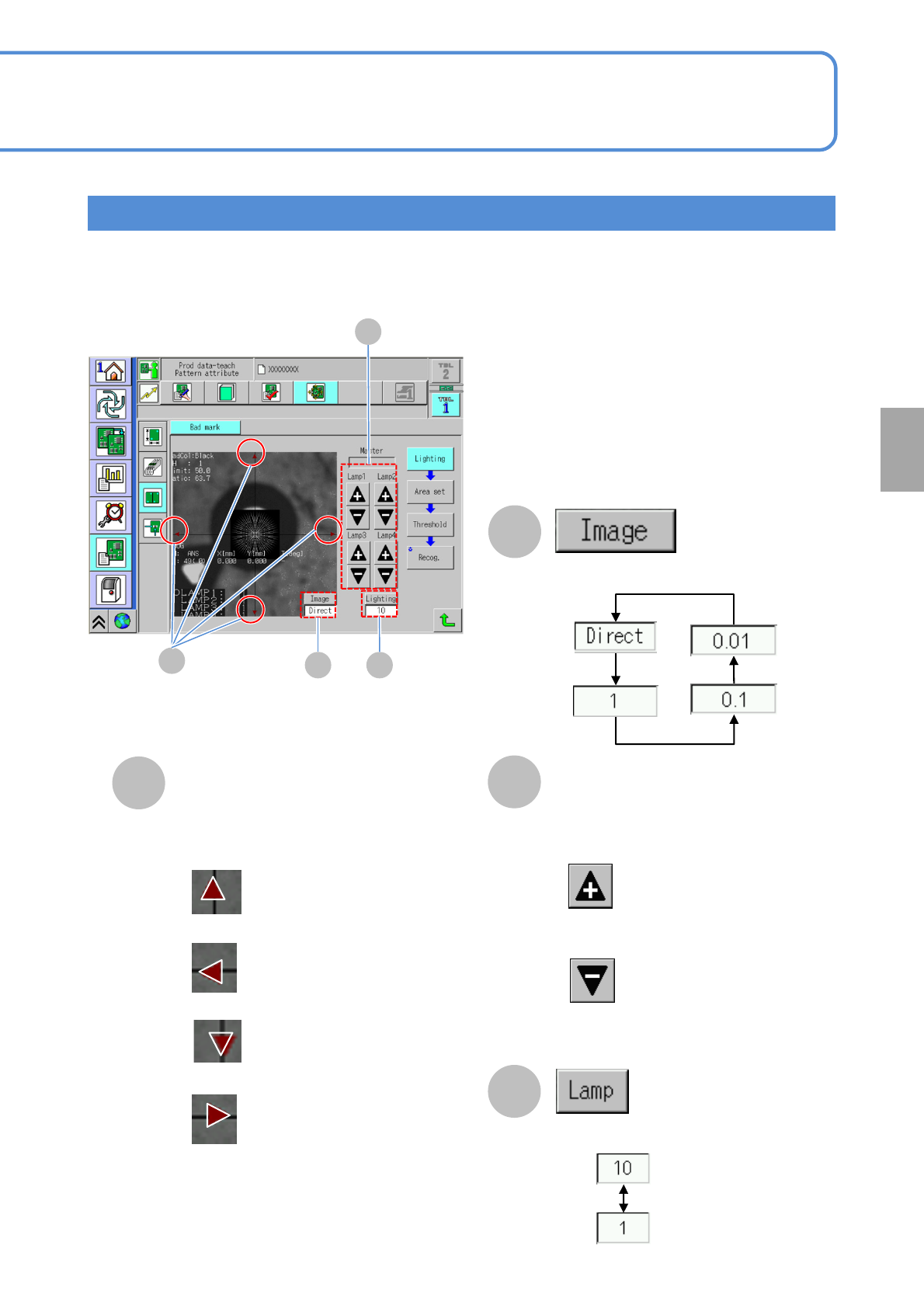
How to adjust the lamp value
Describes how to adjust the lighting (lamp) when an image obtained by teaching is not clear.
Setting
change
4-2-1-3
A
B
D
■To move a camera upward
■To move a camera downward
■To move a camera left direction
■To move a camera to right direction
Inching key
C
Lamp value adjustment button
■Increase the lamp value
(Brighter)
■Decreases the lamp value
(Darker)
Changes the lamp value changing rate.
Changes the moving rate.
* The lamps are arranged from the inner
side ordering lamp 1 (inner side) to
lamp 4 (outer side).
A
B
C
D
NPM-TT2 EJM1EE-MB-04O-03
Produc-
tion data
teaching
PCB recognition
Production data is corrected by recognizing marks set on the print patterns of a board and calculating the
difference in print pattern position between the board and production data.
Set recognition marks for placement before a placement operation.
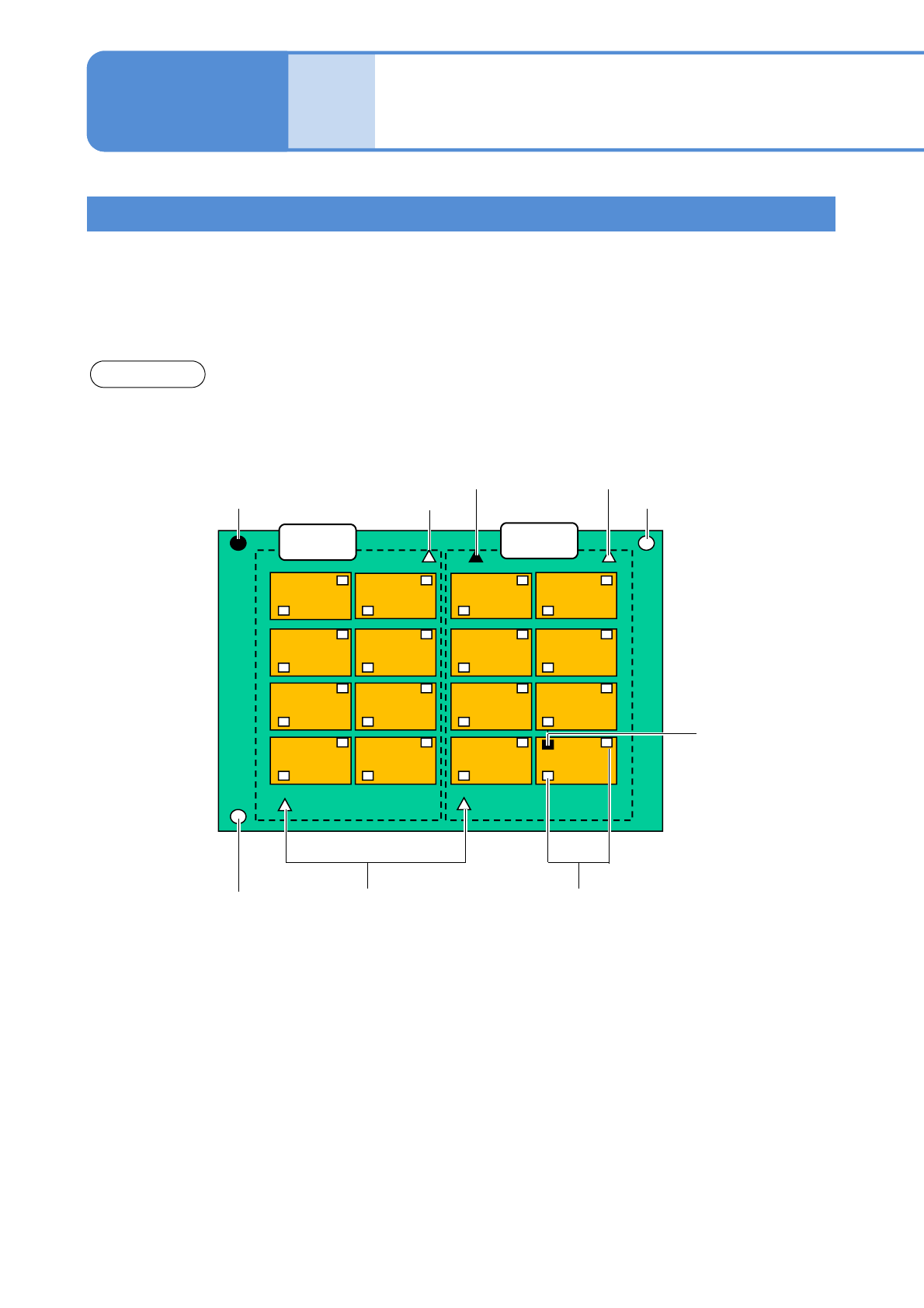
●There are three types of recognition modes; [PCB], [Group] and [Pattern]. You can set both recognition
and bad marks by type (a bad mark is used to judge NG mount).
Pattern 1 Pattern 2
Pattern 3 Pattern 4
Pattern 5
Pattern 6
Pattern 9
Pattern 10
Pattern 11
Pattern 12
Pattern 13 Pattern 14
Pattern 15 Pattern 16
Group recognition
mark
Bad group
mark
Group recognition marks
PCB recognition
mark
Bad mark
Pattern 7
Pattern 8
Bad pattern
mark
Pattern recognition marks
PCB recognition teach
1
Group 1
Group
recognition
marks
PCB
Group 2
Operating procedure
4-2-2
PCB recognition
mark
4-2-2-1
NPM-TT2 EJM1EE-MB-04O-03
Setting
change
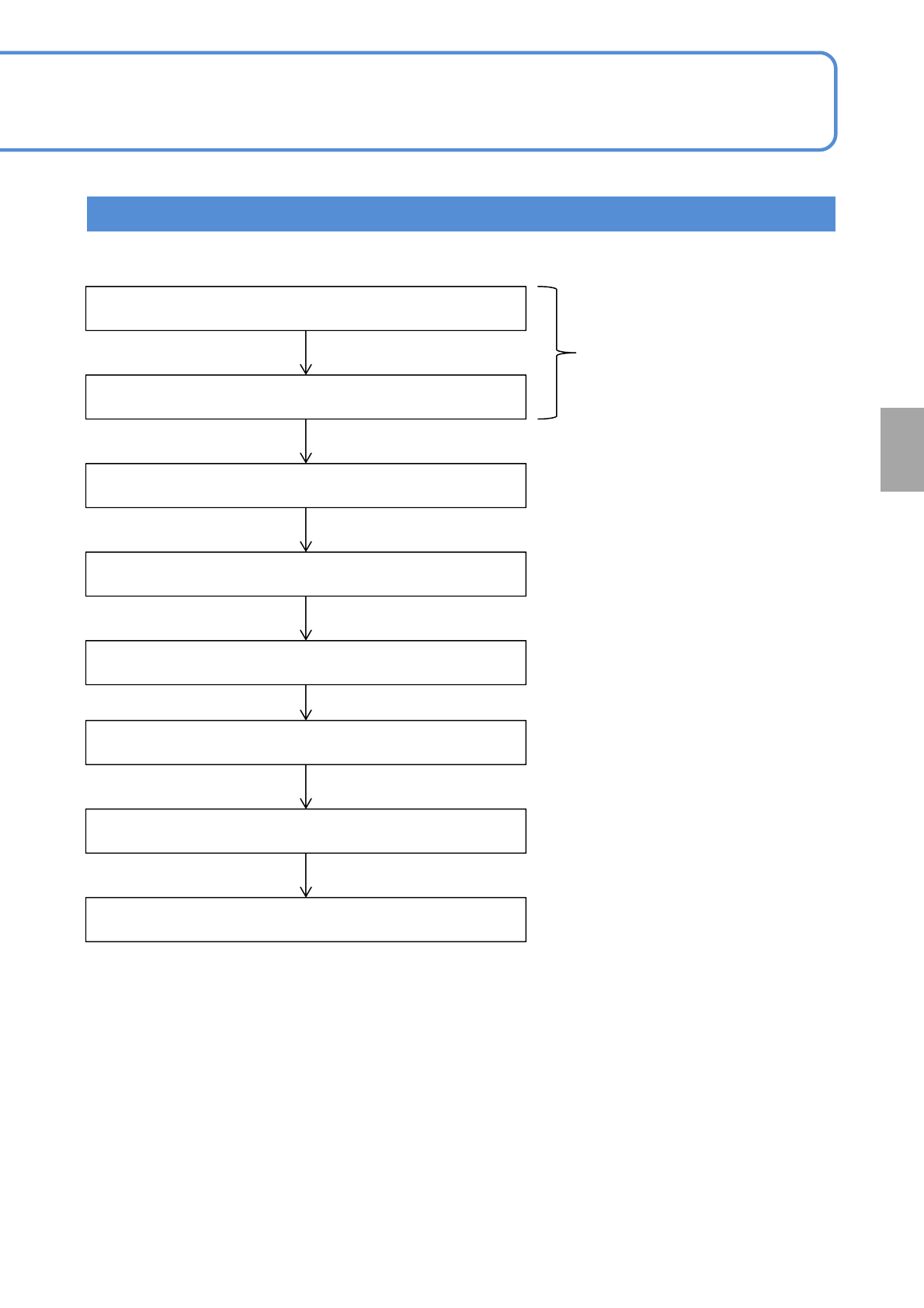
Teaching Flow
Inputting the PCB data
Inputting the PCB recognition data
Starting the teaching
Setting the lamp values
Recognition
Created on NPM-DGS
← Unnecessary if the automatic
lamp setting is selected
Saving data
Recognition Test
Teaching is complete
4-2-2-2