N7201A652E.pdf - 第303页
NPM- TT2 EJM1EE-MB-04 O-03 4-2-2 -8 Setting change B C D 6 7 8 9 7 8 9 C Move or resize the window so that the mark comes to the center of the teach target. D Set an area of an image used for block match recognition. B M…
NPM-TT2 EJM1EE-MB-04O-03
4-2-2-7
Produc-
tion data
teaching
PCB recognition teach
4
Operating procedure
4-2-2
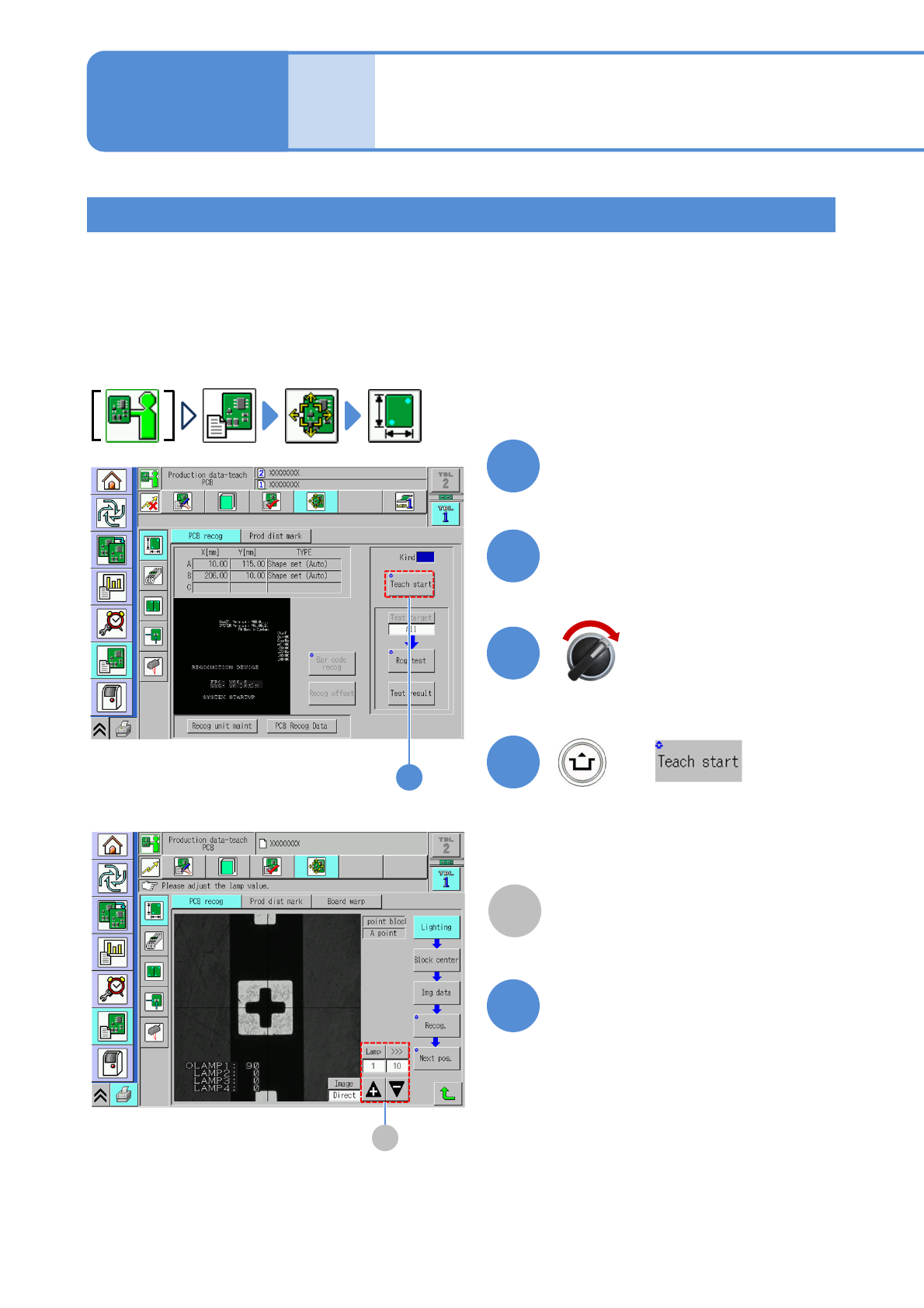
This is used when the shape of a recognition target (mark) is too complex to be sharply defined, or when a
recognition target is too large to fit in the recognition screen.
Note that, when using this function, you should set the shape type of PCB recognition marks for 1 point block
on DGS. You can check on the PCB recognition data screen or the PCB recognition teach screen to see
whether it has been set for 1 point block.
Display the <Main menu> screen in advance, and send PCB data used to change production PCBs from
NPM-DGS.
Put a PCB at the PCB loading
entrance
1
2
Close the safety cover
3
+
(The PCB is loaded and clamped at the
unloading position. The head camera
moves to the recognition mark position.)
4
4
Make a fine adjustment or
inching of the mark so that it is
centrally-located
5
A
Adjust the lamp value so that the mark
Can be seen clearly.
A
Block match 1
Servo switch ON
NPM-TT2 EJM1EE-MB-04O-03
4-2-2-8
Setting
change
B
C
D
6
7
8
9
7
8
9
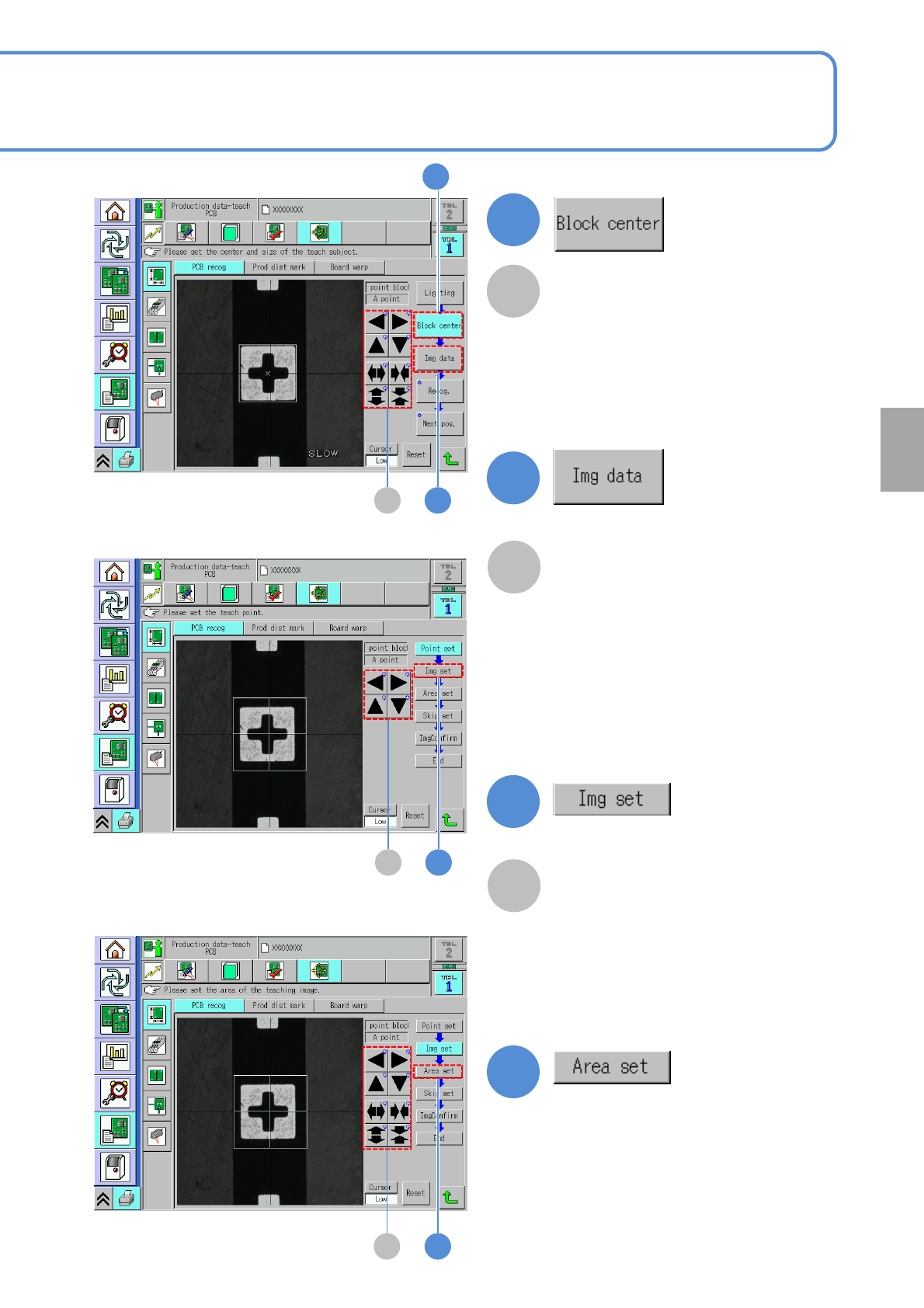
C
Move or resize the window so that the
mark comes to the center of the teach
target.
D
Set an area of an image used for block
match recognition.
B
Move or resize the window so that the
mark comes to the center of the teach
target.
6
NPM-TT2 EJM1EE-MB-04O-03
4-2-2-9
Produc-
tion data
teaching
PCB recognition teach
5
Operating procedure
4-2-2
E
F
10
11
12
Block match 2
11
12
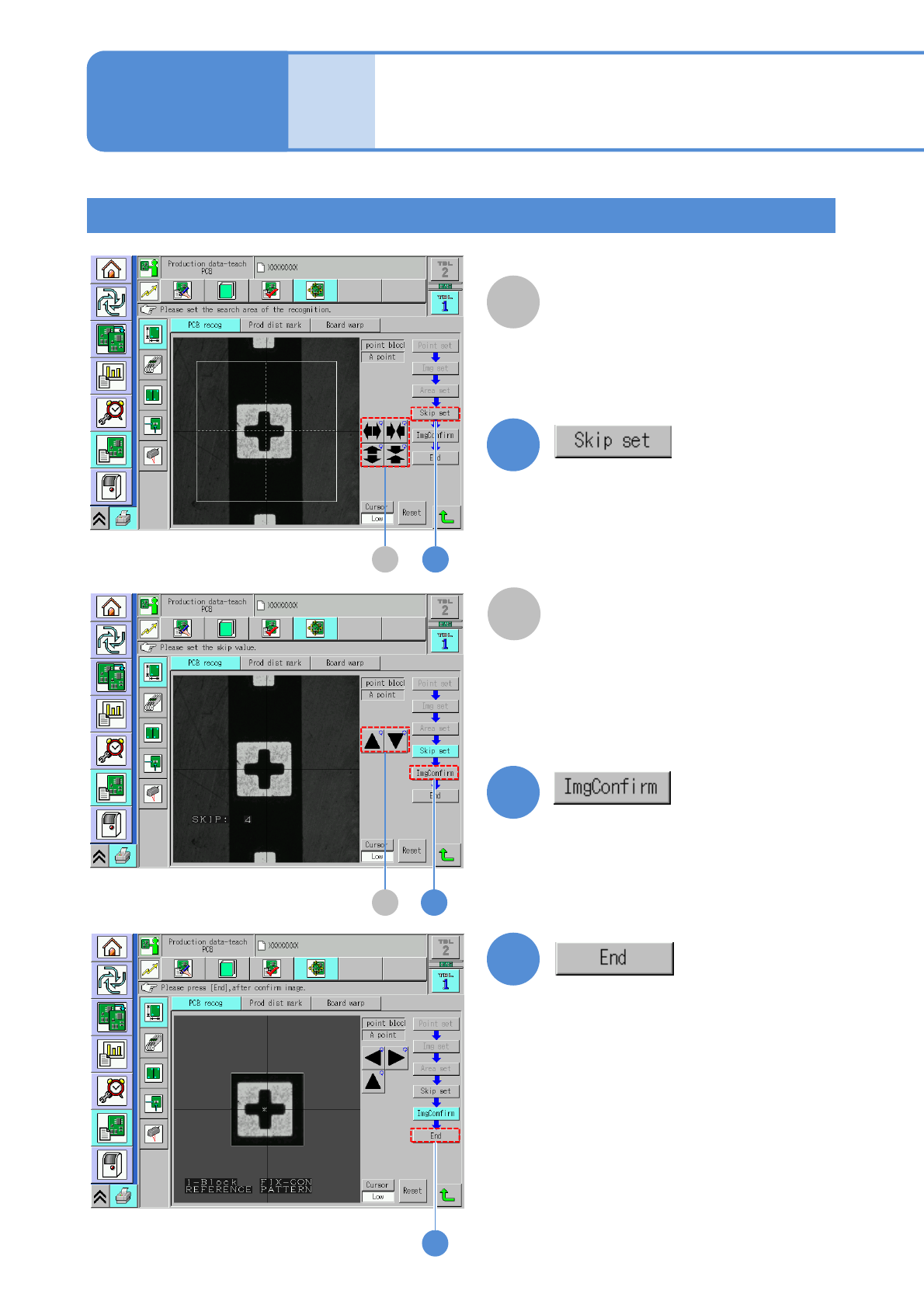
●It is not necessary to set a skip value.
●No operation is necessary for image
check.
10
F
Set a search area (recognition area)
when block match recognition is
performed.
E
Set a search area (recognition area)
when block match recognition is
performed.