N7201A652E.pdf - 第315页
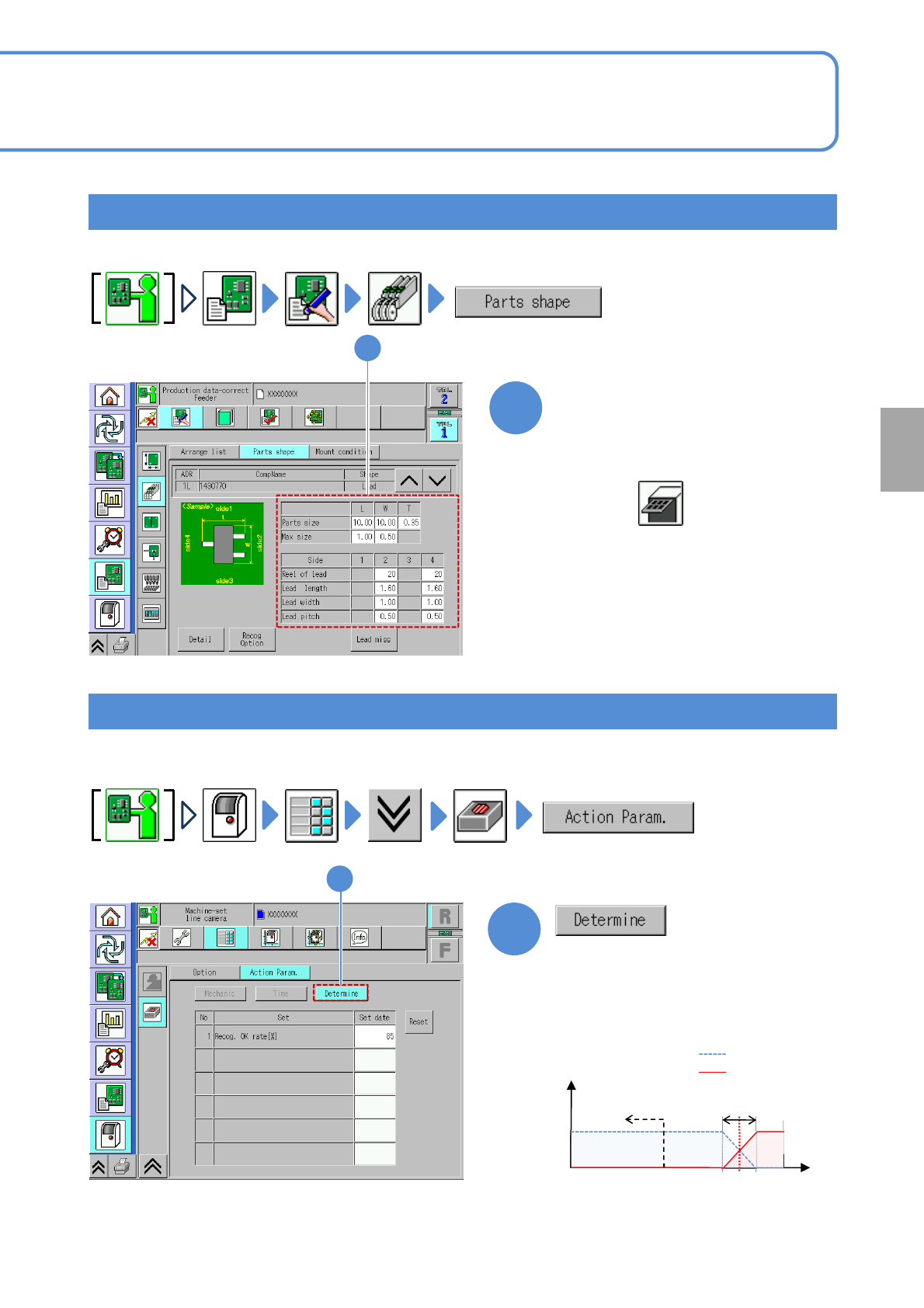
NPM- TT2 EJM1EE-MB-04 O-03 1 ● Confirm that the recognition OK rate is about 85%. (If the recognition error rate is 50% or less, it results in an error (shared with the error code) 1 ● Check the component data before com…
NPM-TT2 EJM1EE-MB-04O-03
Produc-
tion data
teaching
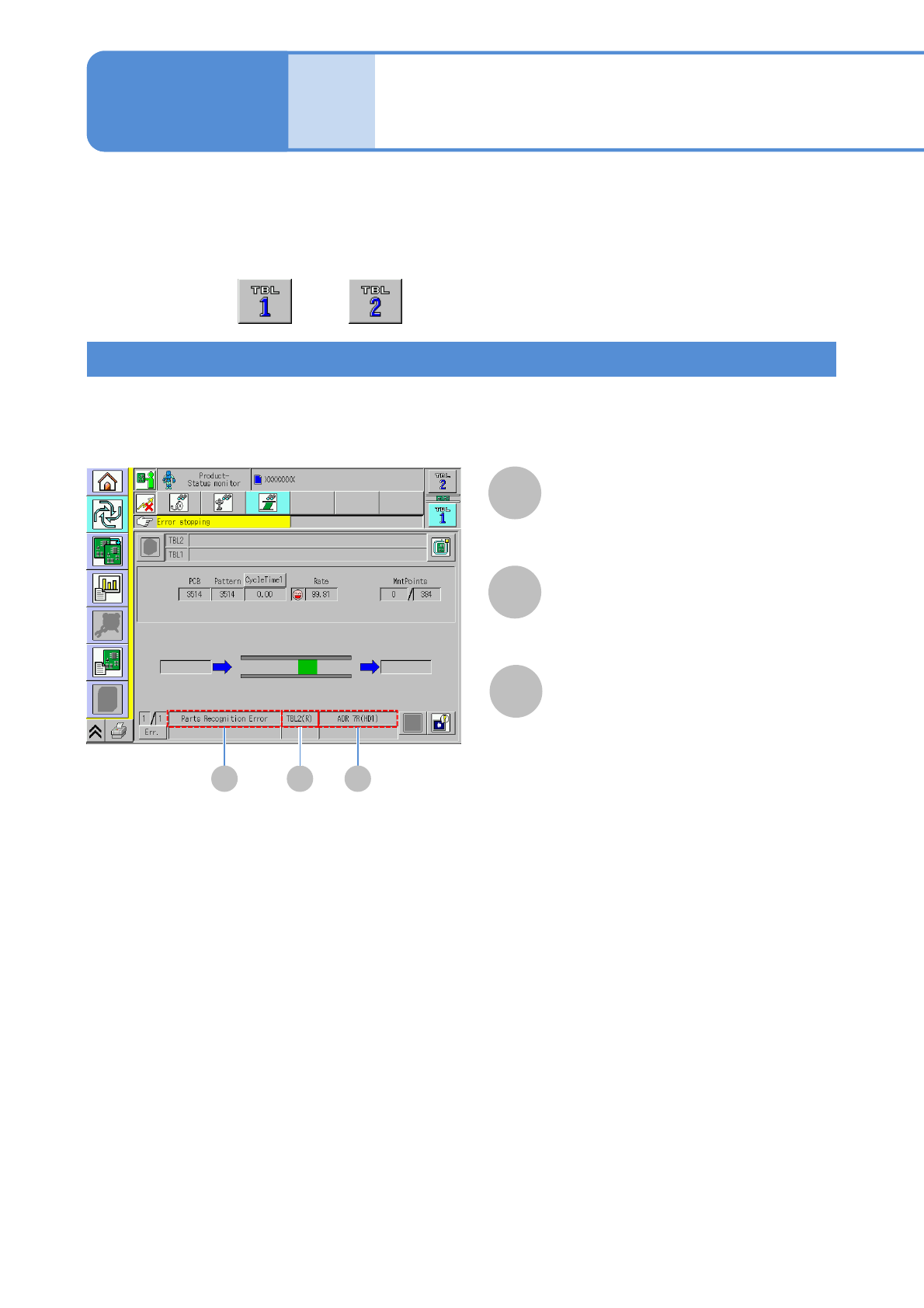
If component recognition errors frequently occur, one of the factors might be pickup position or angle
misalignment. To calibrate the error, this section explains component recognition teach. Or, the
component data might be wrong so please check before teaching.
■A recognition error occurs at the specific feeder
■A recognition error occurs at the specific unit
A B C
A
Error name
B
Referred TBL (table)
C
ADR (address)
Feeder address
Checking recognition error
Component
recognition teach 1
The machine is single stop and error information is displayed.
Check on the error detail information screen. (→P.3-2-8)
4-2-4-1
●Perform on both and .
Operating procedure
4-2-4
NPM-TT2 EJM1EE-MB-04O-03
1
●Confirm that the recognition OK rate is
about 85%.
(If the recognition error rate is 50% or
less, it results in an error (shared with
the error code)
1
●Check the component data before component recognition teach.
Checking the line camera
4-2-4-2
Checking the component data
1
Check the component data
1
The tray component data is displayed.
●If it is wrong, edit it.
(→P.4-1-8)
●Choose in the third layer
●Check the component data before component recognition teach.
Recognition NG
Recognition OK
*1)
Varies on a component
Judged as error
50 100
Recognition OK rate[%]
Frequency
0 85
Judgment range
*1)
Setting
change
NPM-TT2 EJM1EE-MB-04O-03
Component recognition teach 1
1
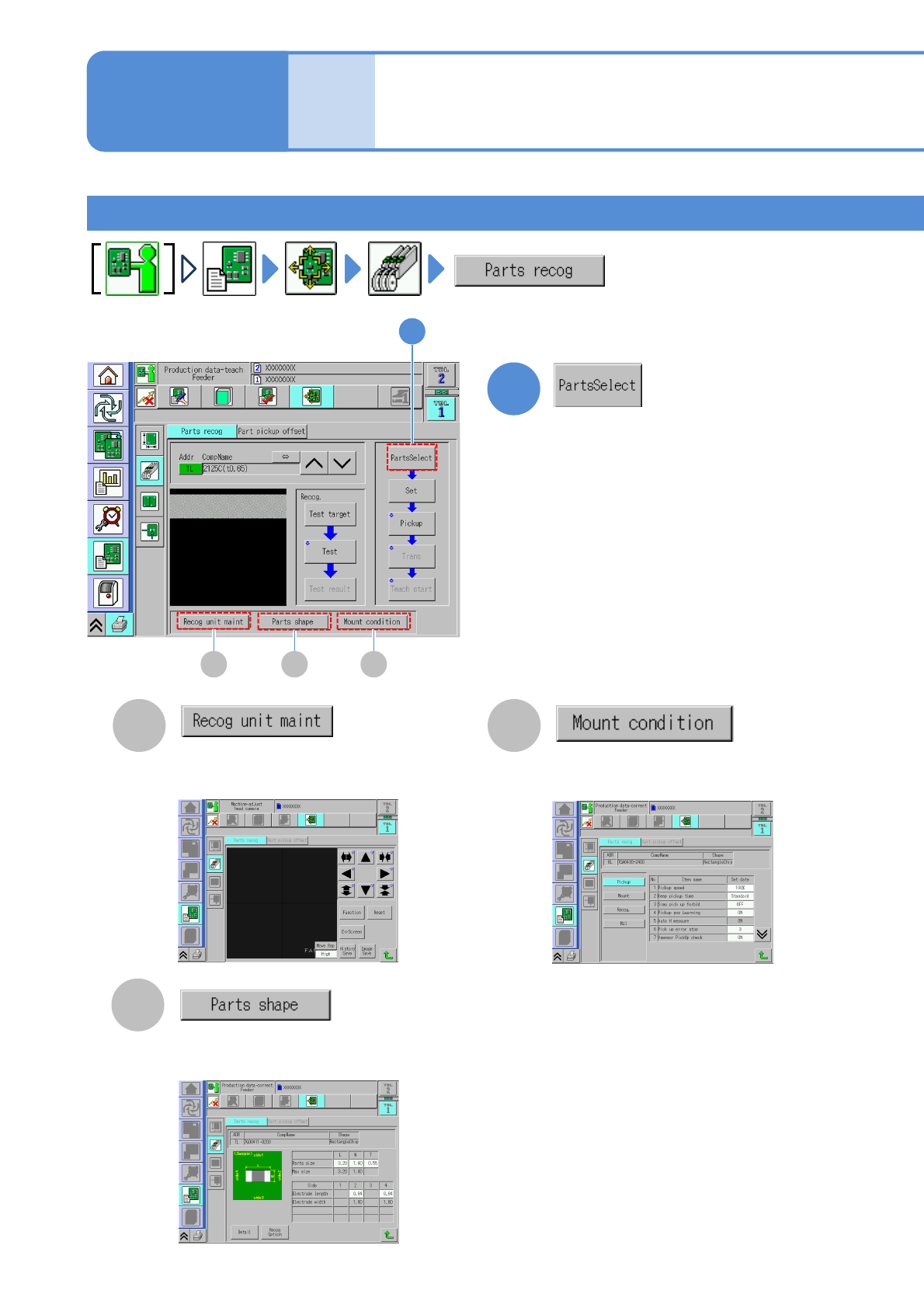
You can enter and edit the mount
condition. (→P.4-1-9)
CA
B
You can enter and edit the component
shape data.(→P.4-1-8)
You can confirm all recognition
processes. (→P.5-2-10 to 5-2-13)
4-2-4-3
Produc-
tion data
teaching
Component
recognition teach 2
The screen for choosing a component to
recognize is displayed.
Operating procedure
4-2-4
1
CA B