N7201A652E.pdf - 第323页
NPM- TT2 EJM1EE-MB -04O-03 4-2-4 -10 Setting change ● Ensure [ANS=100] appears in the recognition result field. ● If ANS is 100 or less, repeat from . Confirm the recognition result 1 20 19 20 T o reconfirm the result of…
NPM-TT2 EJM1EE-MB-04O-03
4-2-4-9
Produc-
tion data
teaching
Component
recognition teach 5
Component recognition teach 4
Operating procedure
4-2-4
17
18
+
18
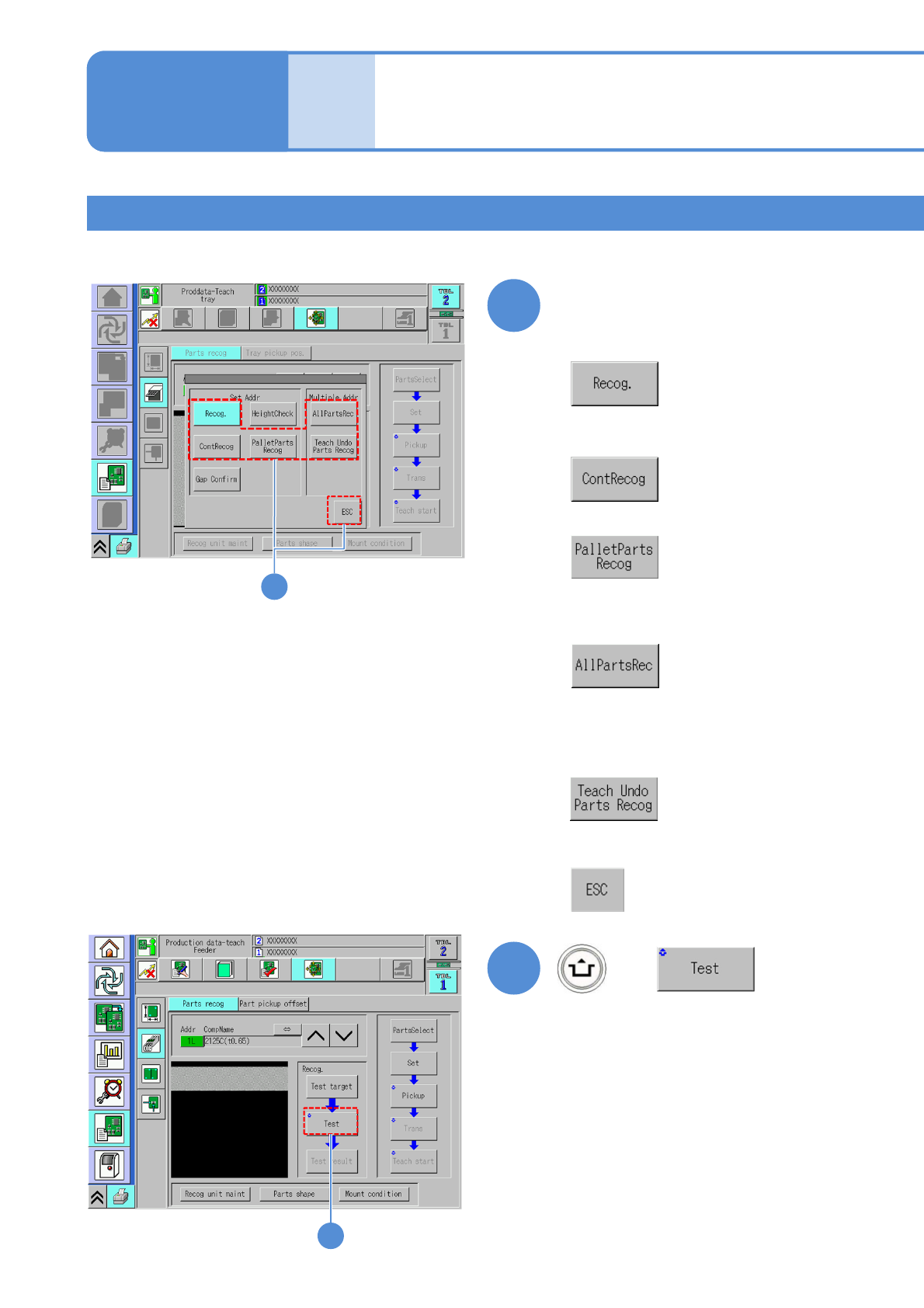
Choose a recognition method
■When a component is recognized once
■When a component is recognized ten
times
■When you do not choose the
recognition method
+
17
■When a pallet component is recognized
■When all components within the range
from the selected address to the last
address are recognized
■When all components which have not been
performed teaching within the range from the
selected address to the last address are
recognized
NPM-TT2 EJM1EE-MB-04O-03
4-2-4-10
Setting
change
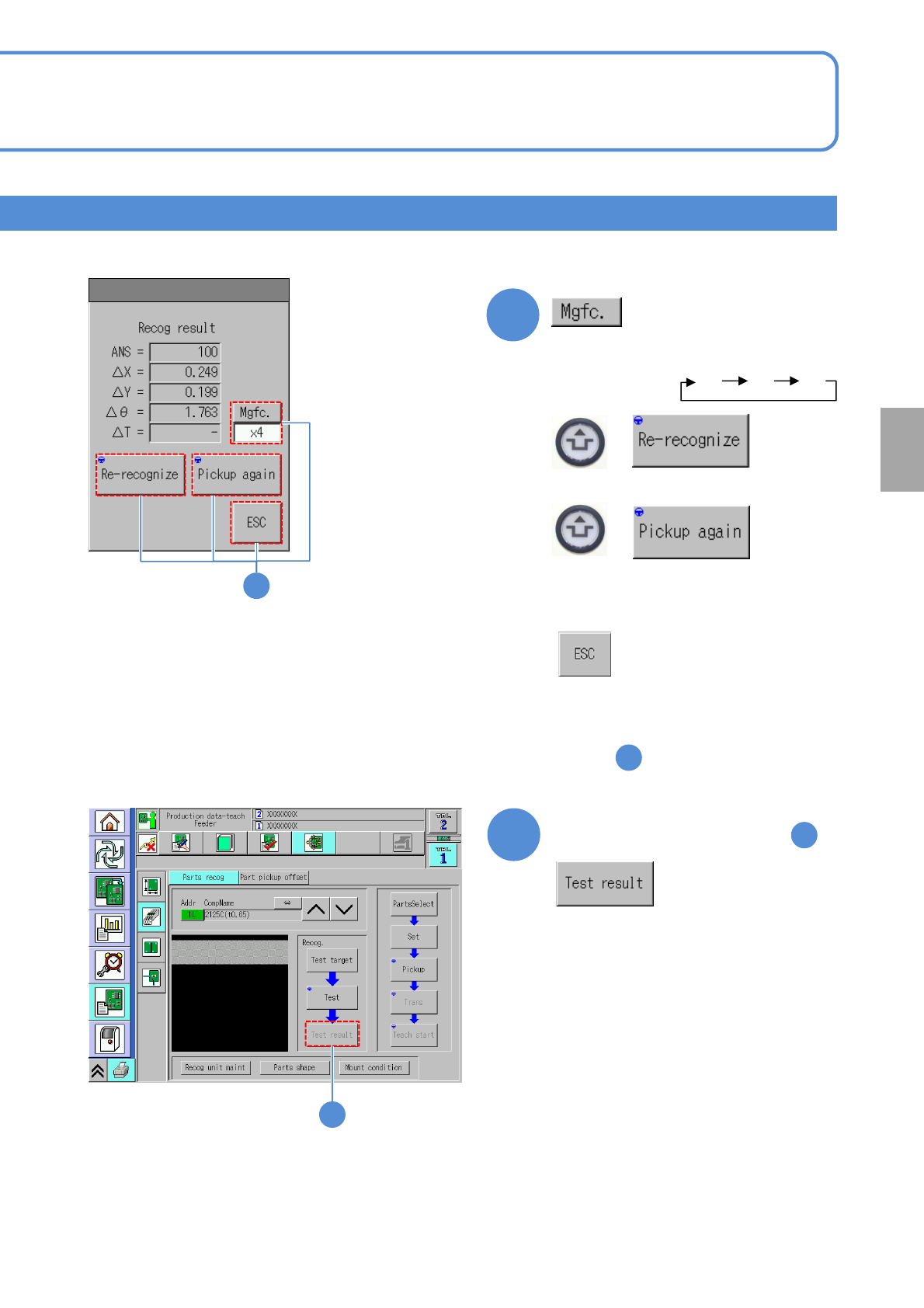
●Ensure [ANS=100] appears in the
recognition result field.
●If ANS is 100 or less, repeat
from .
Confirm the recognition result
1
20
19
20
To reconfirm the result of
19
19
×1 ×2 ×4
+
+
: When each time you press
the button, the image is
rescaled in the order below:
: performs recognition again.
: performs pickup again.
: closes the pop-up
window.
NPM-TT2 EJM1EE-MB-04O-03
Produc-
tion data
teaching
Component
displacement check 1
2
1
3
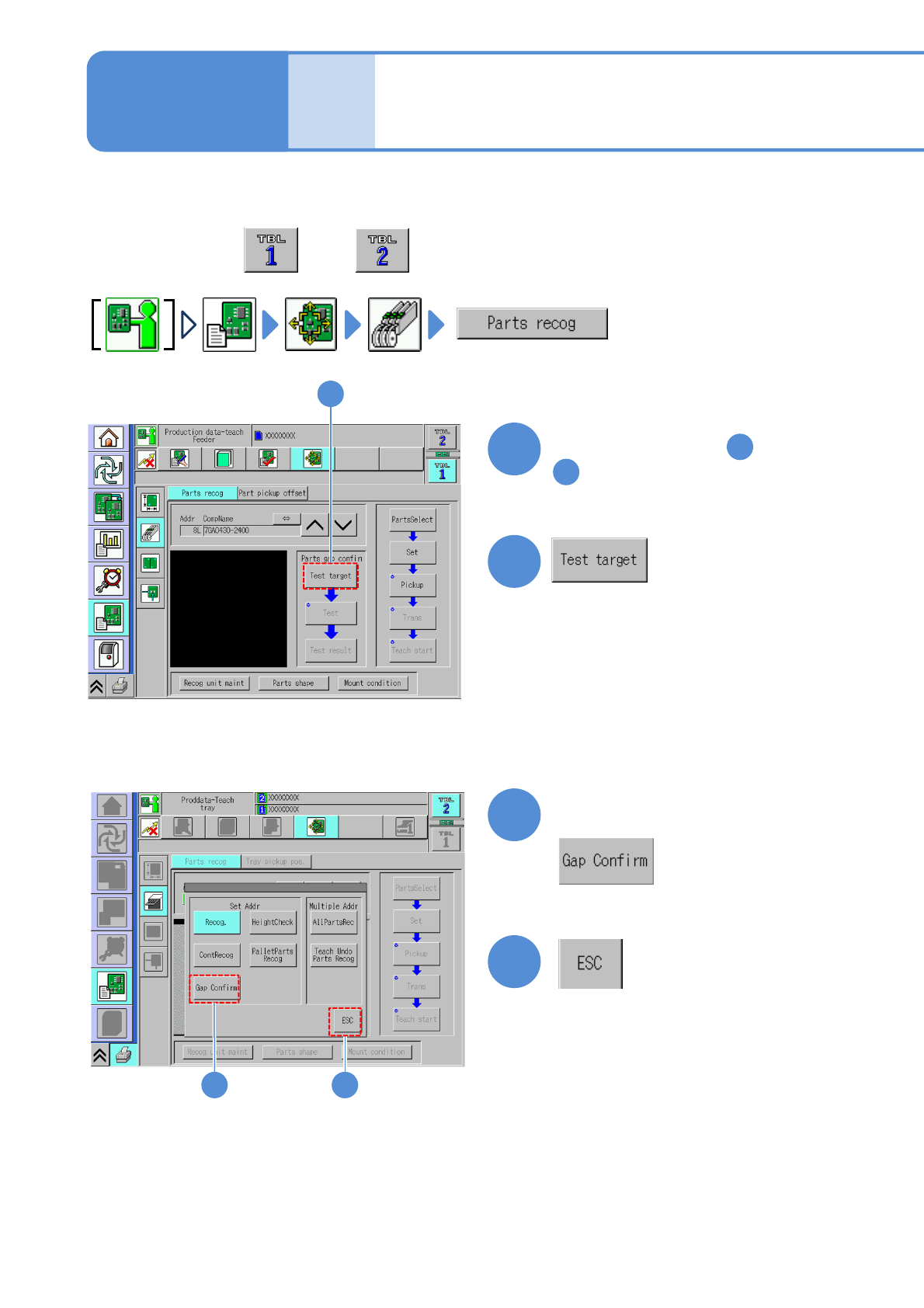
Explains the method to check whether component is displaced or not by operating X-, Y-,Z –axis of the
placement head.
●Perform on both and .
4-2-5-1
2
Perform steps from through
in (P. 4-2-4)
1
15
Choose a recognition method
Operating procedure
4-2-5
4
3
4