N7201A652E.pdf - 第336页
NPM- TT2 EJM1EE-MB-04 O-03 + 9 (The pickup positio n to be carried out in teach is held) 10 4-2-8 -3 Produc- tion data teaching Pic kup position lear ning teac h 2 Operating procedure 4-2-8 11 Confirm the message ■ When …
NPM-TT2 EJM1EE-MB-04O-03
4-2-8-2
Setting
change
5
5
+
6
4
+
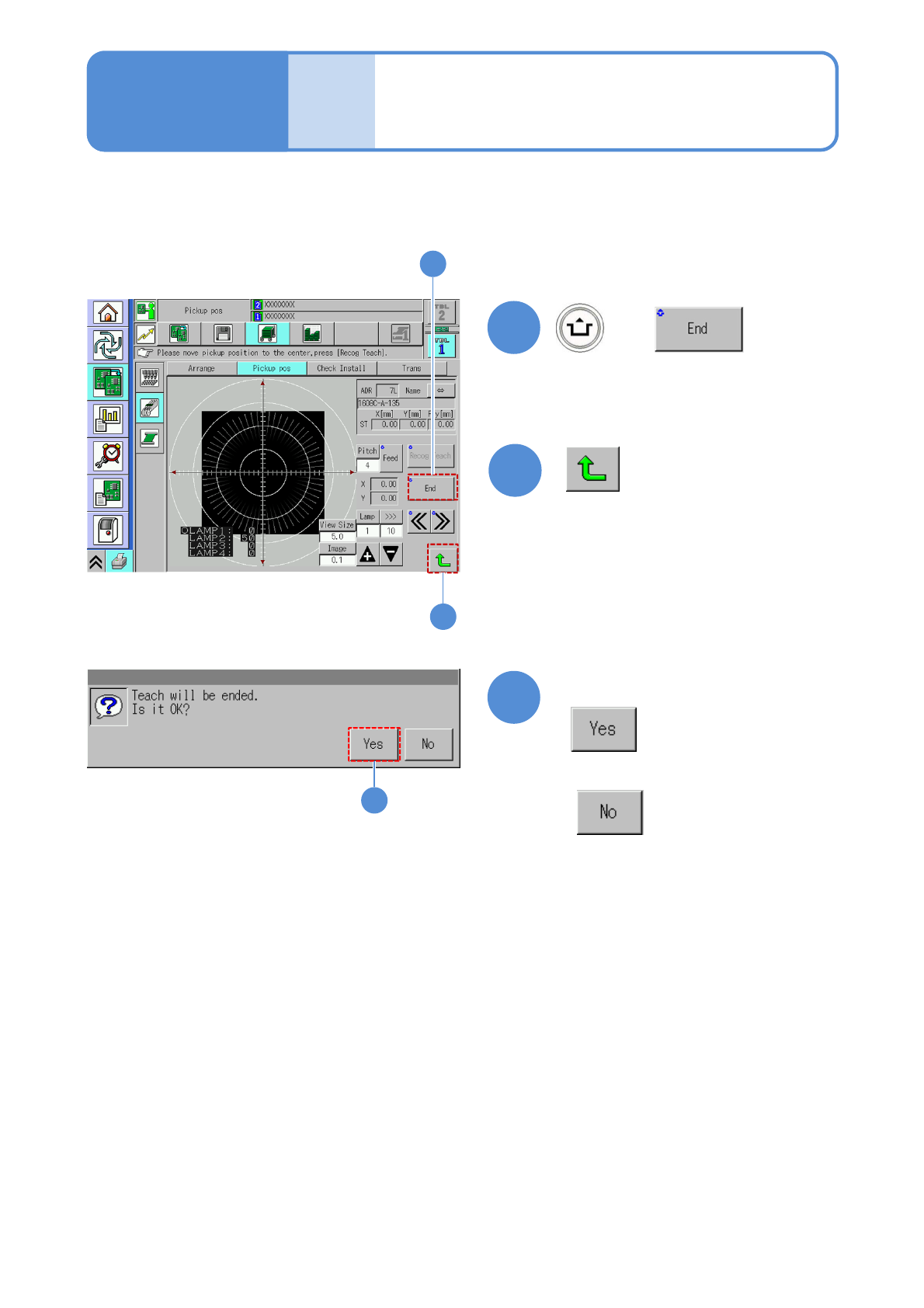
(The data is saved)
4
Repeat steps from to
53
7
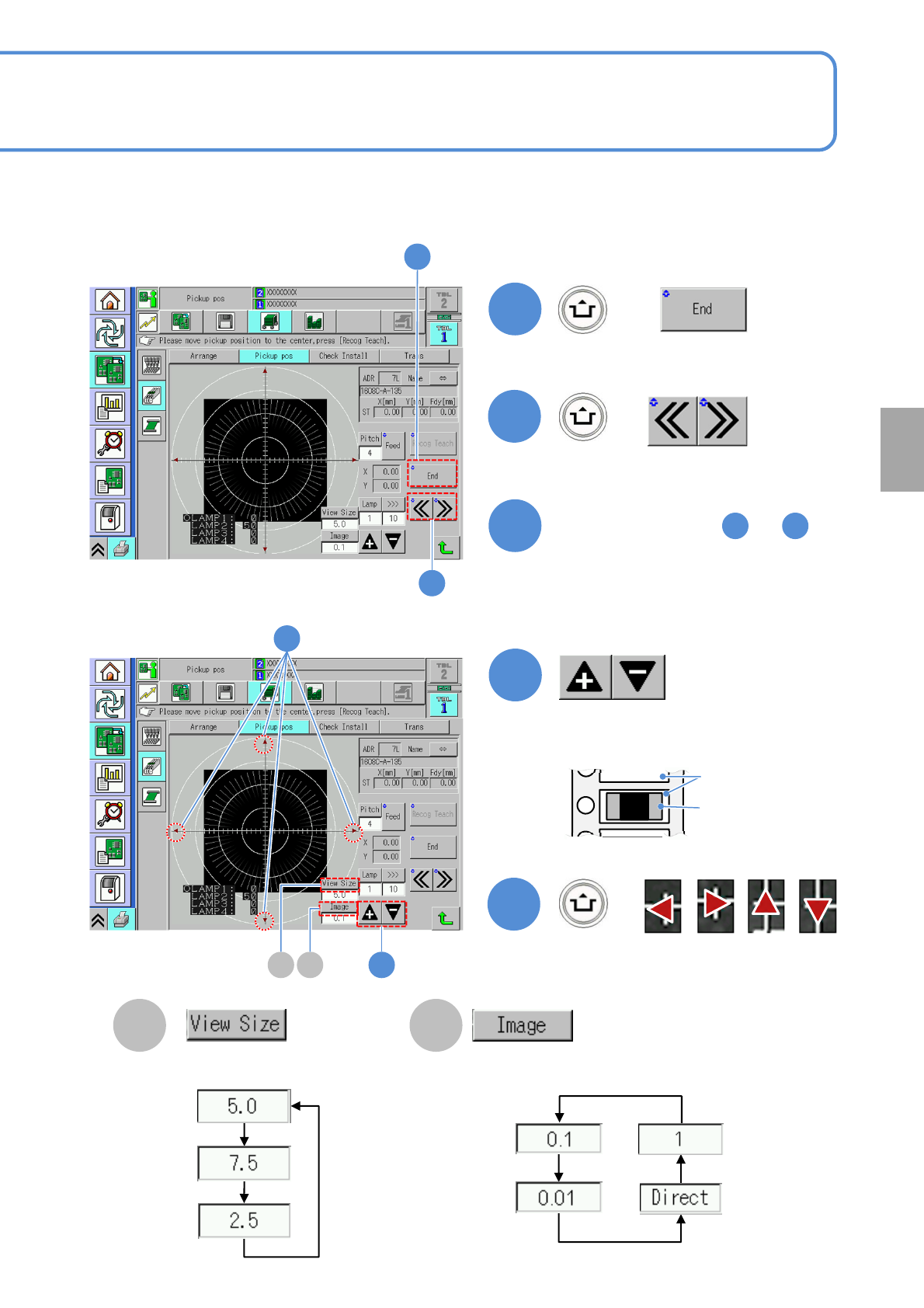
■To manually teach
Adjust the brightness so that you can
view an image of the pocket.
7
8
+
8
Aligns the pocket center (pickup
position) and cross line center.
Adjust the area to view.
Change a moving amount of
an image
B C
Pocket
Component
B C
NPM-TT2 EJM1EE-MB-04O-03
+
9
(The pickup position to be carried
out in teach is held)
10
4-2-8-3
Produc-
tion data
teaching
Pickup position
learning teach 2
Operating procedure
4-2-8
11
Confirm the message
■When you do not save the data
9
10
11
NPM-TT2 EJM1EE-MB-04O-03
4-2-9-1
Setting
change
Produc-
tion data
teaching
Placement coordinates
teach 1
Generally mount check must be performed before production. It is necessary to edit the data by performing
mount coordinates teaching in any of the following conditions;
●visually check a mounted PCB and mount displacement will be found
●check coordinates of PCB hole and component pin before mounting such as PGA
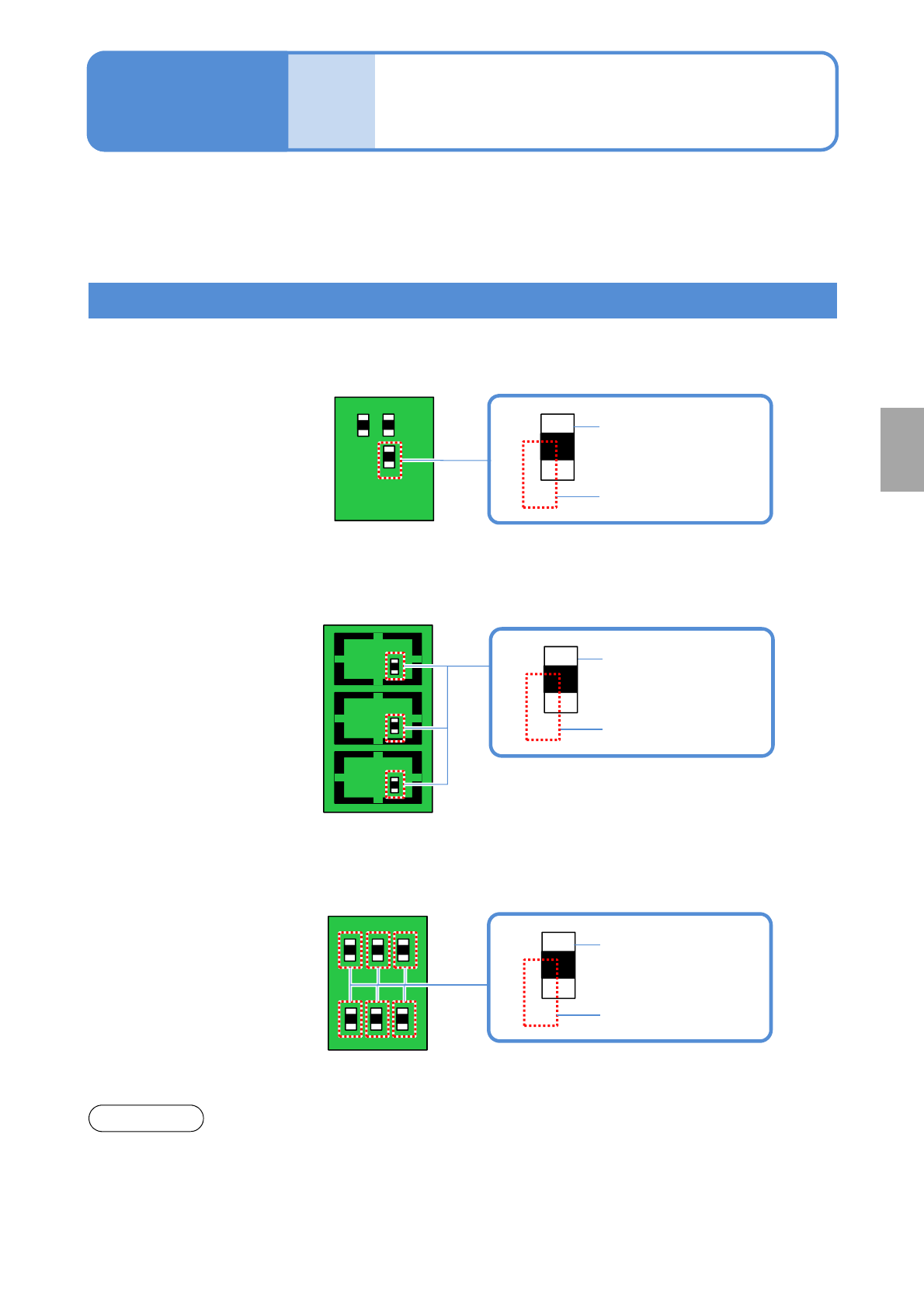
Choosing a teaching mode
■Mount
Because the position of a certain component is displaced, edit the mount position.
■Mount/Pattern
Because the same position of a component on multifaceted PCBs is displaced, edit the mount
position.
Mount position
Mount data
■Origin offset
Because the mount positions of all components are displaced to the same direction, edit the
mount positions.
Mount position
Mount data
●Before teaching, make sure the data registered in the machine is correct.
●Keep the data properly after teaching to use the data for the production data.
NOTICE
Operating procedure
4-2-9
●Origin offsets that teaching has been
performed are all reflected to all
components
Mount position
Mount data