N7201A652E.pdf - 第388页
NPM- TT2 EJM1E E-MB-05O-05 5-1-1 -11 Setting information 10 Unit setting Option setting 6 Operating procedure 5-1-1 ● Default : OFF ■ Feeder No. Item name Function w hen [ON] is selec ted 52 Display R ecogData check afte…
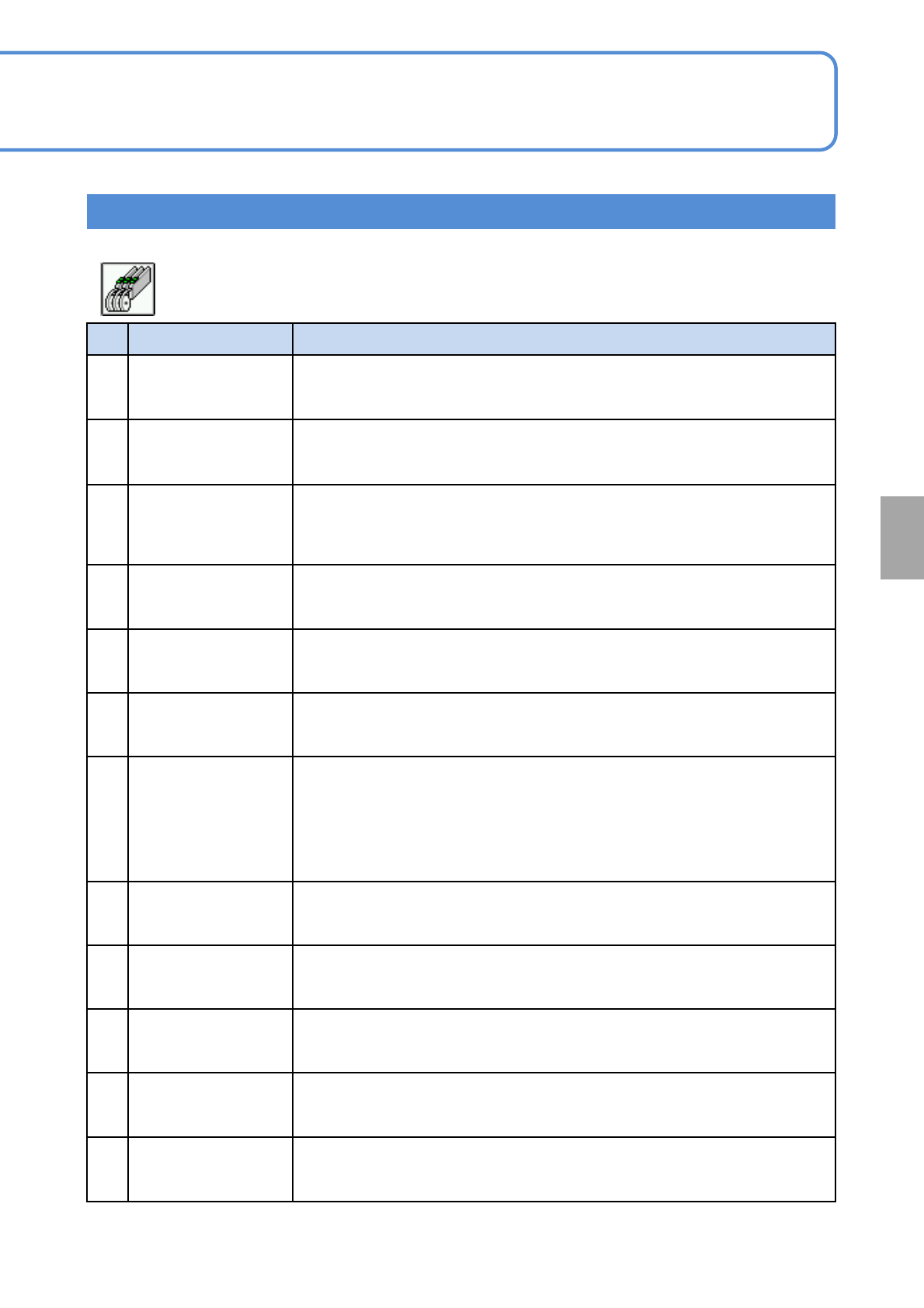
NPM-TT2 EJM1EE-MB-05O-05
5-1-1-10
Setting information 9
System
administration
Setting information 9
● Default :OFF
■ Feeder
No. Item name Function when [ON] is selected
40
Clear feeder memory
when downloading
prod data
Automatically clears the memory of feeders loaded in the slots when
production data is downloaded.
41
Pickup height auto
measure(flow)
If “Auto height measure (flow)” in the mount condition data (part data) is ON
for 16-nozzle head, pickup height is measured automatically. Applicable to
components of 1.0 mm or less in width.
42
All arranged
components
unverified feeder
alert target
Shows “Unverified feeder warning” also for feeders not used for production if
they can be verified. Setting is enabled only if both “Unverified feeder
warning” and “All parts in arrange list subject to supply (feeder)” are ON.
43 Group verification
Allows multiple sticks to be verified as a group when the stackable stick
feeders are used.
44
Wire stackable stick
feeder (front side)
Allows the use of wire-driven stackable stick feeder installed on the front side
and disallows the removal of a feeder cart from the front side.
45
Wire stackable stick
feeder (rear side)
Allows the use of wire-driven stackable stick feeder installed on the rear side
and disallows the removal of a feeder cart from the rear side.
46
Substituted parts
splicing can't be
allowed
Not allows for splicing if substituted parts are different in parts data from
original parts. When reels that differ in parts data from each other are spliced
together, due to splicing variations, such as the ones in splicing tape
attachment position, there will be a difference in timing between parts change
and parts data change. The difference can result in a recognition error or
other error.
47
Splicing length stop
suspension
If it is ON the button which removes all the feeders of the selected table from
the splicing length stop object is added to the production screen.
48
Splicing length stop
every reel suspension
When it is ON add the button that can be removed from the splicing length
stop object to the production screen in the feeder lane of the select table.
49
Material empty check
of trans table (front)
The material empty of the transfer table(front) is checked with the sensor
during auto running.
50
Material empty check
of trans table (rear)
The material empty of the transfer table(rear) is checked with the sensor
during auto running.
51
Display the multiple
RoadRunner
application
Prefer pickup to RoadRunner which finished the supply preparation when
using multiple RoadRunner.

NPM-TT2 EJM1EE-MB-05O-05
5-1-1-11
Setting information 10
Unit
setting
Option setting 6
Operating procedure
5-1-1
● Default :OFF
■ Feeder
No. Item name Function when [ON] is selected
52
Display RecogData
check after
transferring
Check production data when production start if there are parts becoming
[Transfer after recognizing] display the error and quit the production.
53
Feeder free arrange
in production
If this parameter is ON feeder free arrange will be executed when the feeder
arrangement is changed in production or components are empty.
54
Remain writing
specified by upper
system
The remains specified in outside parts collation are written into feeder. And
when running starts the remains collated by upper system will be written
automatically.
55
Return the parts
when teaching
It is possible to return the parts to the pickuped position after teaching an
emboss or tray parts.
56
Thin single feeder set
solution
It is possible that the feeder top interferes with the picking up nozzle when set
the thin feeder. Please set to ON because it is possible to execute the
operation of set / remove frequently in production. If set to ON when the thin
feeder that the components empty occurred the tact time is low because the
pickup prepare descent action isn't executed.
57
Continue pick-up at
tape-end
When tape-end is detected on radial feeder continue to pick-up without part
exhaust stop.
58
Mount point interlock
judge (front side)
When it is ON judge the supply component empty by mount point and
execute the component supply waiting according to the verification. Pickup
error won't become component empty. The splicing isn't corresponded.
59
Mount point interlock
judge (rear side)
When it is ON judge the supply component empty by mount point and
execute the component supply waiting according to the verification. Pickup
error won't become component empty. The splicing isn't corresponded.
60
Product continue
when feeder error
rate over
When it is ON the feeder error rate over occurs the MC doesn't stop right
away it will stop after mounting the parts from other feeders which can be
mounted. Press the feeder confirm button and resume the production.
61
Pickup position auto
teach Lamp value
fixed
When it is ON if the lamp value is fixed execute the pickup position teach.
When it is OFF adjust the lamp value and execute the pickup position teach
at the same time.
62
Tape component auto
supply (front side)
When the option is OFF disable the tape component auto supply function of
auto load feeder. When the option is ON enable the tape component auto
supply function of auto load feeder.
63
Tape component auto
supply (rear side)
When the option is OFF disable the tape component auto supply function of
auto load feeder. When the option is ON enable the tape component auto
supply function of auto load feeder.
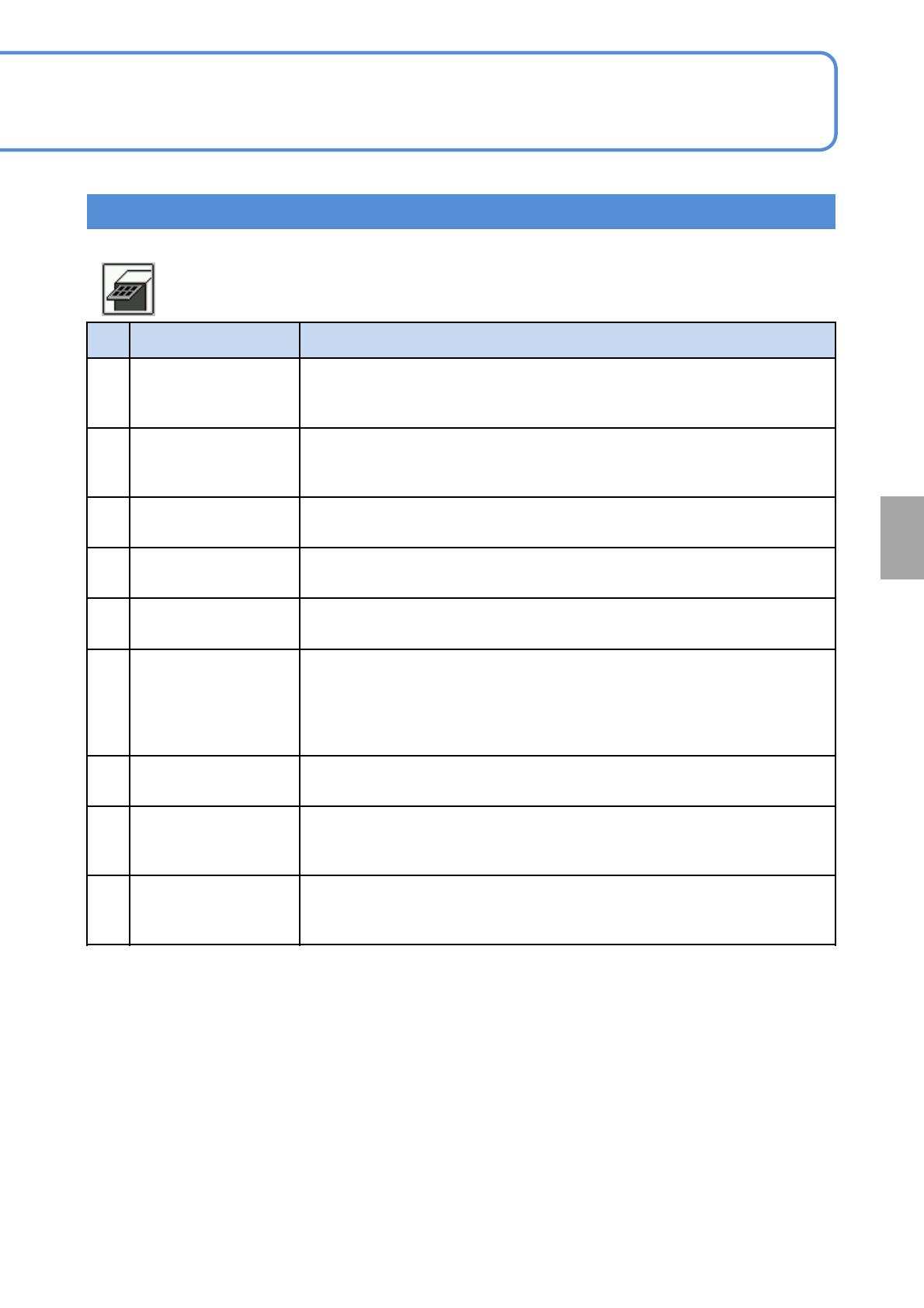
NPM-TT2 EJM1EE-MB-05O-05
5-1-1-12
System
administration
Setting information 11
No. Item name Function when [ON] is selected
1
Tray Pts-collation
(option)
If trays containing any parts different from those in the production data
downloaded to the machine are loaded, the interlock function of the machine
is activated, disabling production from being continued automatically.
2 Tray auto sort
Rearranges the pallets judged to have been loaded in wrong positions
(detected by parts collation via RIFD) to their correct positions according to
the production data.
3
Send require sorted in
tray
Uses the loaded stock trays in order from top to bottom.
4
Part remainder
number warning
Displays a warning message when “Feeder remainder number warning
length” in “Action parameters” is reached.
5
Tray stock Auto.
change
When the top pallet position of the stock tray is emptied, a lower pallet
containing the same parts will be moved to the position during parts supply.
6
Tray outside parts
collation
(option)
Enables tray feeder collation by the customer’s parts collation system.
When replenishing parts after a parts empty error, this option inquires of the
parts collation system whether collation has done. If collated, parts
replenishment will be completed to continue production. If not collated, parts
replenishment is considered to be unfinished and production will be stopped.
7
Make tray counter
changeable
Enables the tray counter to be only after production changeover until the
start of the first production.
8
All arranged
components supply
target
Allows loading of trays that contain any parts registered in the arrangement
list.
9
During the production
the tray magazine
shutter is off
Keeps the magazine shutter closed during production.
● Default :OFF
■ Tray