N7201A652E.pdf - 第396页
NPM- TT2 EJM1E E-MB-05O-05 Unit setting Action par ameter setting 1 5-1-2 -1 You can set the parameters for system actions. 1 2 A B Operating procedure 5-1-2 Choose the type of action parameter ■ To set the size ■ To set…
NPM-TT2 EJM1EE-MB-05O-05
5-1-1-18
System
administration
Setting information 17
No. Item name Function when [ON] is selected
7
Substituted parts list
Data switch
When component has been switched from master to substitute, this option
switches the parts data from master to substitute accordingly.
8 Tape guide check
When an auto load feeder is used for production, the machine checks whether
the tape guide is properly attached at the start of production or at the time of
removal or insertion of the feeder during production.
9
Insert entrance shutter
link
When auto load feeders are used for production, the reel inlet shutter is
opened only if part has been verified.
10 NG Feeder Detect
Shows an error indicating unavailable for the feeders that were judged as NG
by the feeder maintenance unit. No error is shown when set to OFF.
11 Unverified feeder alert
Shows the message “Unverified feeder” for the feeders that are used in
production but have no part name in the feeder memory.
12
Stackable stick feeder
parts verify
Makes the stack stick feeders subject to parts collation. When “Feeder parts
collation” is switched from OFF to ON, this option will also be switched to ON.
● Default :ON
■ Feeder (suspension)
No. Item name Function when [ON] is selected
1 Use tray supply side
Allows tray parts to be replenished and NG pallet parts to be removed from
the tray supply side during production.
2
Prod unused parts
supply action
Prevents the pallets not used for production from moving to the tray supply
side even when parts are exhausted.
3
Tray pre supply of
exceeding priority
Supplies pallets during inspection and prepares for the next mounting
preferentially when the inspection head and mount head have been set on
the machine and the order of their tasks has been fixed.
● Default :ON
■ Tray (Suspension)
NPM-TT2 EJM1EE-MB-05O-05
Unit
setting
Action parameter
setting 1
5-1-2-1
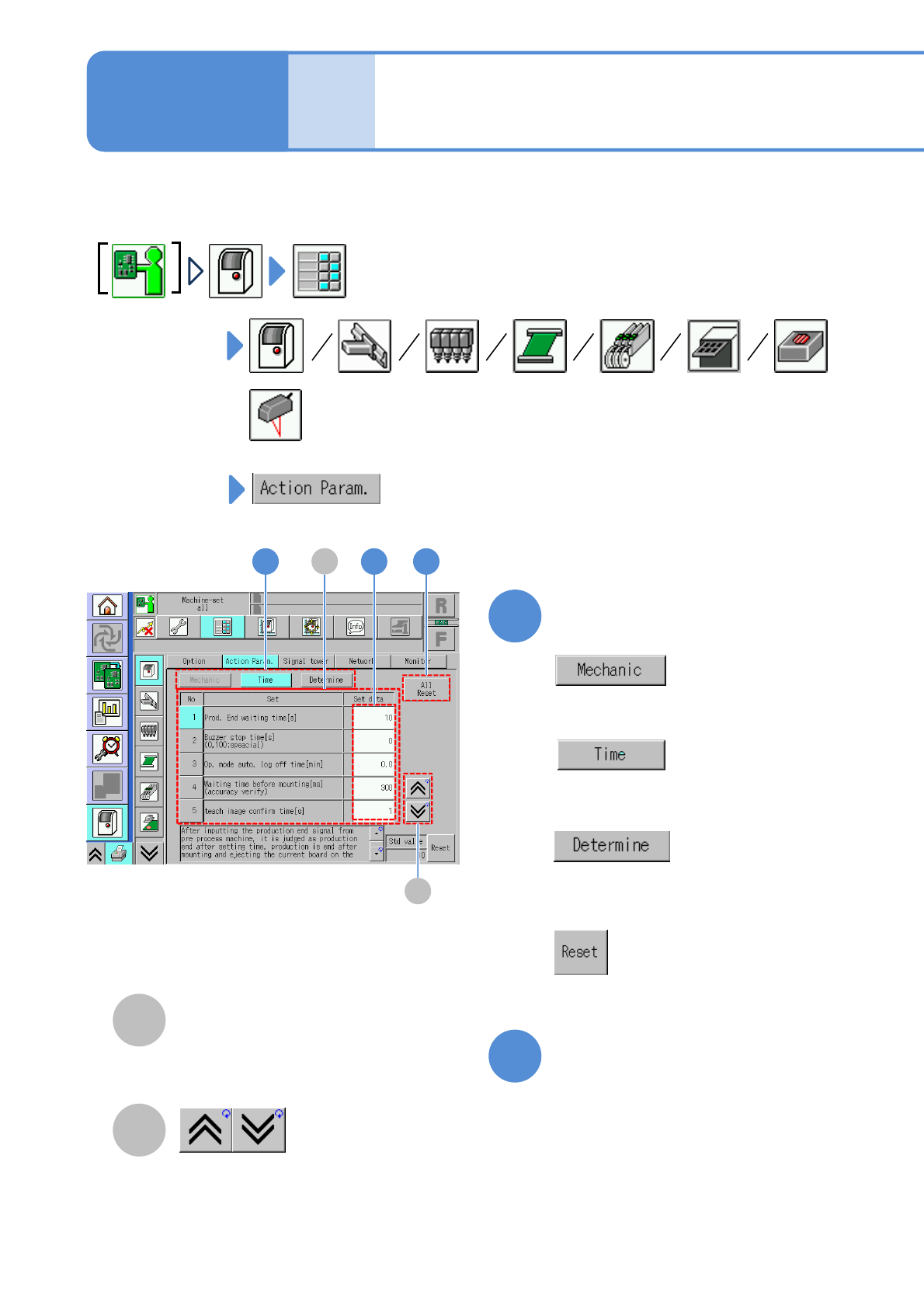
You can set the parameters for system actions.
1
2
A
B
Operating procedure
5-1-2
Choose the type of action parameter
■To set the size
■To set the timer
■To determine
Setting status of action
parameter
The previous or next table is
displayed.
Edit data on the screen as
needed
●Touching the screen opens the input
window.
■To set as standard specifications
(Initialize)
B
11 2
A

NPM-TT2 EJM1EE-MB-05O-05
5-1-2-2
Setting information 1
System
administration
Type Item Description Initial
value
Setting
range
Timer
Prod. end waiting
time [s]
When this set time elapses after the entry of the
production end signal, or when a PCB is loaded,
the machine judges it as the completion of
production. Thus, all the PCBs inside the
machine are unloaded, and auto run ends.
10 0 to 60
Buzzer stop time[s]
(0,100: special)
When this set time has elapsed, the buzzer stops
automatically.
●When ‘0’ is set, it does not stop until the buzzer stop
key is pressed. When ‘100’ is set, it does not stop.
0 0 to 100
Op. mode auto. log
off time [min]
The current mode is automatically changed to the
operator mode if no action is taken within the set
time period. (Except during production or calibration)
●When ‘0’ is set, it is not changed to the operator
mode.
0.0 0 to 60.0
Teach image confirm
time[s]
If ‘Auto feed mode’ is used for checking an image on
the placement coordinate teach screen, each time the
specified amount of time set here has passed, the
head automatically moves to the next placement point .
11 to 10
Determine
Max value of operate
ratio icon[%]
The operating rate of face icons on the indication
monitor screen is defined.
(For example)If enter the 60 icon display changes as
the threshold 15/30/45/60.)
(→P. 3-2-1 ‘How to check the screen in production
when stationary’)
80 0 to 100
Accuracy judge value
Cpk
Modify the value of accuracy judge value Cpk.
1
0.01 to
3.00
■Whole
■XY unit (1/2)
Type Item Description Initial
value
Setting
range
Timer
Time-lapse change
calibration interval
time(min)[s]
Set the minimum measure interval time in time-
lapse change calibration. There is initial value of
measure interval time.
180 1 to 5400
Time-lapse change
calibration interval
time(max)[s]
Set the maximum measure interval time in time-
lapse change calibration.
5400 1 to 5400
Time-lapse change
calibration machine stop
elapsing time[s]
Do time-lapse change calibration when machine
stop time exceeds this time.
300 1 to 1200
Time-lapse change
calibration machine stop
elapsing time(reset)[s]
Do time-lapse change calibration and initialize
interval time when machine stop time exceeds this
time.
1200 1 to 1200