N7201A652E.pdf - 第424页
NPM- TT2 EJM1E E-MB-05O-05 Unit adjust- ment Input c hec k 5-2-3 -1 You can check the status of all input addresses per second. B A C D E How to view the screen Operating procedure 5-2-3 Address Scroll the table right an…
NPM-TT2 EJM1EE-MB-05O-05
E
F
I
IHE
F
H
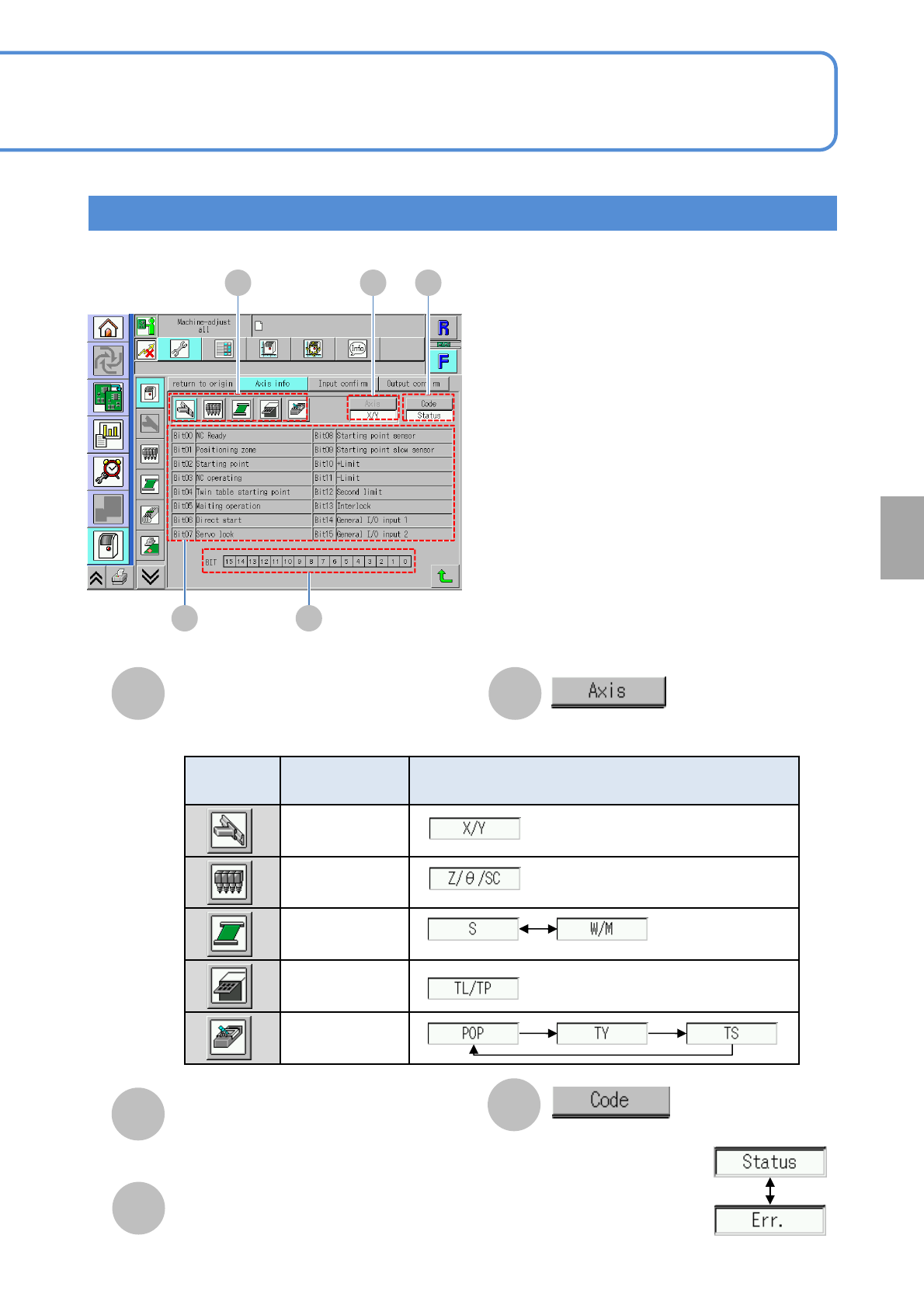
Choose [Axis].
Choose a code.
Bit table
Shows the status indicated by each Bit.
Axis information check item
Error code detail screen
Icon
Axis check
item
Selectable axis type
XY unit
Head
PCB transfer
Tray
Transcription
unit
G
G
Bit line
Shows the position of each Bit.
5-2-2-2
System
administration
NPM-TT2 EJM1EE-MB-05O-05
Unit
adjust-
ment
Input check
5-2-3-1
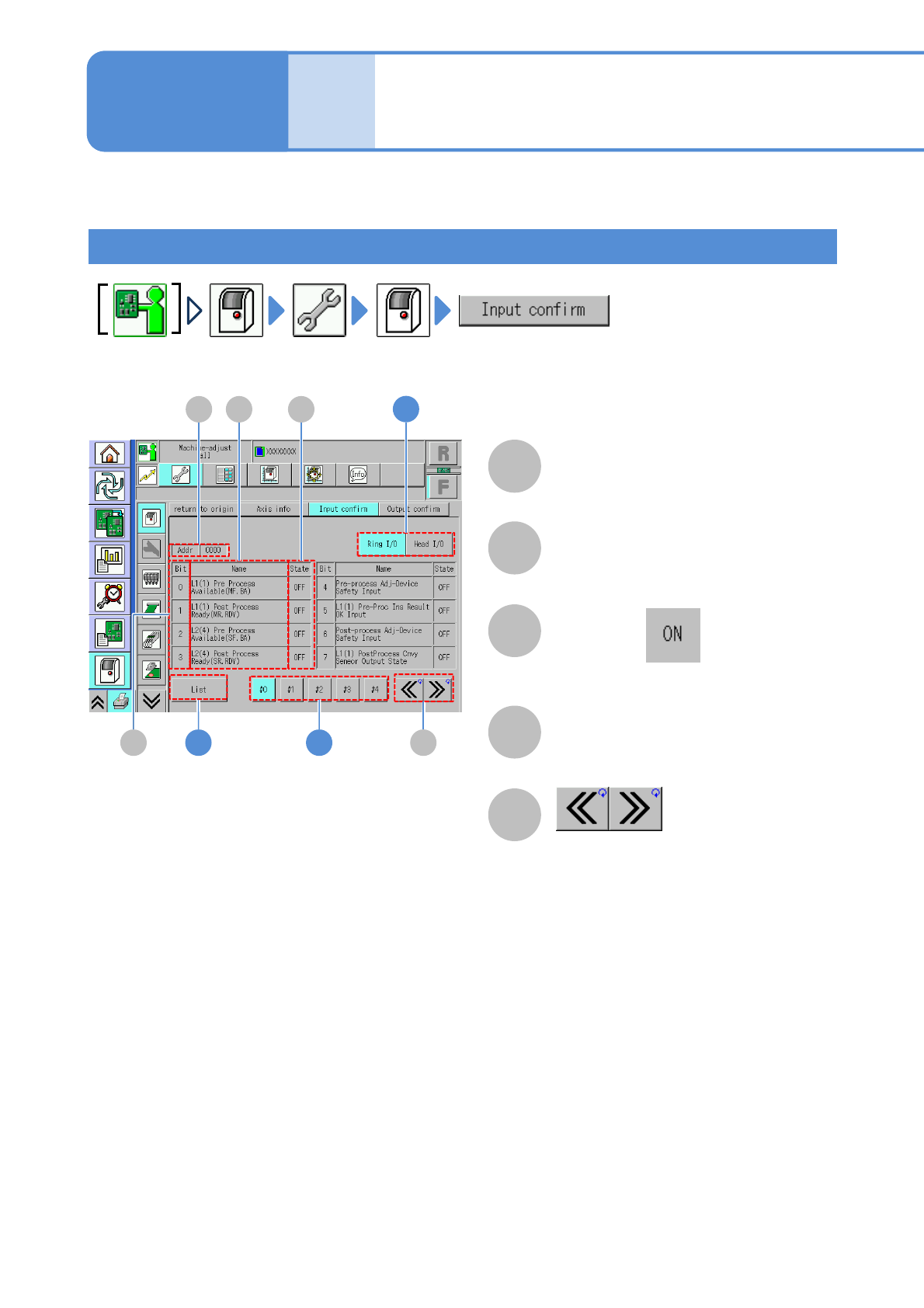
You can check the status of all input addresses per second.
B
A
C
D
E
How to view the screen
Operating procedure
5-2-3
Address
Scroll the table right and left.
Bit
Index number
Name
●When Bit is , it is displayed in blue
color.
Status
I/O status (ON/OFF)
A D
B
C
E1
1
2
NPM-TT2 EJM1EE-MB-05O-05
How to check
5-2-3-2
System
administration
1
1
2
2
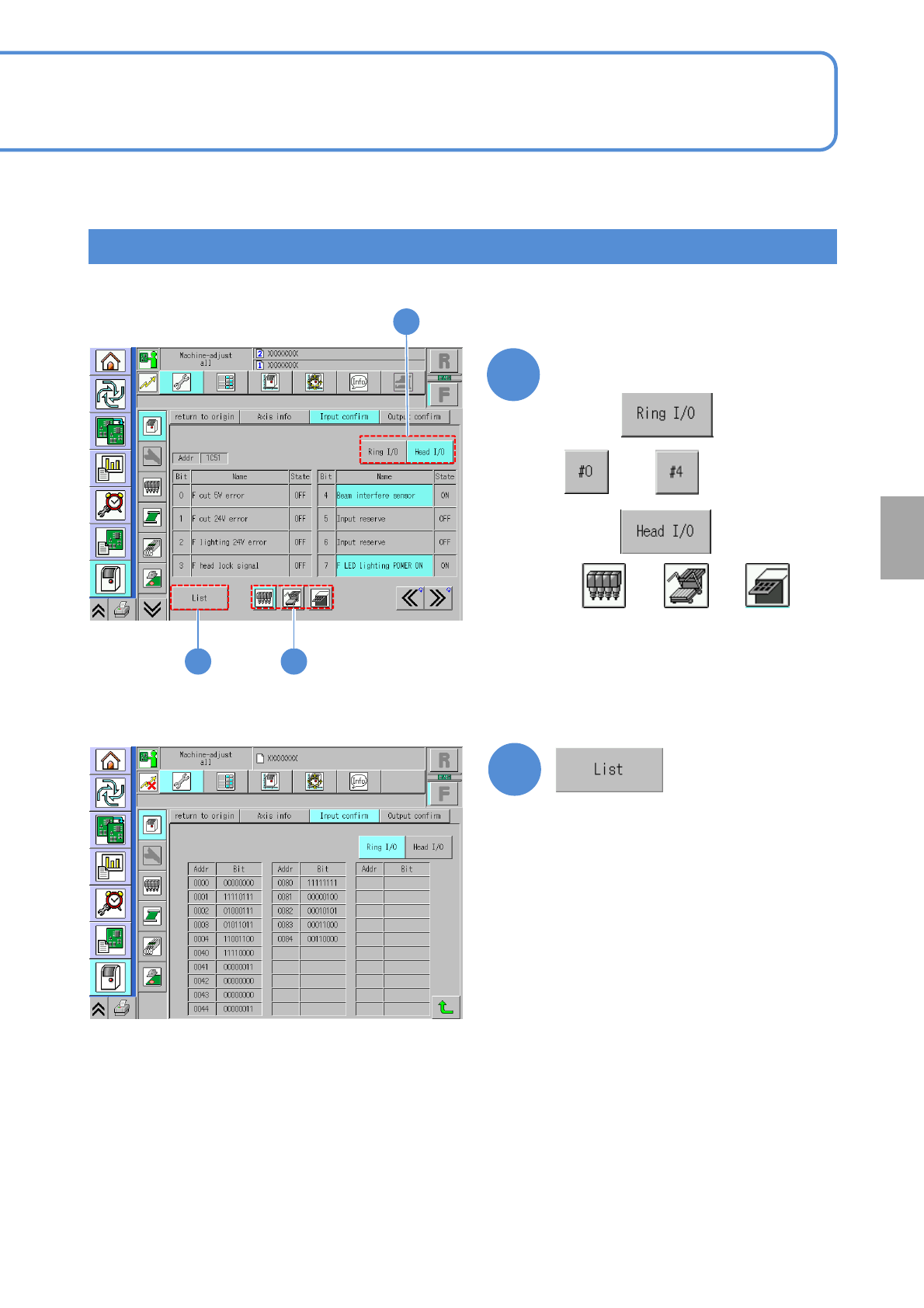
Choose a I/O channel
(The Bit list per input address is
displayed)
■For
1
to
■For
or or