N7201A652E.pdf - 第425页
NPM- TT2 EJM1E E-MB-05O-05 How to check 5-2-3 -2 System administration 1 1 2 2 Choose a I/O channel (The Bit list per input address is displayed) ■ For 1 to ■ For or or
NPM-TT2 EJM1EE-MB-05O-05
Unit
adjust-
ment
Input check
5-2-3-1
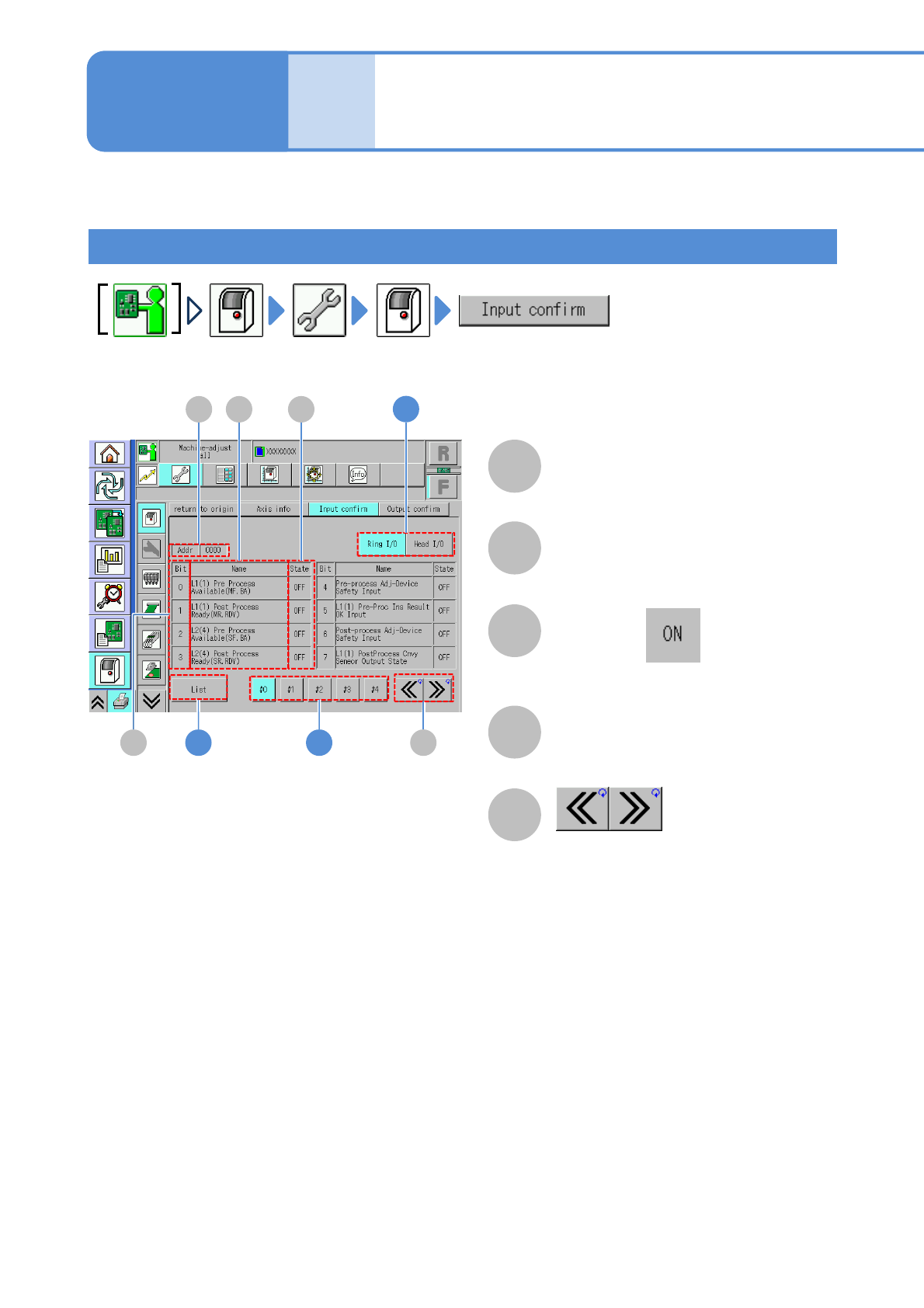
You can check the status of all input addresses per second.
B
A
C
D
E
How to view the screen
Operating procedure
5-2-3
Address
Scroll the table right and left.
Bit
Index number
Name
●When Bit is , it is displayed in blue
color.
Status
I/O status (ON/OFF)
A D
B
C
E1
1
2
NPM-TT2 EJM1EE-MB-05O-05
How to check
5-2-3-2
System
administration
1
1
2
2
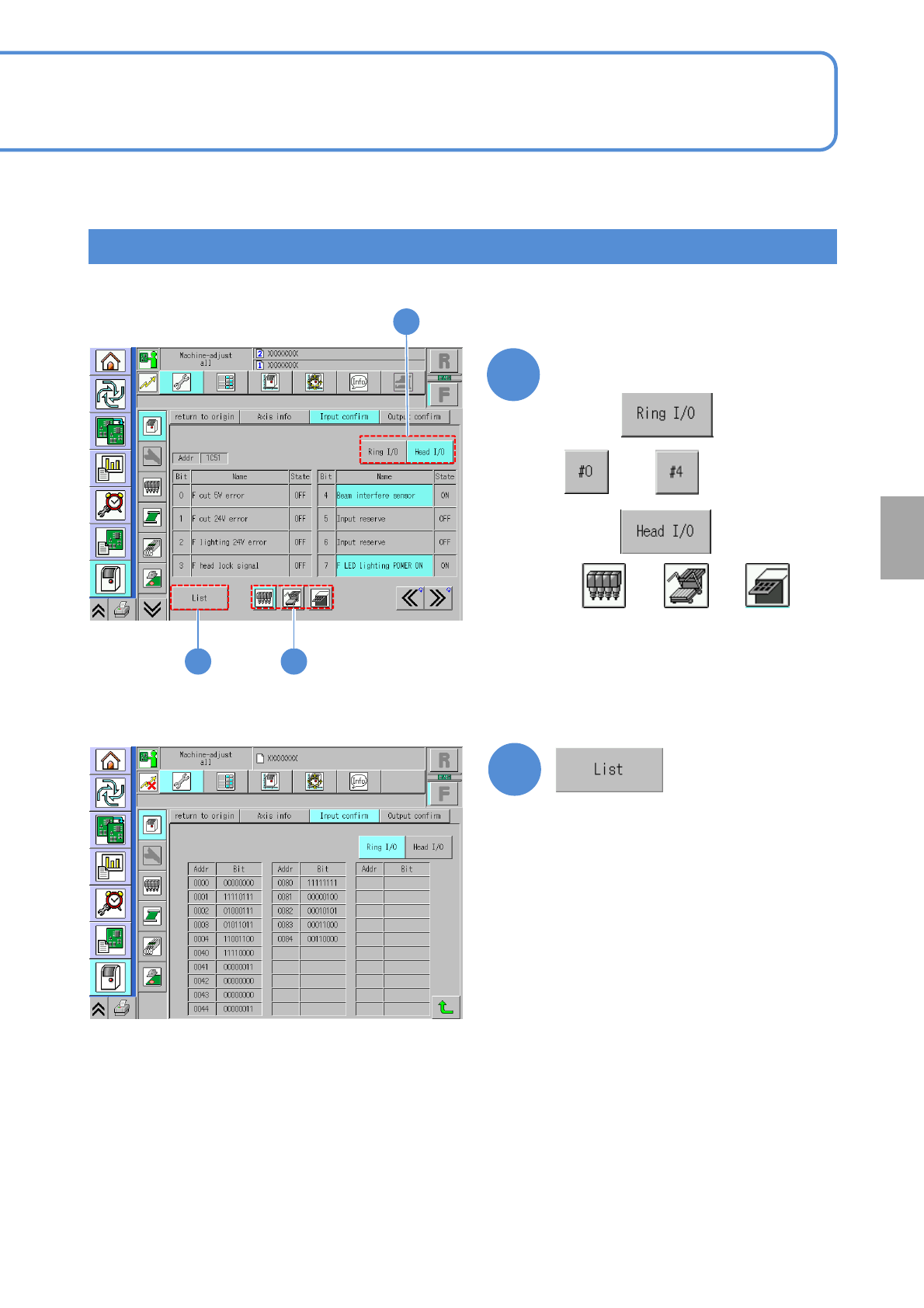
Choose a I/O channel
(The Bit list per input address is
displayed)
■For
1
to
■For
or or
NPM-TT2 EJM1EE-MB-05O-05
Hold down and press
[Name]
Unit
adjust-
ment
Output check
5-2-4-1
DA
1
C
EB
2
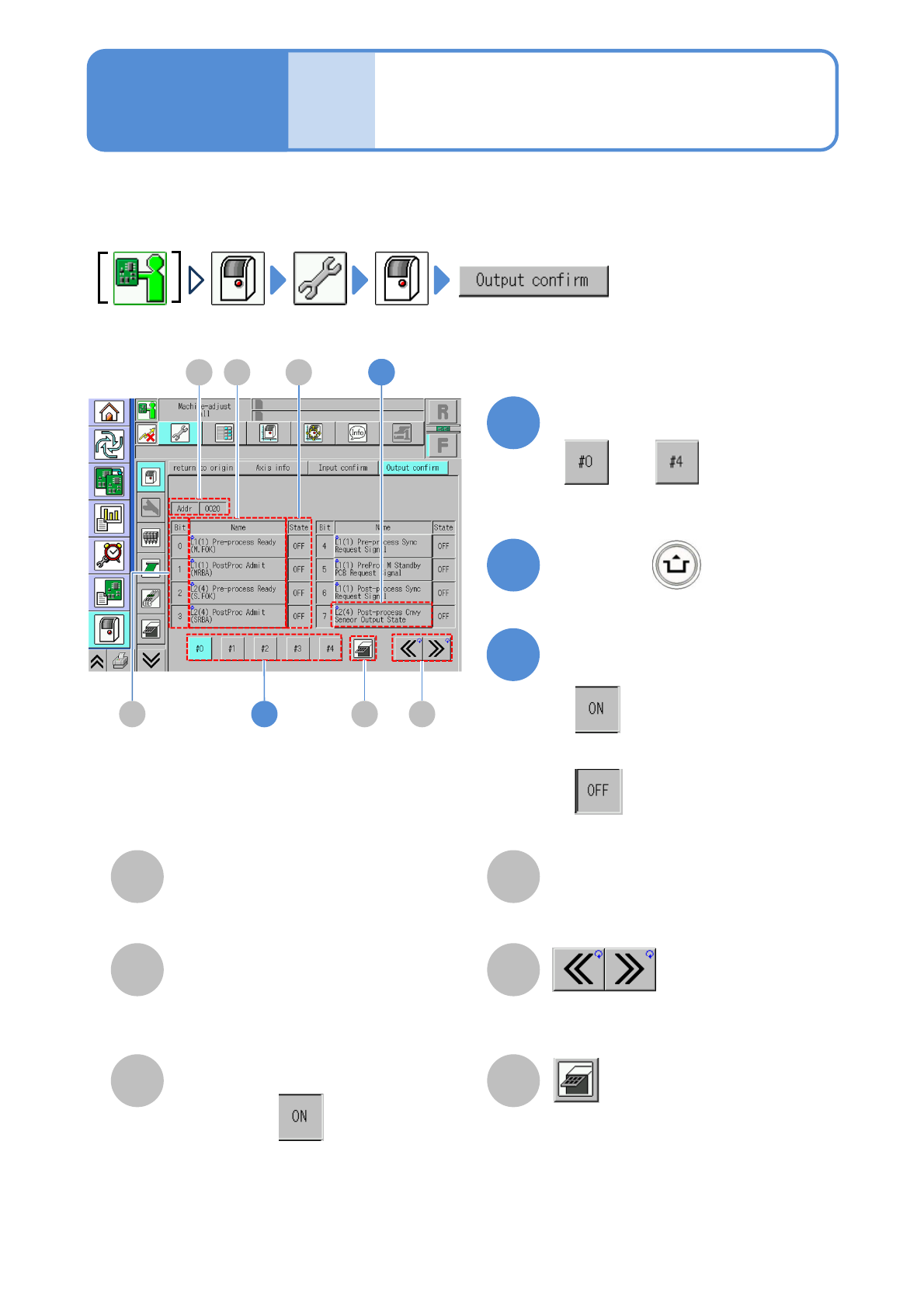
You can check the status, to which the name of each Bit is given, of all the output addresses used by the
machine and switch between ON/OFF as needed.
1
B
A
C
D
E
■[Output confirm] screen
F
F
3
Operating procedure
5-2-4
Address
Scroll the table right and left.
Bit
Index number.
Name
Status
I/O status (ON/OFF status).
Transition to the tray screen
●Displayed when the tray feeder is
installed.
●When Bit is , it is displayed in
blue.
To change status
■To enable
■When you change status of each Bit
■To disable
22
Choose a channel
to