N7201A652E.pdf - 第429页
NPM- TT2 EJM1E E-MB-05O-05 5-2-5 -2 System administration + + Select the presence or absence of a nozzle. or Opening or closing of the nozzle changer shutter ■ To open the shutter ■ To close the shutter Set the nozzle po…
NPM-TT2 EJM1EE-MB-05O-05
Unit
adjust-
ment
Replacing the nozzle of
the placement head 1
5-2-5-1
Operating procedure
5-2-5
Removing nozzles
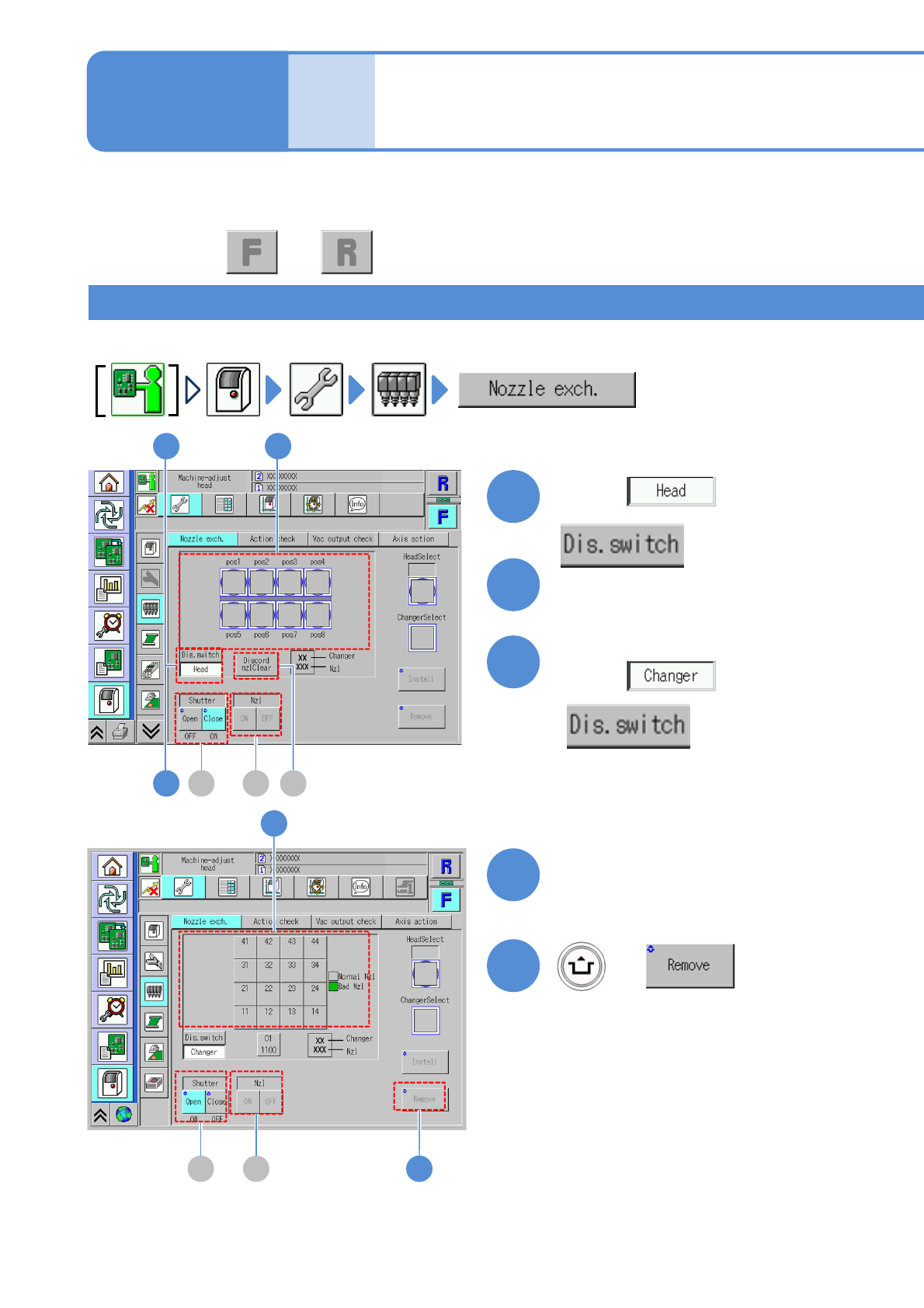
Remove nozzles on the placement head and stored into the nozzle changer.
This explains how to house some of the nozzles attached to the placement head in the nozzle changer, or
to attach some of the nozzles housed in the nozzle changer to the placement head.
Choose a nozzle to remove
1
2
(The button turns in blue color)
3
Choose with
Choose with
Choose the position to
store the nozzle
4
(The button turns in blue color)
+
5
5B C
4
B C A
1 2
3
●Perform on both and .
NPM-TT2 EJM1EE-MB-05O-05
5-2-5-2
System
administration
+
+
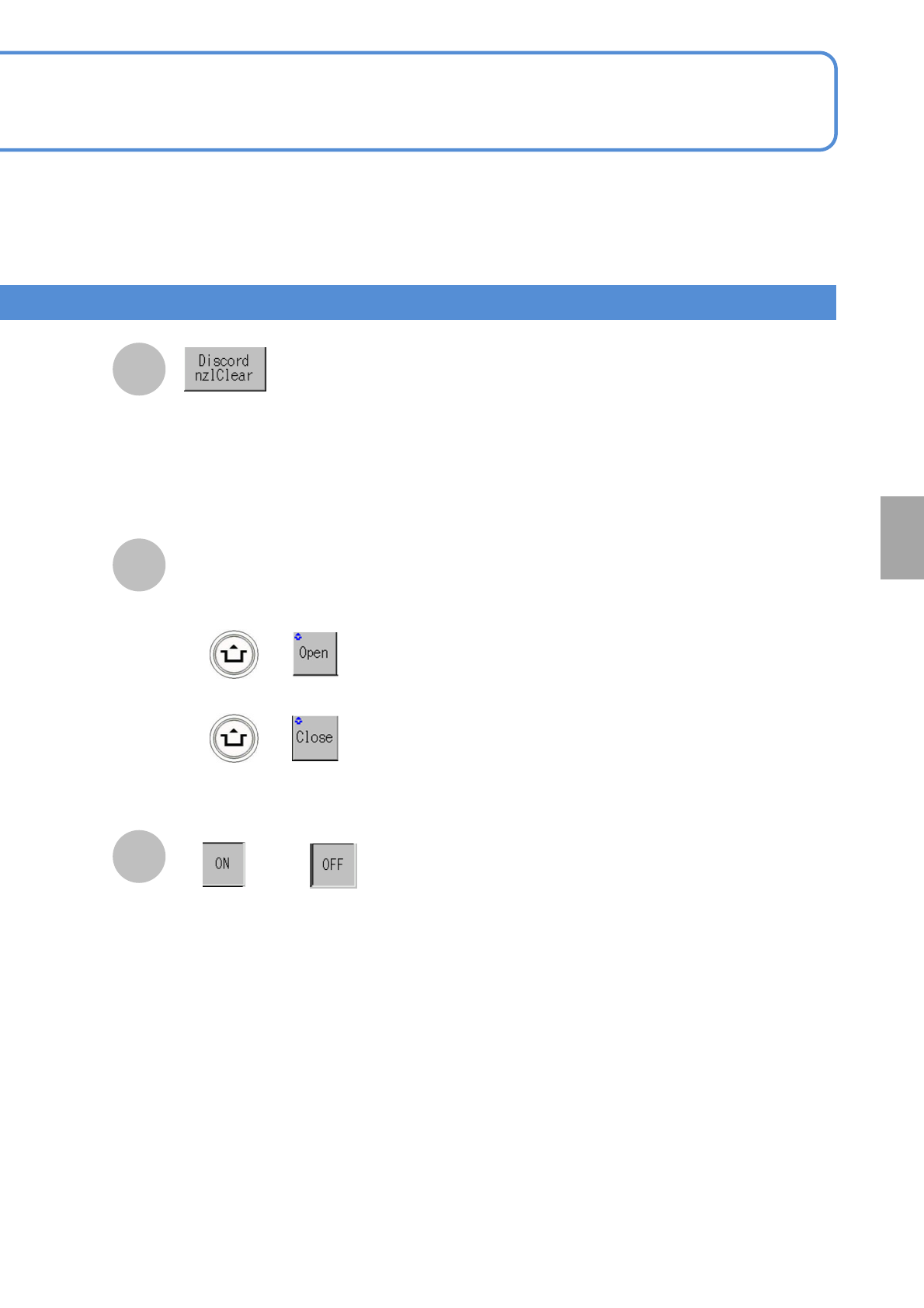
Select the presence or absence of
a nozzle.
or
Opening or closing of the
nozzle changer shutter
■To open the shutter
■To close the shutter
Set the nozzle positions, displayed in yellow
as discord nozzles, for Discord nzlClear.
●Nozzles, if different from the current ones
that install new production data, are
displayed in yellow.(A nozzle cannot be
attached or removed as it is)
B
A
C
NPM-TT2 EJM1EE-MB-05O-05
Unit
adjust-
ment
Replacing the nozzle of
the placement head 2
5-2-5-3
Operating procedure
5-2-5
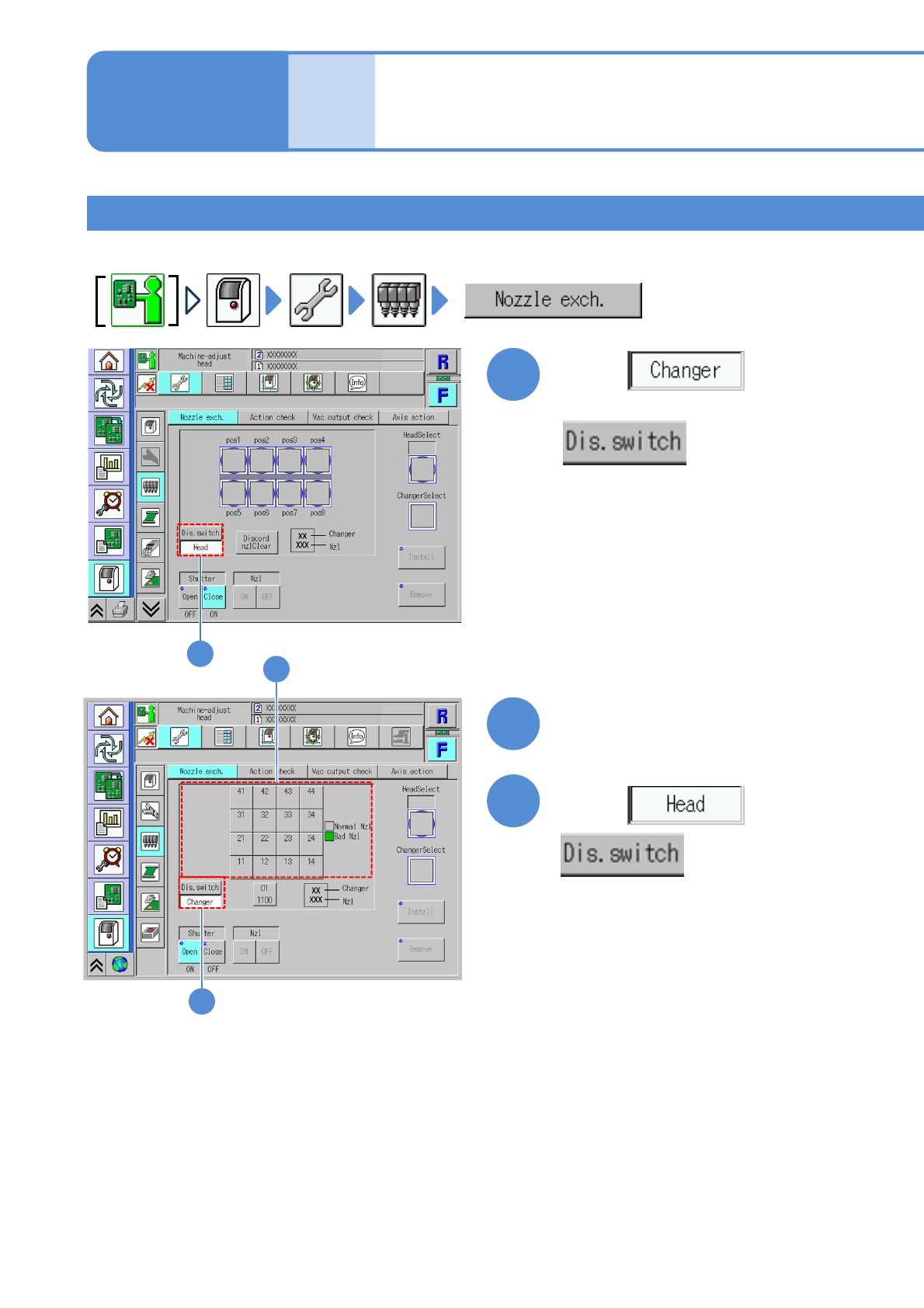
Installing nozzles
Install nozzles in the nozzle changer to the placement head.
1
2
3
1
2
3
Choose with
Choose with
Choose a nozzle to install
(The button turns in blue color)