N7201A652E.pdf - 第434页
NPM- TT2 EJM1E E-MB-05O-05 Unit adjust- ment Action c heck of the placement head 5-2-6 -1 You can collectively check whether the actions of the placemen t head or nozzles are normal. Operating procedure 5-2-6 1 + A B C D…
NPM-TT2 EJM1EE-MB-05O-05
5-2-5-6
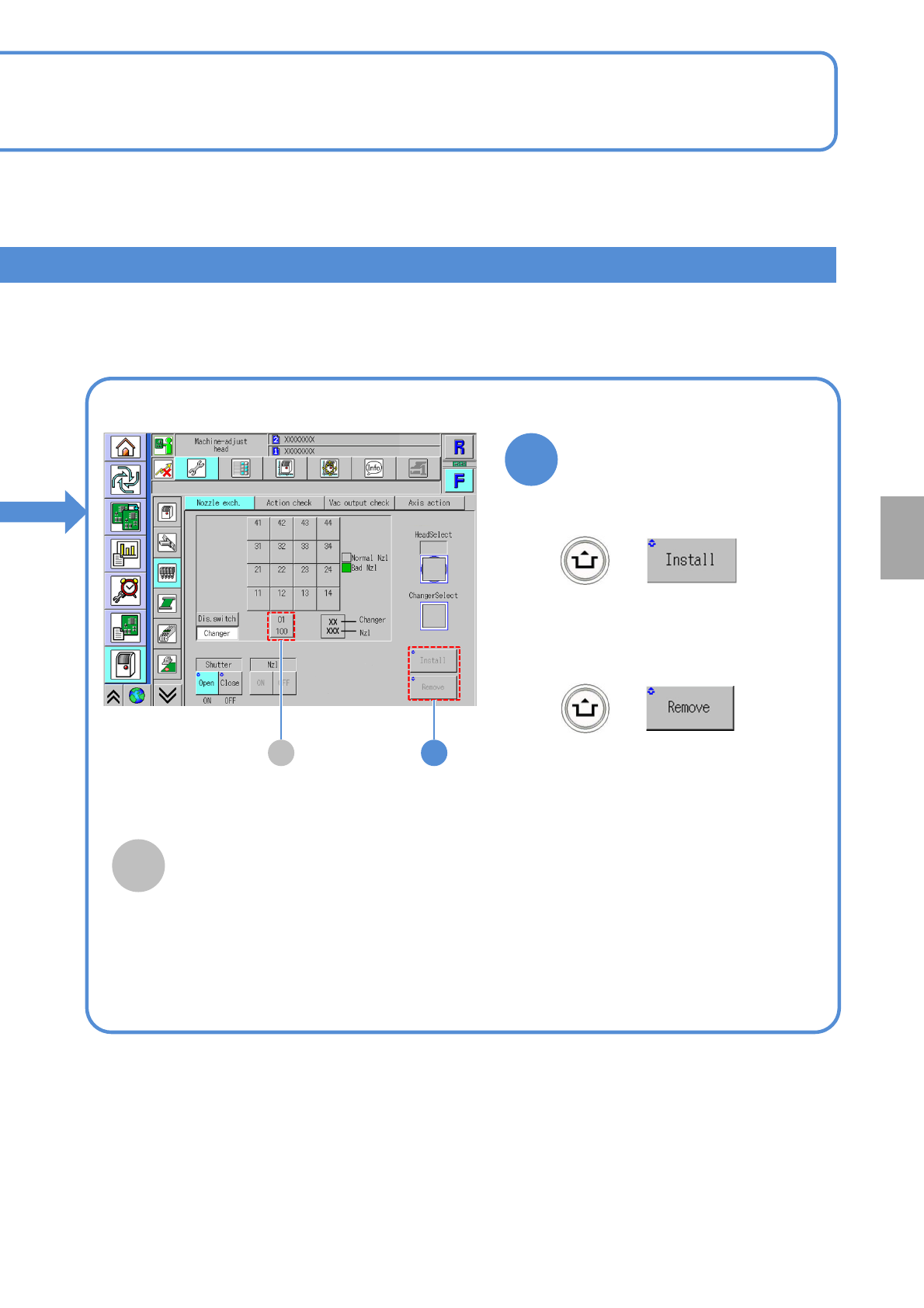
Install/Remove of a nozzle
+
+
■To attach nozzles
■To remove nozzles
(The nozzle for support pins is
installed to the head)
(The nozzle for support pins is
removed from the nozzle changer
for support pins)
2A
2
A
Nozzle changer for support pins
It displays for support pin automatic change
function specification. If you install or
remove the nozzle for support pins, choose
this.
System
administration
NPM-TT2 EJM1EE-MB-05O-05
Unit
adjust-
ment
Action check of the
placement head
5-2-6-1
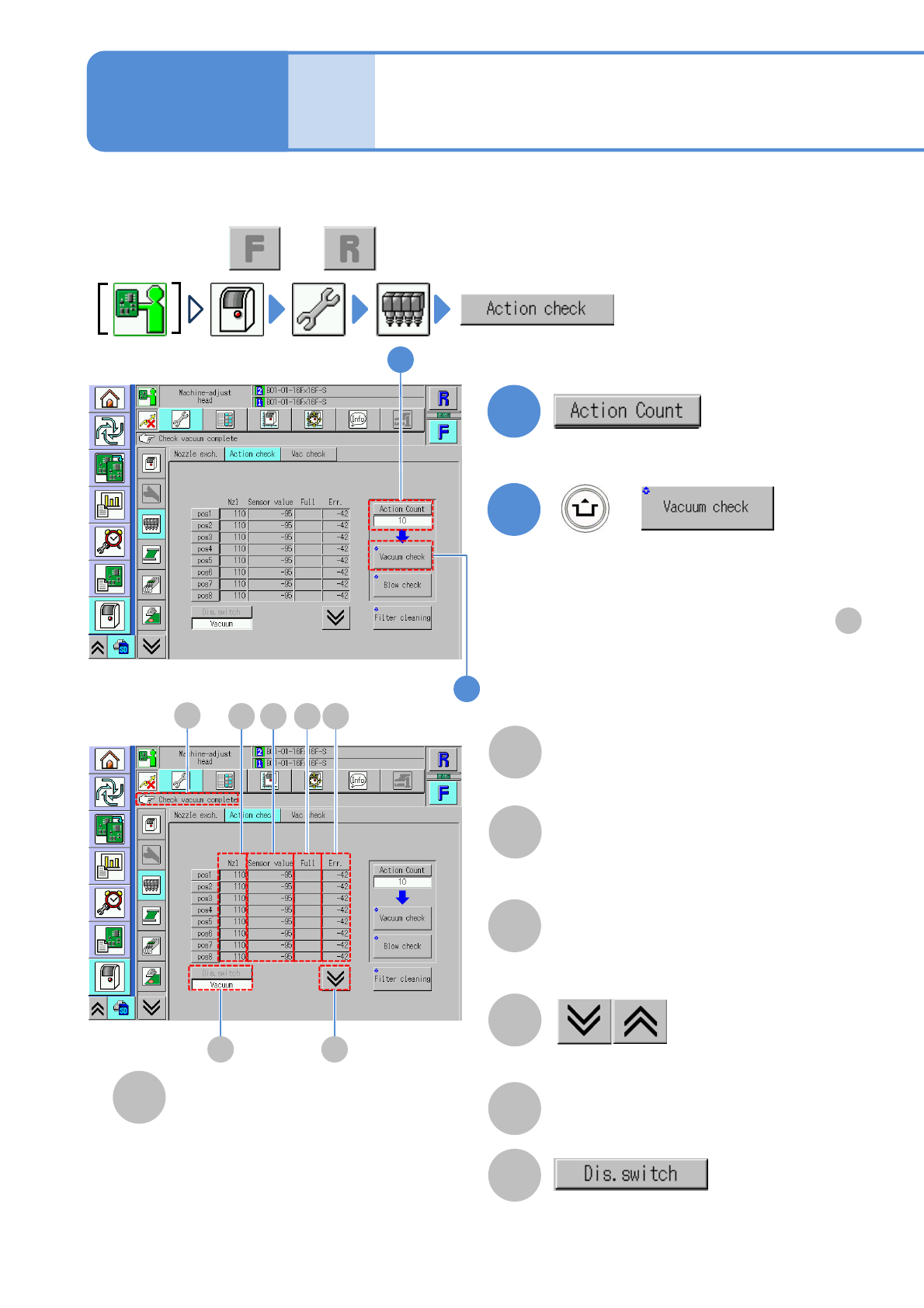
You can collectively check whether the actions of the placement head or nozzles are normal.
Operating procedure
5-2-6
1
+
A
B
C
D
E
F
(The vacuum check result of each nozzle
is displayed)
Nozzle
A number of a nozzle attached to the
placement head.
●”-” is displayed if any nozzle is not
attached.
Sensor value
●If the measured value is abnormal, its
background is shown in yellow.
Full
●Filter clogging detection value. Check
if the measured value is abnormal as
the result of [Filter cleaning].
The previous or next table is displayed.
Err.
●Nozzle clogging detection value. Check if
the measured value is abnormal as the
result of [Vacuum check].
Message display area
●Perform on both and .
C D
E
F
A B
G
1
2
■If vacuum check has completed successfully
[Check vacuum complete] is displayed in .
F
■If vacuum check failed to complete
successfully
The background of the measured value of the
corresponding nozzle is displayed in yellow.
2
G
●Change the action count (1 or 10).
Change the display of the measured
result.
●It is effective when more than two
measured results exist.
NPM-TT2 EJM1EE-MB-05O-05
5-2-6-2
+
System
administration
4
3
3
4
H
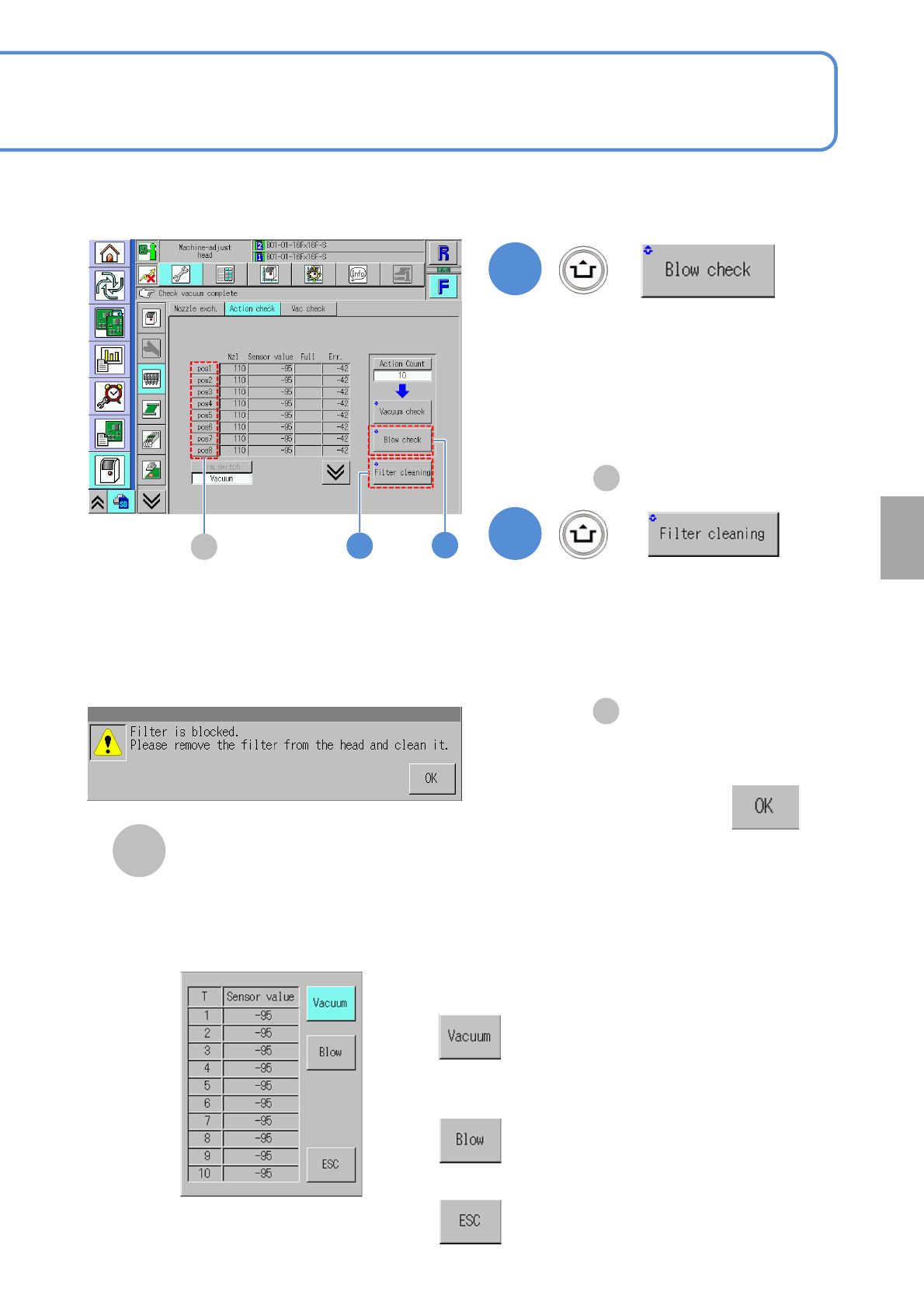
■If air blow and the vacuum pressure
measurement results in error
Confirm the message
(The background of the measured value
of the corresponding nozzle is displayed
in yellow.)
■If air blow and vacuum pressure
measurement completes without error
[Cleaning blow complete] is displayed
in .
F
+
(Air blow and the vacuum pressure of
each head (nozzles are removed) are
measured)
H
(The blow check result for each nozzle is
displayed.)
●For the measured value, only the
sensor value is displayed.
■In case blow check is successfully
completed
[Blow check completed] is shown
in .
F
pos button
It is effective only when ‘10’ is set to
‘Action count’ of Vacuum check or Blow
check is performed. Pressing each pos
button will appear the measured result
window of the selected nozzle position
as below.
■To show the sensor value of
vacuum check
■To show the sensor value of
blow check
■To close the window