N7201A652E.pdf - 第436页
NPM- TT2 EJM1E E-MB-05O-05 ■ With the vacuum pump turned ON, to turn ON/OFF only the vacuum break valve of a specified nozzle (The pressure for the vacuum break is displayed in the field above) ■ With the vacuum pump tur…
NPM-TT2 EJM1EE-MB-05O-05
5-2-6-2
+
System
administration
4
3
3
4
H
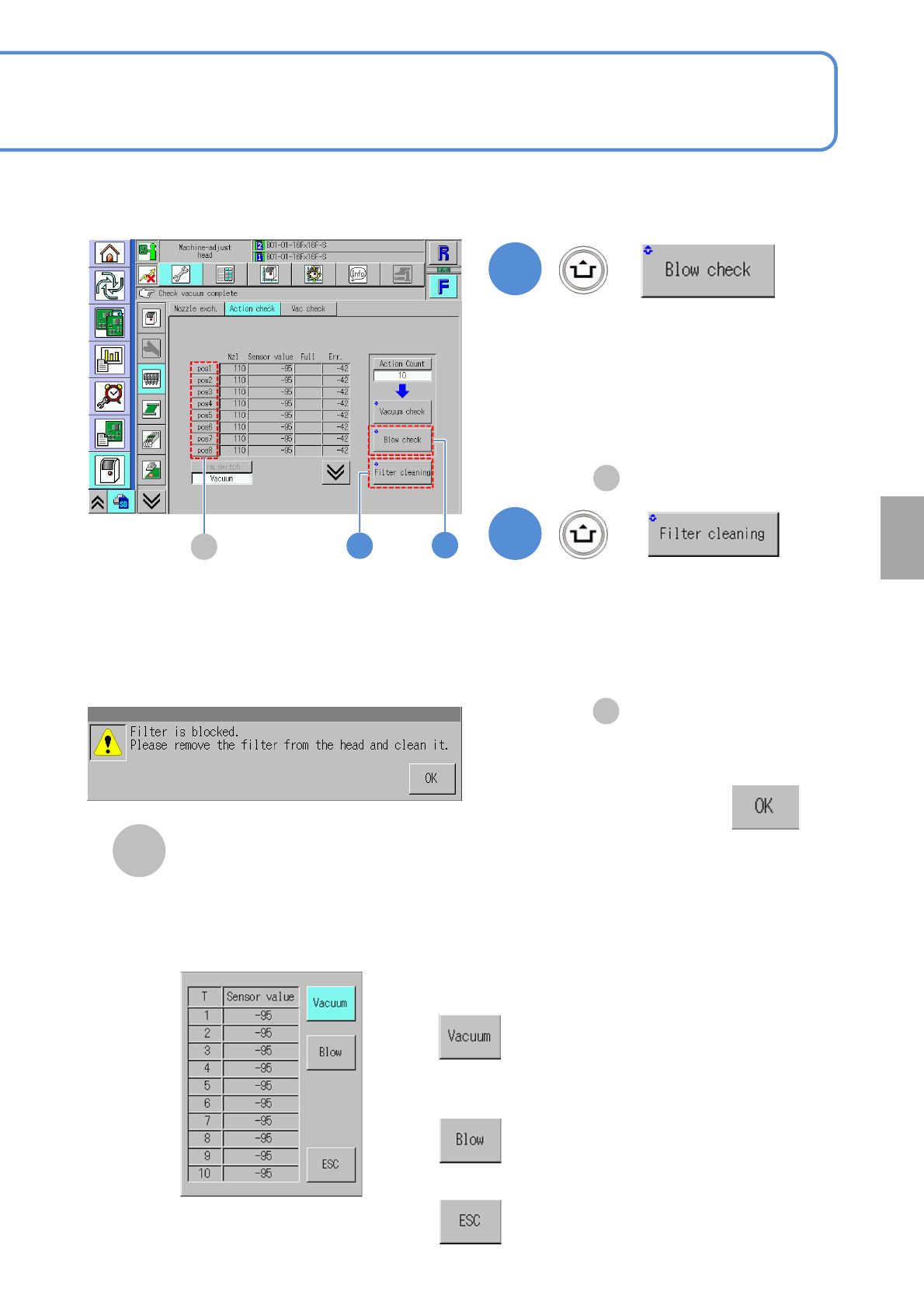
■If air blow and the vacuum pressure
measurement results in error
Confirm the message
(The background of the measured value
of the corresponding nozzle is displayed
in yellow.)
■If air blow and vacuum pressure
measurement completes without error
[Cleaning blow complete] is displayed
in .
F
+
(Air blow and the vacuum pressure of
each head (nozzles are removed) are
measured)
H
(The blow check result for each nozzle is
displayed.)
●For the measured value, only the
sensor value is displayed.
■In case blow check is successfully
completed
[Blow check completed] is shown
in .
F
pos button
It is effective only when ‘10’ is set to
‘Action count’ of Vacuum check or Blow
check is performed. Pressing each pos
button will appear the measured result
window of the selected nozzle position
as below.
■To show the sensor value of
vacuum check
■To show the sensor value of
blow check
■To close the window
NPM-TT2 EJM1EE-MB-05O-05
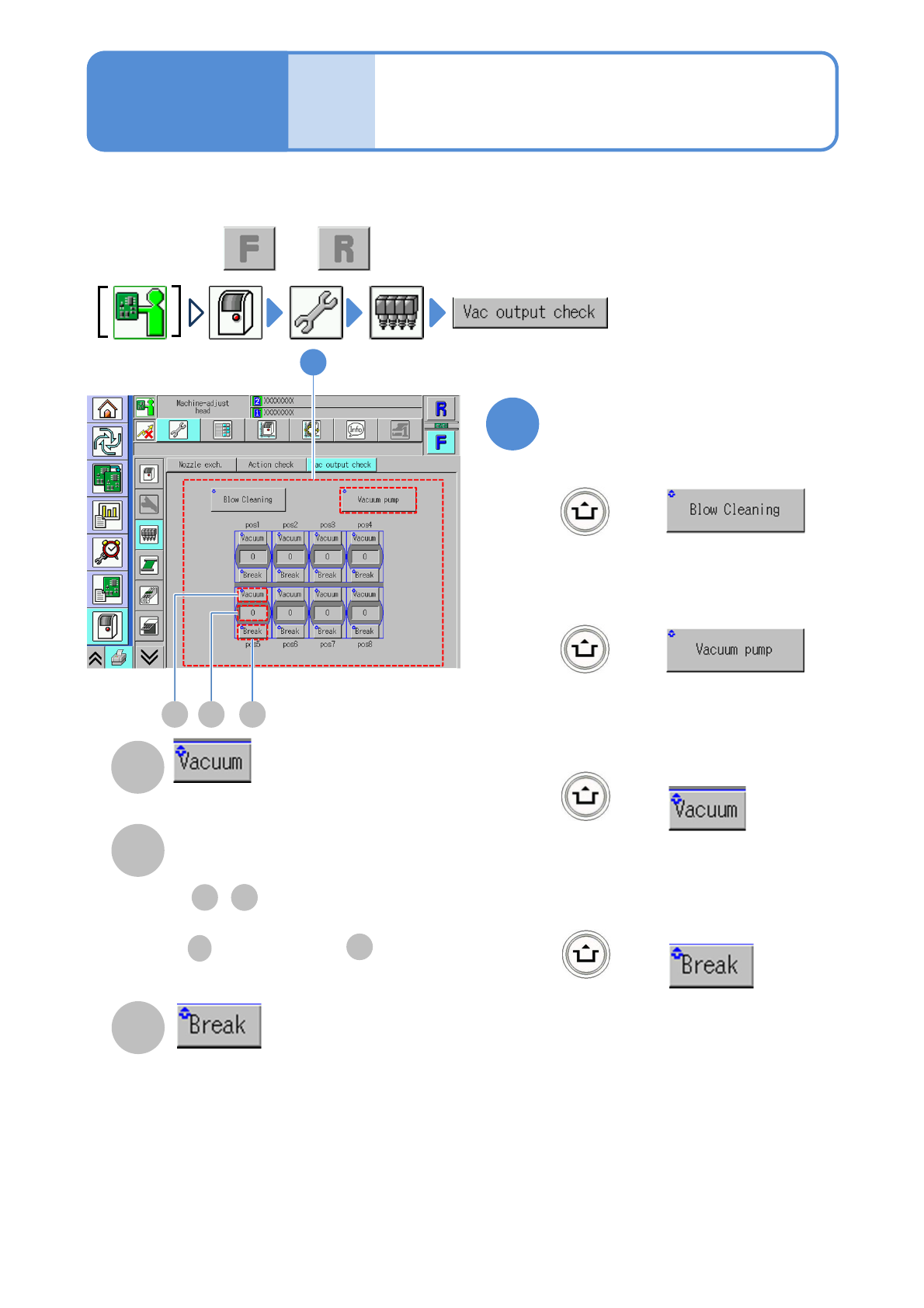
■With the vacuum pump turned ON, to
turn ON/OFF only the vacuum break
valve of a specified nozzle
(The pressure for the vacuum break is
displayed in the field above)
■With the vacuum pump turned ON, to
turn ON/OFF only the vacuum valve of
a specified nozzle
(The vacuum pressure is displayed in the
field below)
■To turn ON/OFF the vacuum pump
(The vacuum pump is switched ON/OFF)
■To turn ON/OFF the cleaning blow
(The cleaning blow valve is switched
ON/Off)
Unit
adjust-
ment
Vacuum output check
(placement head)
5-2-7
You can change the valve and check whether each of the vacuum pumps and air blows operates normal
individually.
1
A
B
C
Operating procedure
5-2-7
Air flow value
Nozzle air flow value.
Check the air flow value during
vacuuming or blowing
Vacuum valve
Vacuum break valve
1
BA C
BC
● , in 5-2-6 is displayed in
terms of 8-bit.
B
B
C
:“Sensor value” :“Full”
+
+
+
+
●Perform on both and .
NPM-TT2 EJM1EE-MB-05O-05
Unit
adjust-
ment
PCB transfer check
5-2-8
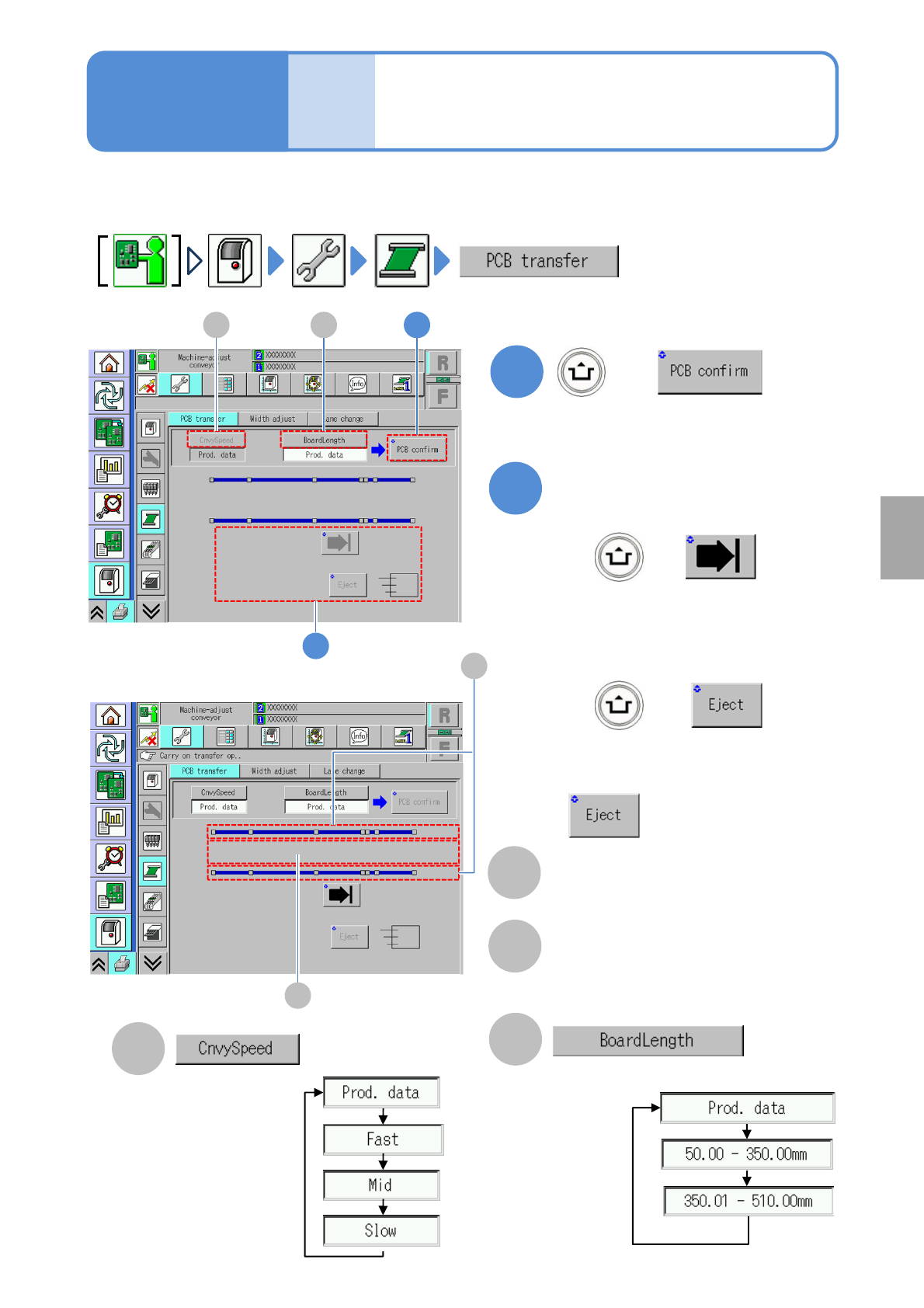
You can check whether PCBs are transferred normally.
●For dual conveyor, you need to choose a lane in advance.
1
B
+
A
2
+
+
Operating procedure
5-2-8
Choose a PCB length.
(When a PCB is present on the transfer
conveyor, its position is displayed)
Choose a transfer
speed.
■To unload a PCB without the request
signal from the post process
becomes enabled.
(The PCB is transferred to a selected
position)
Transfer
■To load a PCB into the machine
■To unload a PCB outside of the
machine
A 1B
2
System
administration
C
D
C
Sensor
Displays the status of the board sensor.
D
Transfer position
Displays presence or absence of the
current board.