N7201A652E.pdf - 第438页
NPM- TT2 EJM1E E-MB-05O-05 Unit adjust- ment Con v ey or width adjustment 5-2-9 -1 ● Always r emove all PCB s upport pins before adju sting conveyor wid th. Operating procedure 5-2-9 1 2 2 1 + 1 (Manual input) (The conve…
NPM-TT2 EJM1EE-MB-05O-05
Unit
adjust-
ment
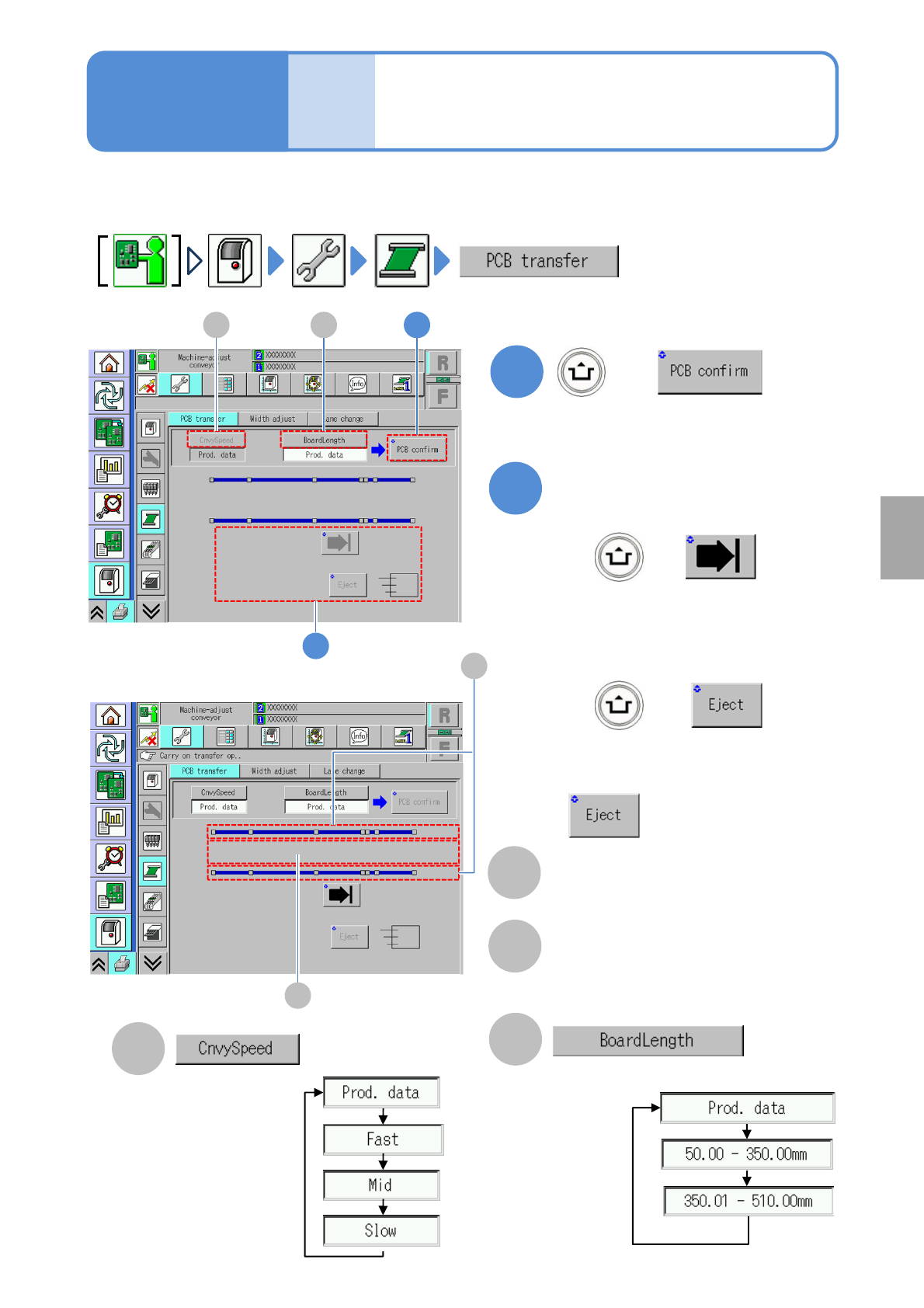
PCB transfer check
5-2-8
You can check whether PCBs are transferred normally.
●For dual conveyor, you need to choose a lane in advance.
1
B
+
A
2
+
+
Operating procedure
5-2-8
Choose a PCB length.
(When a PCB is present on the transfer
conveyor, its position is displayed)
Choose a transfer
speed.
■To unload a PCB without the request
signal from the post process
becomes enabled.
(The PCB is transferred to a selected
position)
Transfer
■To load a PCB into the machine
■To unload a PCB outside of the
machine
A 1B
2
System
administration
C
D
C
Sensor
Displays the status of the board sensor.
D
Transfer position
Displays presence or absence of the
current board.
NPM-TT2 EJM1EE-MB-05O-05
Unit
adjust-
ment
Conveyor width
adjustment
5-2-9-1
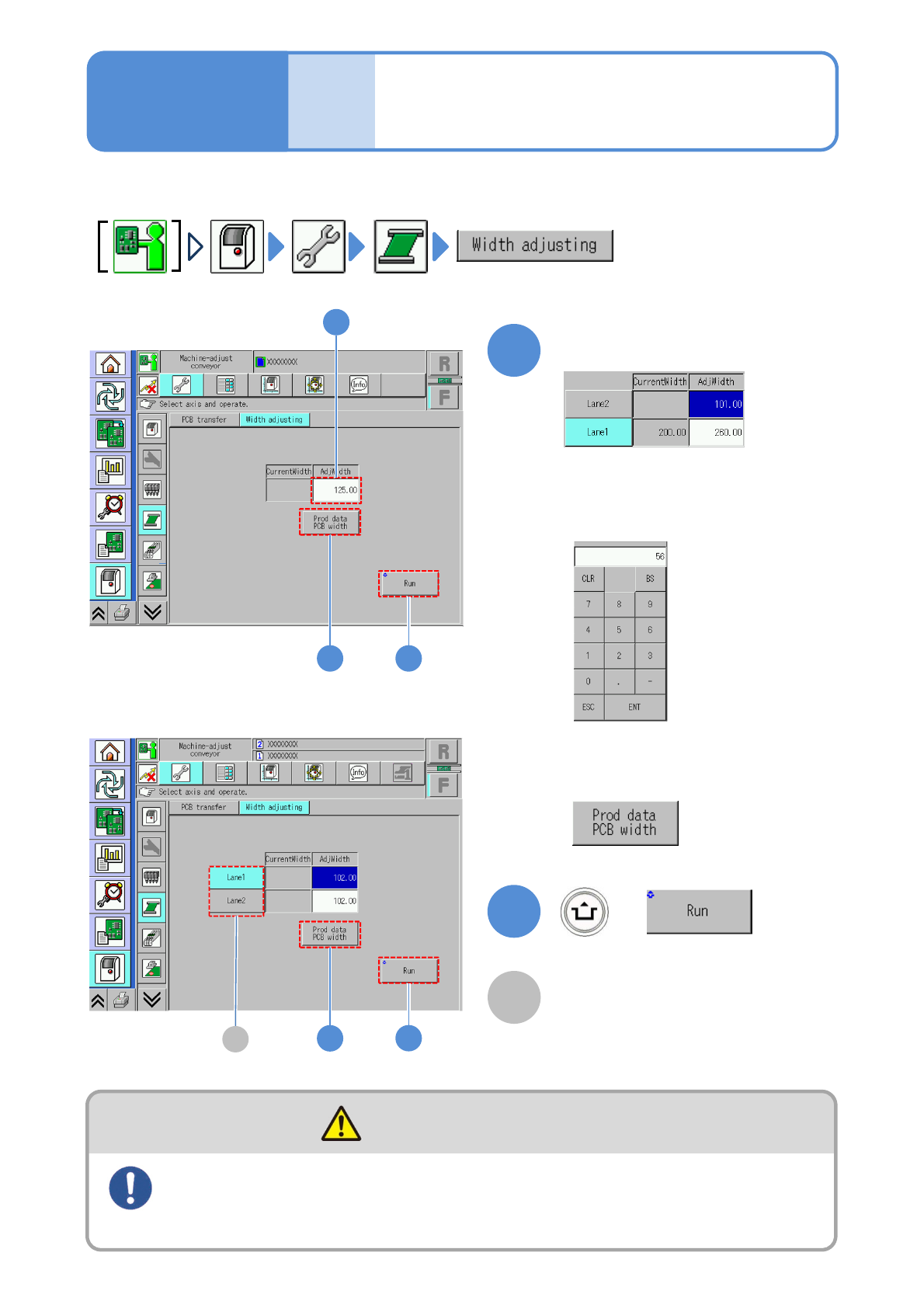
●Always remove all PCB support pins before adjusting conveyor width.
Operating procedure
5-2-9
1 2
2
1
+
1
(Manual input)
(The conveyor width is adjusted)
■To input production data of LNB
or the SD card
Input adjustment width
■To input manually
Touch the numerical part on the screen
to display the input screen.
When PCBs are loaded onto or removed from the conveyor, be
sure to turn OFF the servo switch
(Risk of injury due to machine movement)
DANGER
(Production data)
A
2
1
■In single lane mode
■In dual lane mode
A
Lane
Select the desired lane and adjust the
width. If both lanes are selected, both
lanes can be moved simultaneously.

NPM-TT2 EJM1EE-MB-05O-05
5-2-9-2
System
administration