N7201A652E.pdf - 第50页
NPM- TT2 EJM1EE-SF-01N-05 Pr ecautions 2 Handling of the scanner (option) 1-4 ■ Do not peer into the alignment beam from the scan window . ● The eyes may be damage d by the alignment beam (laser bea m). ● When there are …

NPM-TT2 EJM1EE-SF-01N-05
1-4-2
Confirmation
■Clean the area around equipment when the equipment is not in use.
When cleaning equipment, be sure to turn the power source off and do
not use an air gun.
●The unit and products may be exposed to dust, thereby causing adverse influence on equipment and
products.
・ Never use combustible solvent. It causes smoking and an ignition by catching fire.
・ Never use acetone and methanol (methyl alcohol). It causes machine malfunction.
・ Do not use ethanol (ethyl alcohol), IPA (isopropyl alcohol) or mixed solvent of ethanol with IPA. (It does not
conform to CE)
・ Use new cleaning solvent. Never reuse solvent.
■To ensure safety, please use [water-soluble solvent ] for cleaning
solvent.
Security precautions
●Machine password is not set as default. Please set a password after the machine is delivered to you.
●After performing operation that password entry is required, change the mode to the normal mode
(Operator mode.)
●Connect the machine, LNB and NPM-DGS to intranet before use.
●Keep your password safe and should not disclose it to any other person.
●When you send or dispose of the computer used for the LNB or NPM-DGS, remove the hard disk or
initialize it.
●When an SD card is used in emergency operation such as network error, delete the data in the SD card
after returning to normal operation.
●Recorded information on the SD card may not be completely deleted by the basic function of the
operation system. We recommend to use commercial software that can delete the data completely.
●When you transfer or dispose of the SD card, erase all data on the SD card.
●If you do not follow above precautions, you may crack a user ID, your password or your production
data by the third parity with knowledge.
Precautions in working near linear motors
■Keep iron or other magnetic bodies (e.g. tools, jigs, and bolts),
watches, cellular phones, and magnetic cards at least 40 mm away
from the linear motors.
●The linear motor incorporates strong magnets. The metallic objects (magnetic bodies) you are holding
may be attracted or your fingers may get pinched between the objects and magnet.
●Depending on shapes of magnetic bodies, they may not be able to be detached from each
other. Small parts can be removed by hand. (There is no problem if you touch the permanent
magnets with bare hands.)
●Due to extremely powerful magnetic force, watches and cellular phones may be broken and data of
magnetic cards may be corrupted.
●See “1-1 Safety precautions 3” for details.
NPM-TT2 EJM1EE-SF-01N-05
Precautions 2
Handling of the scanner (option)
1-4
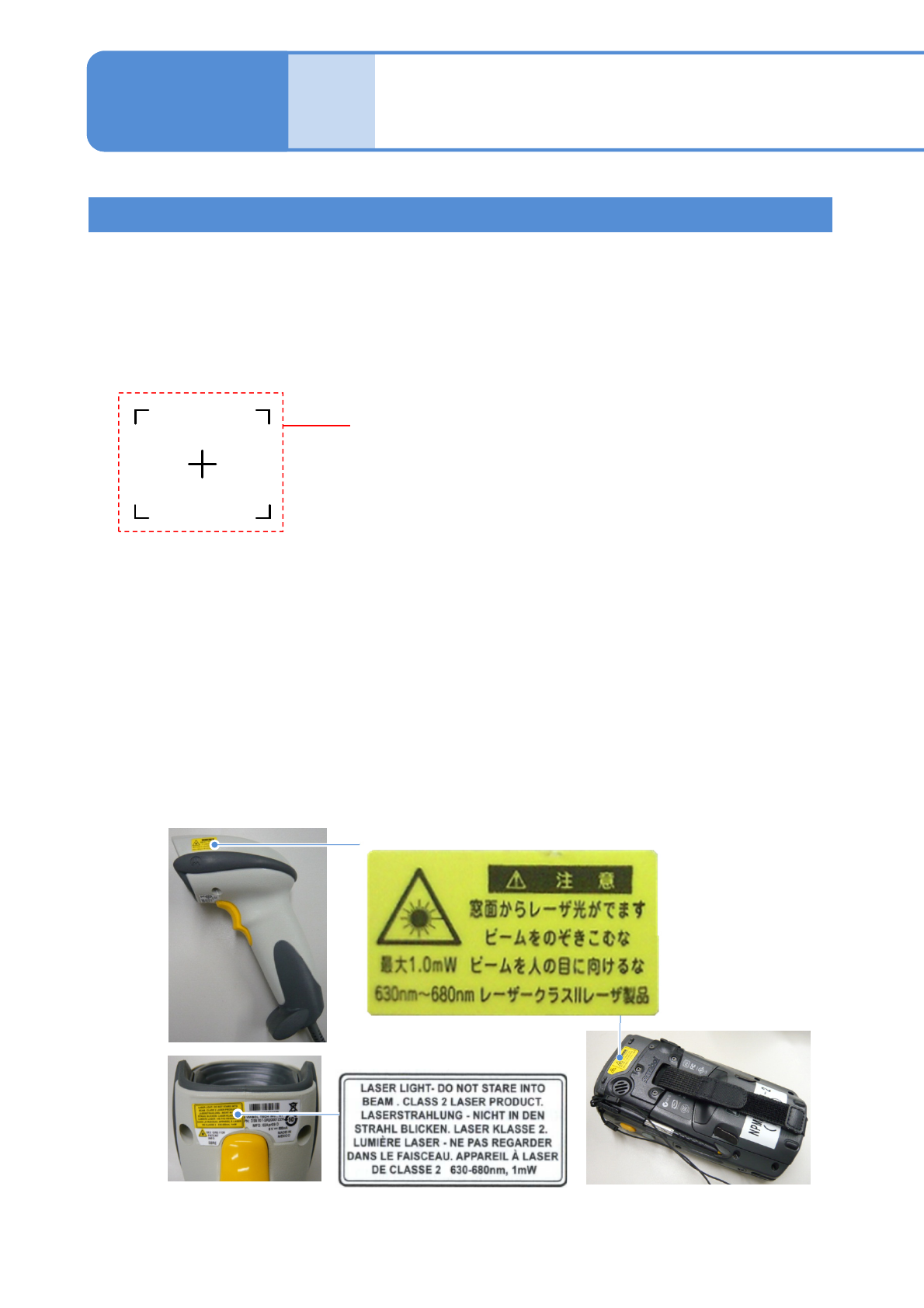
■Do not peer into the alignment beam from the scan window.
●The eyes may be damaged by the alignment beam (laser beam).
●When there are changes in subject, the alignment beam is emitted automatically.
And then, when there are no change in it for two seconds, the alignment beam stop emission.
The wired and wireless scanners comply with IEC60825-1 Class2/IEC60825-1 Class2 laser product.
Alignment beam
(Shape of irradiated subject)
●If you frequently mate/unmate the connector on the NPM-TT2 main body, communication trouble may
occur.
●If you connect/disconnect the connector by necessity, be sure to turn OFF the machine power.
1-4-3
■Do not emit the alignment beam toward other peoples’ eyes.
●The eyes may be damaged by the alignment beam (laser beam).
■Do not disassemble the scanner.
●The alignment beam is emitted to your eyes when it is disassembled. The eyes may be damaged.
■Keep the connector on the NPM-TT2 main unit connected as possible
except when necessary.
Wired scanner Wireless scanner
NPM-TT2 EJM1EE-SF-01N-05
1-4-4
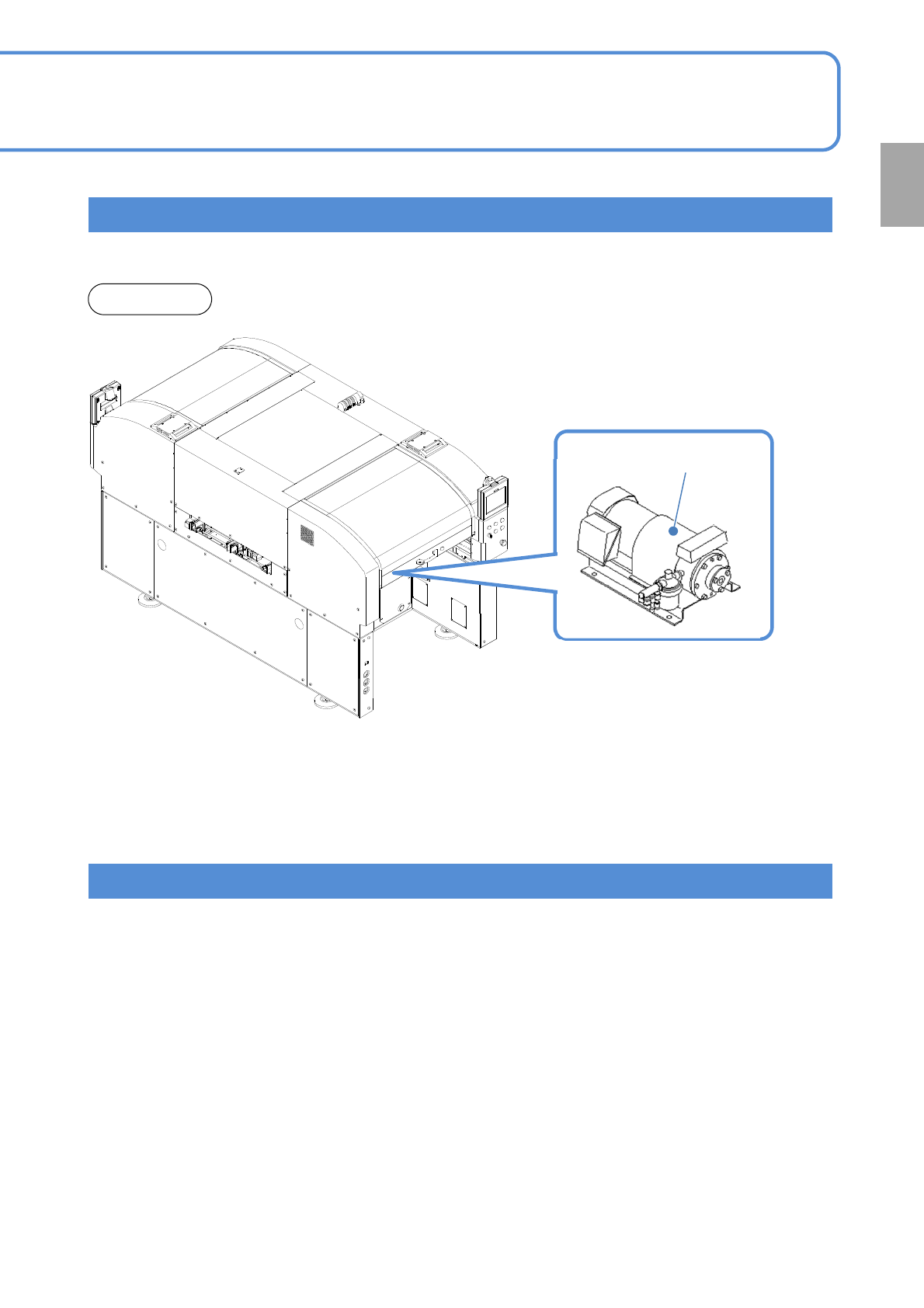
●In order to prevent the components being picked up from falling, the vacuum pump motor is designed
not to stop even if the emergency stop switch is pressed.
Handling of motors
Handling of connectors
Front side
●When the emergency stop switch is pushed, the following motors are stop.
・X-axis and Y-axis motors
・Head Z-axis and θ-axis motors
・Conveyor motor
・Width adjustment motor
●The following connectors do not cut off the power. Be sure to turn OFF the machine power when you
connect or disconnect connectors.
・Power connector for the CPU BOX
・Power connector for trays
Confirmation
Vacuum pump