N7201A652E.pdf - 第55页
NPM- TT2 EJM1EE-SF-01N-05 1-4 -8 ■ Do not leave the loaded feeders pulled out. the cart may be deformed. ● After pulling out the feeders, slide them back into positions promptly. Feeder ■ Do not place any thing other tha…
NPM-TT2 EJM1EE-SF-01N-05
1-4-7
1-4
Precautions 4
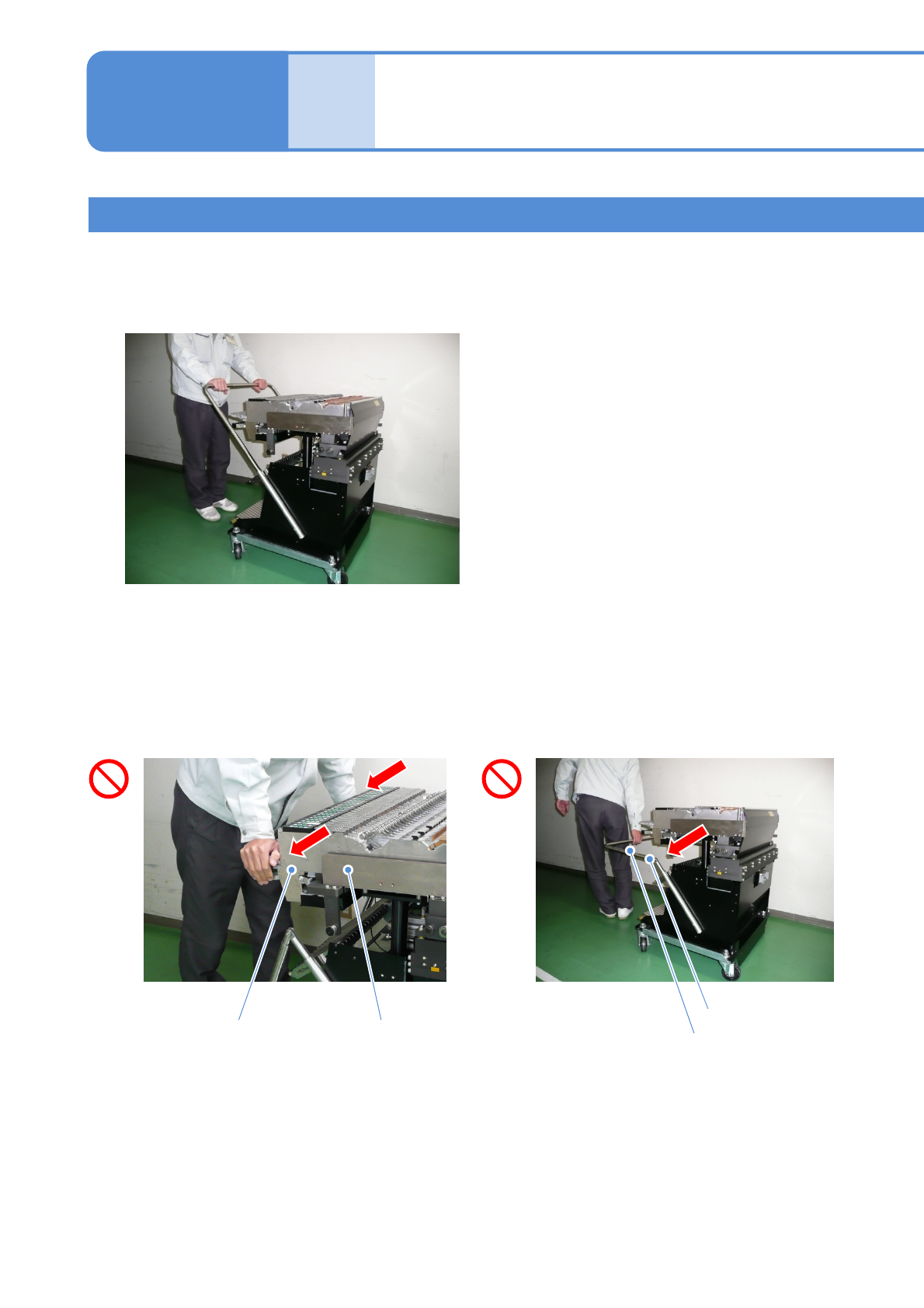
■Do not hold the handles of loaded feeders or the feeder table when
carrying the feeder cart. Doing so can deform the feeders’ handles or
the table mounting bracket.
●Raise the handle bar and make sure that its guide pipe fits tightly into place.
●Use the dedicated handle bar when you move the feeder cart.
Handle bar
Feeder tableFeeder
Make sure to observe the following precautions before handling the
feeder cart to ensure its safe and proper use.
Guide pipe
Handling of the feeder cart
* The picture shown below may differ from the actual unit.
NPM-TT2 EJM1EE-SF-01N-05
1-4-8
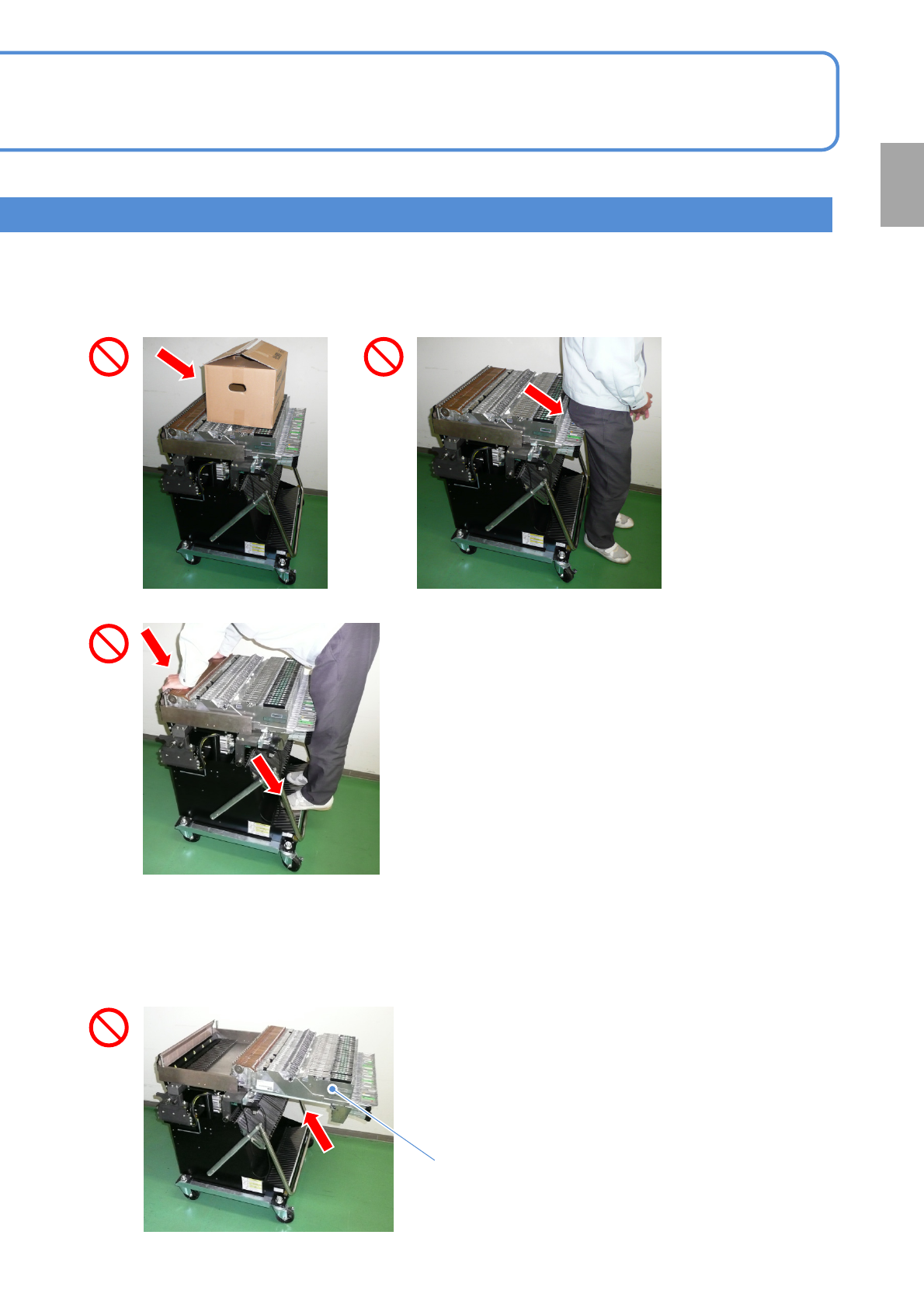
■Do not leave the loaded feeders pulled out. the cart may be deformed.
● After pulling out the feeders, slide them
back into positions promptly.
Feeder
■Do not place anything other than feeders on the cart. Also, you should
not lean against, sit on or step onto the cart as it could deform the cart ,
or cause bolt loosening.
Confirmation
NPM-TT2 EJM1EE-SF-01N-05
Handling the SD card and
the
product nameplate
1-5
Handling of SD card
■ SD memory card available in this machine (Recommended)
Capacity Product number (Panasonic brand)
SD memory card 2GB RP-SDL02GJ1K (As of November 2014)
・The product number is subject to change without notice.
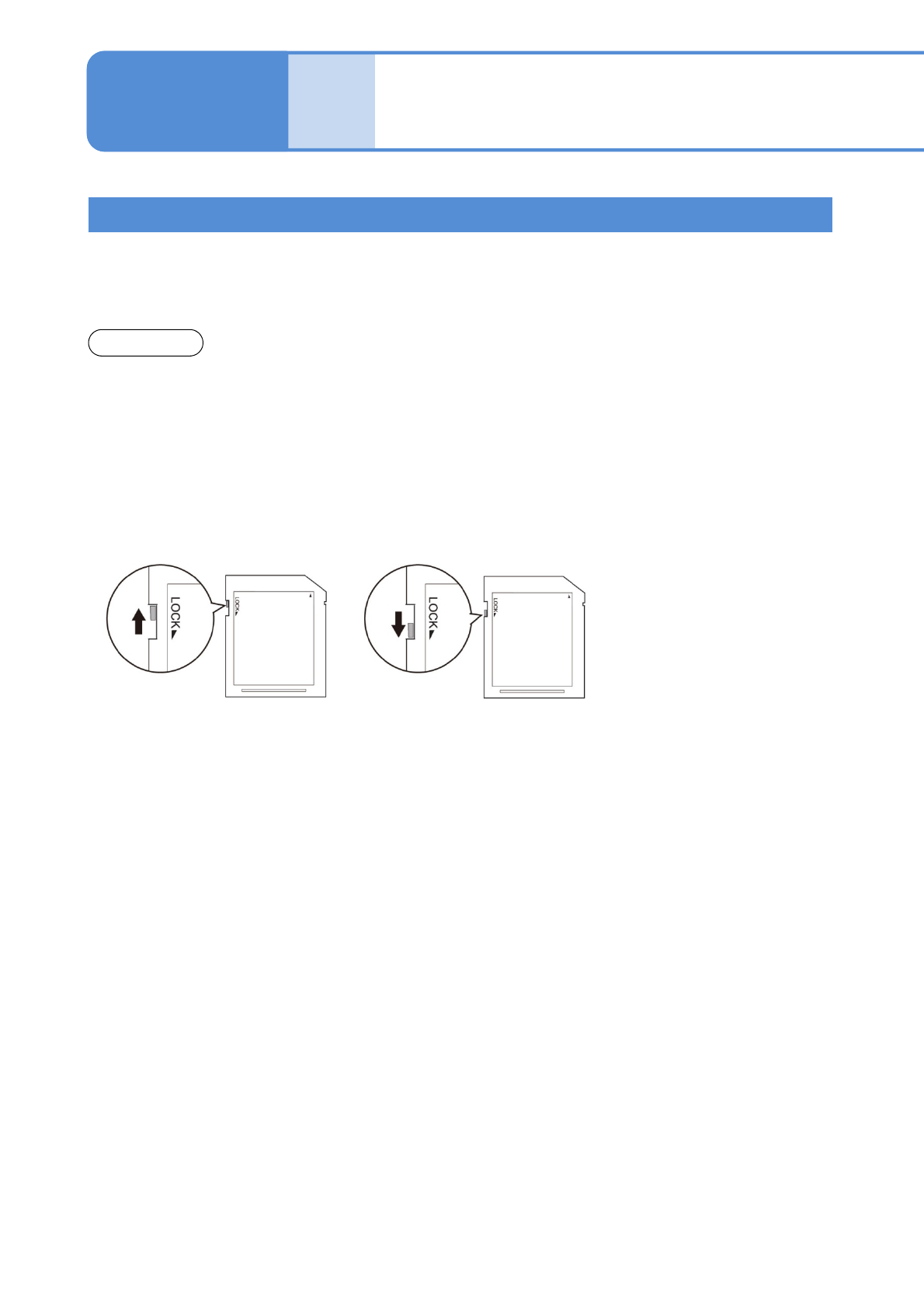
■Write protection
It is possible to mechanically protect the stored data from an accidental deletion or overwrite.
■ Handling precautions
●Avoid severe shock, bending, dropping or exposure to water.
●Avoid placing heavy objects on the disk.
●Avoid applying excessive force to the disk.
●Do not touch metal terminals by hand or metal objects.
●Do not remove affixed labels.
●Do not affix seals or labels overlapped.
●Avoid storing or leaving in areas exposed to the following conditions.
・High or low temperature
・High humidity
・Dusty
・Direct sunlight
・Corrosive gas
●Avoid using cases not specifically provided for storage and carrying.
●While the drive access lamp (→ P.1-9-1) is lit, avoid ejecting SD card or turning off the power supply.
●To prevent your PC from being infected by illegal software, conduct a virus check on your PC before
inserting and removing SD cards.
●SD cards may heat up after long hours of use, which does not cause failures.
●You may not be able to write to, and erase data from, SD cards that, if used for long periods, reach the end
of their life.
●We accept no responsibility for any damage caused by erasing data.
1-5-1
●SDHC memory cards are not supported.
●SD cards can save a maximum of 512 items, regardless of memory capacity.
●The available card capacity is from 64MB to 2GB.
●Defect SD cards may contribute to malfunction. In case of malfunction, insert and remove
cards again.
NOTICE
“Released” position
Enables deleting and saving.
“Protected” position
Disables deleting and saving.