N7201A652E.pdf - 第65页
NPM- TT2 EJM1EE-SF-01N-05 1-9-2 -2 Confirmation SELECT To enab le the ope ration switch in front or rear, and the touchscr een operation. ● The light is on if it is enabled . A C T I VAT I O N Holding down the switch, pr…
NPM-TT2 EJM1EE-SF-01N-05
Com-
ponent
names
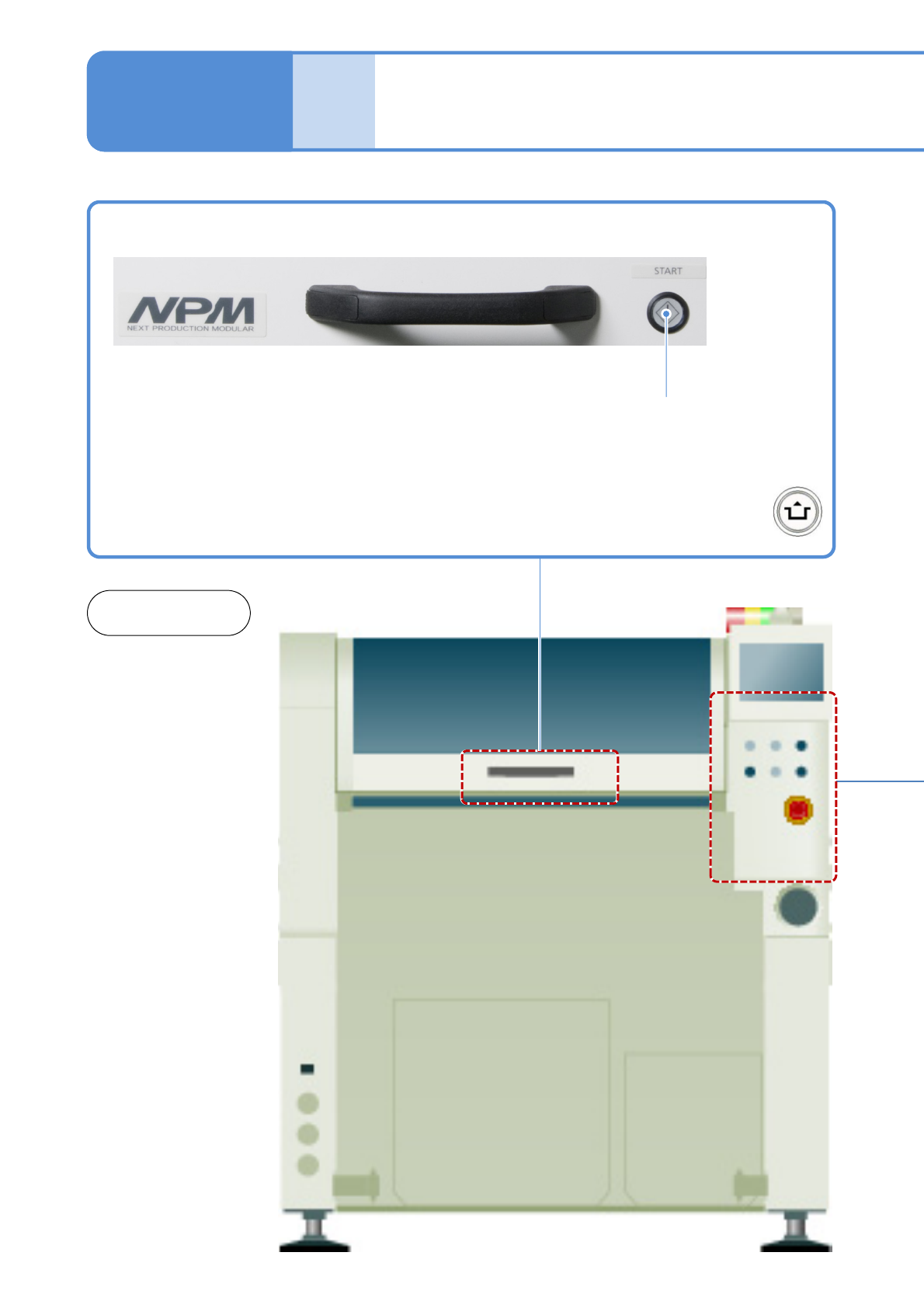
Operation switch
1-9-2-1
1-9-2
START
Starts production.
●Restarts production when in
temporary stop.
●Push the button with
at the same time
Front and
rear sides
NPM-TT2 EJM1EE-SF-01N-05
1-9-2-2
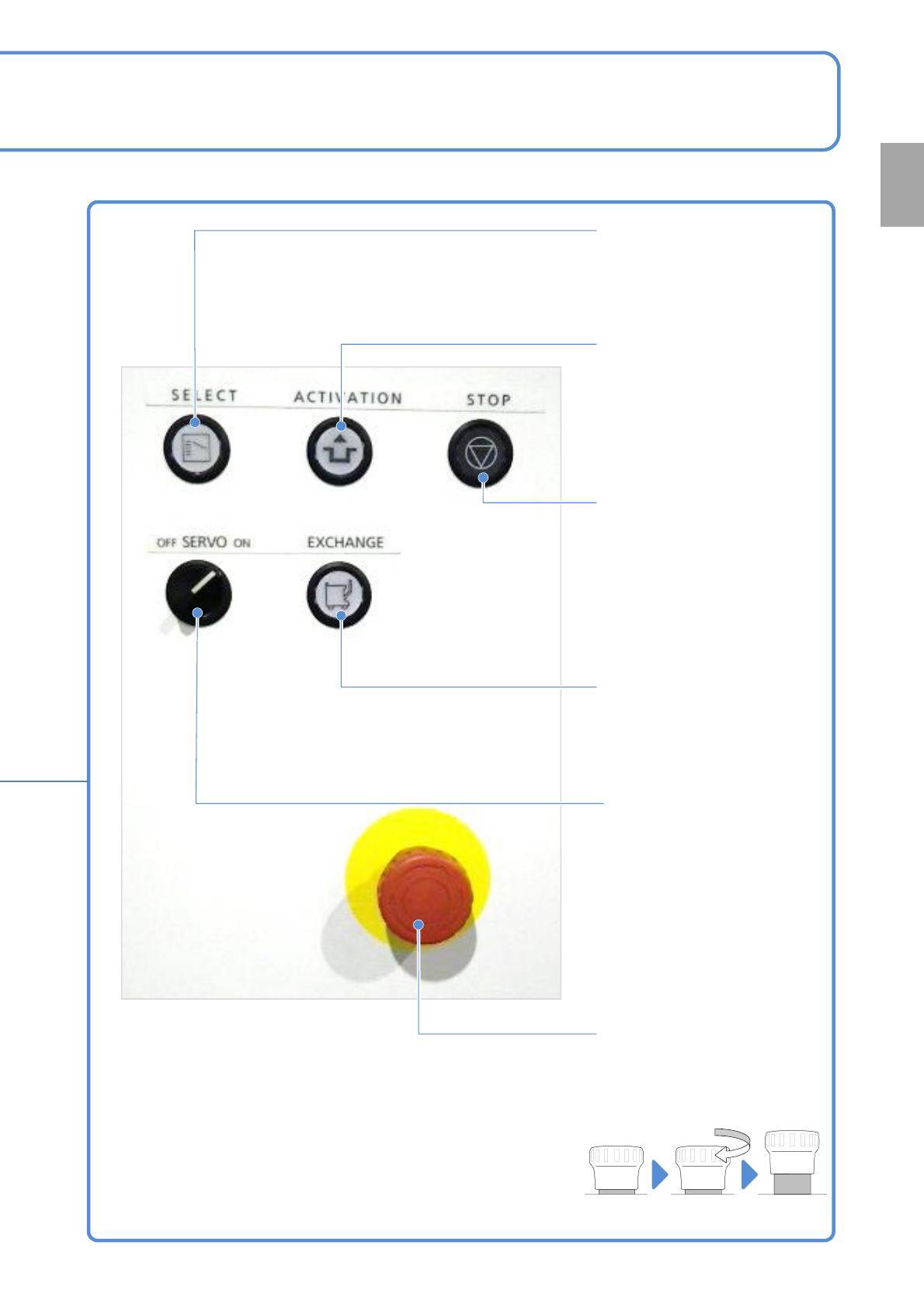
Confirmation
SELECT
To enable the operation switch
in front or rear, and the
touchscreen operation.
●The light is on if it is enabled.
ACTIVATION
Holding down the switch,
press the touchscreen’s
operation button or the switch
to operate the machine.
(For risk prevention)
STOP
To suspend production (single
stop) or to stop operations
accompanied by action.
EXCHANGE
To install/remove feeder carts.
●The light is on if it is
replaceable.
SERVO
Turns ON / OFF the motor
power supply.
(Conversion to disable
machine operation commands)
●Turns on when you start
production.
●Be sure to turn off before
placing your hands into the
moving parts of the machine.
Emergency stop switch
Stops the machine immediately
●Turn it clockwise and return it
to the original position to
release.
(Total 2 switches in front and
rear)
Emergency
stop state
Released
state
NPM-TT2 EJM1EE-SF-01N-05
Com-
ponent
names
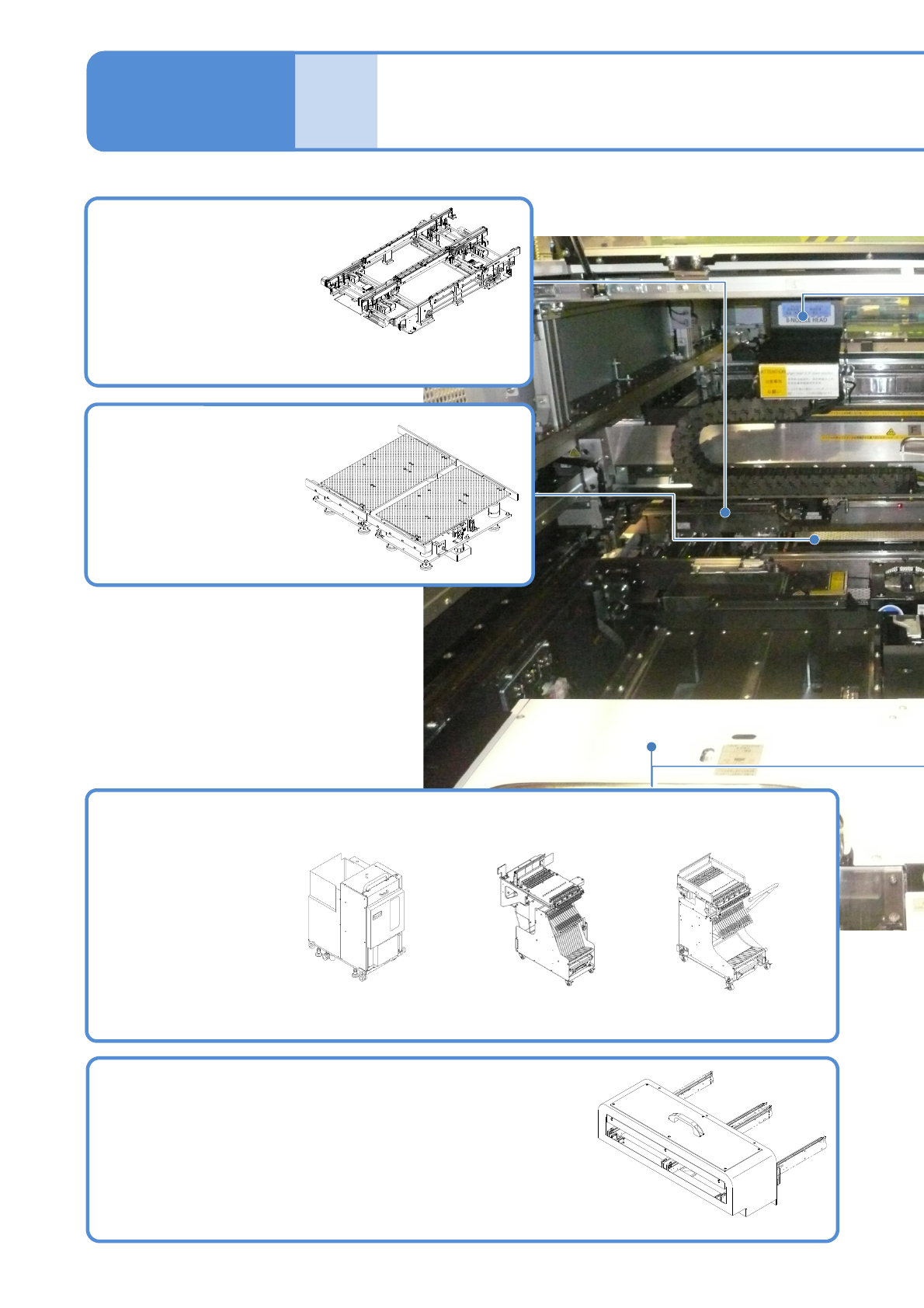
Main units
PCB holder
Keeps back side of a
PCB with the support
blocks and pins.
1-9-3-1
1-9-3
Extension conveyor (option)
When the machines are coupled as the purpose below, the
extension conveyors are required to be installed at the right and
left of the machine.
・PCB length of over 350 mm is wait in the upstream process.
(Install on the upstream machine)
・Safety distance of machine movable parts is ensured.
● Install first and last of the NPM-TT2 in line.
Supply unit
Supplies components to be placed.
Single tray feeder
(option)
13-slot feeder
Loads, clamps or
unloads PCBs.
PCB conveyor
Feeder cart
(option)
PC size conveyor
M size conveyor(option)