N7201A652E.pdf - 第85页
NPM- TT2 EJM1EE-MB-02 O-04 : Means to press the button while holding down . ■ T o i nput 1 Select an item 1 2 3 2 Enter numerical values ■ To delete a single charact er 3 ● Repeat mark (upper right) : Operation runs whil…
NPM-TT2 EJM1EE-MB-02O-04
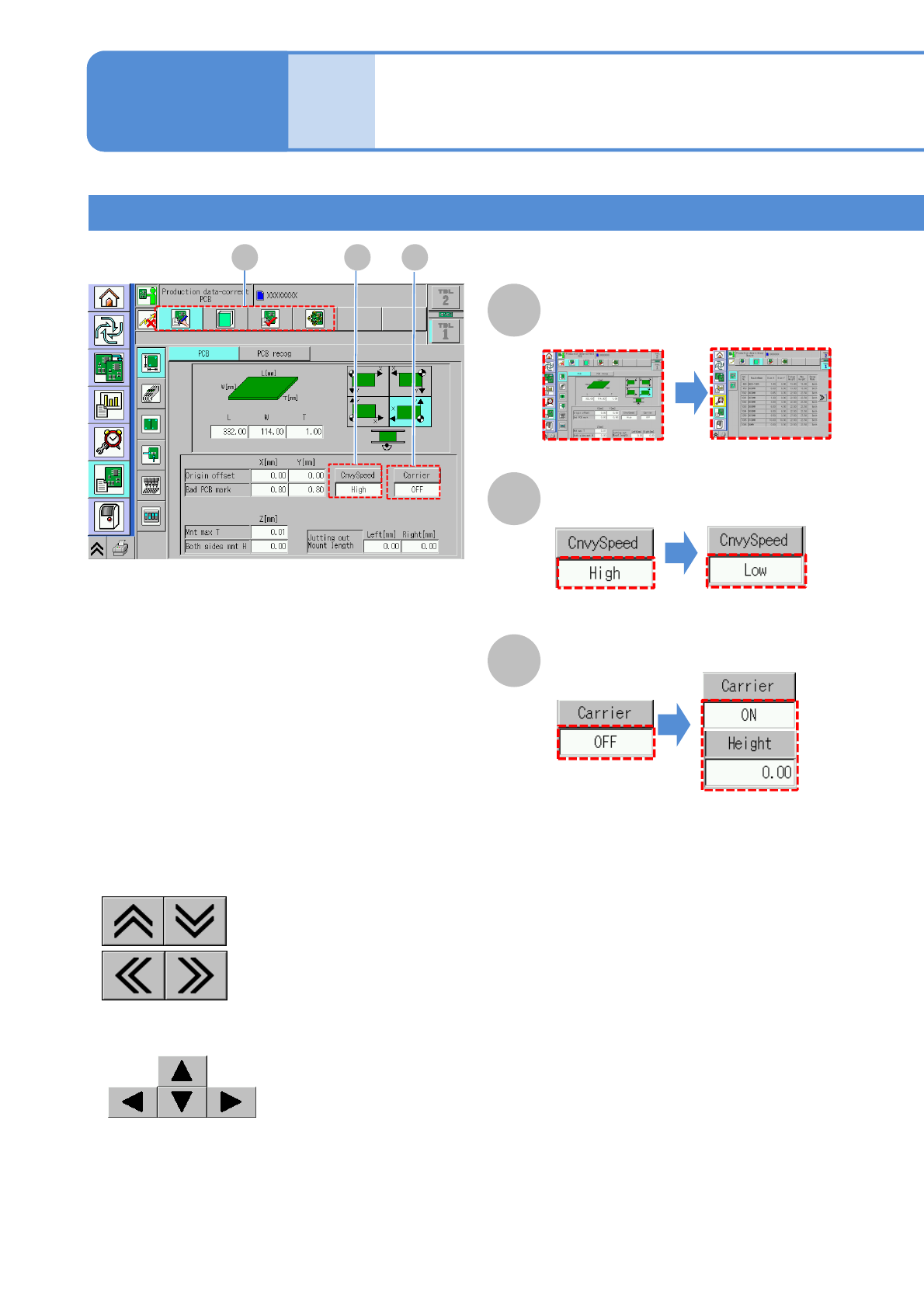
■To select
2-2-1-3
(The next parameter is
displayed)
Compo-
nent
names
Touchscreen 2
Operation types
(The numerical entry
is displayed as [ON])
A B C
A
Select
(The next screen is
displayed)
B
Switch
C
Switch and input
■To scroll the table
:Vertical direction
:Horizontal direction
■To move a recognition image
:Up, down, right and left
Operating procedure
2-2-1
NPM-TT2 EJM1EE-MB-02O-04
:Means to press the button while holding down .
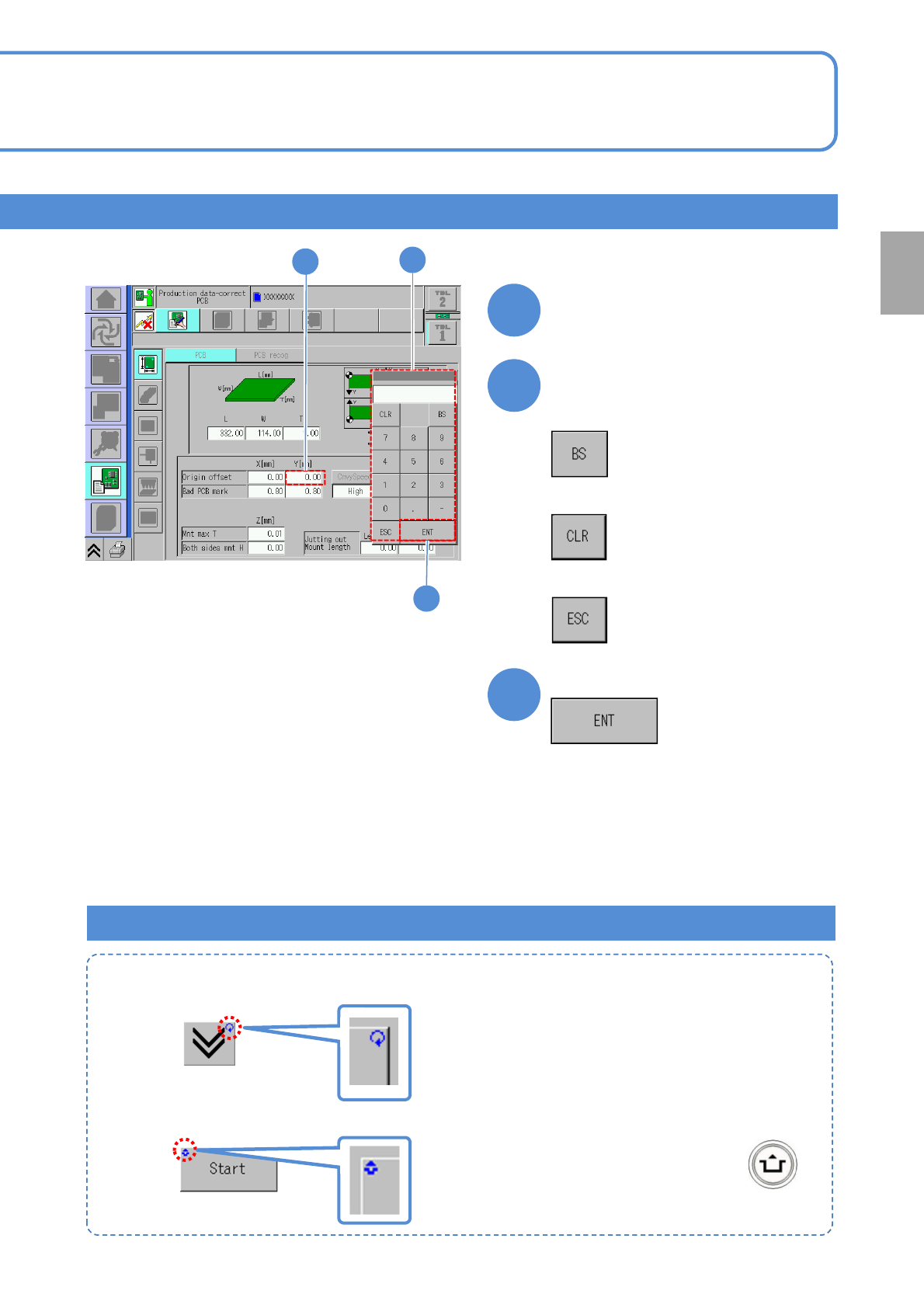
■To input
1
Select an item
1
2
3
2
Enter numerical values
■To delete a single character
3
●Repeat mark (upper right)
: Operation runs while you press it.
●Unlock mark (upper left)
■To delete all
■To cancel the entry
Complete the entry
Marks on the operation button
Preparation
2-2-1-4
NPM-TT2 EJM1EE-MB-02O-04
Commonly-used operations
■To change the display mode
1
●Each time you press it, a reversed
display moves up and down to
switch the mode.
Select the display mode
1
2-2-1-5
Compo-
nent
names
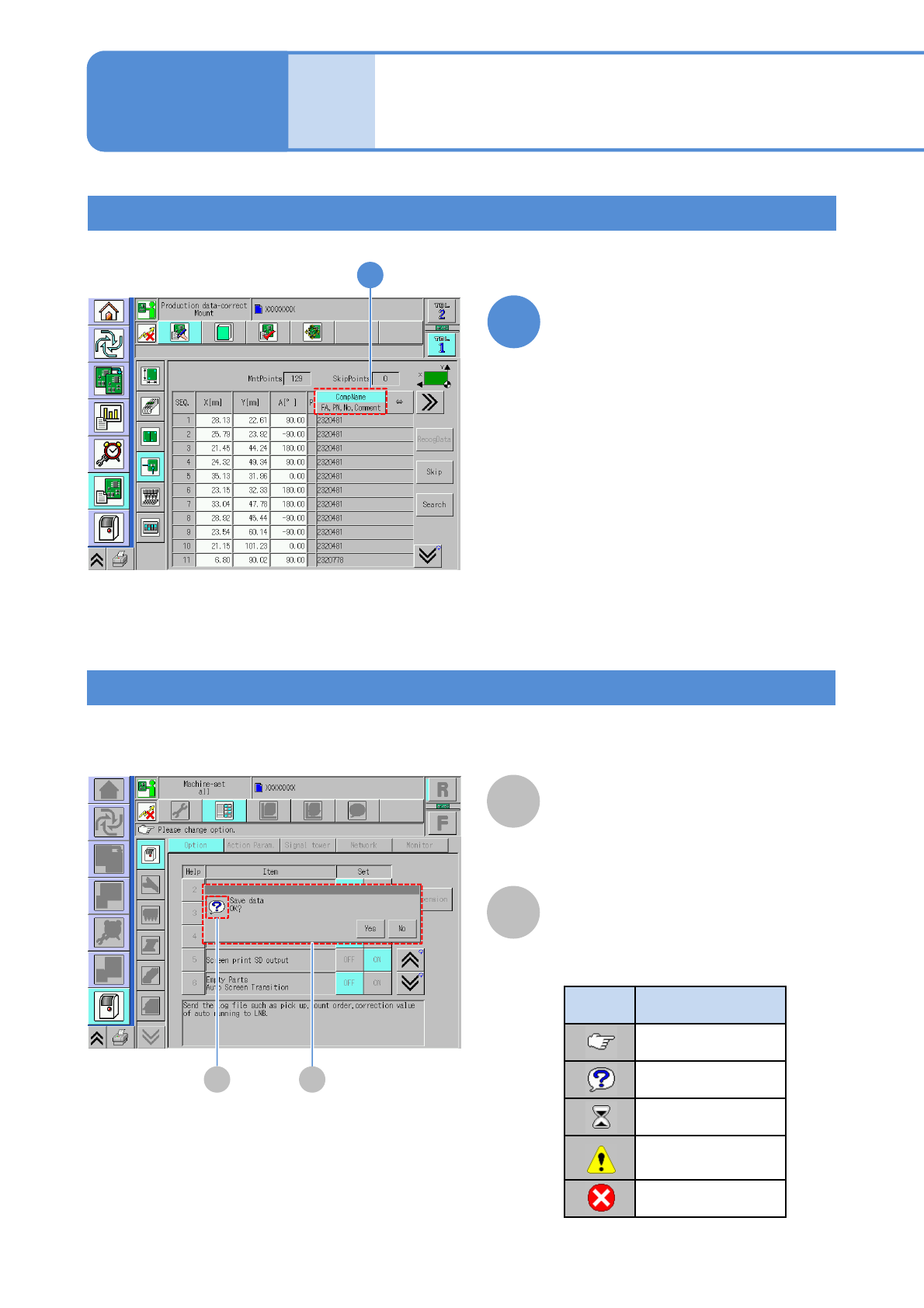
Touchscreen 3
Message (Automatic)
A
A
Message
B
Message icon
Messages are displayed depending on the situation.
●Message icon types
Icon Explanation
Instruction
Inquiry
Time-waiting
Danger, Warning
Caution
Prohibition
B
Operating procedure
2-2-1