N7201A652E.pdf - 第9页
NPM- TT2 EJM1EE-BP-04N-01 SERVO ON 1 2 3 Detach the feeder cart. ( → P .3-2) Shows to turn in the direction of the arrow . Operation switch Contents of operation Operating procedure Operation button S-9 Shows to push ano…
NPM-TT2 EJM1EE-BP-04N-01
S-8
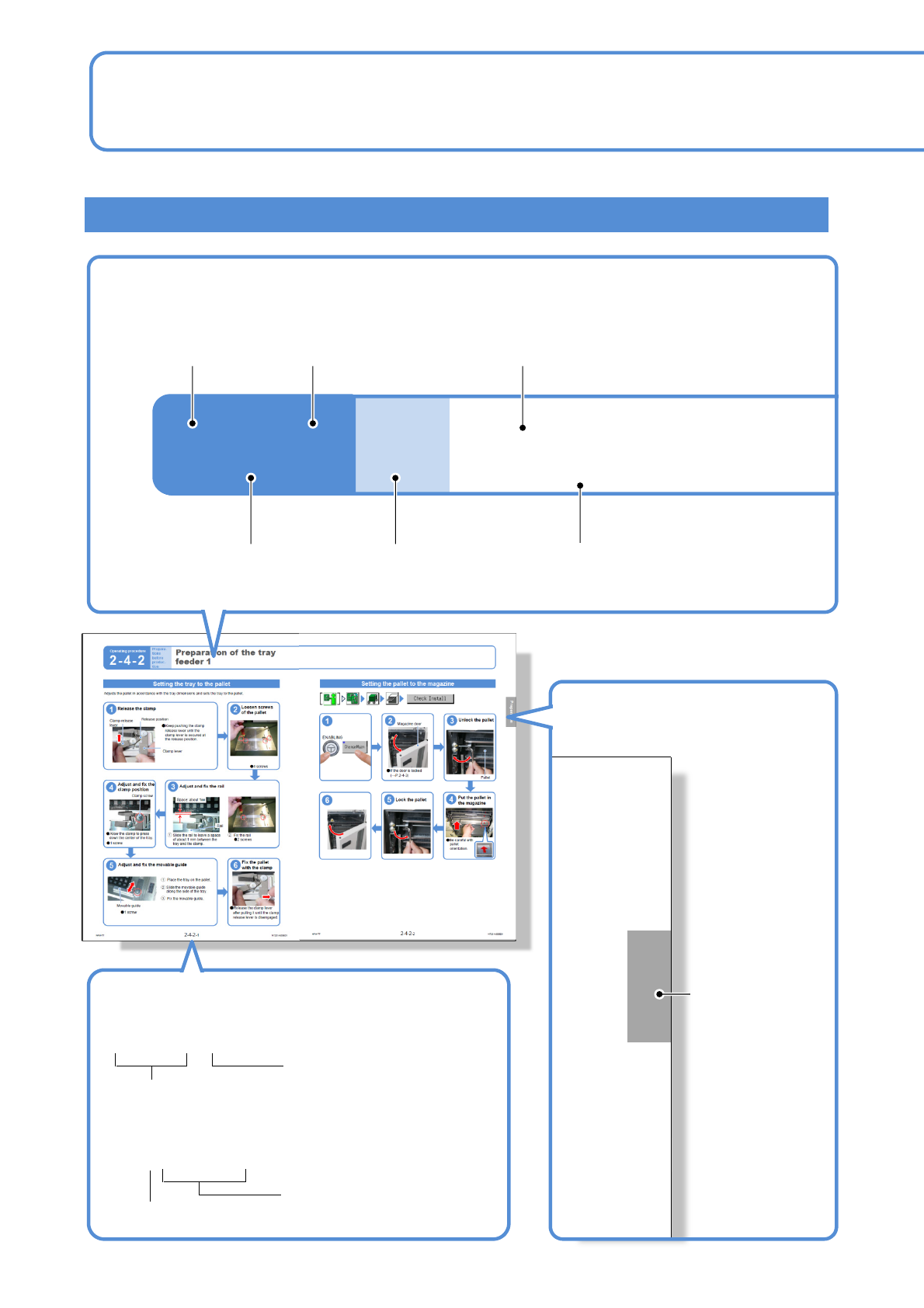
Prepara-
tions
before
production
Preparations of the
tray feeder 1
Operating procedure
2-3-1
Operating procedure
2-4-2
2-4-2-1
■About reference
Title
Major classification
number
Middle classification number
Minor classification
number
Middle classification title
Minor classification title
●When followed by
the same title
Easy-to-find Titles / Tag headlines/ Page number
Reference number
Major・middle・minor
classification number
When multiple pages
have the same title
Symbol to show reference
Major classification
title
Tag headlines
Page number
Preparation
(→P.2-3-1)
How to read operating instructions… 1
NPM-TT2 EJM1EE-BP-04N-01
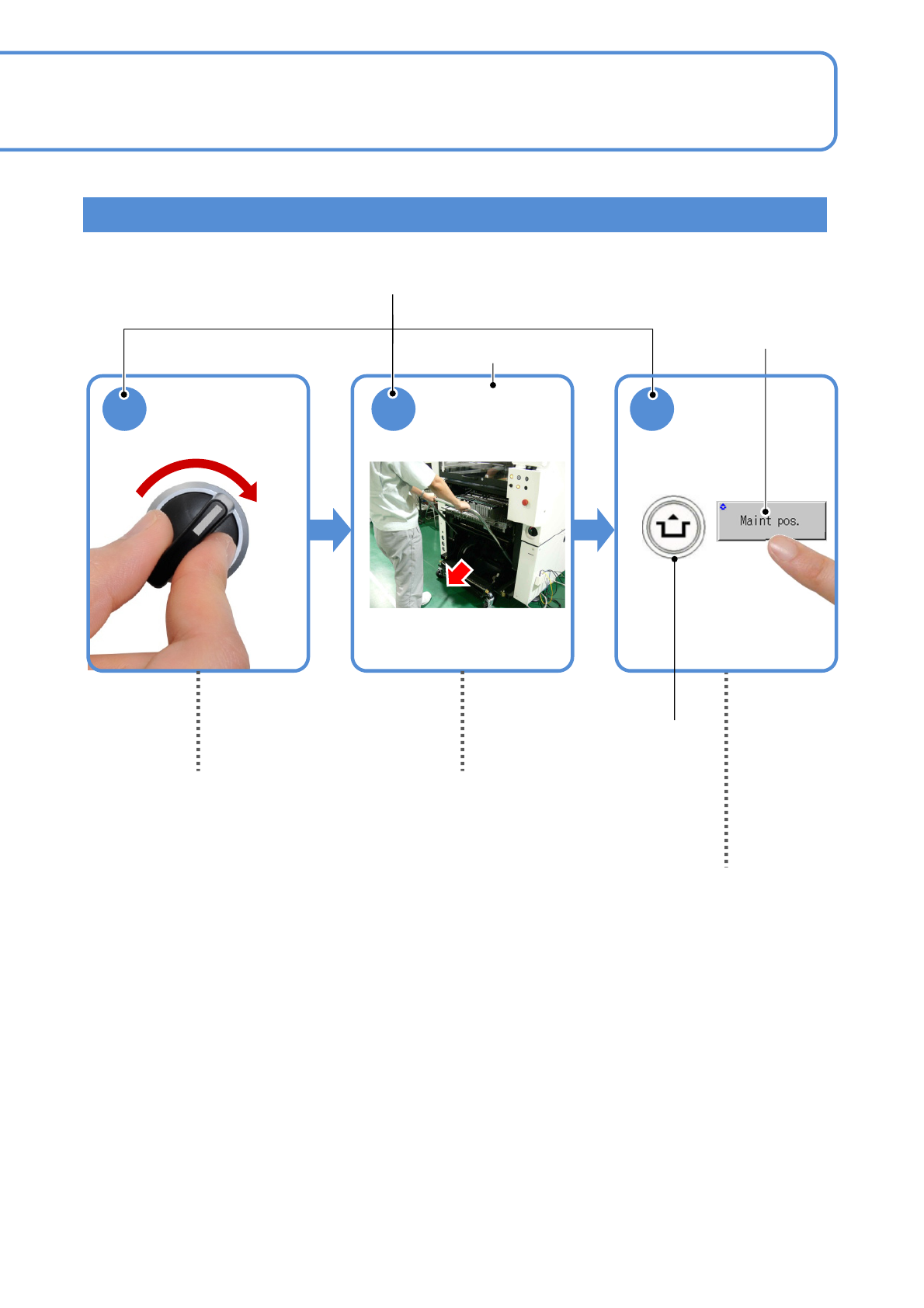
SERVO
ON
1 2 3
Detach the
feeder cart.
(→P.3-2)
Shows to turn in the
direction of the arrow.
Operation switch
Contents of operation
Operating procedure
Operation button
S-9
Shows to push another switch or button
while holding down the ACTIVATION
switch.
(Position of switches may vary)
Indicates to draw out to
the arrow direction.
Visual procedure/operation by reading
NPM-TT2 EJM1EE-BP-04N-01
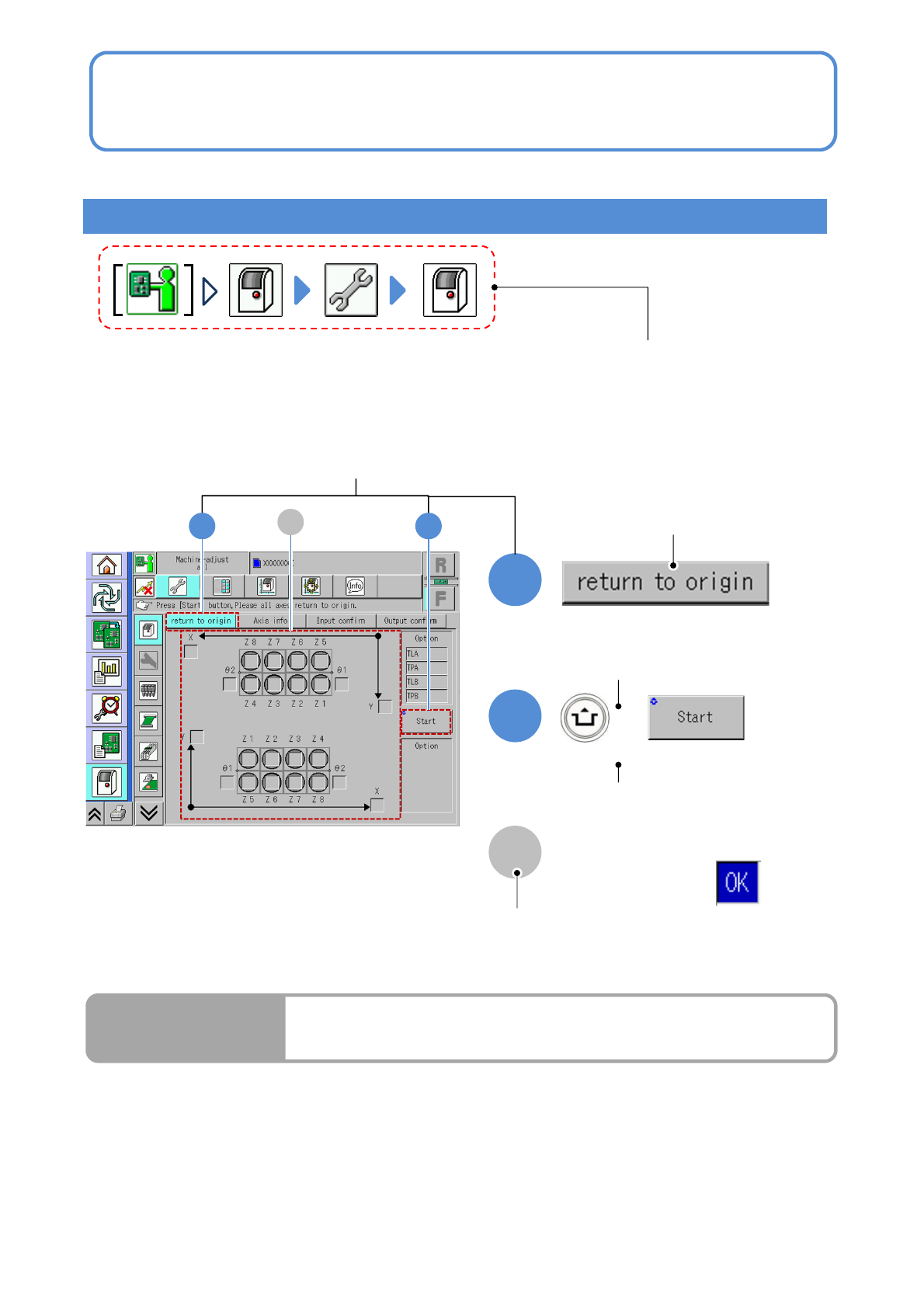
Terms used in the button on the screen may differ from
the ones in explanation.
Remarks
● Homing axis
S-10
1
2
1
+
2
A
A
How to read operating instructions… 2
Visual procedure/operation by reading
Operation procedure
Operation mode button, press the button
that shows each level of operation.
Shows to push the
operation button.
Shows to push another button
while holding down the
ACTIVATION switch.
Shows the operation results.
(Completes continuous preparation.)
Run Results
Screen explanation