N7201A652E.pdf - 第99页
NPM- TT2 EJM1EE-MB -02O-04 2-2-2 -8 Maintenance operations Consumable parts replacement Periodic inspection Checks the inspection items and w ork history of each cycle. Displays the consumable parts replace ment informat…
NPM-TT2 EJM1EE-MB-02O-04
2-2-2-7
Engineer mode 2
Compo-
nent
names
Menu configuration 4
Operating procedure
2-2-2
Material
preparation
Preparation
menu
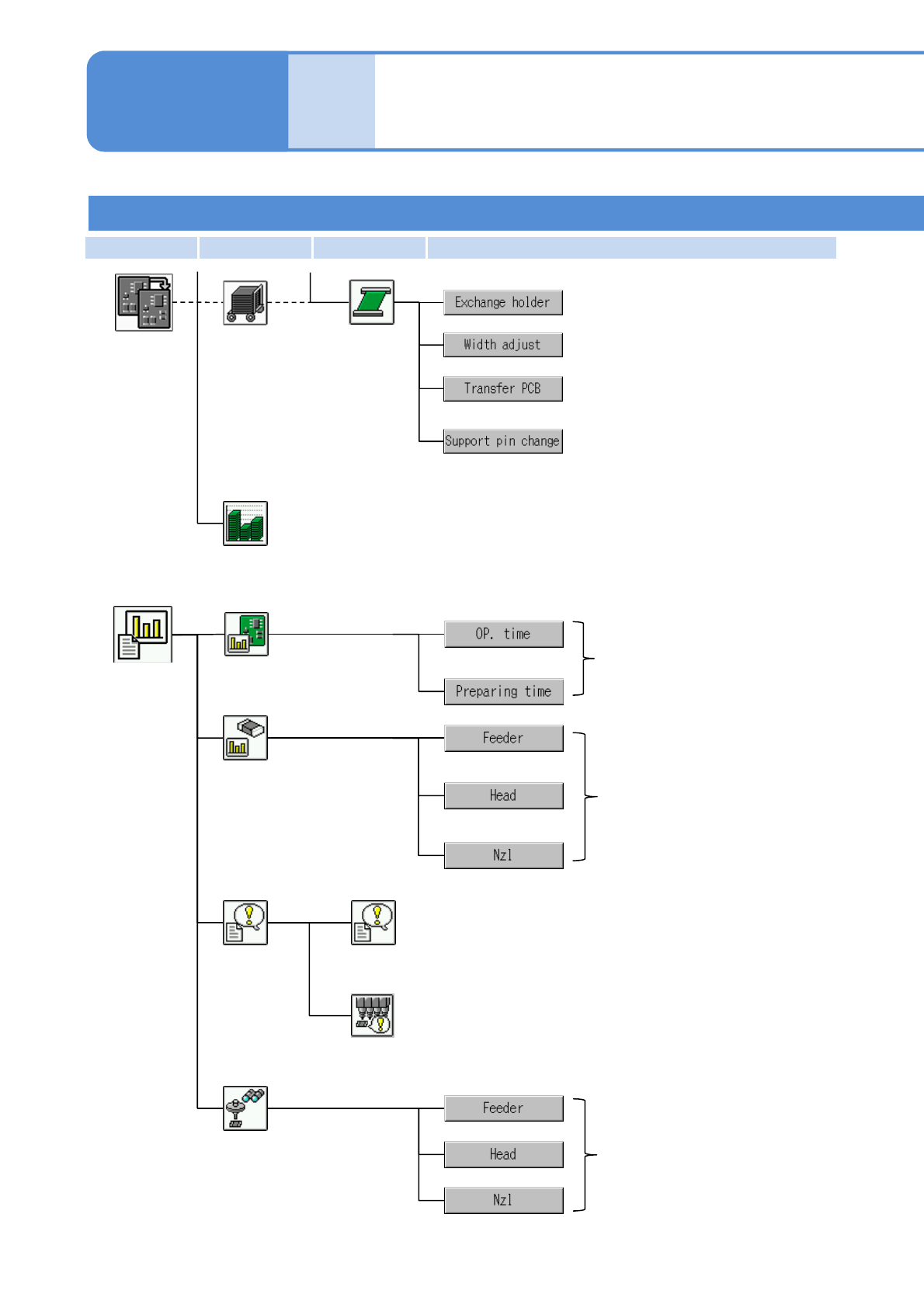
Replaces the PCB support pin unit.
Displays PCB positions, and transfers
PCBs from their respective positions.
Adjusts PCB widths.
Calculates the consumption of
components relative to the planned volume
in advance.
Production plan
Pickup
information
Displays information on
operating time per stage.
Displays up to 50 emergency stop errors in chronological
order, with the most recent first.
Stop history
Displays the latest 50 errors in the vacuum sensor that
occurred during automatic operation in chronological order.
History
Pickup monitor
Displays component pickup
information.
Operating
information
Vacuum sensor error history
Production
information
menu
Displays component pickup
information.
Checks the number of support pins (for
automatic change) and their positions.
(displayed for the support pin automatic
change specification)
Conveyor
First layer Second layer Third layer Fourth layer
NPM-TT2 EJM1EE-MB-02O-04
2-2-2-8
Maintenance
operations
Consumable parts replacement
Periodic inspection
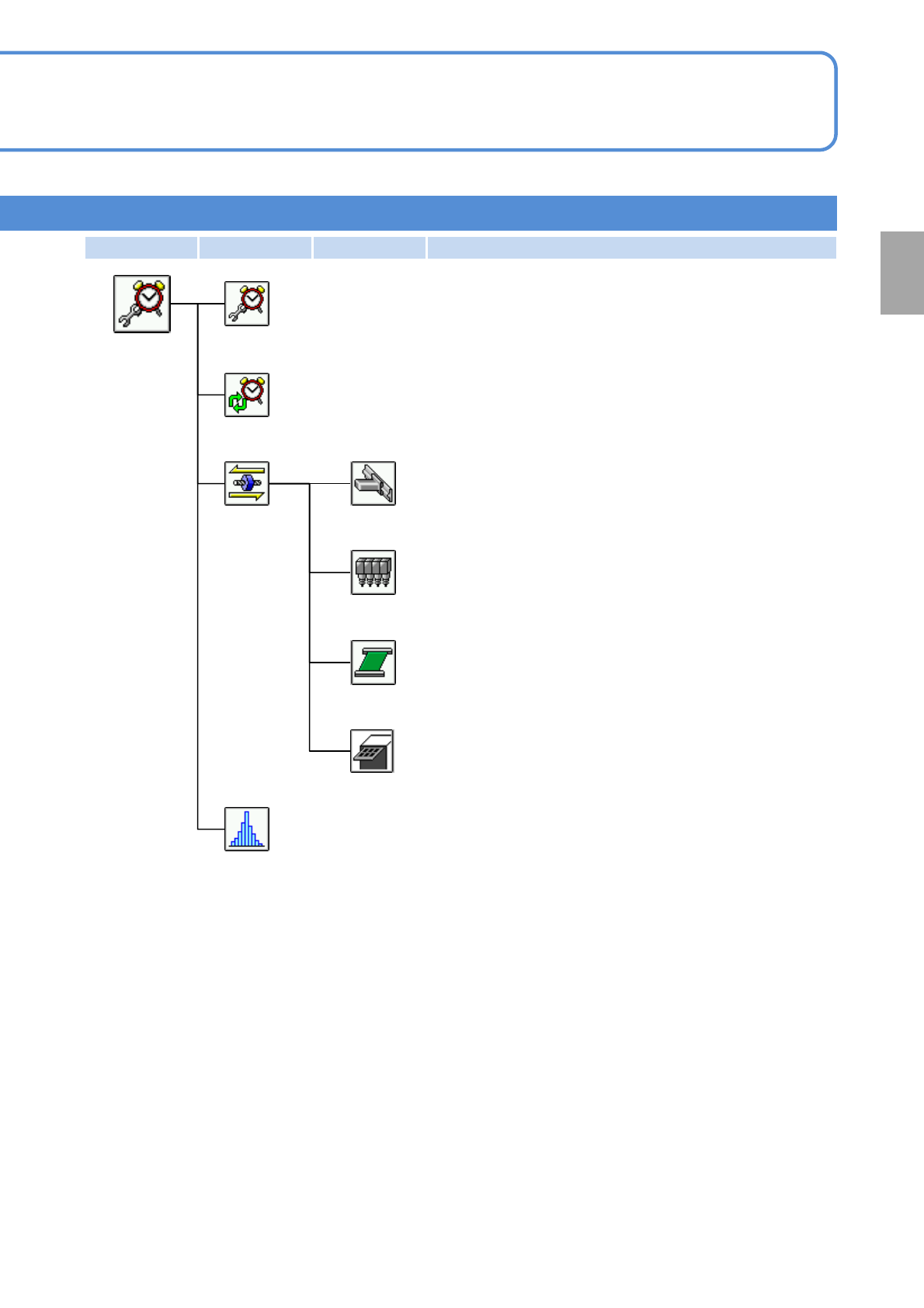
Checks the inspection items and work history of each cycle.
Displays the consumable parts replacement information.
Accuracy verification result
Displays accuracy verification results.
Maintenance
menu
XY unit
Carries out maintenance operations on XY unit.
Head
Carries out maintenance operations on heads.
Carries out maintenance operations on PCB transfer.
Tray
Carries out maintenance operations on the tray feeder.
(Displayed when the tray feeder is installed)
Conveyor
Preparation
First layer Second layer Third layer Fourth layer
NPM-TT2 EJM1EE-MB-02O-04
2-2-2-9
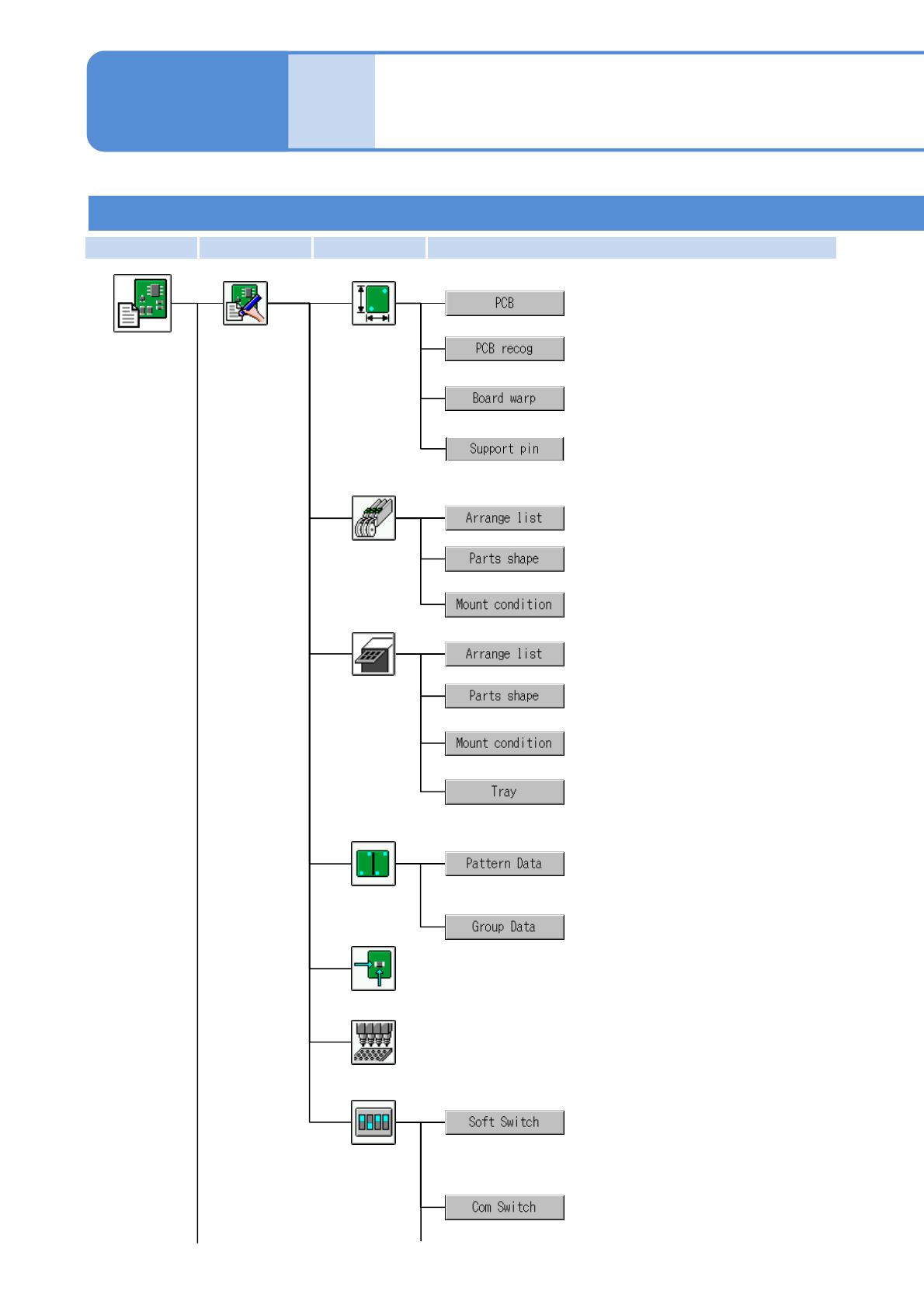
Checks and modifies PCB warpage
data.
PCB
Feeder
Production
data menu
Data
modification
Placement
Pattern
Nozzle stock
Soft switch
Tray
Enters and modifies the tray-related
data including tray sizes and pitches.
Configures pallet and feeder settings.
Enters and modifies component
shape data.
Enters and modifies placement
condition data.
Configures pallet and feeder settings.
Enters and modifies component
shape data.
Enters and modifies placement
condition data.
Checks and modifies PCB data.
Checks and modifies PCB recognition
data.
Checks and modifies pattern attribute
data.
Checks and modifies production data.
Checks and modifies group attribute
data.
Displays information on the nozzles retained by the nozzle
changer.
Checks the setting status of the soft
switch used to set up operating
conditions.
Checks the setting status of the
machine’s communication switch.
Engineer mode 3
Compo-
nent
names
Menu configuration 5
Operating procedure
2-2-2
Checks and modifies the support pin
(for automatic change) data.
First layer Second layer Third layer Fourth layer