User Manual SIPLACE Linear Dipping Unit 2 X.pdf - 第31页
3 Function description and structure 3.2 Structure User Manual SIPLACE Linear Dipping Unit 2 X 05/2020 31 3.2.9 Electronics 1. Emergency stop button 2. User interface 1. Electromagnets 2. Sensor for drip tray 3. Sensor f…
3 Function description and structure
3.2 Structure
30 User Manual SIPLACE Linear Dipping Unit 2 X 05/2020
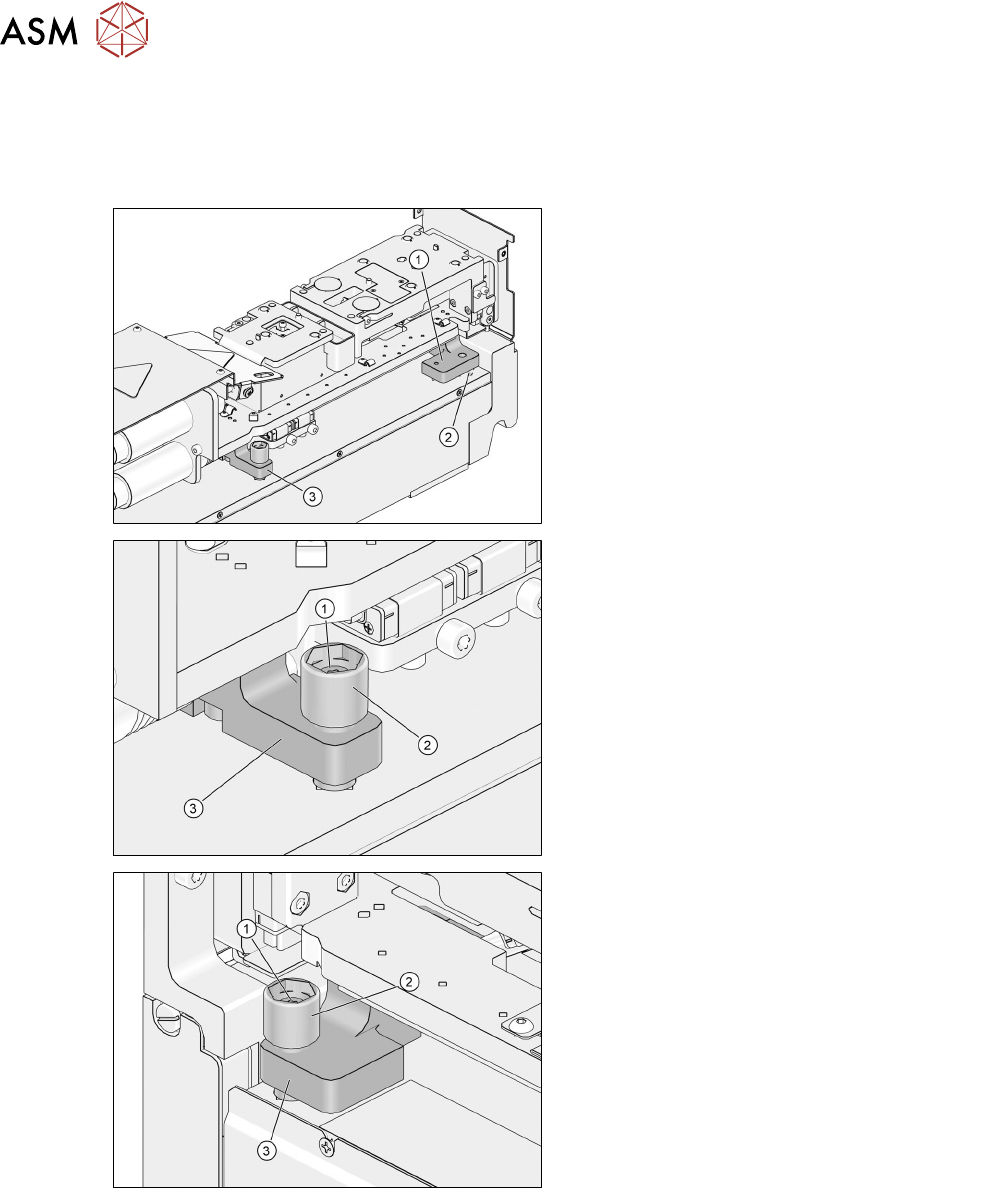
3.2.8 Leveling device
The leveling device is based on a three-point support: one bearing ball and two adjustment screws.
The front bearing block is located on the bearing ball and the front adjustment screw. The rear
bearing block is located on the rear adjustment screw.
1. Front bearing block
2. Bearing ball
3. Rear bearing block
1. Rear fixing screw
2. Rear adjustment screw
3. Rear bearing block
1. Front fixing screw
2. Front adjustment screw
3. Front bearing block
3 Function description and structure
3.2 Structure
User Manual SIPLACE Linear Dipping Unit 2 X 05/2020 31
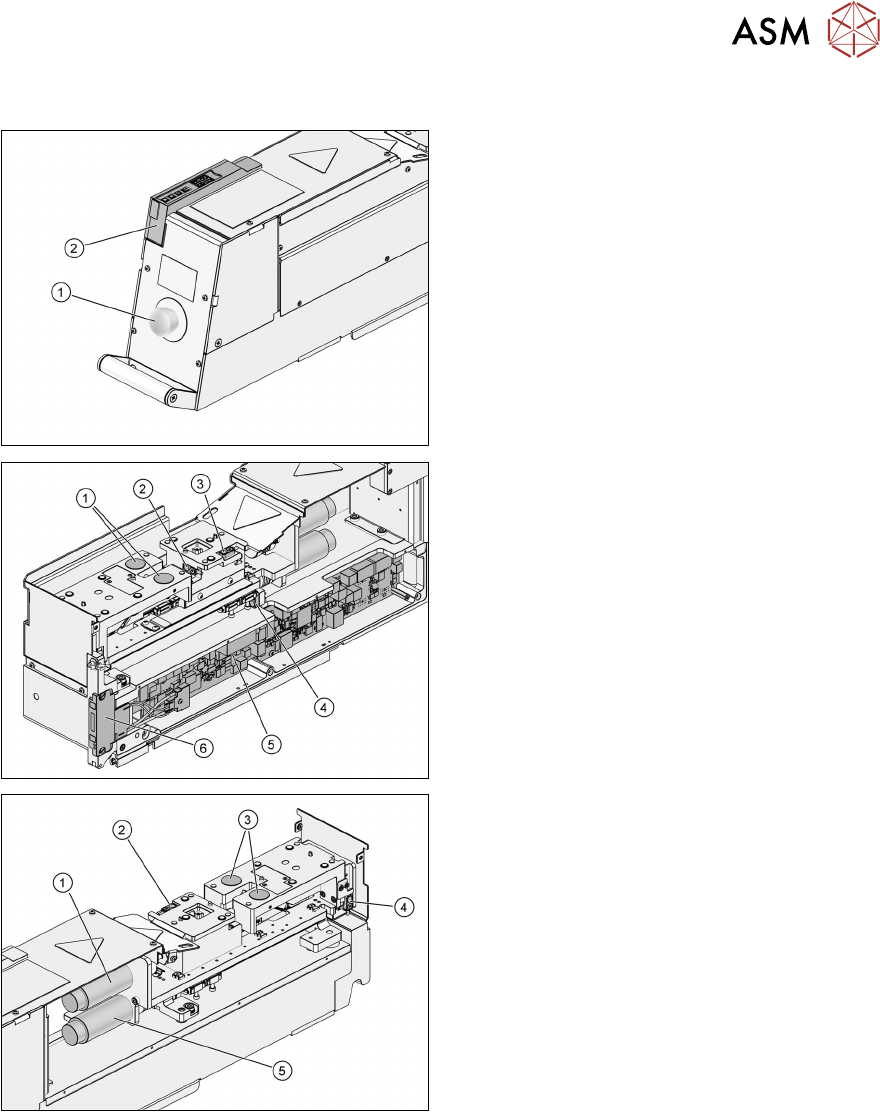
3.2.9 Electronics
1. Emergency stop button
2. User interface
1. Electromagnets
2. Sensor for drip tray
3. Sensor for park plate
4. Position switch of squeegee axis
5. Control board
6. Energy and data interface (EDIF)
1. Motor of lift axis
2. Sensor for park plate
3. Electromagnets
4. Position switch of lift axis
5. Motor of squeegee axis
3 Function description and structure
3.2 Structure
32 User Manual SIPLACE Linear Dipping Unit 2 X 05/2020
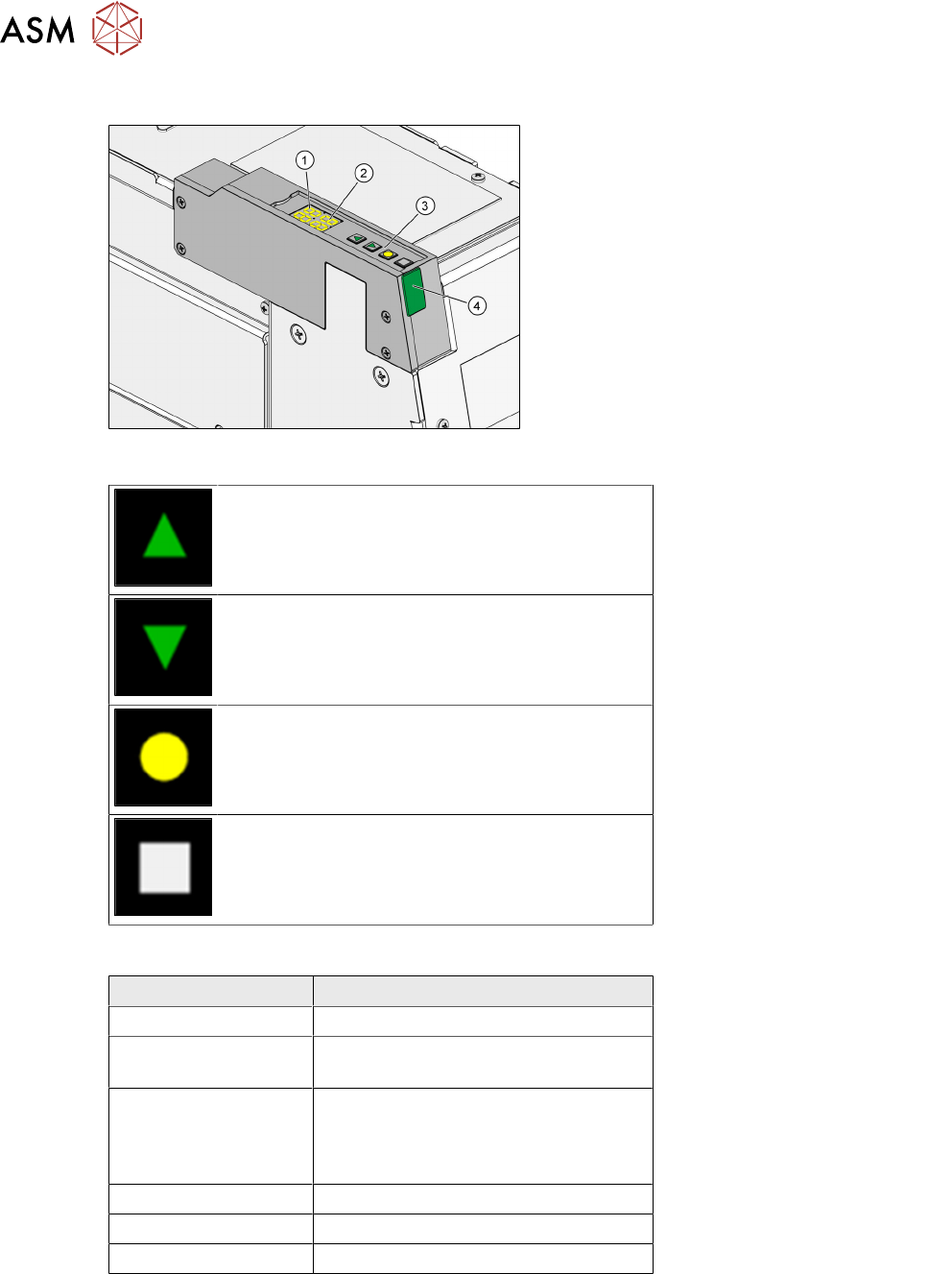
3.2.10 User interface
1. 7 segment display 1/2 (operation mode,
error mode, emergency stop)
2. 7 segment display 3/4 (error number,
squeegee speed, remaining cycles, emer-
gency stop)
3. Function keys
4. Status LED
Function keys
Up key: Pressing it briefly switches to the next
operating mode (P0
→ P1 → P2 → …). Pressing
it long while in mode P2
switches to the activity
level Advanced production
(P2→P3).
Down key: Switches to the previous operating
mode (P2
→P1→ P0…). Clears the current
error in the Er
display.
<Select> key: Selects the operating mode dis-
played, starts an operation, switches on the 7
segment displays.
<Adjust> key: Sets a parameter, clears an error,
halts the warm-up cycle.
Status LED
Color of status LED Operating state of the LDU
Green (permanent) Ready for operation
Amber (permanent) Warning. The LDU will change soon to
the state "Not ready".
Red (permanent) LDU not initialized, not warmed up or
in error mode. The 7 segment display
1/2 shows the corresponding error
number.
Off Not ready for operation
Green (fast flashing) Software download
Red (fast flashing) Application software invalid
Operating the LDU with the help of the function keys is described in chapter 4.8 "Operating the con-
trol unit via user interface" [}66].