User Manual SIPLACE Linear Dipping Unit 2 X.pdf - 第57页
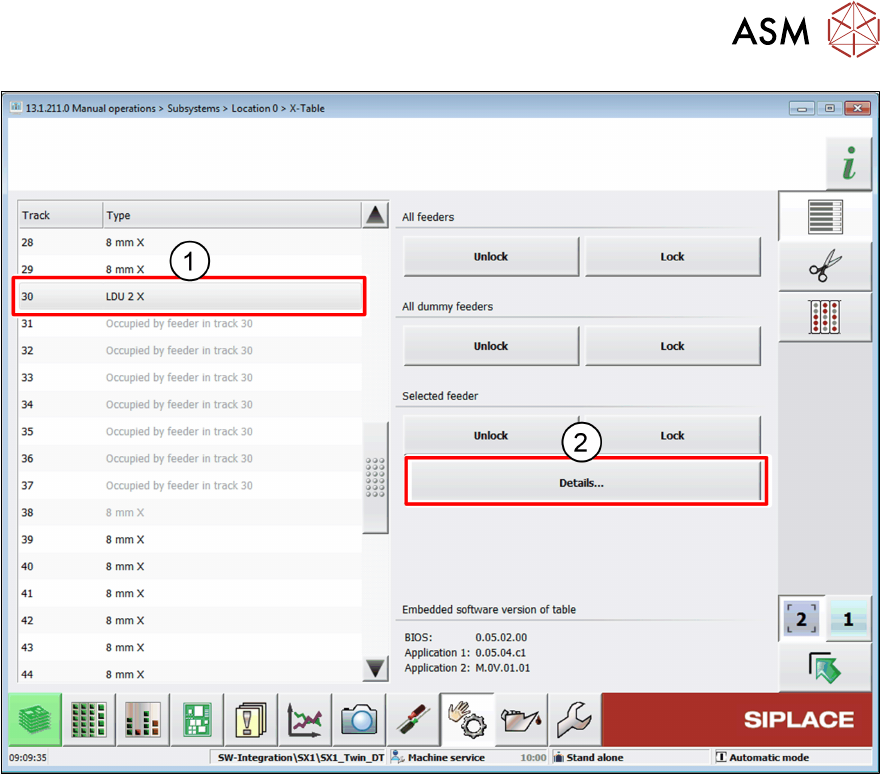
4 Operation 4.3 Setting the zero position of the dipping plate User Manual SIPLACE Linear Dipping Unit 2 X 05/2020 57 ► Select the LDU from the list (1) . ► Click on the Details… button (2) .
4 Operation
4.3 Setting the zero position of the dipping plate
56 User Manual SIPLACE Linear Dipping Unit 2 X 05/2020
Adjustment with the station software
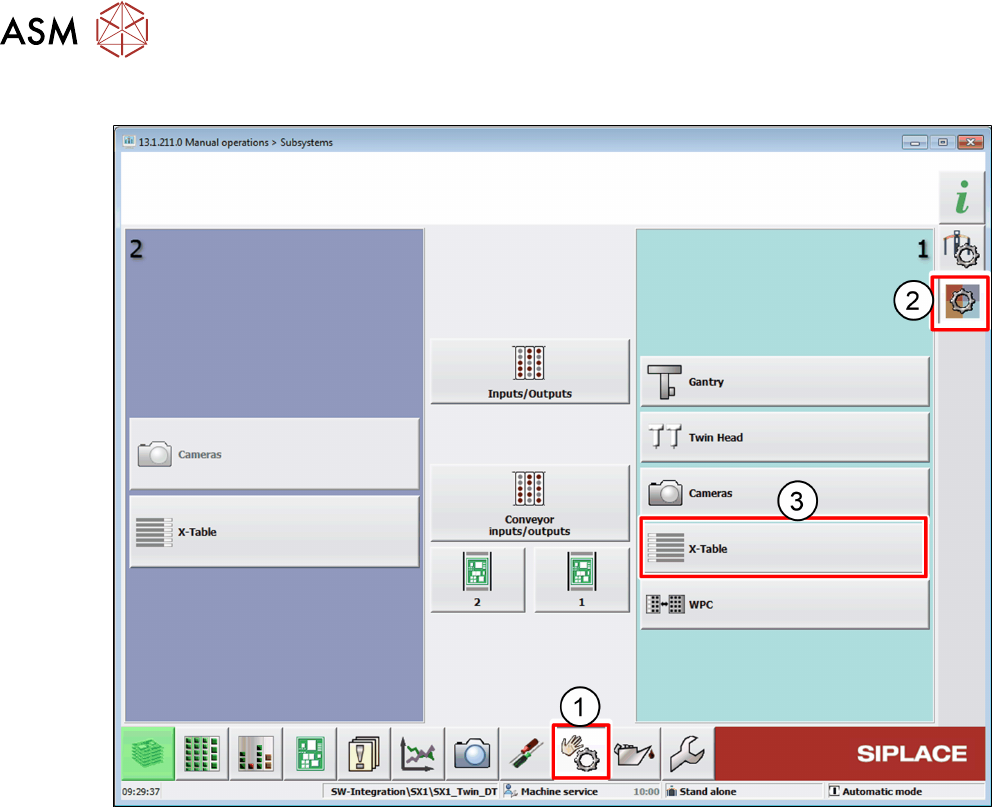
► In the station software, select the Sensor functions view(1).
► Select the Check sensors and functions of specific components area(2).
► Select the location at which the LDU is set up(3).
4 Operation
4.3 Setting the zero position of the dipping plate
User Manual SIPLACE Linear Dipping Unit 2 X 05/2020 57
► Select the LDU from the list(1).
► Click on the Details… button(2).
4 Operation
4.3 Setting the zero position of the dipping plate
58 User Manual SIPLACE Linear Dipping Unit 2 X 05/2020
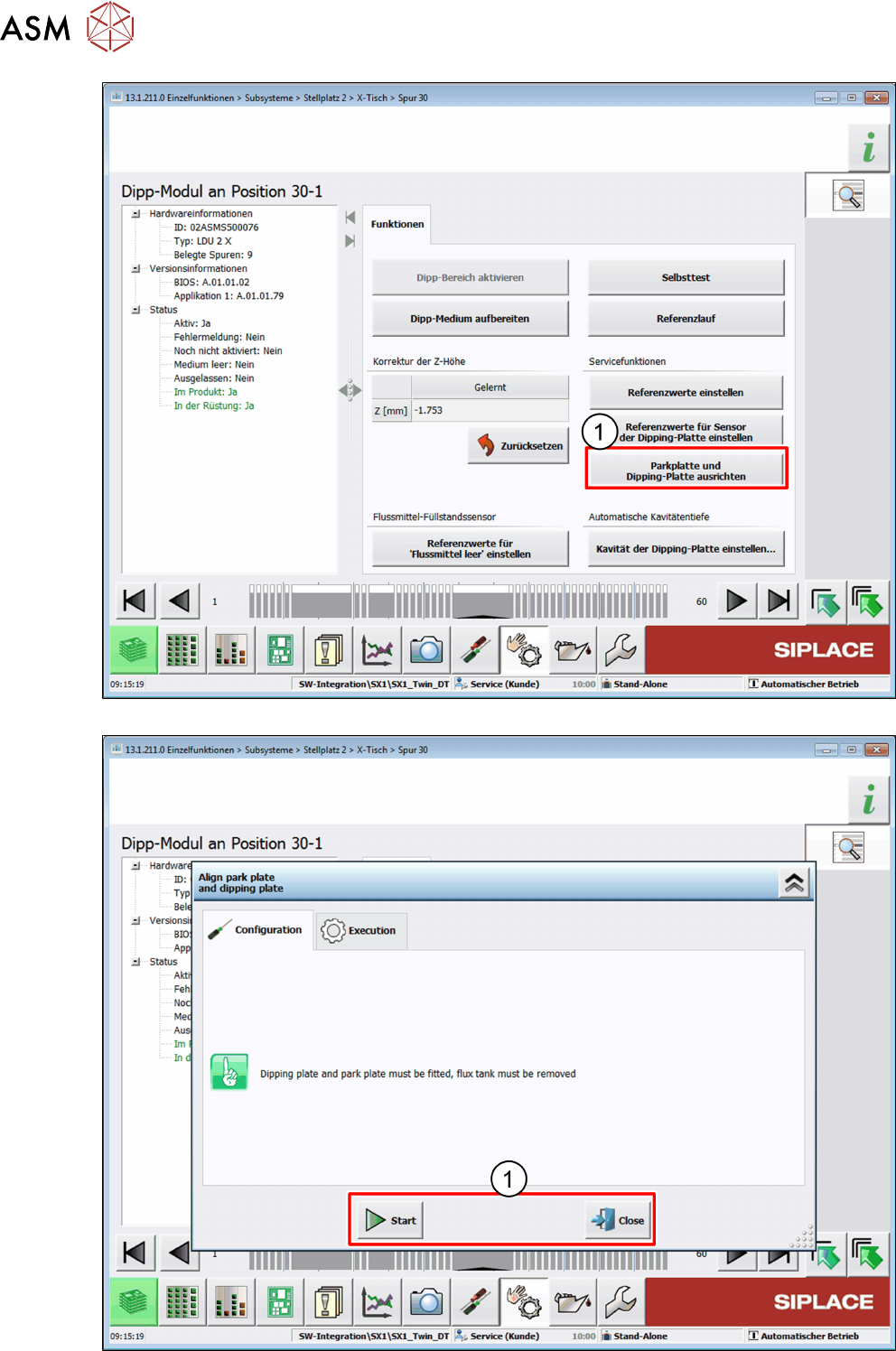
► Click on the Align park plate and dipping plate button(1).