User Manual SIPLACE Linear Dipping Unit 2 X.pdf - 第58页
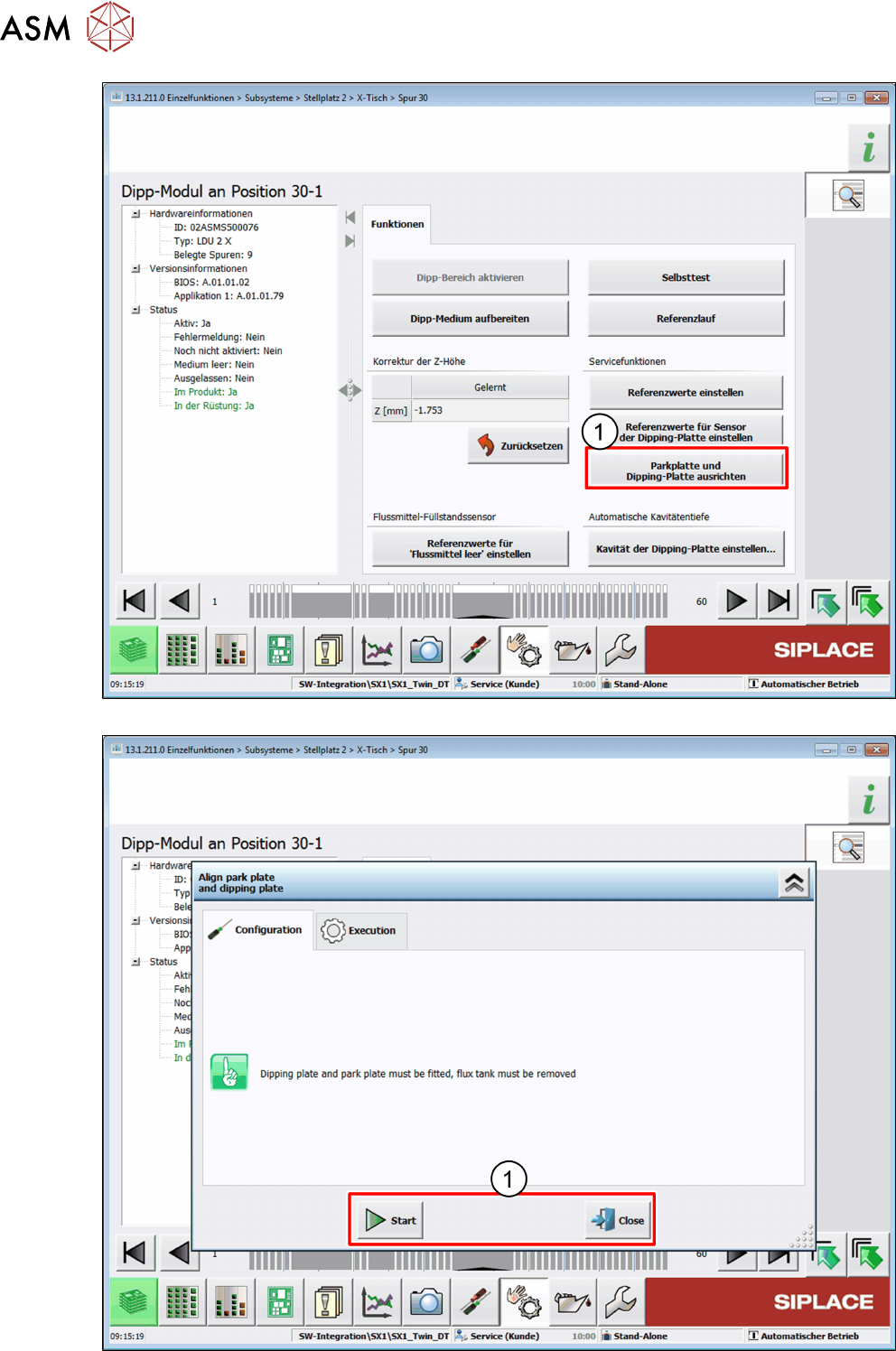
4 Operation 4.3 Setting the zero position of the dipping plate 58 User Manual SIPLACE Linear Dipping Unit 2 X 05/2020 ► Click on the Align park plate and dipping plate button (1) .
4 Operation
4.3 Setting the zero position of the dipping plate
User Manual SIPLACE Linear Dipping Unit 2 X 05/2020 57
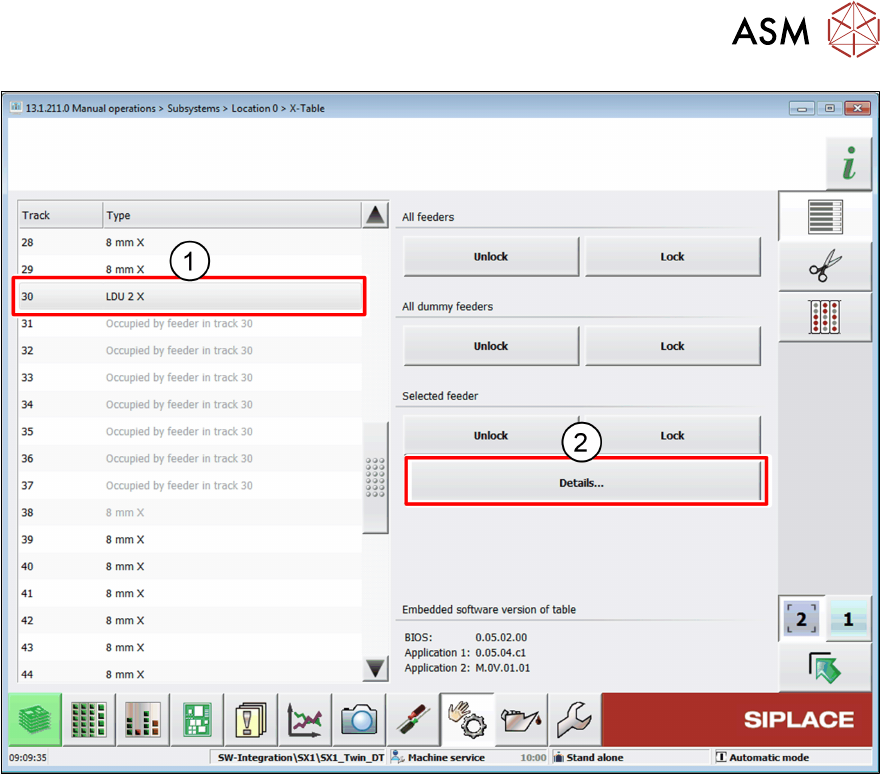
► Select the LDU from the list(1).
► Click on the Details… button(2).
4 Operation
4.3 Setting the zero position of the dipping plate
58 User Manual SIPLACE Linear Dipping Unit 2 X 05/2020
► Click on the Align park plate and dipping plate button(1).
4 Operation
4.3 Setting the zero position of the dipping plate
User Manual SIPLACE Linear Dipping Unit 2 X 05/2020 59
Click on one of the following buttons(1):
●
Click on the Start button to start the alignment procedure.
●
Click on the Close button to exit the alignment procedure.
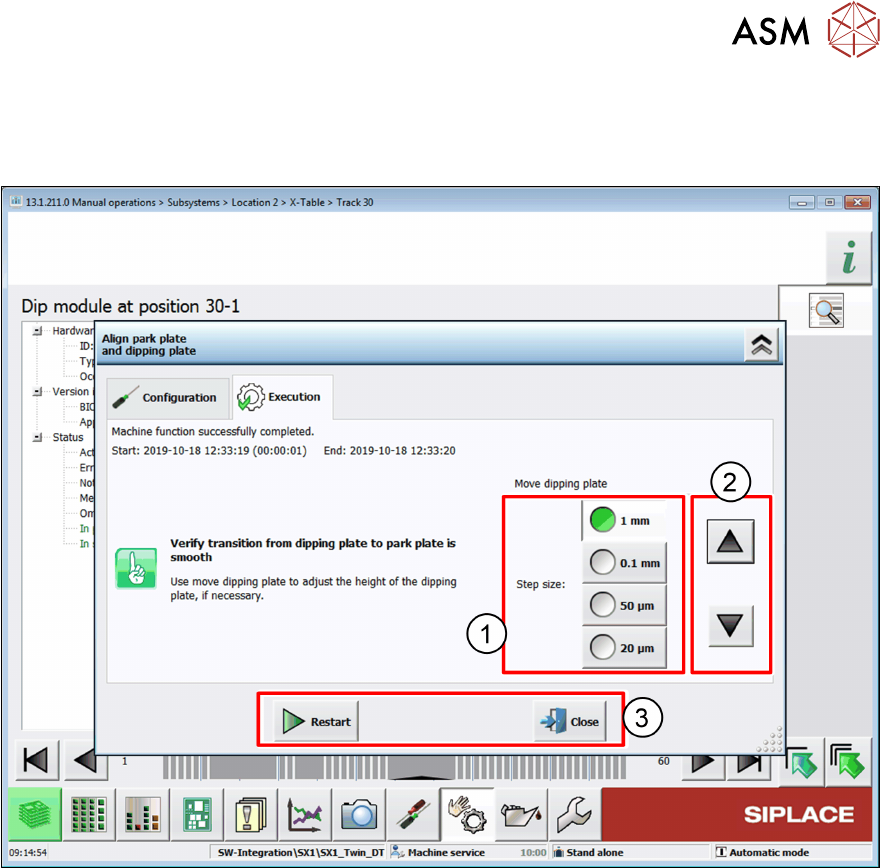
► Select a suitable step size(1).
► Click on the arrow buttons(2) to move the dipping plate up or down until the dipping plate is
exactly level to the park plate.
► Click on one of the following buttons(3):
●
Click on the Restart button to reset all values and restart the alignment procedure.
●
Click on the Close button to exit the alignment procedure without saving the values.
●
Click on the Accept buttonto exit the alignment procedure and save the values.