User Manual SIPLACE Linear Dipping Unit 2 X.pdf - 第60页
4 Operation 4.4 Adjust cavity depth 60 User Manual SIPLACE Linear Dipping Unit 2 X 05/2020 4.4 Adjust cavity depth NOTICE Target group: setup operator The procedure described is a task that occurs irregularly and should …
4 Operation
4.3 Setting the zero position of the dipping plate
User Manual SIPLACE Linear Dipping Unit 2 X 05/2020 59
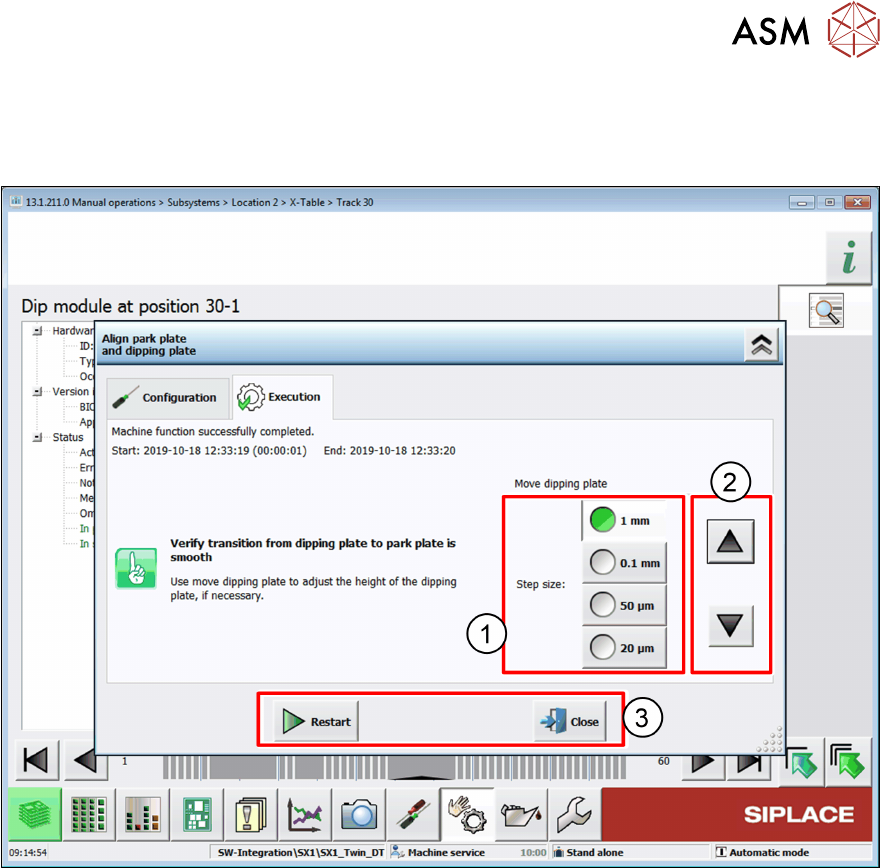
Click on one of the following buttons(1):
●
Click on the Start button to start the alignment procedure.
●
Click on the Close button to exit the alignment procedure.
► Select a suitable step size(1).
► Click on the arrow buttons(2) to move the dipping plate up or down until the dipping plate is
exactly level to the park plate.
► Click on one of the following buttons(3):
●
Click on the Restart button to reset all values and restart the alignment procedure.
●
Click on the Close button to exit the alignment procedure without saving the values.
●
Click on the Accept buttonto exit the alignment procedure and save the values.
4 Operation
4.4 Adjust cavity depth
60 User Manual SIPLACE Linear Dipping Unit 2 X 05/2020
4.4 Adjust cavity depth
NOTICE
Target group: setup operator
The procedure described is a task that occurs irregularly and should only be carried out by
a trained operator with special knowledge (setup operator).
In case an auto cavity dipping plate is exchanged the cavity depth (offset) of this exact combination
of auto cavity dipping plate and LDU must be adjusted. For each LDU where the auto cavity plate is
to be used, this auto cavity plate must be aligned to LDU.
The mechanical offset to each LDU can be stored, max. 10 values. Afterwards this plate can be
used on max.10 different LDU`s without additional adjustment.
The LDU stores the determined offset together with the serial number of the dipping plate intern-
ally.
The LDU can store the offset values for a maximum of 10 different auto cavity dipping plates. Sav-
ing the offset value of an additional dipping plate will delete the data of the oldest dipping plate.
Adjustment with the station software
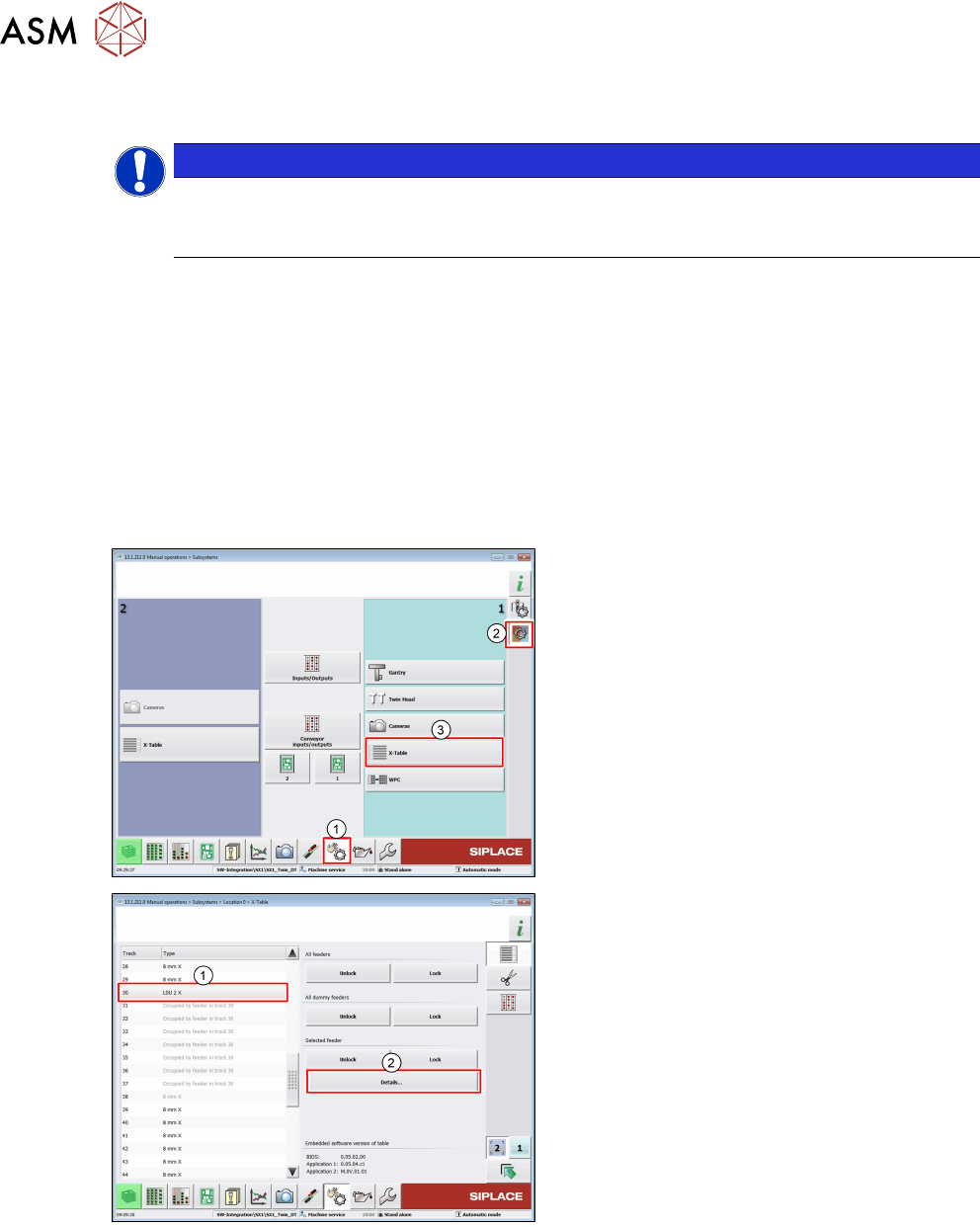
► In the station software, select the Sensor
functions view(1).
► Select the Check sensors and functions
of specific components area(2).
► Select the location at which the LDU is set
up(3)
.
► Select the LDU from the list(1).
► Click on the Details… button(2).
4 Operation
4.4 Adjust cavity depth
User Manual SIPLACE Linear Dipping Unit 2 X 05/2020 61
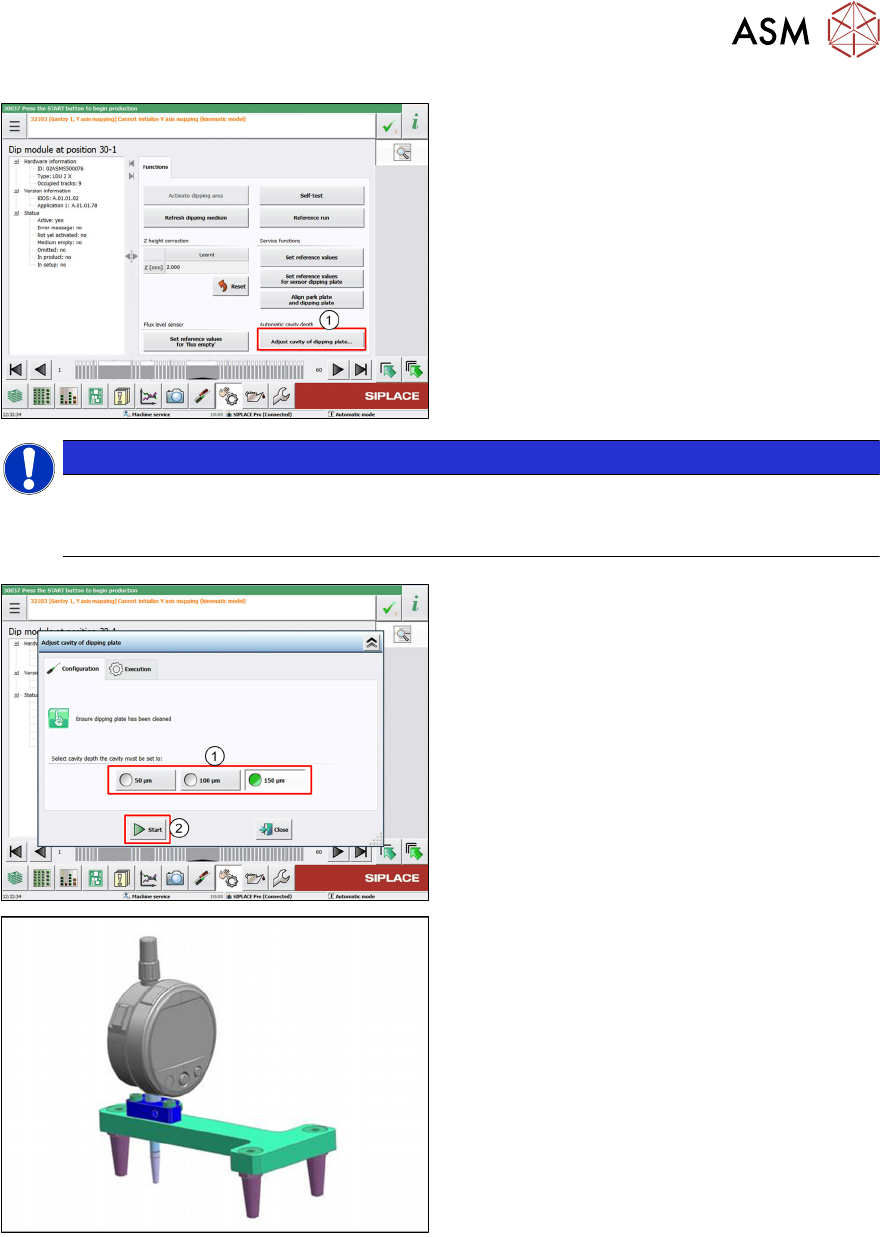
► Click on the Adjust cavity of dipping
plate… button (1).
NOTICE
Notice
The Adjust cavity of dipping plate… button is only displayed if a corresponding dipping
plate is available.
► Choose 50 µm, 100 µm or 150 µm as ref-
erence value (1)
.
► Click the Start button (2).
ð The auto cavity dipping plate moves to
the selected reference value.
► Install the mechanical gauge (measuring
device LDU HA [03118995-xx]).