TR7600 SIII_Camera_Calibration_en_v_2_0_2 - 第28页
Test Research, Inc. 22 TR7600 SI II Series User Guide – Camera Ca libration 3) Locate the center of the cross line at t he center of two white square boxes. Figure 29: Height Ca libration Step s 4) Press [Calculate] and …
Test Research, Inc.
TR7600 SIII Series User Guide – Camera Calibration 21
2.4 Height Calibration
Note: Generally, this calibration is not required. Please check with TRI FAEs before
performing this calibration. Without professional assistance, calibration that failed
may cause issues which are difficult to resolve.
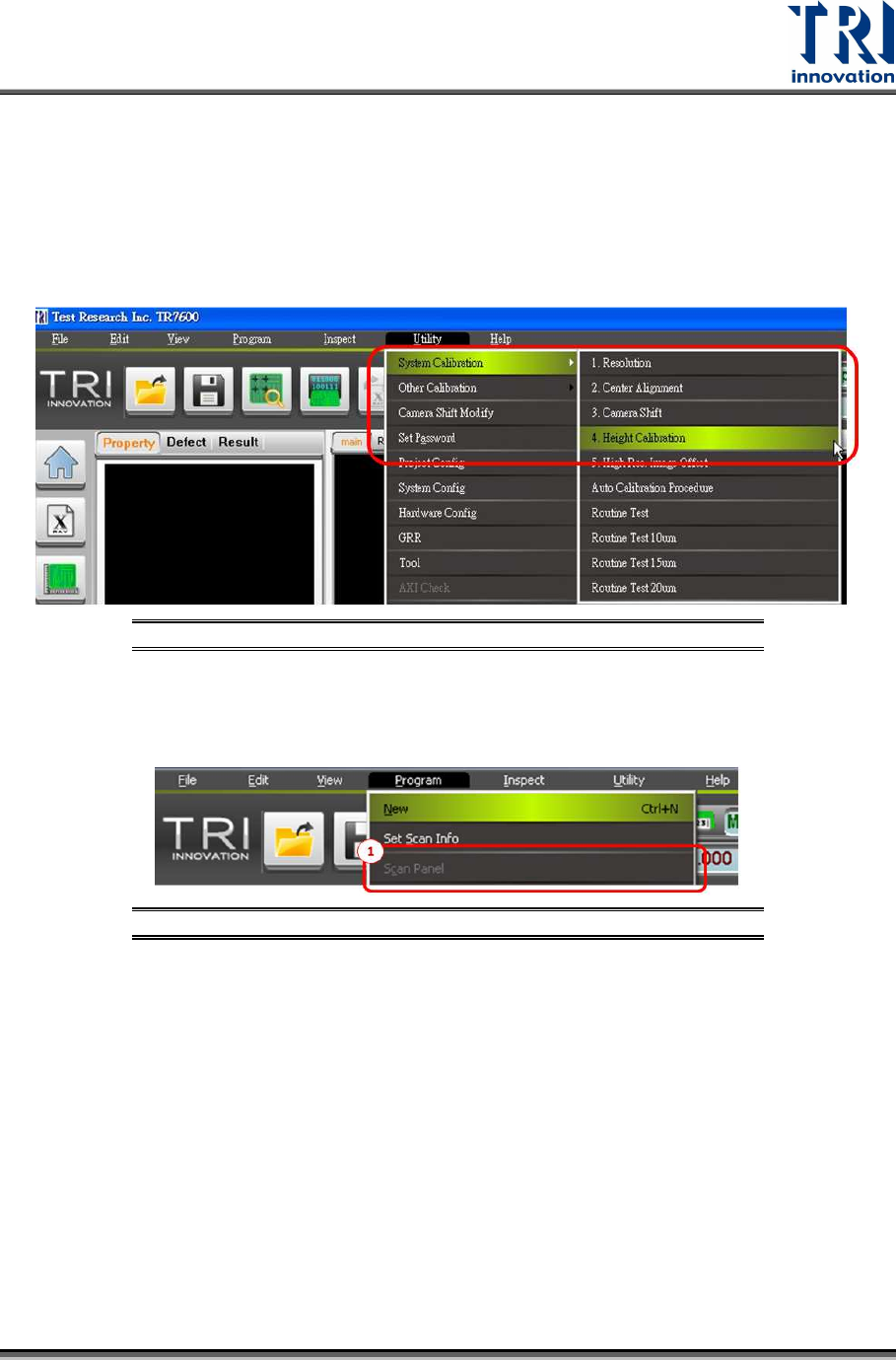
Go to [Utility] [System Calibration] [Height Calibration]
Figure 27: Utility/System Calibration/Height Calibration
Please follow the procedures below.
1) After the calibration dialogue appears, go to [Program] and press [Scan Panel].
Figure 28: Height Calibration Steps
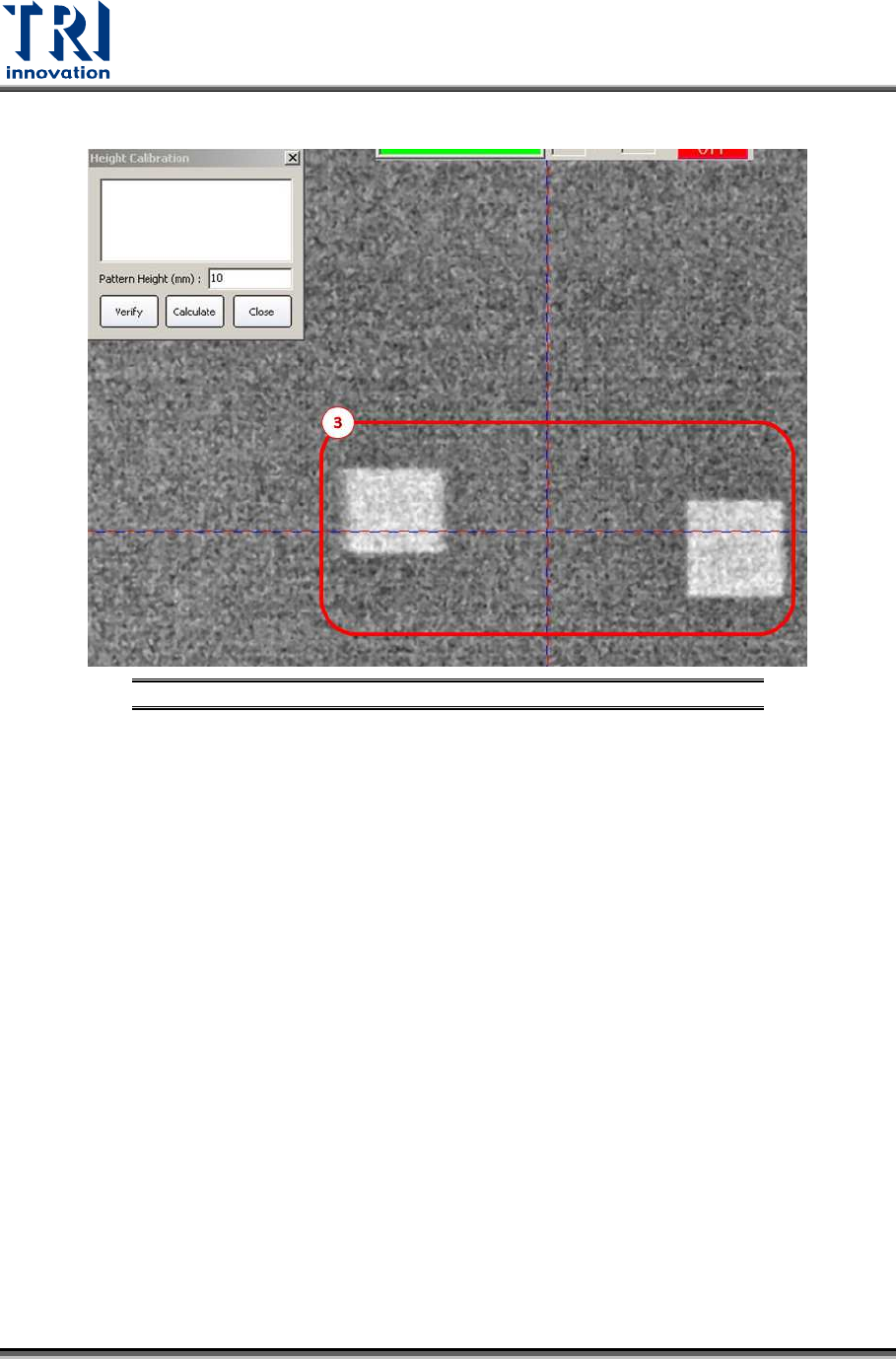
2) Press the [S] key on the keyboard to switch the slice image to a 2D image and click [6]
or [4] on the keyboard to acquire the following image.
Test Research, Inc.
22 TR7600 SIII Series User Guide – Camera Calibration
3) Locate the center of the cross line at the center of two white square boxes.
Figure 29: Height Calibration Steps
4) Press [Calculate] and some values will change in the calibration dialogue as shown
below.
5) Press [Close].
6) Press [OK] to complete the calibration process.
Test Research, Inc.
TR7600 SIII Series User Guide – Camera Calibration 23
2.5 High Res. Image Offset Calibration
Note: Generally, this calibration is not required. Please check with TRI FAEs before
performing this calibration. Without professional assistance, calibration that failed
may cause issues which are difficult to resolve.
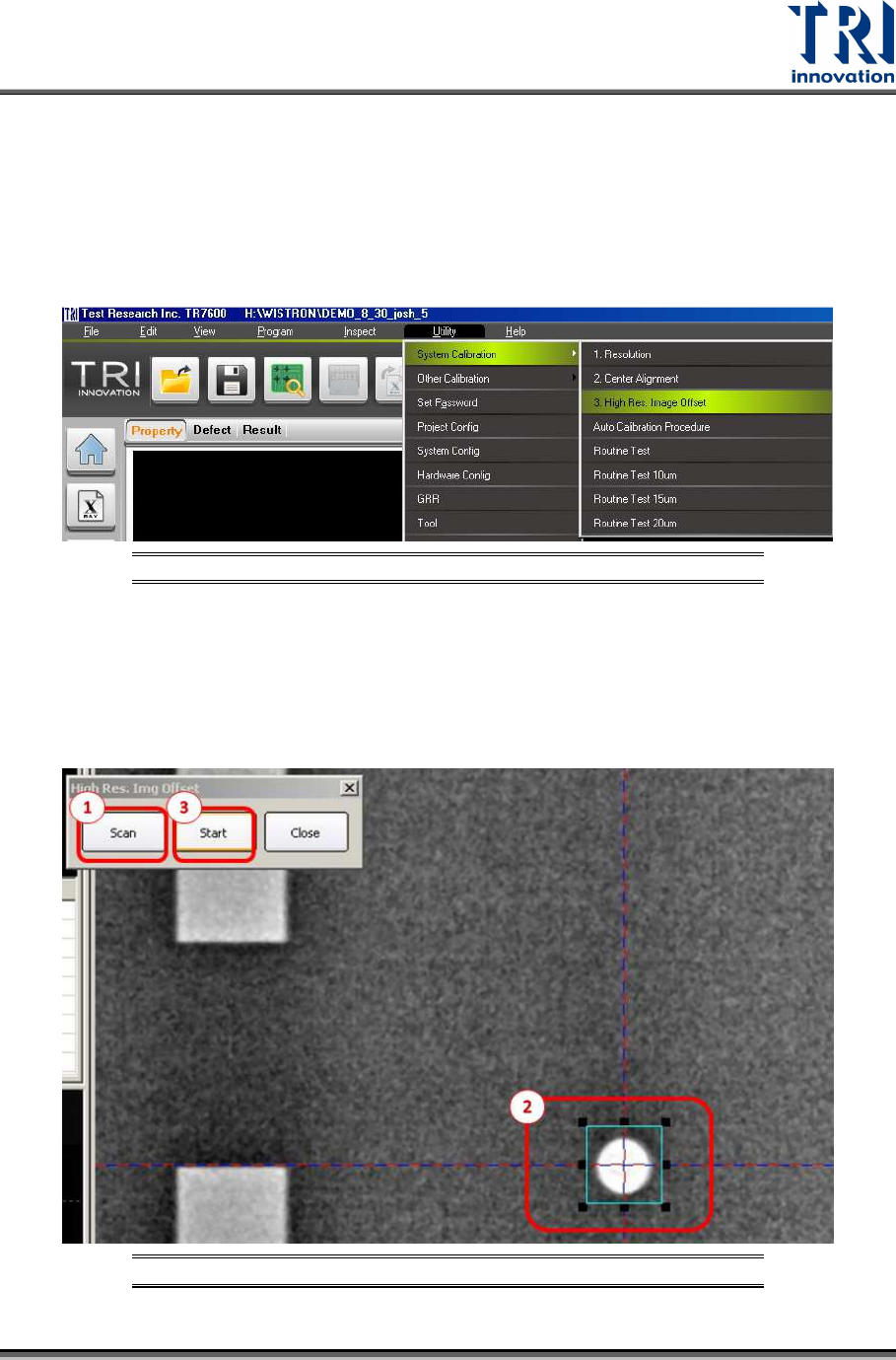
Go to [Utility] [System Calibration] [High Res. Image Offset]
Figure 30: Utility/System Calibration/High Resolution Image Offset
Please follow the procedures below.
1) Click [Scan]
2) Surround the white hole with a frame slightly larger than the hole itself.
3) Click “Start”.
Figure 31: High Resolution Image Offset Calibration Steps