TR7600 SIII_Camera_Calibration_en_v_2_0_2 - 第30页
Test Research, Inc. 24 TR7600 SI II Series User Guide – Camera Ca libration 4) If the test score is very c lose to 100, then the calibration is s uccessful. Otherwise, the calibration is c onsidered fail and us er need t…
Test Research, Inc.
TR7600 SIII Series User Guide – Camera Calibration 23
2.5 High Res. Image Offset Calibration
Note: Generally, this calibration is not required. Please check with TRI FAEs before
performing this calibration. Without professional assistance, calibration that failed
may cause issues which are difficult to resolve.
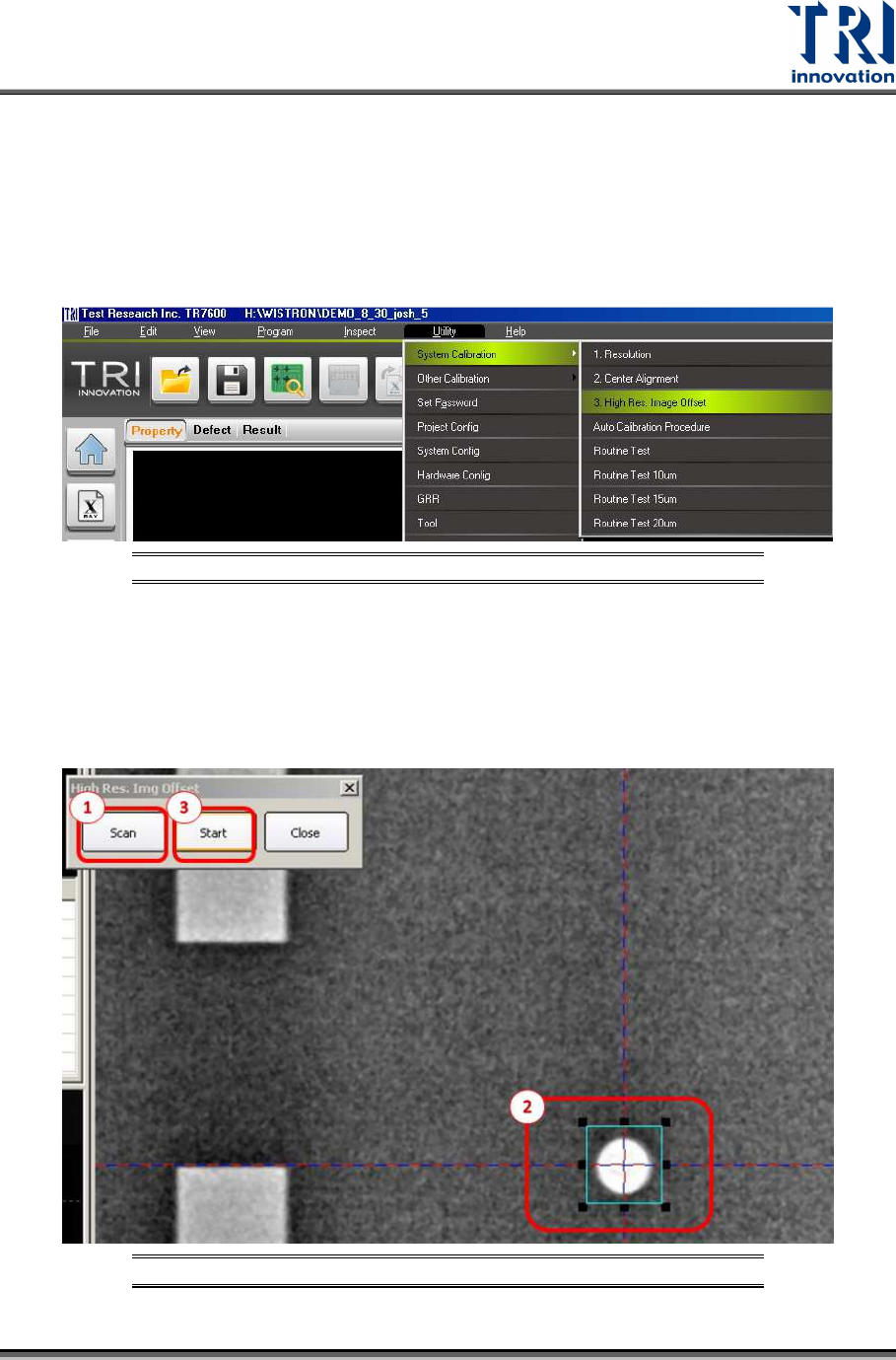
Go to [Utility] [System Calibration] [High Res. Image Offset]
Figure 30: Utility/System Calibration/High Resolution Image Offset
Please follow the procedures below.
1) Click [Scan]
2) Surround the white hole with a frame slightly larger than the hole itself.
3) Click “Start”.
Figure 31: High Resolution Image Offset Calibration Steps
Test Research, Inc.
24 TR7600 SIII Series User Guide – Camera Calibration
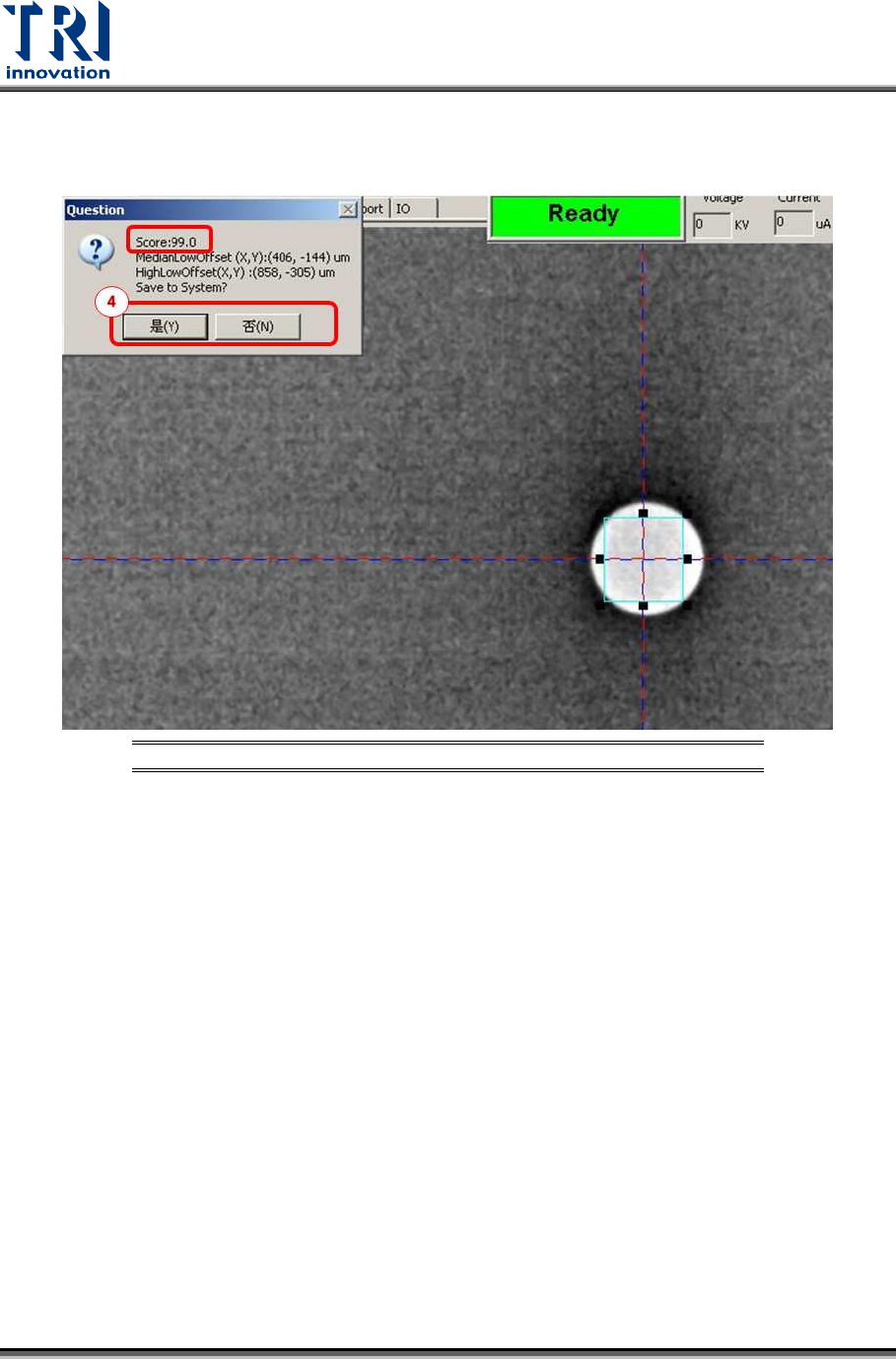
4) If the test score is very close to 100, then the calibration is successful. Otherwise, the
calibration is considered fail and user need to repeat the calibration steps from 1) to 3)
until the test score is very close to 100.
Figure 32: High Resolution Image Offset Calibration Steps
5) Click [Close] to complete the calibration.
Test Research, Inc.
TR7600 SIII Series User Guide – Camera Calibration 25
2.6 Bi-Direction Shift Calibration
Note: This calibration is only applied to bi-direction scan camera. Generally, this
calibration is not required. Please check with TRI FAEs before performing this
calibration. Without professional assistance, calibration that failed may cause issues
which are difficult to resolve.
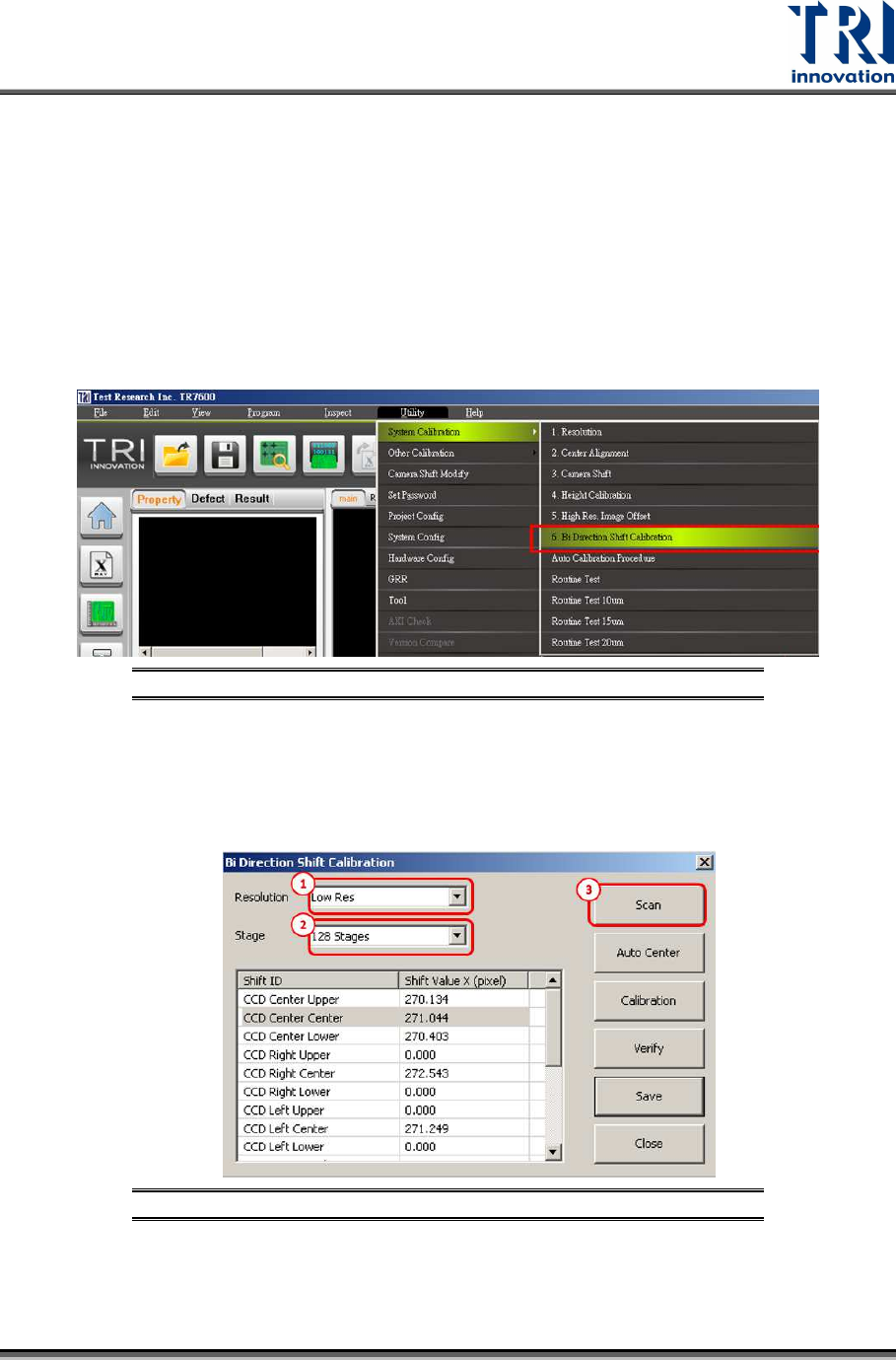
Go to [Utility] [System Calibration] [Bi-Direction Shift Calibration]
Calibrate low, median and high resolution (10, 7, 5 µm) one by one by following the
procedure below which takes low resolution as an example.
Figure 33: Utility/System Calibration/Bi-Direction Shift Calibration
1) Please choose Low Resolution.
2) Choose 128 stages.
3) Press [Scan].
Figure 34: Bi-Direction Shift Calibration Steps