TR7600 SIII_Camera_Calibration_en_v_2_0_2 - 第52页
Test Research, Inc. 46 TR7600 SI II Series User Guide – Camera Ca libration 4) Under C amera D ynamic O ffset section , c lick on [Set Sc an Info]. Input the scan parameters and click on [OK]. Figure 77: Set Scan Inf orm…
Test Research, Inc.
TR7600 SIII Series User Guide – Camera Calibration 45
After the resolution or speed mode is changed, do not need to restart the main
program.
The steps are listed below:
1) Put the calibration board into the machine.
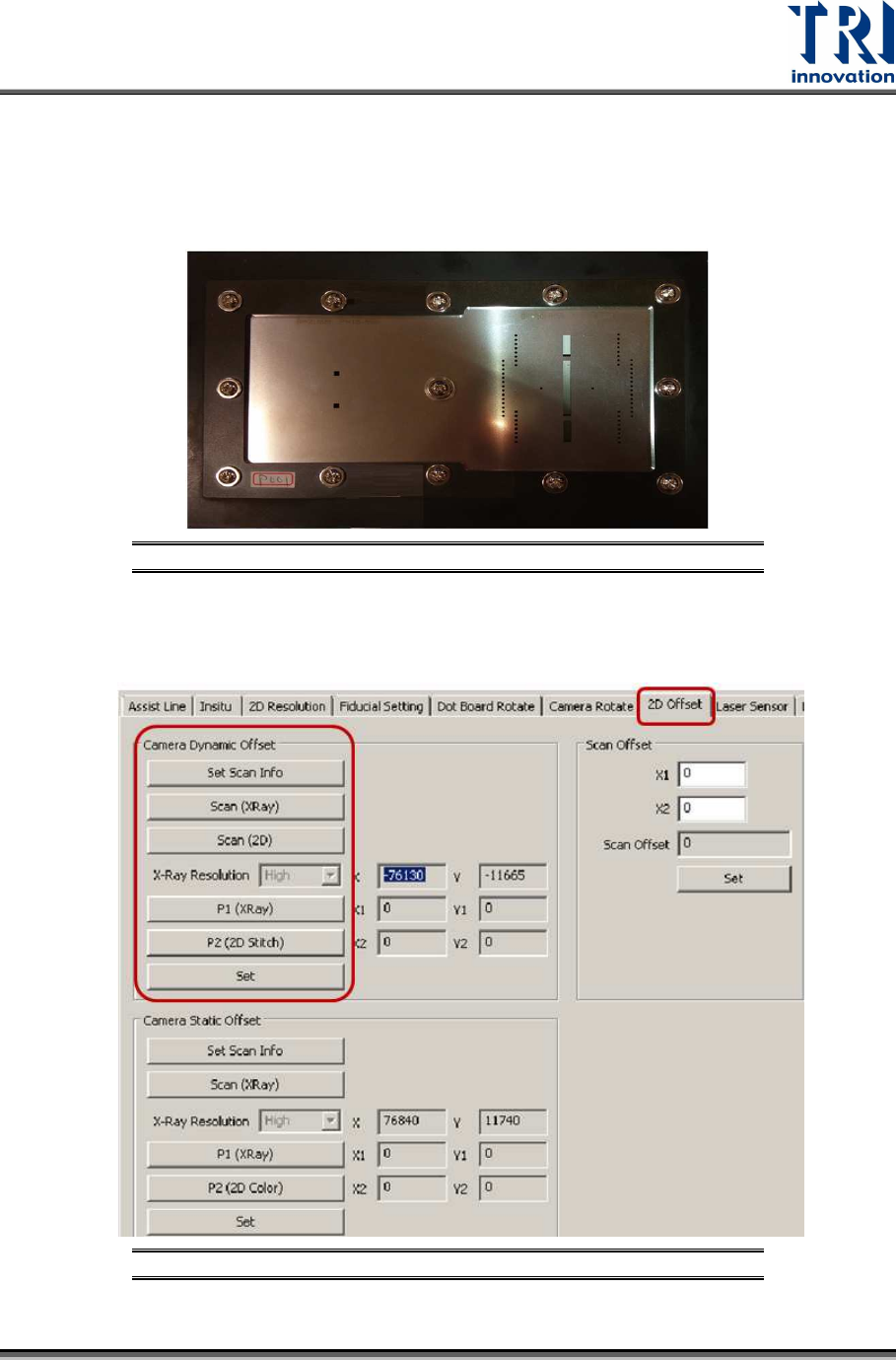
Figure 75: Change the Calibration Board
2) Use condition 1 to set up the speed mode and resolution.
3) Click on [2D Offset].
Figure 76: Camera Dynamic Offset
Test Research, Inc.
46 TR7600 SIII Series User Guide – Camera Calibration
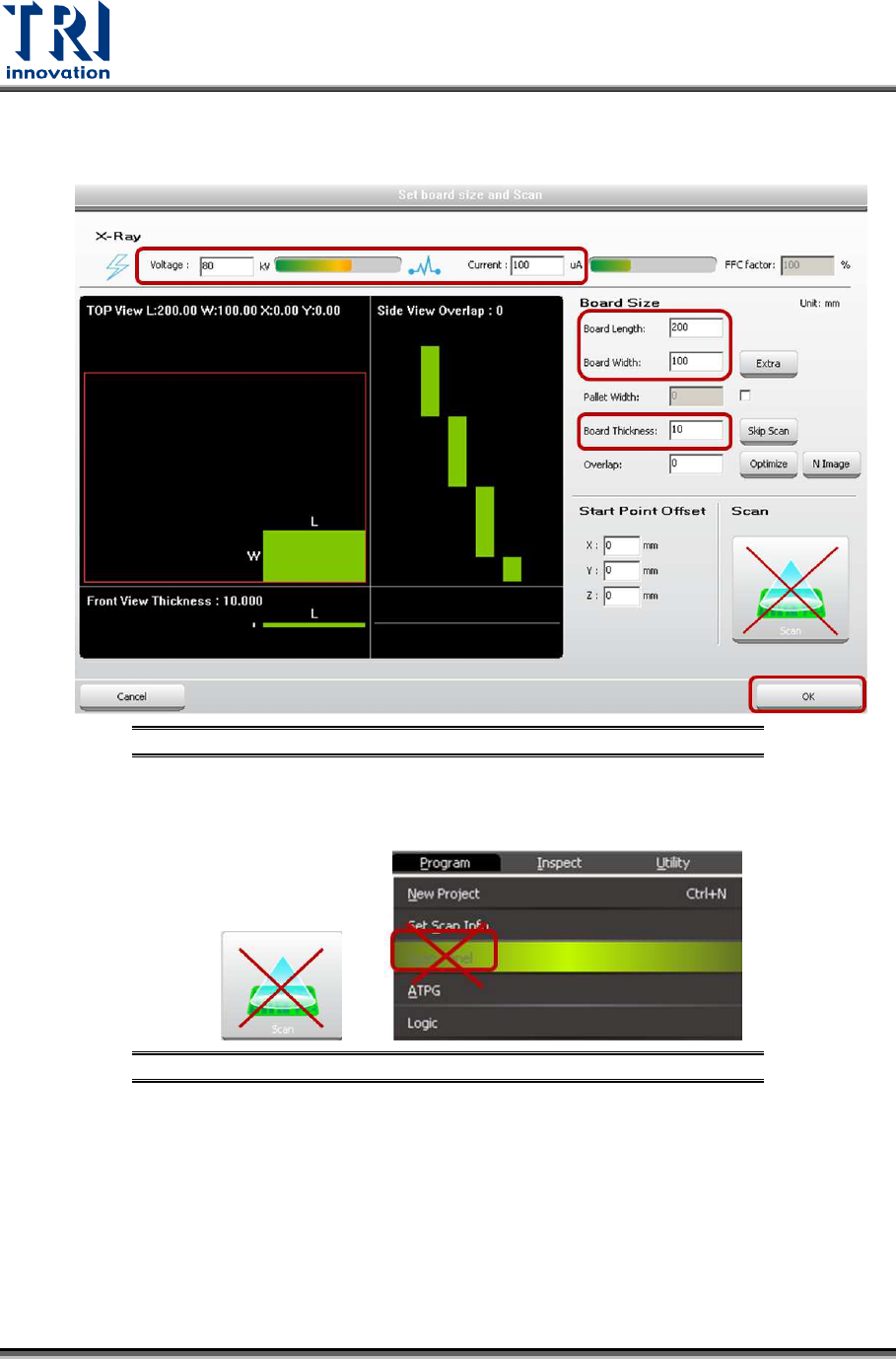
4) Under Camera Dynamic Offset section, click on [Set Scan Info]. Input the scan
parameters and click on [OK].
Figure 77: Set Scan Information
5) Please don’t use the buttons below to scan the board.
Figure 78: Don’t Use These Buttons to Scan the Board
6) Click on [Scan(XRay)] to scan the board.
7) Click on [Scan(2D)] to scan the board.
Test Research, Inc.
TR7600 SIII Series User Guide – Camera Calibration 47
8) Click on [P1(XRay)].
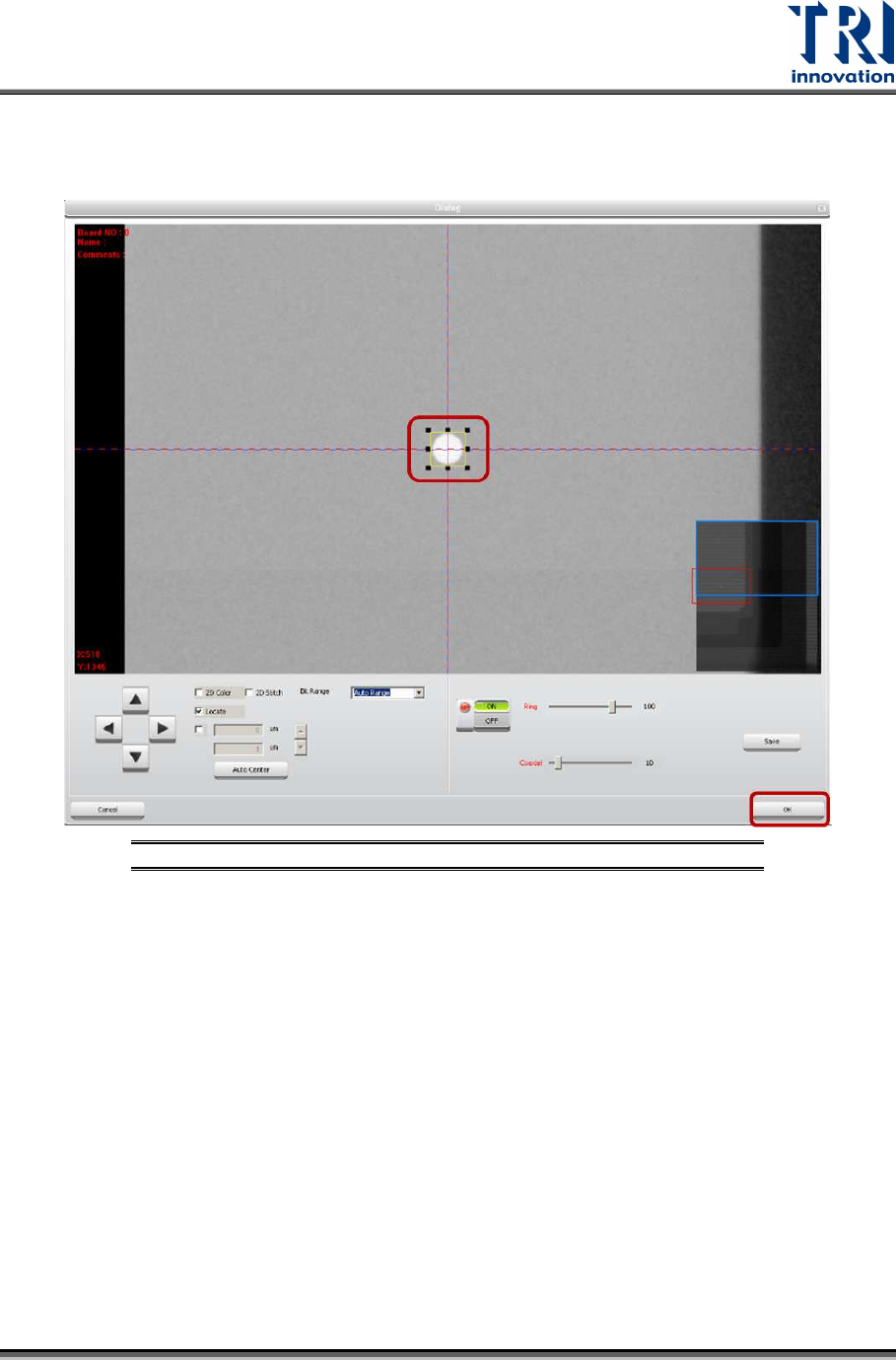
9) Find a single circle. Put this circle at the center of the cross line and enlarge the
box to confine it.
Figure 79: Find a Single Circle and Drag the Frame
10) Click on [OK] to exit.