TR7600 SIII_Camera_Calibration_en_v_2_0_2 - 第61页
Test Research, Inc. TR7600 SIII Ser ies User G uide – Cam era Calibr ation 55 Figure 96: 3. A VE/Mod e 5) Click on [ ↑] or [↓] button to set [4. ALA] as [defle] and then click on [M ode] button. Note: Af ter y ou have se…
Test Research, Inc.
54 TR7600 SIII Series User Guide – Camera Calibration
Follow the steps below to set up the basic function.
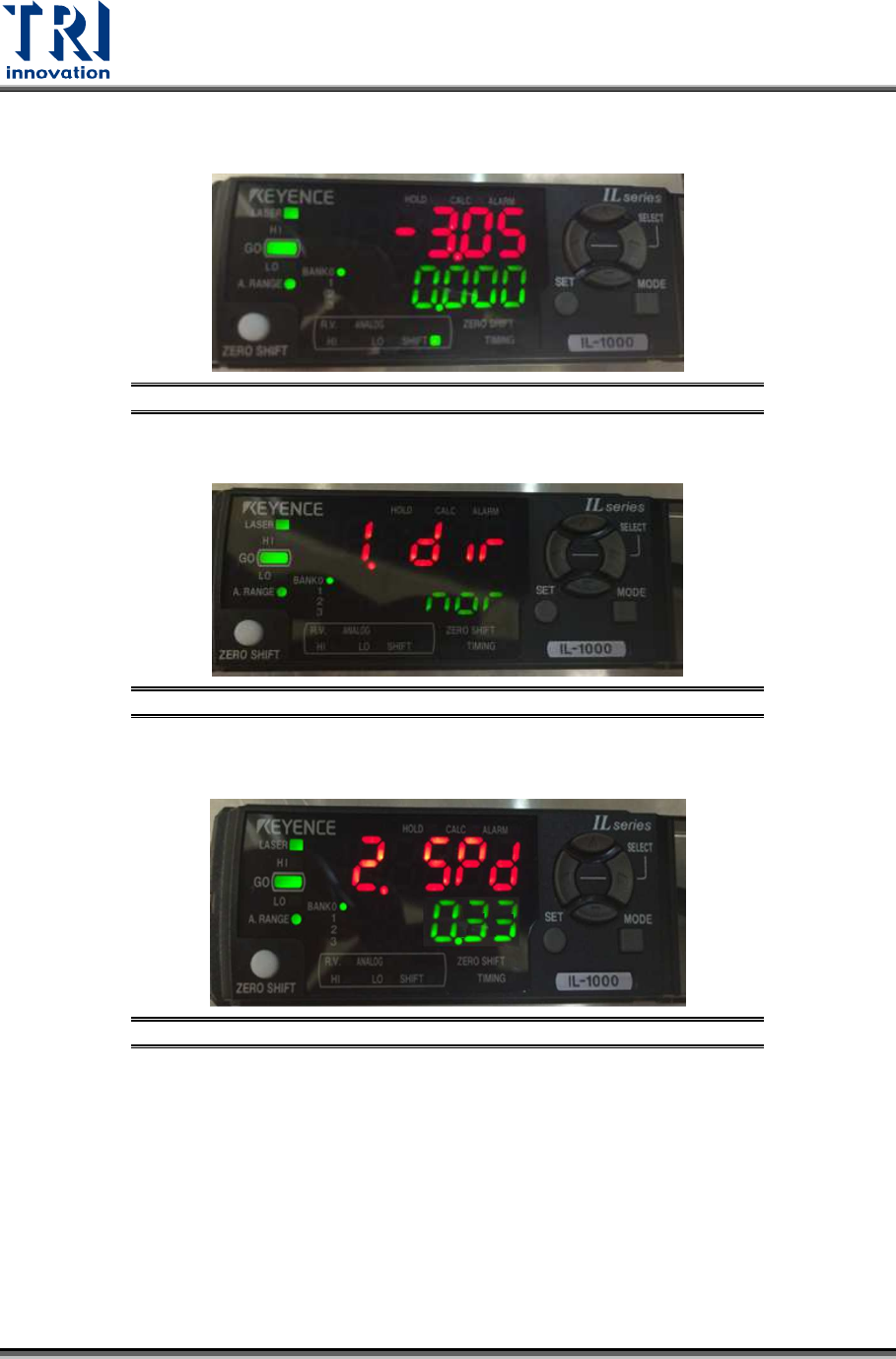
1) Press [Mode] button for 2 seconds.
Figure 93: Mode
2) Click on [↑] or [↓] button to set [1.dir] as [nor] and then click on [Mode] button.
Figure 94: 1.dir/Mode
3) Click on [
↑] or [↓] to set [2.SPD
] as [0.33] and then click on [Mode] button.
Figure 95: 2.SPD/Mode
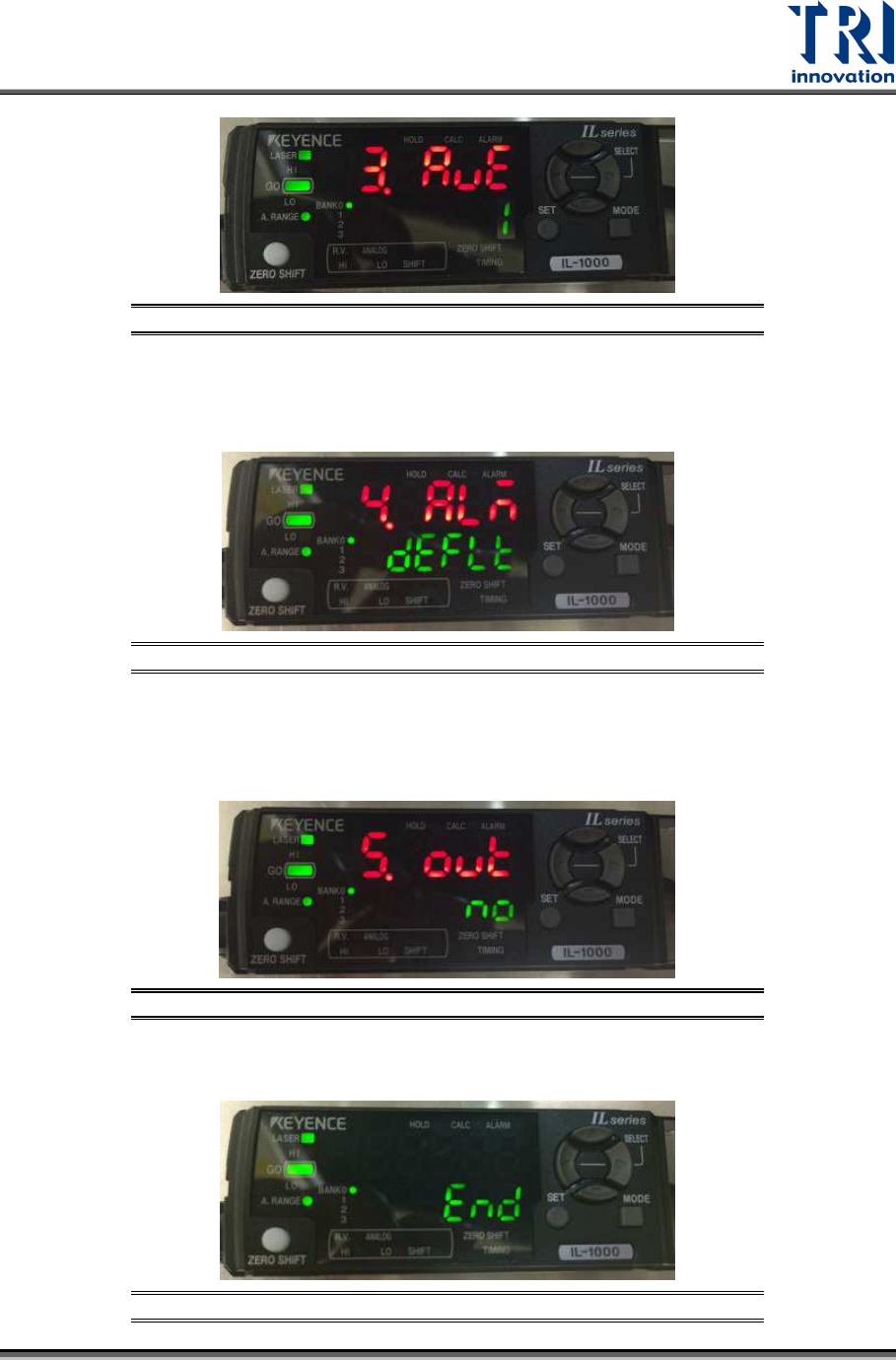
4) Click on [
↑] or [↓] button to set [3.AVE] as [1] and then click on [Mode] button.
Note: After you have seen [1], you also can click on [
→], instead of [Mode], to
finish this step.
Test Research, Inc.
TR7600 SIII Series User Guide – Camera Calibration 55
Figure 96: 3.AVE/Mode
5) Click on [
↑] or [↓] button to set [4.ALA] as [defle] and then click on [Mode] button.
Note: After you have seen [defle], you also can click on [
→], instead of [Mode], to
finish this step.
Figure 97: 4.ALA/Mode
6) Click on [↑] or [↓] button to set [5.out] as [no] and then click on [Mode] button.
Note: After you have seen [no], you also can click on [→], instead of [Mode], to
finish this step.
Figure 98: 5.out/Mode
7) After the process is finished, the window will display the [End] message.
Figure 99: End
Test Research, Inc.
56 TR7600 SIII Series User Guide – Camera Calibration
Set Up the Tolerance Value
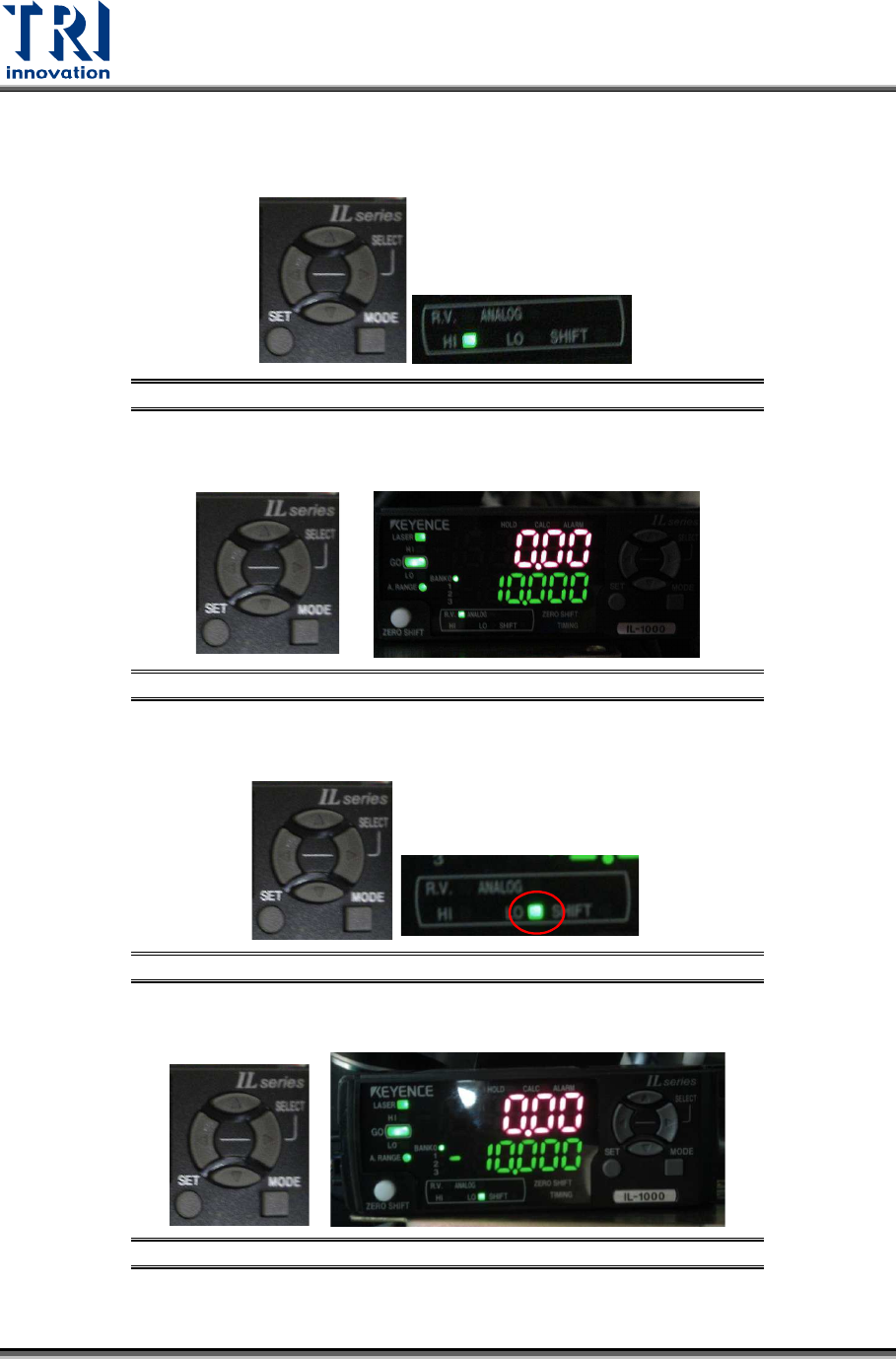
1) Click on [
←] or [→] button to switch the mode to [HI].
Figure 100: HI
2) Click on [↑] or [↓] button to set the value as 10.
Figure 101: 10
3) Click on [
←] or [→] button to set the mode as [LO].
Figure 102: LO
4) Click on [↑] or [↓] button to set the value as [-10].
Figure 103: -10