TR7600 SIII_Camera_Calibration_en_v_2_0_2 - 第83页
Test Research, Inc. TR7600 SIII Ser ies User G uide – Cam era Calibr ation 77 Figure 15 8: Position A and Posit ion B Figure 1 59: Mo ve the Box to Position B 21) Click on [OK] to save positi on B coordinates. 22) Click …
Test Research, Inc.
76 TR7600 SIII Series User Guide – Camera Calibration
Figure 155: Choose Laser Sensor 0
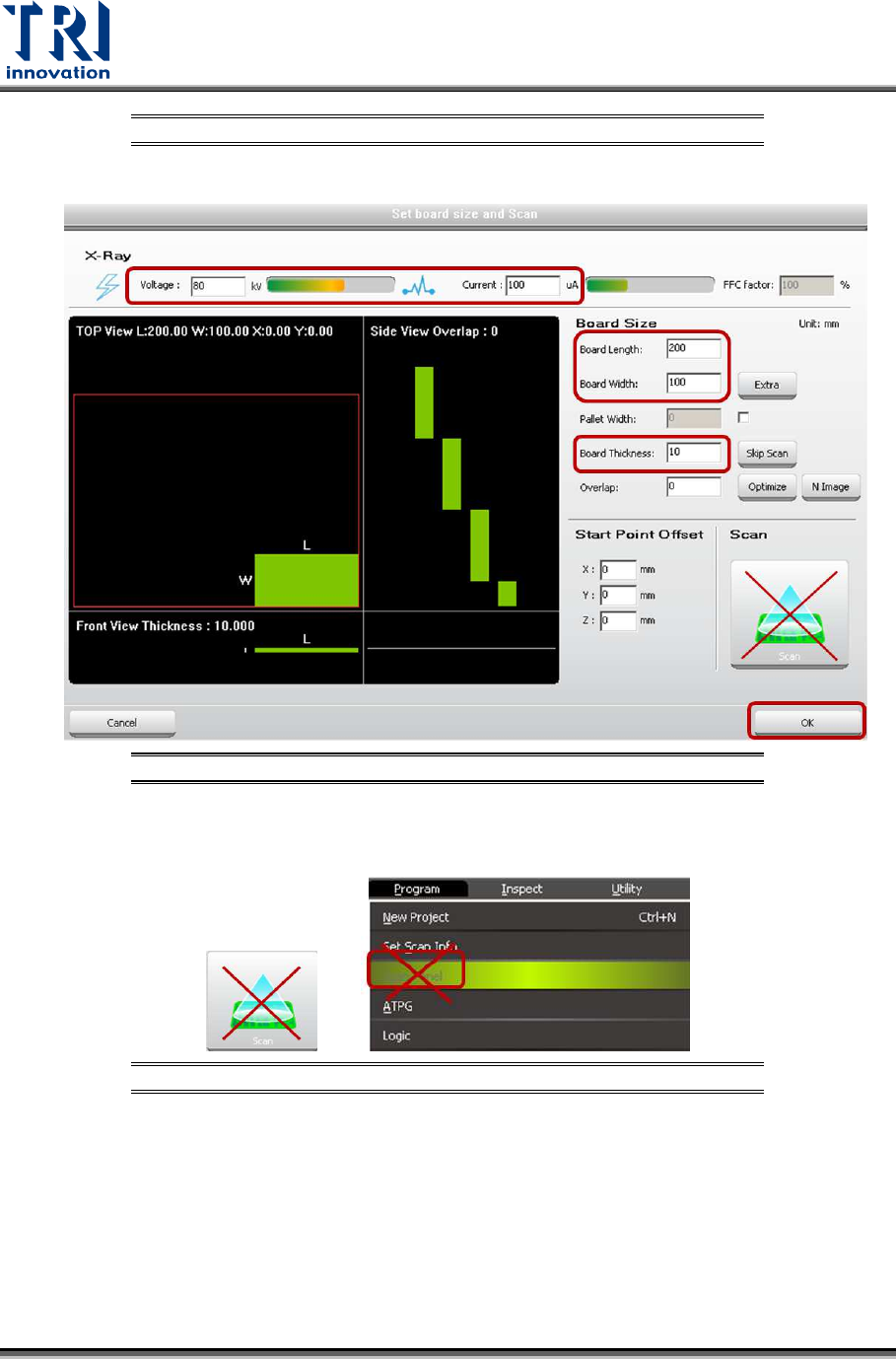
16) Click on [Set Scan Info(XRay)] to set up the scan paramaters and click on [OK].
Figure 156: Set Scan Info
17) Do not use the [Scan] buttons shown as below to scan the board.
Figure 157: Don’t Use These Buttons to Scan the Board
18) Click on [Scan (XRay)] to scan the board.
19) Click on [P1(XRay)].
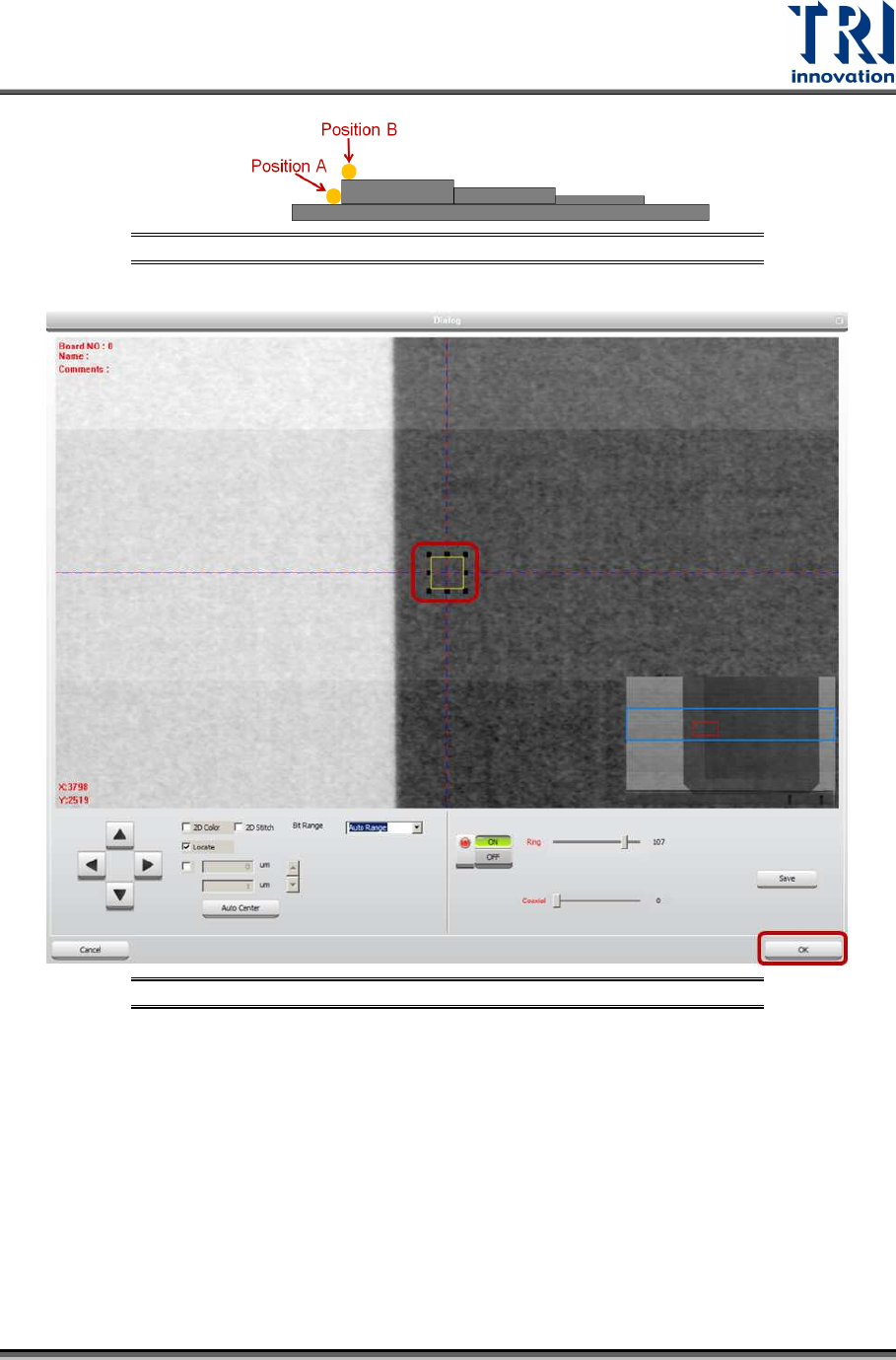
20) Move the box to position B. Do not put the box too close to the fault, or the laser
point may be moved to the fault that will result in a wrong height calculation.
However, the closer position A and position B, the higher the accuracy.
Test Research, Inc.
TR7600 SIII Series User Guide – Camera Calibration 77
Figure 158: Position A and Position B
Figure 159: Move the Box to Position B
21) Click on [OK] to save position B coordinates.
22) Click on [Move To] and Laser Sensor0 will move to the assigned position.
23) Click on [Laser Sensor].
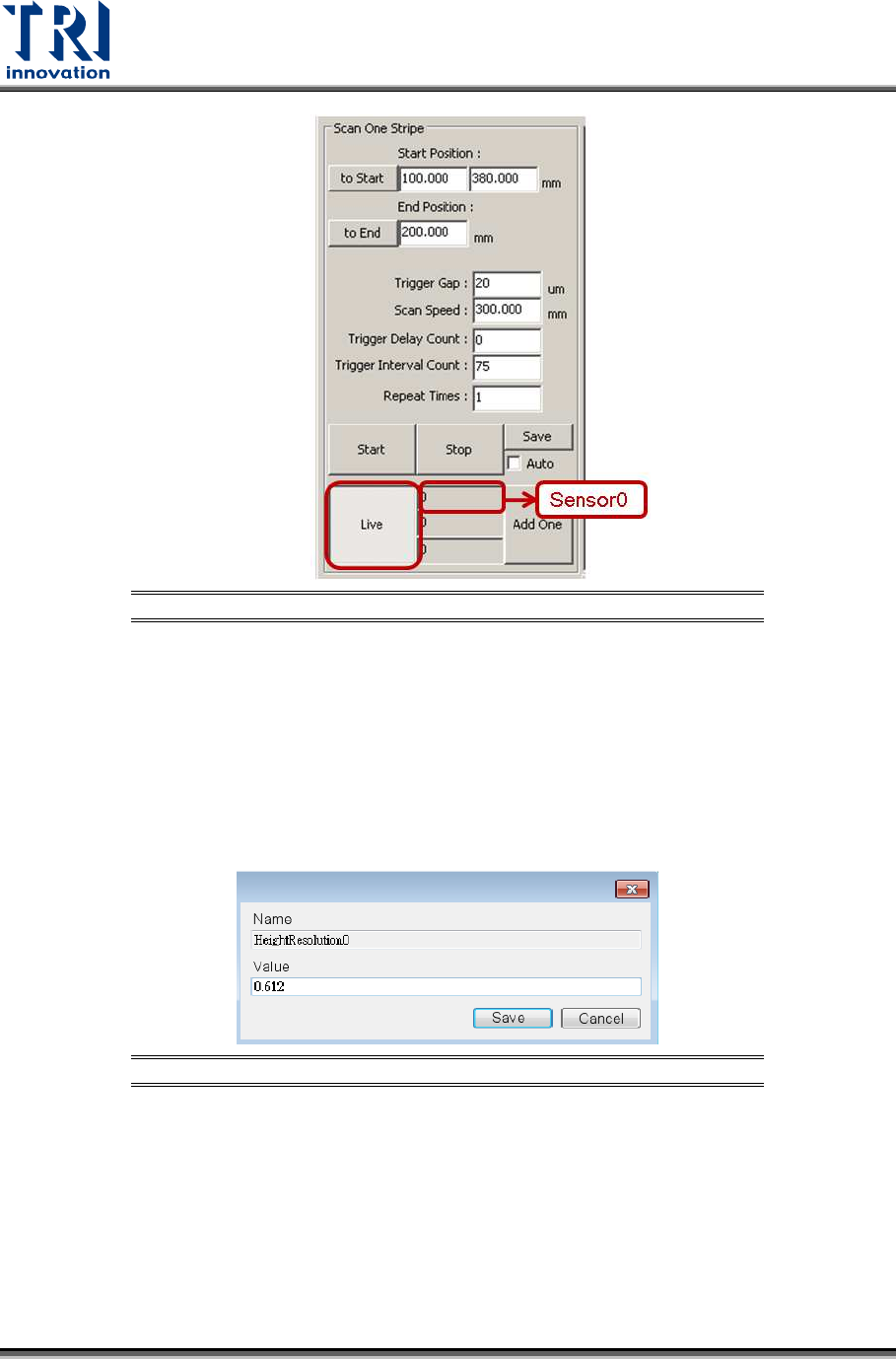
24) Click on [Live] to read the laser intensity value.
25) When the laser intensity value is stable, click [Live] again.
26) Record the laser intensity value, Value B, from the [Sensor0] field.
Test Research, Inc.
78 TR7600 SIII Series User Guide – Camera Calibration
Figure 160: Record the Value in the Laser Sensor0 Field
27) Use the formula below to calculate laser resolution.
Laser Resolution = 3000/[the difference between Value A and Value B]
The numerator, 3000 mm, is the height difference between position A and B.
If Value A=1000 and Value B=100, the denominator is 1000-100 = 900.
If Value A=1000 and Value B=-100, the denominator is 1000-(-100) = 1100.
28) Double-click Height Resolution0 registry and fill in the laser resolution. The
resolution should be close to 0.6~0.62.
Figure 161: Calculate the Resolution Value
29) Click on [Save].
30) For Laser Sensor1, please repeat the steps 1~27 above to calculate its laser
resolution. Please notice that in step 2 and step 15, you should choose [1] in the
[Sensor Index] drop down menu.