00197198-02_XML-Import-SetupCenter-5.1.pdf - 第6页
Setup Center 5. 1 - X ML Import 6 of 22 Key: (1) Activates the Pack aging Unit XMLIm port (2) Absolute path of the im port folder. T he default import folder "Import" is created b y the installation process. (3…
Setup Center 5.1 - XML Import
1 Introduction
This document describes how the “XML Batch Import of Packaging Units” works. The XML Import
provides the following features:
Import and create of non existing packaging units
Update of the field ‘Quantity’ of an existing packaging unit
Update of the field 'MsdOpenDate' of an existing packaging unit
2 Handling
This chapter describes how the XML Import can be configured and executed to create new
packaging units.
2.1 Configuration of the Import Function in SIPLACE Setup Center
You have to configure the SIPLACE Setup Center Server.
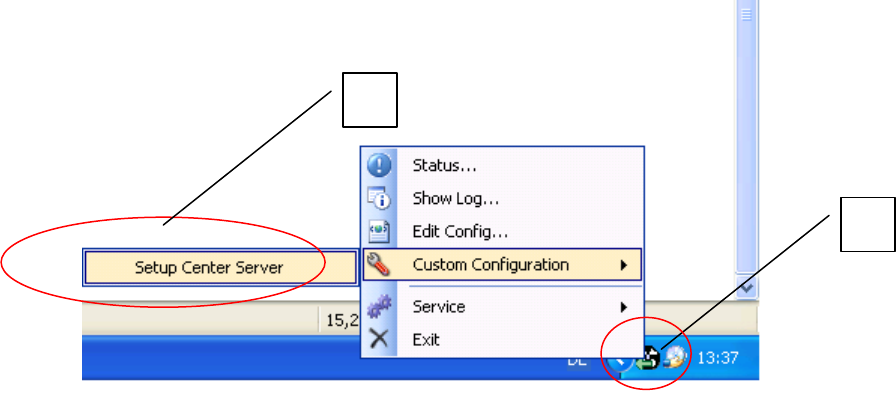
In the taskbar select icon (1) and in the context menu open Custom Configuration => Setup
Center Server (2).
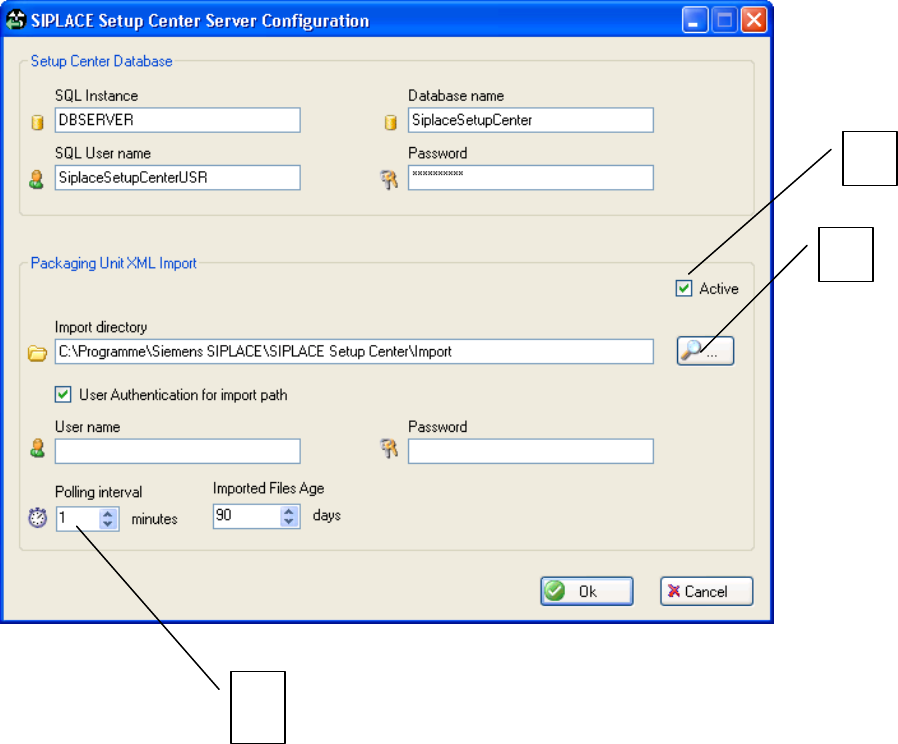
The SIPLACE Setup Center Server Configuration dialog box is opened.
1
2
Setup Center 5.1 - XML Import
6 of 22
Key:
(1) Activates the Packaging Unit XMLImport
(2) Absolute path of the import folder. The default import folder "Import" is created by the
installation process.
(3) Time period for importing XML files in minutes
The XML Import notifies during startup, whether it is active or not. If the XML Import is active, the import
directory is periodically browsed for new XML files. The polling interval gives the interval between two
passes.
1
2
3
Setup Center 5.1 - XML Import
7 of 22
2.2 Configuration of the Import Function in Siplace Setup Center GUI
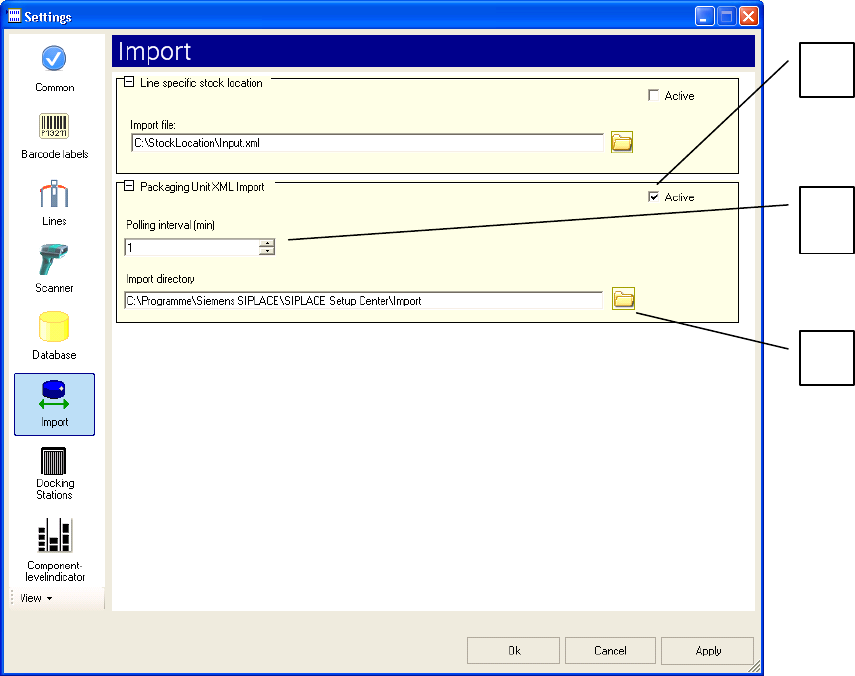
You can change the default settings for importing XML data in the Settings => Import dialog box of
SIPLACE Setup Center.
Key:
(1) Activates the XML Batch import of packaging units
(2) Time period for importing XML files in minutes
(3) Absolute path of the import folder. The default import folder "Import" is created by the
installation process
2
1
3