CP-842E-842ME System Reference-SYS-CP842-10E.pdf - 第112页
Machine System >> Editing Production Pr ograms On the Machine 4-76 SYS-CP842-1.0E Editing Operations The following editing operations can be performe d at this screen. Problem Editing Operation A vision processing …
Machine System >> Editing Production Programs On the Machine
SYS-CP842-1.0E 4-75
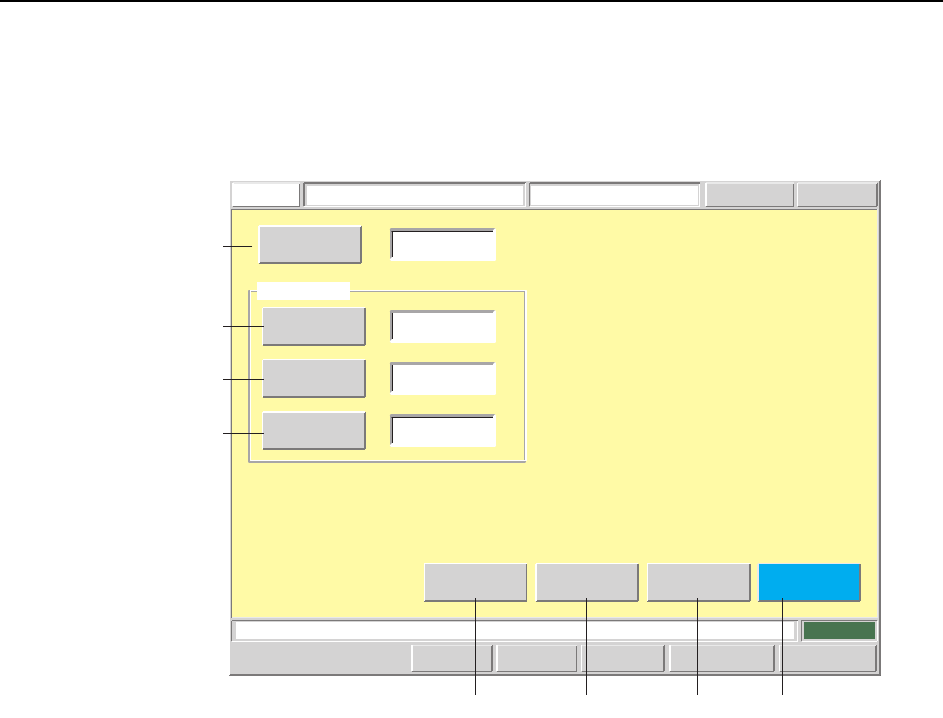
Lead Data Editing Screen
Lead data can be edited from this screen. For lead data details, refer to the SMD3
Operation Manual.
Screen Button Explanations
A. [Sequence No.]: Switches to the sequence search screen.
B. [Detection Position]: Changes the lead check position (PGDELW) which is
specified in the production program’s part shape data
(VISION).
C. [Pitch Deviation Tolerance]:Changes the lead pitch error tolerance (PTPVIPL)
which is specified in the production program’s part
shape data (VISION).
D. [Luminosity]: Changes the frontlight luminosity threshold for lead
identification (PTPVILB) which is specified in the pro-
duction program’s part shape data (VISION).
E. [Vision Type]: Switches to the vision type editing screen.
F. [Element]: Switches to the element data editing screen.
G. [Body]: Switches to the body data editing screen.
H. [Close]: Returns to the production program editing screen.
Push the START button.
FUJI
ErrorOperator
JOG:X Y CAM
Servo CountGEM
CCD Monitor
Lead Data Editor
FUJI_CP7_2001
Front
Lead Data
[%]
123
40
25
0
Sequence Number
Detection Point
Check
Limit
Brightness
Body
Element
Vision
Type
[%]
Set Switch
Close
CP7S2021E
A
B
C
D
E FGH

Machine System >> Editing Production Programs On the Machine
4-76
SYS-CP842-1.0E
Editing Operations
The following editing operations can be performed at this screen.
Problem Editing Operation
A vision processing error occurs during test
placement.
Error code: 0x1CAA000C
Body edge could not be detected.
If the lead data is incorrect, edit the detection
position item.
A vision processing error occurs during test
placement.
Error code: 0x1CAA0010
Rough positioning cannot be performed.
If the lead data is incorrect (image brightness
is unsuitable), edit the "luminosity" item.
A vision processing error occurs during test
placement.
Error code: 0x1CAA000D
Part size differs (excessively) from the size
specified in part data.
If the lead data is incorrect, edit the pitch
deviation tolerance item.
T009E
Machine System >> Administrative Functions
SYS-CP842-1.0E 4-77
4.3 Administrative Functions
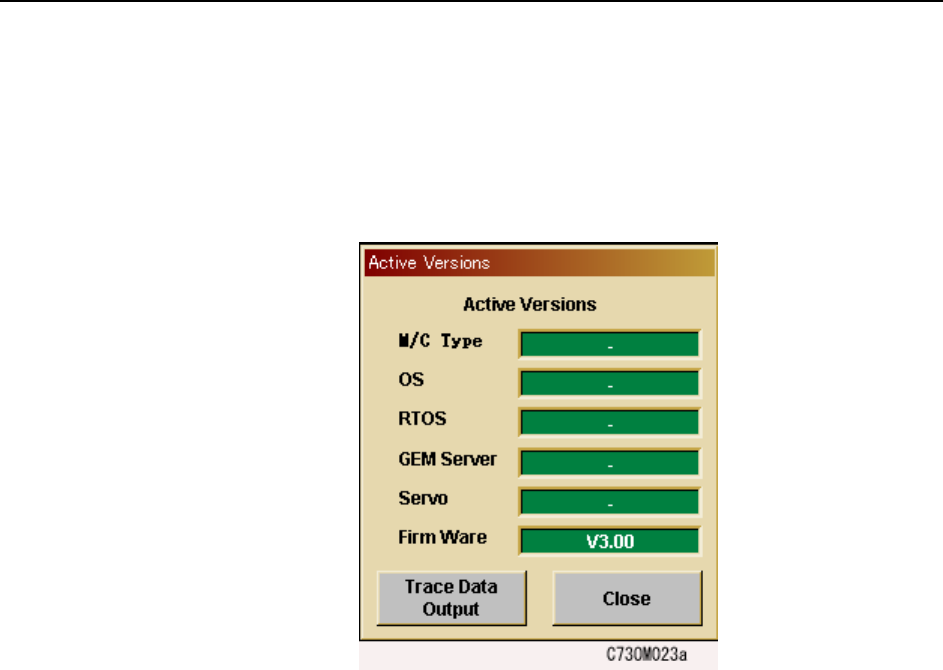
4.3.1 Displaying the Software Versions
Users can access the following dialog box by pressing the [FUJI] button in the top left
of the touch panel. Press [Close] to clear the version display.