CP-842E-842ME System Reference-SYS-CP842-10E.pdf - 第30页
The Machine >> Machine Overview 3-8 SYS-CP842-1.0E 11 Panel unclamping a nd unloading When population of the curre nt pa nel(s) is complete, th e XY -table moves to the out- carrier . At this position, the XY -tabl…
The Machine >> Machine Overview
SYS-CP842-1.0E 3-7
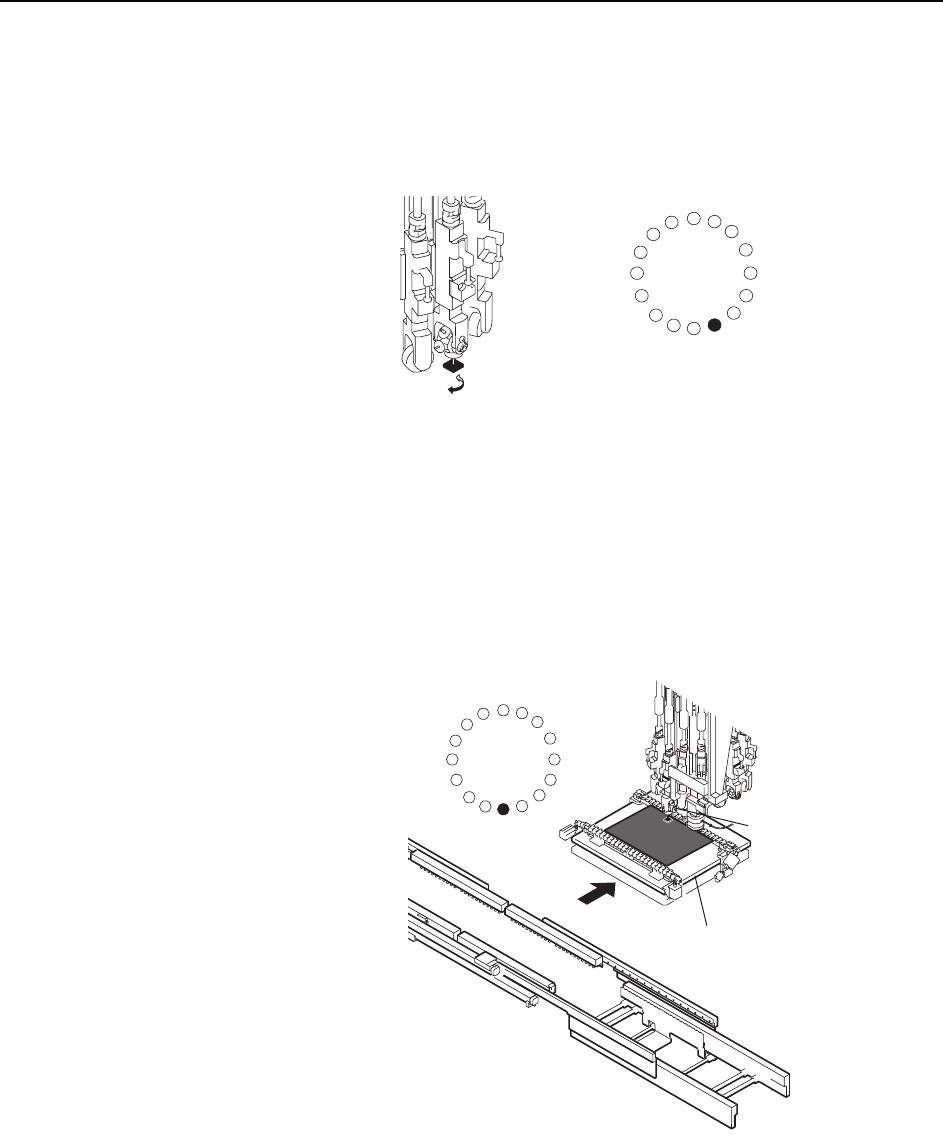
9 Fine Theta Adjustment
At station 8 final adjustments are made to the part angle (I).
10 Placement
Turret and XY-table movement coincide at station 9 for part placement (J).
ST1
ST2
ST3
ST4
ST5
ST6
ST7
ST8
ST9
ST13
ST16
ST15
ST14
ST12
ST11
ST10
I
C7SM1002a
J
XY-table
Placing head
ST1
ST2
ST3
ST4
ST5
ST6
ST7
ST8
ST9
ST13
ST16
ST15
ST14
ST12
ST11
ST10
The Machine >> Machine Overview
3-8
SYS-CP842-1.0E
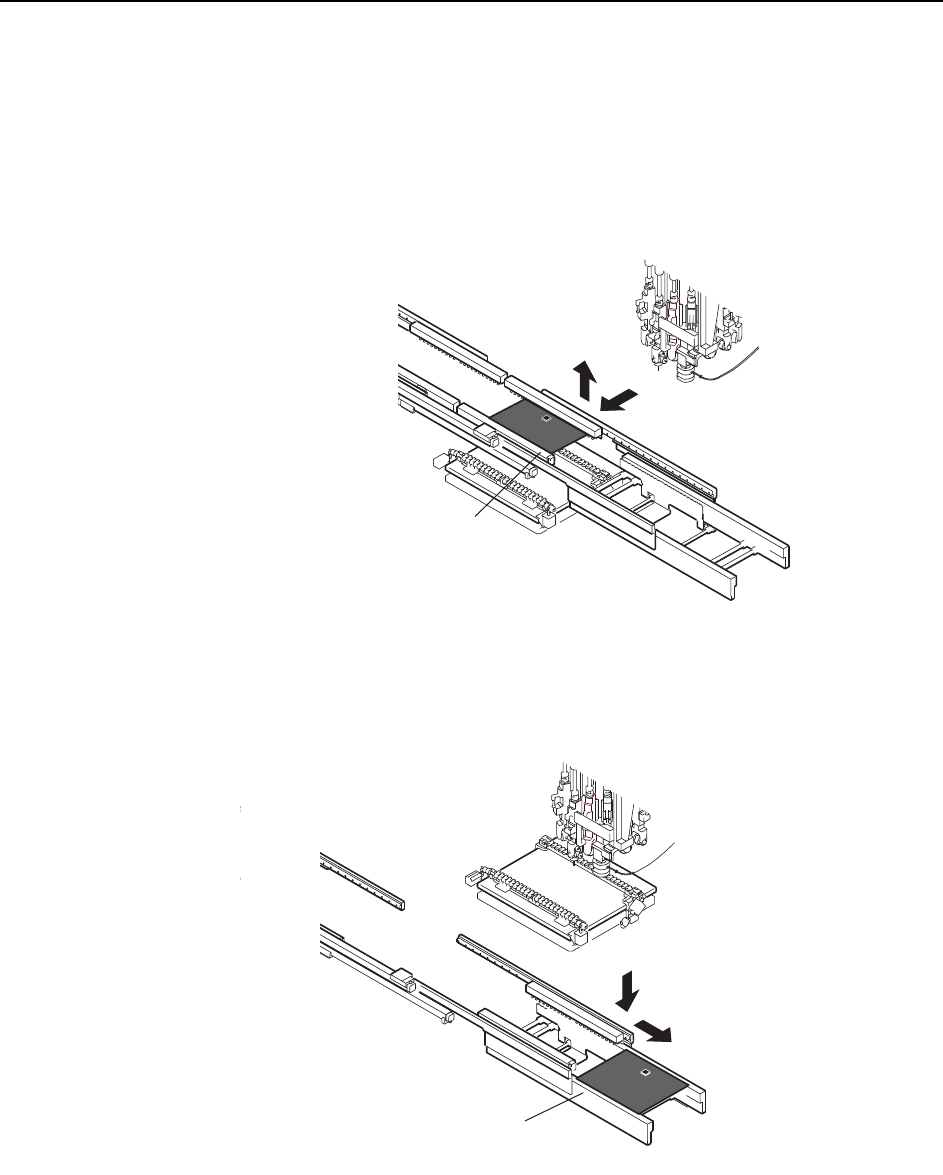
11 Panel unclamping and unloading
When population of the current panel(s) is complete, the XY-table moves to the out-
carrier.
At this position, the XY-table is raised and the panel is transferred from the table to
the out-carrier (K).
The out-carrier subsequently moves to the out-conveyor and the panel is lowered onto
the out-conveyor via the out-lifter. The panel is unloaded (L).
Note: This explanation describes single panel production. The double panel production option is the
same except for the use of stoppers to position the second panel at the in- and out-conveyor.
K
Out-carrier
L
Out-conveyor
C7SM1003a
The Machine >> Machine Overview
SYS-CP842-1.0E 3-9
3.1.4 Machine Controls
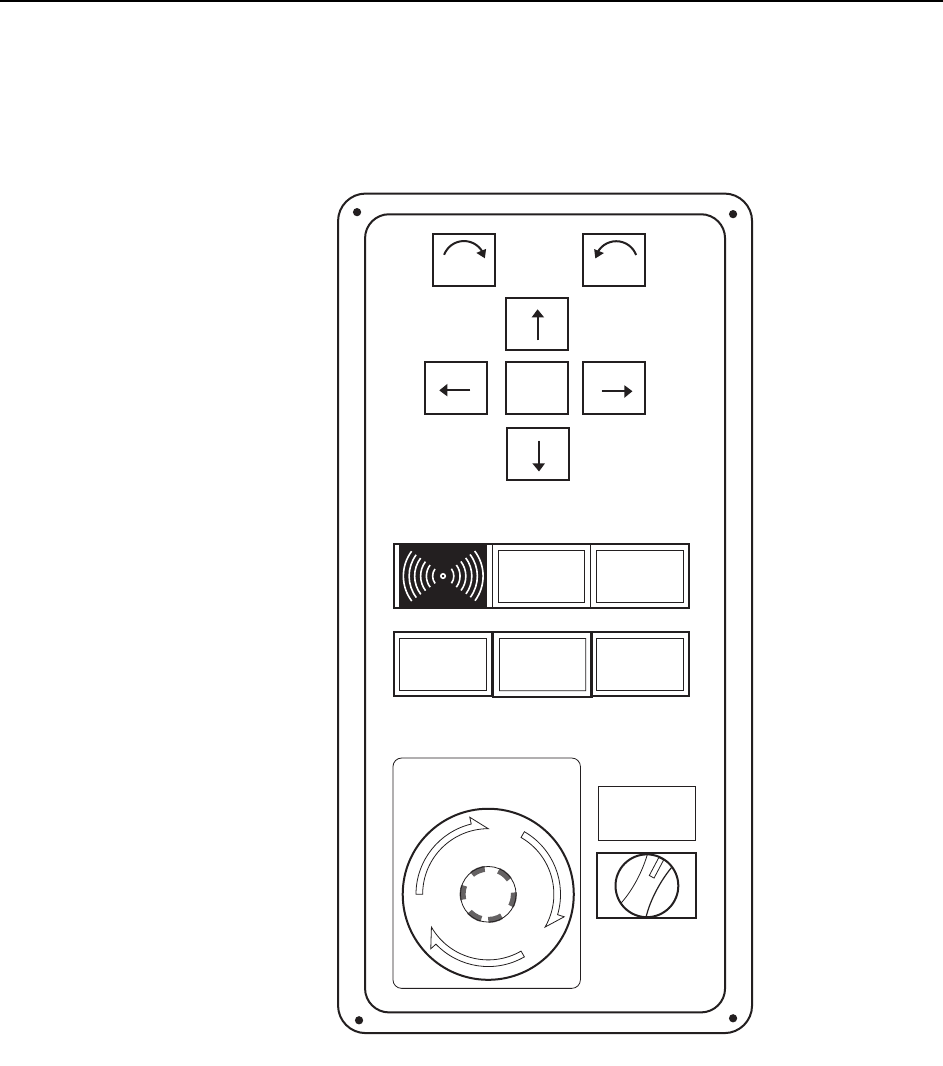
The machine uses a combination of a touch screen and conventional push buttons.
The major buttons on the operation box and touch screen are detailed below.
POWER ON lamp
This indicator is lit when the main breaker is set to the ON position.
SYSTEM ON button
This button turns on the power supply to the machine and boots up the control soft-
ware.
POWER
ON
READY
ON
Side 1
START
EMERGENCY
STOP
SYSTEM
ON
ENABLE
LOCK
CYCLE
STOP
F
θ
θ
C73OM007