CP-842E-842ME System Reference-SYS-CP842-10E.pdf - 第44页
Machine System >> Basic Operation 4-8 SYS-CP842-1.0E 3 When using idle mode with additional functions, select [Loa der] and/or [No pick up] in the “Loader 2”section. Both can be selected at the same time. 4 Press […

Machine System >> Basic Operation
SYS-CP842-1.0E 4-7
4.1.3 Modes of Running the Machine
The machine has settings which allow the user to set how the machine runs. These
settings are divided into Operation modes and Production modes. The standard com-
bination of modes used during assembly is Operation set to Production, and Produc-
tion mode set to Automatic. The other modes facilitate testing of machine operation
and production programs.
Setting the Operation Mode
The machine has five modes of operation, Production, Idle, Idle operation with loading
Idle operation without pickup and Pass. These modes of operation have different pur-
poses as is explained below.
Production: This mode is used during assembly. Parts are picked
up, part inspection is performed, and the parts are
placed on the panel.
Idle: This mode is used primarily for adjustments and test
runs. Operation is identical to that which occurs in the
Production mode, except that panel changes and vision
processing do not occur. When using the idle mode,
there must be no feeders at the feeder pallets.
Idle operation with loading: This is the Idle mode with the addition of loader move-
ment performed by the loader. When using this mode,
there must be no feeders at the feeder pallets.
Idle operation without pickup:Operates in the same manner as the standard idle
mode except that pickup is not performed.
Note: Both Idle operation with loading and Idle operation without pick up can be selected at the
same time.
Pass: Pass mode is used when the machine is not used in cur-
rent production. In pass mode the machine simply acts
as a conveyor, moving the panel on to the next machine
in the line.
Procedure
1 Press [Operation] at the [Main] screen, the [Operation] screen displays.
2 Select the desired operation mode by pressing either [Production], [Idle] or
[Pass].
Production
Operation Mode
Pass
Idle
C7SS2003
Machine System >> Basic Operation
4-8
SYS-CP842-1.0E
3 When using idle mode with additional functions, select [Loader] and/or [No pick
up] in the “Loader 2”section. Both can be selected at the same time.
4 Press [Close] to return to the [Main] screen.
5 Press [Production] to enable the START button.
Setting the Production Mode
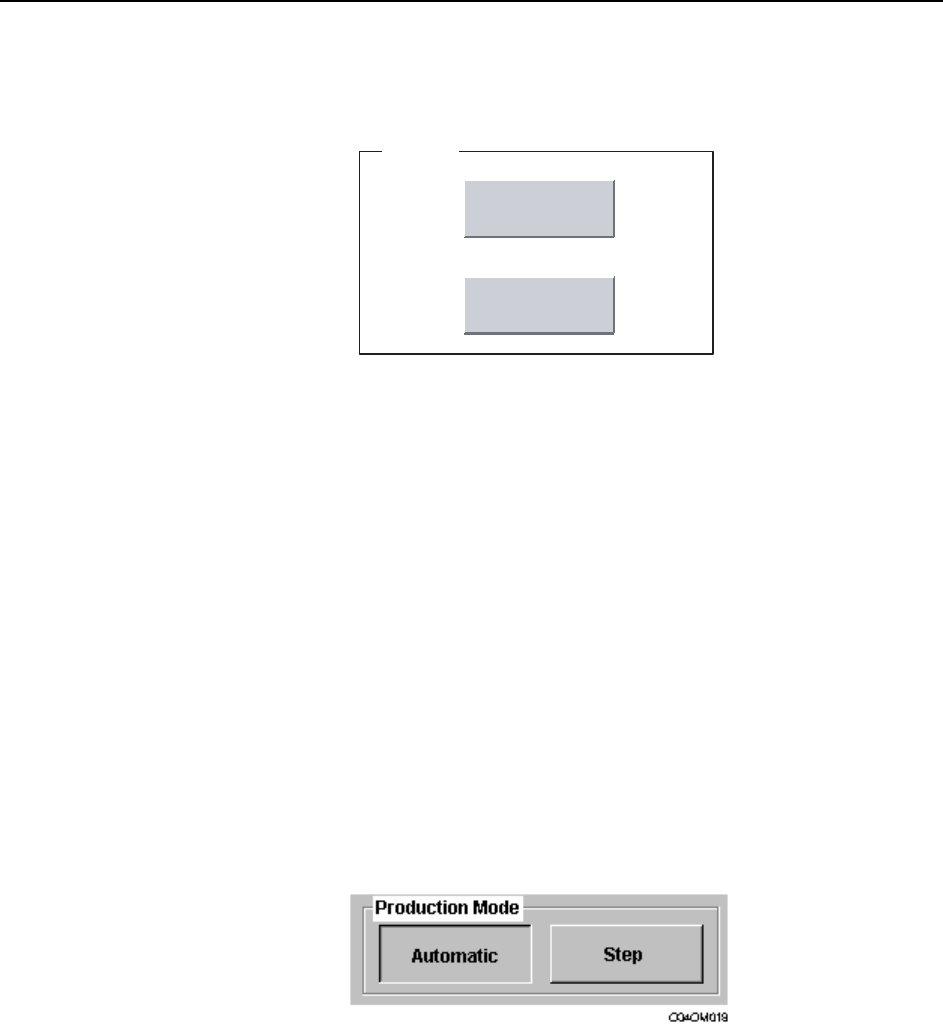
Production programs can be run in either Automaticor Step operation modes.
Automatic: Use Automatic for assembly. In this mode the machine operates
continuously, performing each of the sequences defined in the pro-
gram.
Step: Use Step to test the operation of the machine. In this mode the
machine performs one sequence at a time, and the START button
must be pressed to perform the next sequence.
Procedure
1 Press [Production] at the [Main] screen.
2 Select the mode of production in the Production Mode section.
3 Press [Close] to return to the [Main] screen.
Loader
Idle 2
No Pickup
C7SS2004
Machine System >> Basic Operation
SYS-CP842-1.0E 4-9
4.1.4 Parts Error Handling
Setting Error Handling
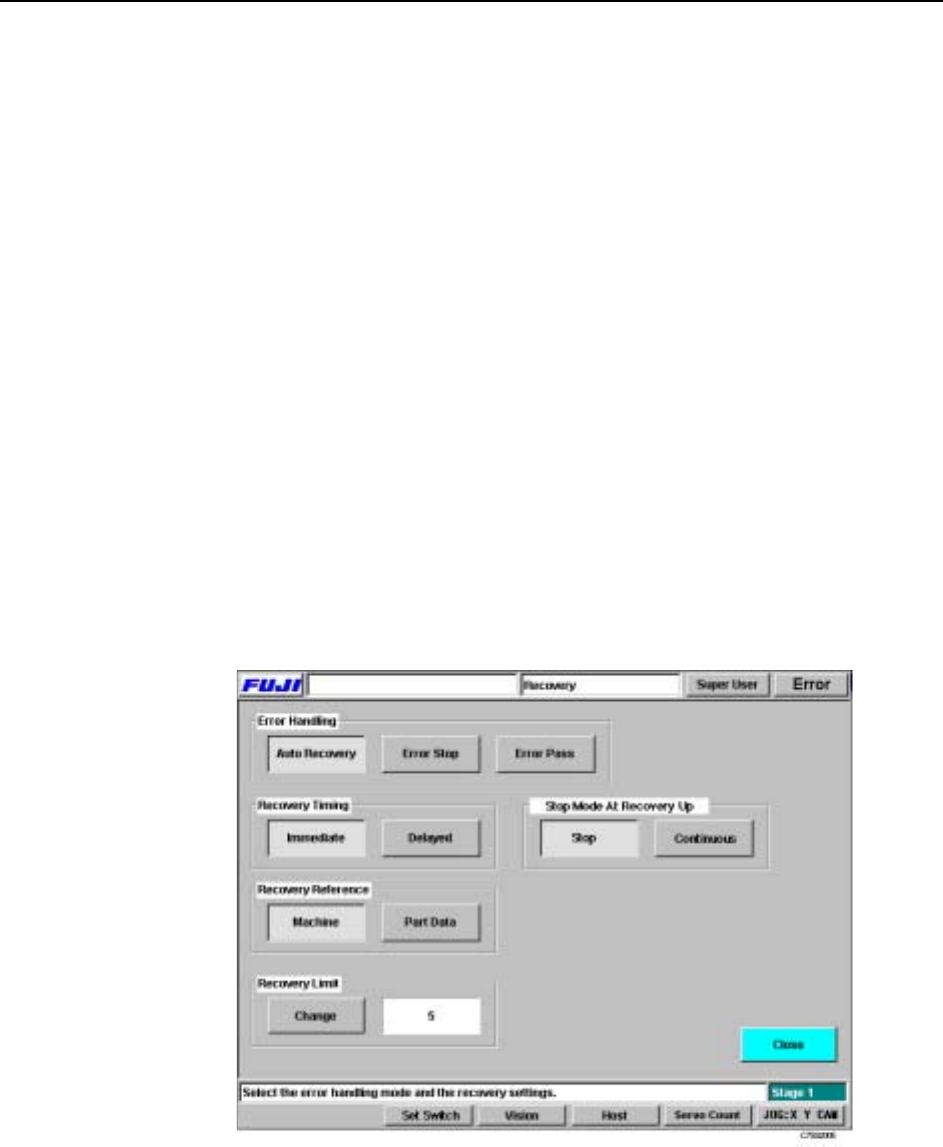
The machine can be set to react differently to a parts error. Parts error refers to parts
pick-up and parts inspection errors. There are three modes of operation triggered by a
parts error, Auto Recovery, Error Stop and Error Pass which can be changed by the
operator.
Auto Recovery: The machine will repeat a sequence it failed to carry out (due to a
pick-up miss or part inspection error) up to the specified number of
times (this is referred to as the Recovery Limit).
Error Stop: The machine stops if a pick-up miss or part inspection error occurs.
Error Pass: The machine ignores pick-up miss or part inspection errors, and
continues operation.
Procedure
1 Press [Recovery] at the [Main] screen.
2 At the [Recovery] screen, select the error handling from [Auto Recovery], [Error
Stop] or [Error Pass].
3 Make any other settings at this screen and press [Close] to return to the [Main]
screen.